
SECTORMAXX WK-2 Manual de usuario

QUICK START GUIDE
WK-2x Access Point
WK-2, WK-2-B, WK-2-C / 802.11ac Dual Band Access
Version 1.1

2 3
Package Contents 3
WK-2 Mounting Options 4
WK-2-C Mounting 14
Powering Up the Access Point 22
Conguring the Access Point 25
Step 1: Login 25
Step 2: Radio 30
Step 3: Security Proles 34
Step 4: Conguration 36
Guest Network 38
Contents
Contents depend on your WK-2x model. Please refer to the installation manual of your product.
WK-2x
• 802.11ac Dual Band Access Point
• Built in 3x3 internal antennas
• Powered by POE+
• 2 LAN ports for Network Extensions
System Requirements
Windows or Mac PC with an Ethernet interface.
WK-2x Default Settings
Package Contents
Operation Mode: Access Point
IP Address: DHCP or 192.168.1.250
Username/Password: pakedge/pakedgea
SSID: Pakedge2.4-1 and Pakedge5-1
Power Output: High
Security: Disabled

45
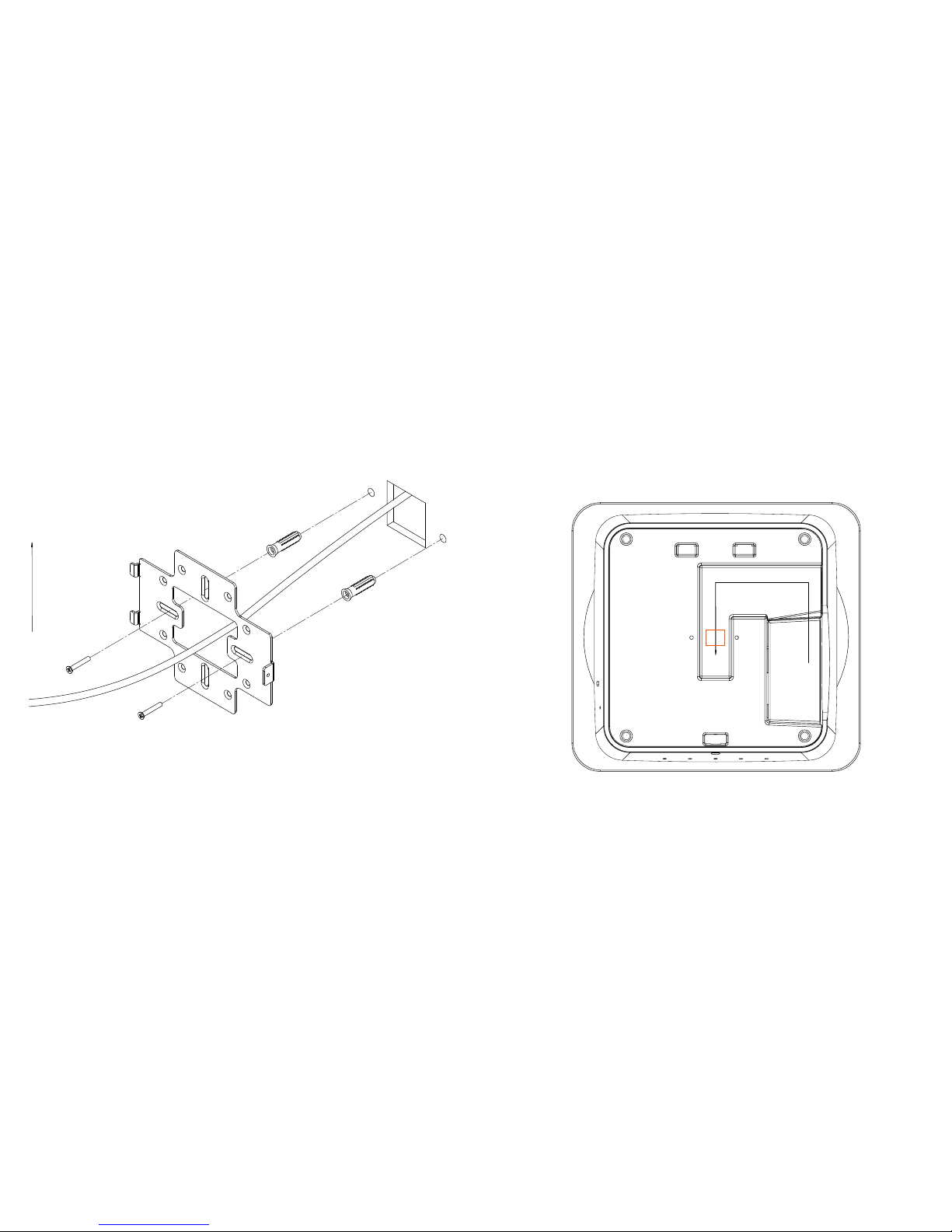
WK-2 Mounting Options Vertical mount: Secure the wall bracket to the wall anchors using the included hardware.
UP
A1 A2
A4A3
A6
A8A7
A5
B4
B3
B2
B1
A. Double-gang electrical box, wall
B. Single-gang electrical box, european
outlet box us 4” round junction box, us
3.5” round juction box
Using the Provided Wall Mount Bracket.
67
Line the two tabs on the top of the wall bracket with the two pockets on the back of the access
point.
UP
Horizontal mount: Line up the slots and secure the wall bracket to the wall anchors using the
included hardware.
Attach the recommended plastic cable clip. Route cables along the channel on the back of the
WAP and secure cables to the plastic clip by pressing the cable to the clip.
ROUTE CABLES
RECOMMENDED
CABLE CLIP PLACEMENT

8 9
Place the WAP rmly against the wall bracket, ensuring the cables are tucked in the channel on the
back of the WAP and/or behind the wall bracket.

10 11
Slide the WAP downward until the top two tabs on the Wall Bracket are locked into place
SLIDE WAP DOWN
TO LOCK
Secure the WAP to the wall bracket’s bottom tab with the included security screw.
SUPPLIED TORX SCREWDRIVER(OPTIONAL)
TORX SECURITY SCREW
TORX SECURITY SCREW INSTALLATION

12 13
Using provided T-bar Bracket
Place the appropriate sized T-bar bracket into the slots on the back of the WAP and line up the
two holes on the T-bar bracket with the two mounting points on the back of the WAP. Using the
supplied hardware, mount the T-bar bracket to the WAP.
NOTE: Please refer to the user manual for more detailed information regarding the installation and
conguration of the access point.
Rotate the WAP counter-clockwise until the T-bar bracket is secured to the T-bar.

14 15
1. Open the release latch and push on the back of WK-2-C to swing the WAP out from
ceiling/wall bracket.
WK-2-C Mounting 2. Swing WAP down.

16 17
3. Using the supplied template, cut a 9.125” diame-
ter circle at the desired mounting location for your
WK-2-C. Route an in-wall Ethernet cable through
the opening on the back of WK-2-C housing.
Insert the WK-2-C into the ceiling/wall.
4. Use a Phillips screwdriver to tighten the mounting ears. Use a clockwise rotation.
NOTE: Do not use excessive force when tightening the mounting-ears. This can strip the mounting
ears and render them non-functional.

18 19
5. Plug Ethernet cable into WK-2-C. Route Ethernet cable as shown. Use optional cable clip if
necessary.
6. Swing WAP back into WK-2-C housing.
Este manual sirve para los siguientes modelos
2
Tabla de contenidos


