
Scuf Gaming Infinity1 Manual de usuario

PRODUCT GUIDE

SCUF INFINITY1
|
2
SCUF GAMING LIMITED WARRANTY
For Scuf Gaming Limited Warranty information, please visit:
US & International: https://scufgaming.com/limited-warranty/
Europe: https://scufgaming.com/limited-warranty-eu
Para información sobre la garantía de SCUF Gaming Limited,
por favor visite:
Estados Unidos e Internacional: https://scufgaming.com/limited-warranty/
Europa: https://scufgaming.com/limited-warranty-eu
Pour les limitations de garantie, merci de visiter...
États Unis & Internationale: https://fr.scufgaming.com/limited-warranty/
Europe: https://scufgaming.com/limited-warranty-eu
Für SCUF Gaming Limited Warranty Informationen besuchen Sie bitte:
Vereinigte Staaten & Internationale: https://scufgaming.com/limited-warranty/
Europa: https://scufgaming.com/limited-warranty-eu
Per SCUF Gaming Informazioni sulla garanzia limitata, per favore visita:
il Stati Uniti & internazionale: https://scufgaming.com/limited-warranty/
Europa: https://scufgaming.com/limited-warranty-eu
TABLE OF CONTENTS
SCUF Limited Warranty 2
About Scuf Gaming 3
SCUF Innity1Controller Diagram 4
SCUF Innity1Controller Set-Up & Included Features 5
Interchangeable Innity1Thumbstick Control Area 6
SCUF Innity1Paddle Removal and Replacement 7
SCUF FPS Adjustable Trigger Grips: Hair Trigger &
Trigger Stop Mechanism
8
SCUF EMR 9
SCUF Accessory Guide 39
Spanish 10
French 17
German 24
Italian 31

SCUF INFINITY1
|
3
Scuf Gaming is a Global Leader and Innovator in
eSports, providing Tactical Gear for Elite Gamers.
Selling high-end accessories and customized gaming controllers for
PC and Console, SCUF oers a number of functional and design
features custom built to increase hand use and improve gameplay.
Built to specication, SCUF controllers cater to professional and
hardcore gamers who recognize that one size does not t all.
The SCUF controller has features, which are covered by 22
granted patents, and another 59 pending; protecting 3 key areas
of a controller: back control functions and handles, trigger control
mechanisms and thumbstick control area.
Scuf Gaming is the ocial controller partner of major gaming
leagues, including MLG, ESL, UMG, Gnity and EGL. With
operations and production in North America and Europe, Scuf
Gaming also provides a variety of accessories and apparel
specically designed for Elite Gamers.
ABOUT

SCUF INFINITY1
|
4
Product Diagram

SCUF INFINITY1
|
5
Controller Set-Up
TO SET UP YOUR SCUF rst turn on your gaming
console, then sync controller to console. Start a
game of your choice.
Instructions may be found at
scufgaming.com/instructions
SCUF Innity1 Paddle Control System
SCUF Grip
SCUF ProGrip Handles
SCUF FPS Trigger Stops
SCUF Adjustable Hair Trigger Mechanism
SCUF Innity Ring and Lock System
SCUF 0.9mm Hex Key
SCUF Precision Thumbsticks
Removable Control Disc
Pro Edition Switches
SCUF EMR (Electro Magnetic Remapping)
Weight Reduction *
Competition Approved **
Patented Features ***
Controller Features May Include
* Weight reduction achieved by removing controller rumble packs
** SCUF controllers are legally approved for use at most major competitions, including MLG, ESL,
UMG, Gnity and EGL.
*** Patent information: https://scufgaming.com/patents
FRONT BACK

SCUF INFINITY1
|
6
DIRECTIONS
Interchangeable Infinity1Thumbstick Control Area
Step 1 Place the SCUF Innity Lock over the Innity Ring and Thumbstick
on the controller. Line up the notches on the lock with the grooves on
the ring. The notches on the bottom of the Innity lock will insert into the
grooves of the Innity Ring.
Step 2 When the lock and ring are lined up, turn the lock counter
clockwise until movement stops. Pull straight up on the thumbstick to
remove both the ring and the thumbstick at the same time.
Step 3 Once the ring and thumbstick have been removed from the
controller, replace with a new thumbstick of your choice. When placing a
new thumbstick into your SCUF Innity1, be sure to line up the thumbstick
on the thumbstick shaft to ensure correct placement. The thumbstick will
lock into place on the controller.
Step 4 Use your SCUF Innity Lock to secure the ring in place by turning
the lock clockwise until movement stops.
1
3
2
4

SCUF INFINITY1
|
7
DIRECTIONS
SCUF Innity1Paddle Removal and Replacement
Step 1 It’s recommended that you remove the paddle hatch from the
controller by holding the controller with your non-dominant hand and
placing your dominant hand thumb in the center of the paddle hatch,
apply light pressure and slide the hatch o, thus removing the hatch.
Step 2 Holding the paddle hatch in your non-dominant hand, place your
index nger of your dominant hand under the back of the paddle with
your thumb on the front of the paddle. Apply light pressure by pinching
the paddle and then lift and pull away from the paddle hatch. The paddle
should slide out with light pressure.
Step 3 To add paddles to your controller, hold the paddle hatch in your
non-dominant hand, place your index nger of your dominant hand under
the back of the paddle with your thumb on the front of the paddle. Place
the tooth of the paddle into the paddle hatch cavity. With light pressure,
push the paddle into the cavity to lock the paddle into place. You will hear
a click when the paddle is secured into the paddle hatch.
Note: The paddle includes an embossed L, C or R on the
back of the paddle to ensure correct paddle placement. Match the
letter(s) embossed on the paddle to the corresponding position on
the hatch. See diagram for clarication.
1
3
2

SCUF INFINITY1
|
8
1 Adjusting Your Triggers: To nely tune your SCUF FPS Adjustable
Trigger Grips, place the 0.9mm Hex SCUF Key into the hole in the grip
and turn. Turn the key clockwise to decrease the movement of the trigger
and turn the key counter-clockwise to increase the movement of the
trigger.
2 Removing Trigger Grips: To switch out your SCUF FPS Adjustable
Trigger Grips with the Xbox plastic handles or your SCUF ProGrip
handles, use your grip removal tool to apply pressure to the top of the grip
and remove the grip. The striker plates will remain on the controller and
will not aect your gameplay with the standard Xbox or SCUF ProGrip
handles.
3 Adding Non-FPS Grips to Your Controller: Clip your SCUF ProGrip
handles or standard Xbox plastic handles onto the controller and you’re
ready to move seamlessly to games where a full range of motion may be
required to release the trigger e.g. racing and some sports games
DIRECTIONS
SCUF FPS Adjustable Trigger Grips & Trigger Stop Mechanism
PLEASE NOTE: THIS IS AN OPTIONAL FEATURE AVAILABLE IF SELECTED AT TIME OF PURCHASE
1
2
3
SCUF INFINITY1
|
9
DIRECTIONS
SCUF EMR (Electro Magnetic Remapping) Instructions
PLEASE NOTE: THIS IS AN OPTIONAL FEATURE AVAILABLE IF SELECTED AT TIME OF PURCHASE
SCUF EMR (Electro Magnetic Remapping) technology takes your gaming
exibility to the next level. This innovative feature provides on-the-y
remapping capabilities for your SCUF paddles using a SCUF Mag Key.
SCUF EMR allows you to play any game in a way that suits your play style!
Step 1 Turn on the game console and your SCUF controller
Step 2 Place the EMR Mag Key on the back of the controller (as indicated) so the
magnet symbol latches onto the controller
Step 3 Press and hold the paddle that you wish to remap a function
Step 4 Press and hold the function (A, B, X, Y, Left Dpad, Right Dpad, Left
Thumbstick down, Right Thumbstick down) that you would like to map to a
paddle.
Step 5 Release the function
Step 6 Release the paddle
Step 7 Remove the EMR Mag Key and place it at least 5cm away from the back of
the controller to prevent the SCUF controller from accidentally entering
remapping mode.
Visit scufgaming.com/EMR for a list of functions available for remap.
Additional instructions at scufgaming.com/instructions
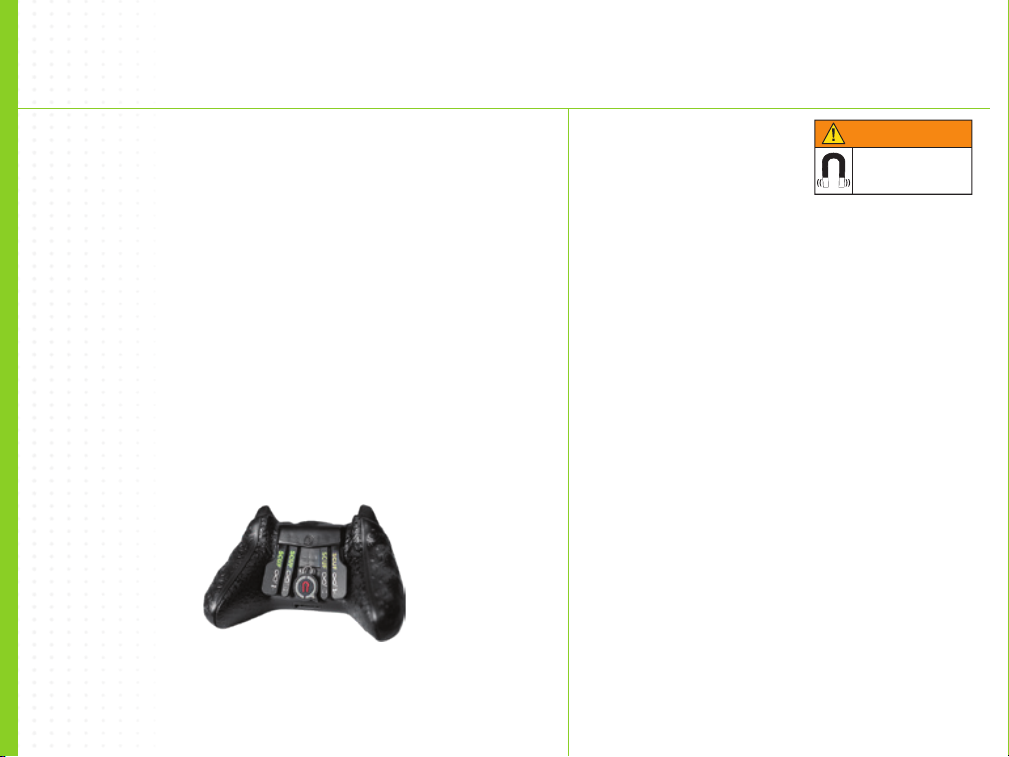
WARNING
The SCUF Mag Key contains a
powerful Neodymium Magnet.
Liability
Scuf Gaming does not accept any responsibility for damages caused by
the improper handling of the EMR Mag Key. The Mag Key may have a
surprising amount of magnetic power and if handled incorrectly can be
dangerous. If you are giving the EMR Mag Key as a gift, please ensure to
enclose this warning sheet.
Children
Do not allow children to handle the EMR Mag Key, it contains a powerful
magnet and may cause choking and trapping injuries and can be fatal
if swallowed. Seek immediate medical attention if the EMR Mag Key is
swallowed.
Magnetically Sensitive Items
Keep away from credit cards and other magnetically stored media.
Heart Pacemakers & Other Implanted Medical Devices
Keep the EMR Mag Key away from heart pacemakers and other implanted
medical devices. The operation of these devices can be adversely aected
by the close proximity of a magnet up to and including deactivating the
operation of these devices.
For health and safety information regarding the use of magnets,
please visit: SCUFGAMING.COM/EMR
Magnetic field
in place
WARNING

SCUF INFINITY1
|
10
Scuf Gaming es LiderGlobal e Innovador en
e-Deportes, suministrando Equipo Tactico para
Jugadores.
Vende accesorios de primera asi como controladores de juego
para PC y Consolas SCUF, ofreciendo varias caracteristicas en sus
funciones y diseño customizado para aumentar la efectividad del
uso de las manos y mejorar el “GamePlay”.
Manufacturado a especicacion particular, los controladores SCUF
estan dedicados a profesionales y jugadores entregados en busca
de estas ventajas, reconociendo que no todo juego satisface a
todos. Built to specication, SCUF controllers cater to professional
and hardcore gamers who recognize that one size does not t all.
Los Controladores SCUF poseen 22 patentes que cubren estas
caracteristicas, ademas de unos 59 pendientes y que protegen
tres areas claves de un Controlador: funcion de control-reverso,
mangos, mecanismo del gatillo, y control del area de la palanca del
pulgar.
ScufGaming es el socio ocial de controladores en las ligas
mayores de juego. como lo son MLG, ESL, UMG, Gnity asi
como EGL. Con operaciones y produciendo en Norte America y
Europa, Scuf Gaming tambien provee gran variedad de accesorios
y vestimenta diseñados especicamente para sus selectos
Jugadores (Elite).
SOBRE
Tabla de contenidos
Idiomas:
Otros manuales de Controladores de videojuegos de Scuf Gaming


