
RTS TIF-2000A Manual de usuario
F.01U.193.286 Rev. 10 05/2019
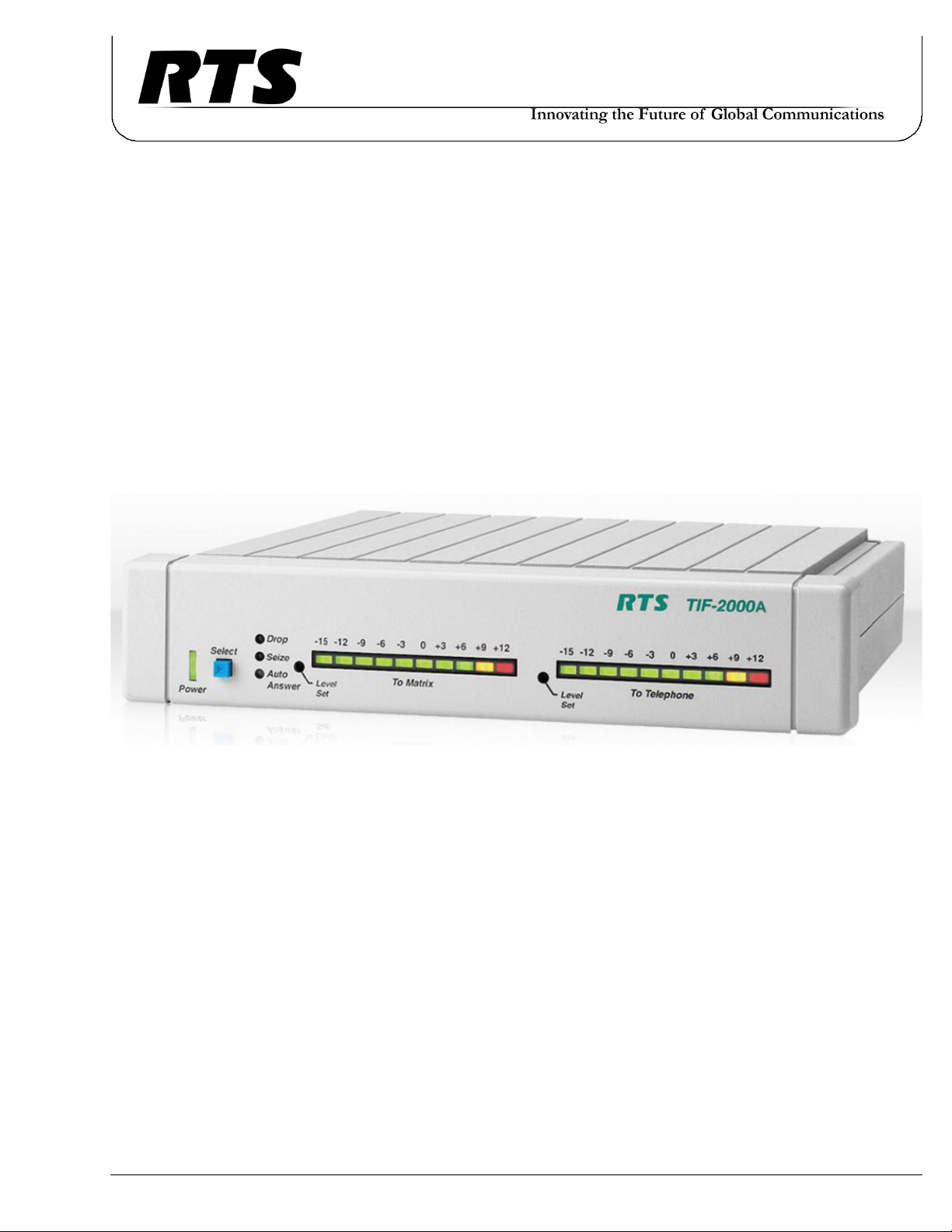
Model TIF 2000A
Digital Hybrid Telephone Line Interface

2 TIF-2000A
PROPRIETARY NOTICE
The product information and design disclosed herein were originated
by and are the property of Bosch Security Systems, Inc. Bosch reserves
all patent, proprietary design, manufacturing, reproduction, use and
sales rights thereto, and to any article disclosed therein, except to the
extent rights are expressly granted to others.
COPYRIGHT NOTICE
Copyright 2019 by Bosch Security Systems, Inc. All rights reserved.
Reproduction, in whole or in part, without prior written permission
from Bosch is prohibited.
*All other trademarks are property of their respective owners.
WARRANTY AND SERVICE INFORMATION
For warranty and service information, refer to the appropriate web site
below:
RTS Intercoms .............................. www.rtsintercoms.com/warranty
RTS Digital
RTSTW
AudioCom
RadioCom
Intercom Headsets
CUSTOMER SUPPORT
Technical questions should be directed to:
Customer Service Department
Bosch Security Systems, Inc.
http://www.rtsintercoms.com/support
DISCLAIMER
The manufacturer of the equipment described herein makes no
expressed or implied warranty with respect to anything
contained in this manual and shall not be held liable for any
implied warranties of fitness for a particular application or for
any indirect, special, or consequential damages. The
information contained herein is subject to change without prior
notice and shall not be construed as an expressed or implied
commitment on the part of the manufacturer.
THE LIGHTNING
FLASH AND
ARROWHEAD
WITHIN THE
TRIANGLE IS A
WARNING SIGN
ALERTING YOU OF
“DANGEROUS
VOLTAGE” INSIDE
THE PRODUCT.
CAUTION: TO REDUCE
THE RISK OF ELECTRIC
SHOCK, DO NOT REMOVE
COVER. NO USER-
SERVICEABLE PARTS
INSIDE. REFER
SERVICING TO
QUALIFIED SERVICE
PERSONNEL.
THE EXCLAMATION
POINT WITHIN THE
TRIANGLE IS A
WARNING SIGN
ALERTING YOU OF
IMPORTANT
INSTRUCTIONS
ACCOMPANYING
THE PRODUCT.
SEE MARKING ON BOTTOM/BACK OF PRODUCT.
WARNING: APPARATUS SHALL NOT BE EXPOSED TO DRIPPING OR
SPLASHING AND NO OBJECTS FILLED WITH LIQUIDS, SUCH AS VASES,
SHALL BE PLACED ON THE APPARATUS.
WARNING: THE MAIN POWER PLUG MUST REMAIN READILY OPERABLE.
CAUTION: TO REDUCE THE RISK OF ELECTRIC SHOCK, GROUNDING OF
THE CENTER PIN OF THIS PLUG MUST BE MAINTAINED.
WARNING: TO REDUCE THE RISK OF FIRE OR ELECTRIC SHOCK, DO NOT
EXPOSE THIS APPARATUS TO RAIN OR MOISTURE.
WARNING: TO PREVENT INJURY, THIS APPARATUS MUST BE SECURELY
ATTACHED TO THE FLOOR/WALL/RACK IN ACCORDANCE WITH THE
INSTALLATION INSTRUCTIONS.
This product is AC only.
WARNING: THIS IS A CLASS A PRODUCT. IN A DOMESTIC ENVIRONMENT
THIS PRODUCT MAY CAUSE RADIO INTERFERENCE, IN WHICH CASE THE
USER MAY BE REQUIRED TO TAKE ADEQUATE MEASURES.

Important Safety Instructions
1. Read these instructions.
2. Keep these instructions.
3. Heed all warnings.
4. Follow all instructions.
5. Do not use this apparatus near water.
6. Clean only with dry cloth.
7. Do not block any ventilation openings. Install in accordance with the
manufacturer’s instructions.
8. Do not install near any heat sources such as radiators, heat registers, stoves,
or other apparatus (including amplifiers) that produce heat.
9. Do not defeat the safety purpose of the polarized or grounding-type plug. A
polarized plug has two blades with one wider than the other. A grounding
type plug has two blades and a third grounding prong. The wide blade or the
third prong are provided for your safety. If the provided plug does not fit
into your outlet, consult an electrician for replacement of the obsolete outlet.
10. Protect the power cord from being walked on or pinched particularly at
plugs, convenience receptacles, and the point where they exit from the
apparatus.
11. Only use attachments/accessories specified by the manufacturer.
12. Use only with the cart, stand, tripod, bracket, or table specified by the
manufacturer, or sold with the apparatus. When a cart is used, use caution
when moving the cart/apparatus combination to avoid injury from tip-over.
13. Unplug this apparatus during lightning storms or when unused for long
periods of time.
14. Refer all servicing to qualified service personnel. Servicing is required
when the apparatus has been damaged in any way, such as power-supply
cord or plug is damaged, liquid has been spilled or objects have fallen into
the apparatus, the apparatus has been exposed to rain or moisture, does not
operate normally, or has been dropped.
TIF-2000A 3

4 TIF-2000A

Table
of
Contents
INTRODUCTION AND DESCRIPTION ........................................................................................ 7
Description .....................................................................................................................................................7
Front and Rear Panel Features ...................................................................................................................................8
Specifications .................................................................................................................................................9
Cabling .........................................................................................................................................................10
TIF to Phone .............................................................................................................................................................10
INSTALLATION AND OPERATION ............................................................................................ 11
Installation ...................................................................................................................................................11
Rear Panel DIP Switch (S201) .................................................................................................................................11
Auto-Answer .........................................................................................................................................................11
Generate Ring Signal ............................................................................................................................................11
Password Required ................................................................................................................................................12
Intercom Port Address ..........................................................................................................................................12
Full Duplex Mode .................................................................................................................................................12
Internal DIP Switch (S202) ......................................................................................................................................14
Ring Count ............................................................................................................................................................14
DTMF or Pulse Dial Selection ..............................................................................................................................14
Point-to-Point Seize ..............................................................................................................................................15
One Touch Dial .....................................................................................................................................................15
Fast Seize ..............................................................................................................................................................16
DSP Full or Half Duplex Selection .......................................................................................................................16
Audio Ducking ......................................................................................................................................................16
Internal DIP Switch (S203) ......................................................................................................................................16
Rack Mounting .........................................................................................................................................................17
Connections ..............................................................................................................................................................18
Intercom ................................................................................................................................................................18
Power Supply ........................................................................................................................................................18
Setting Audio Levels ................................................................................................................................................19
Setting Audio Levels To Intercom Matrix ............................................................................................................19
Setting Audio Levels to Telephone Lines .............................................................................................................20
Configuring for Country’s Telephone System .........................................................................................................20
Operation .....................................................................................................................................................21
Operation From a Keypanel .....................................................................................................................................21
Programming a Key to Use the TIF-2000A .............................................................................................................21
Dialing a Call ...........................................................................................................................................................22
Hanging Up ..............................................................................................................................................................22
Re-dialing the Last Number .....................................................................................................................................23
Dialing a Speed Dial Number ..................................................................................................................................23
Storing a Speed Dial Number ...................................................................................................................................23
Answering a Call ......................................................................................................................................................23
TIF-2000A System Setup To Receive Calls ................................................................................................24

6 TIF-2000A
Auto-Answer Mode ................................................................................................................................................. 24
Manual Answer Mode .............................................................................................................................................. 24
Using the TIF-2000A From the Telephone .......................................................................................................... 25
DTMF Codes ........................................................................................................................................................... 26
Telephone Interface Requirements Form
October 2012 ............................................................................................................................................................ 27

CHAPTER 1
Introduction and Description
This manual describes the installation, programming, and operating procedures for the RTS Model TIF2000A Digital Hybrid
Telephone Line Interface. Since TIF2000A functions as a keypanel, the user may also need to refer to the manuals and/or the
AZedit online help files for information on configuring certain features.
NOTE: Be sure to review any recently added supplemental information before proceeding. Supplements are placed at the
back of the manual.
Description
The TIF2000A is a single line digital hybrid telephone line interface designed to be compatible with ADAM Series, Zeus Series
Intercom systems and Cronus Intercom systems. It provides bi-directional communication between the intercom matrix and a
standard DTMF capable telephone line. It allows the phone to access all crosspoints of the matrix, as well as dynamic party lines,
IFB circuits, and other forms of communications. The 1RU high by 1/2 wide rack-mountable (via an optional kit) TIF2000A
provides a transparent line to the telephone system enabling full dial-out capability from any designated keypanel with keypad. The
TIF2000A has full dial-in capability giving the caller a keypanel on the system via commands from the DTMF pad on their
telephone. Since the TIF2000A appears to the matrix as any other keypanel would, the only limitation on the number of units in the
system is the same as for other keypanels.

8 Introduction and Description TIF-2000A
Front and Rear Panel Features
FIGURE 1. TIF2000A Reference View

TIF-2000A Introduction and Description 9
Specifications
Matrix Input/Output:
0dBu to ±20dBu
Telephone Input/Output:
-30dBu to +6dBu
Noise (200 Hz to 3.8 kHz):
-40dBu or less
Harmonic Distortion (300Hz to 3.8kHz):
Intercom Side: -30dBu or less
Telephone Side: -25dBu or less
Frequency Response:
300Hz to 3.8kHz +0dB, -6dB
Matrix Connectors:
DE-9S Female
RJ-12 Female
Telephone Line Connector:
RJ11 Female
Telephone Loop-Thru Connector:
RJ11 Female
Power Requirements:
100-240VAC, 50/60Hz, 1A
Environmental:
Operating Temperature - 0°C to 50°C
Storage Temperature - -20°C to 75°C
Humidity (Operating and Storage) - 0-95%, non-
condensing
Dimensions:
1.72” (44mm) H x 8.19” (208mm) W x 8” (203mm)
D
Finish:
Thermoplastic front panel, aluminum case and rear
panel, light gray finish
Agency Compliance:
Emissions (Class A):
KN 32 NRRA Notice 2017-19 (2017.12.28)
EN 55032: 2012/AC:2013
AS/NZS CISPR 32: 2015
VCCI 32-1
ICES-003: 2016
FCC Part 15 subpart B
CNS 13438: 2006
Immunity:
EN 55024: 2010+A1:2015
EN 55035 2017
KN 35
Safety:
UL 60950-1, 2nd Edition, 2014-10-14
CAN/CSA C22.2 No. 60950-1-07, 2nd
Edition, 2014-10
EN 60950-1:2006/A11:2009/A1:2010/
A12:2011/A2:2013
IEC 60950-1:2005 2nd Ed, Am1:2009/
Am2:2013
UL 62368-1, 2nd Ed,2014-12-01
CAN/CSA C22.2 No. 62368-1-14,2nd Ed
EN 62368-1:2014+A11:2017
IEC 62368-1:2014 2nd Ed.
Telephone Network:
TIA/EIA/IS-968 (2002)
FCC CFR 47, Part 68
TBR-21 (14 April 2009)
Specifications subject to change without notice!

TIF-2000A Introduction and Description 10
Cabling
TIF to Phone
FIGURE 2. Phone to TIF-2000A Cable (US)
FIGURE 3. Phone to TIF-2000A Cable (UK)
Otros manuales para TIF-2000A
3
Tabla de contenidos
Otros manuales de Unidad de control de RTS


Manuales populares de Unidad de control de otras marcas

Festo
Festo Compact Performance CP-FB6-E Manual de lista de piezas

Elo TouchSystems
Elo TouchSystems DMS-SA19P-EXTME Manual de usuario

JS Automation
JS Automation MPC3034A Manual de usuario

JAUDT
JAUDT SW GII 6406 Series Guía rápida

Spektrum
Spektrum Air Module System Manual de usuario

BOC Edwards
BOC Edwards Q Series Manual de usuario


