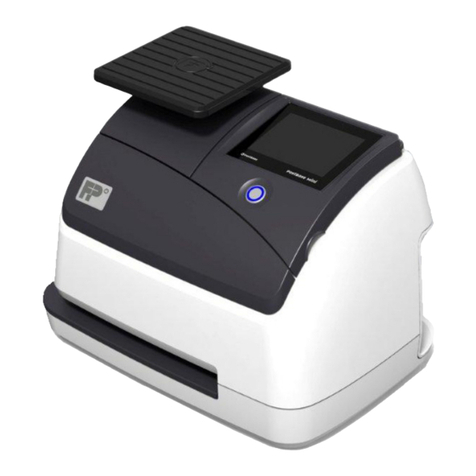
Reiner ChronoDater 920 Manual de usuario

7
Chipcard reader
8
Ribbon cassette
9
Connection socket for mains adapter
10
RS-232 interface
11
ChipCard
Operating elements
1
Display
2
Housing flap
3
Paper stop
4
Trigger table
5
Position marks
6
Trip switch
26
ChronoDater 920/922/925
3
B
C
9
10
4
D
8
6
E
11
6

GB
Display and Button functions
Depending on model, your ChronoDater will have dierent setting options.
The display is structured according to the following zones.
A
- Model indication.
B
- Texts, date, time and/or numbering set.
C
- Menu bar with menu items and commands.
The buttons [t] or [u] navigate in the menus or select parameters.
A
B
C
D
D
- Four push-buttons
Each button is assigned to the menu item or command that is indicated in
the menu bar above it.
27
ChronoDater 920/922/925

Contents
Display and Button functions.................................................................................27
Important Notes ..................................................................................................30
Model Versions.....................................................................................................30
Your Safety
Safety, Description............................................................................................31
Safety Notes for the ChronoDater 920/922/925.......................................................32
1. Prepare and Commission
1.1. Commissioning, Ribbon Cassette..................................................................33
1.2. Attaching the Paper Stop ...........................................................................33
1.3. Adjusting Trip Switch ................................................................................33
1.4. Connecting Power Supply ...........................................................................34
1.5. Inserting Chipcard ....................................................................................34
1.6. Selecting Language...................................................................................34
1.7. Display Contrast .......................................................................................34
1.8. Print ......................................................................................................35
1.9. Switching the Device to Standby Mode ..........................................................35
1.10. Clean Device ............................................................................................35
2. Menu
2.1. Selecting Language...................................................................................36
2.2. Setting Date/Clock Time .............................................................................36
2.2.1. Setting Time .................................................................................36
2.2.2. Setting Date .................................................................................36
2.2.3. Setting Summer Time......................................................................37
2.3. Settings ..................................................................................................37
2.3.1. Setting Chipcard Function................................................................37
2.3.2. Trigger.........................................................................................38
2.3.3. Stand By Mode ..............................................................................39
2.3.4. Password Menu..............................................................................39
2.3.5. Display Contrast ............................................................................41
2.3.6. Counter........................................................................................41
2.4. Model/Version..........................................................................................42
2.5. SF Module................................................................................................42
28
ChronoDater 920/922/925

GB
3. Recognising and Removing Interferences ............................................................43
4. Technical Data and Accessories
4.1. Type Plate................................................................................................44
4.2. Technical Data..........................................................................................45
4.3. Accessories..............................................................................................46
4.4. Transport and Disposal...............................................................................46
5. Contact...........................................................................................................47
6. Index .............................................................................................................48
29
ChronoDater 920/922/925

30
ChronoDater 920/922/925
Model 922 with full text plate
Like model 920, but without date.
For text, logos, signatures, etc.
Important Notes
Before commissioning of the ChronoDater, always read the operating instructions and
in particular the safety notes with care. This prevents mistakes in handling of the electric
stamps and connected safety risks to keep you safe and avoid damage to the device.
Model Versions
Model 920 for date and text
Model 925 for date, time and text
Like model 920, but with additional time print.

GB
Your Safety
Safety, Description
DANGER
Warnings of dangers that lead to death or severe injury directly if not observed.
WARNING
Warnings of dangers that may lead to death or severe injury if not observed.
CAUTION
Warnings of dangers that may lead to injury if not observed.
NOTICE
Warnings of dangers that may lead to property damage if not observed.
fYou are asked to perform actions here.
Notes and advice to make handling your ChronoDater 920/922/925 even easier.
31
ChronoDater 920/922/925

Safety Notes for the ChronoDater 920/922/925
WARNING
Danger of fire from incorrect mains voltage.
fCheck that the local mains voltage matches the voltage indicated on the mains adapter.
CAUTION
Danger of electric shock when objects like paperclips or liquids fall into the device inside.
fPull the mains adapter from the socket and inform your specialist vendor
or the REINERService.
CAUTION
Danger of crushing your fingers.
fDo not put your fingers between the printing plate and the trigger table.
CAUTION
Danger of tripping and damage to the device from device lines placed freely in the room.
fPlace the device lines so that they do not pose any danger source!
NOTICE
Damage to the device due to improper transport.
fOnly use packaging that provides protection from impact and shock to the device!
NOTICE
Damage to the device by moisture.
fBefore commissioning, wait until the device has reached room temperature
and is completely dry!
NOTICE
Damage of the print plate or print wheels.
fDo not print on staples, paperclips or similar hard objects.
Only have repairs performed by trained specialists.
32
ChronoDater 920/922/925

GB
1. Prepare and Commission
1.1. Commissioning, Ribbon Cassette
Inserting ribbon cassette Fig. D
Avoid skin contact with ribbon.
fSwivel housing flap
2
upwards and remove it.
fRemove ribbon cassette
8
from the packaging.
fPush ribbon cassette
8
over the metal cover until it is flush.
fTension ribbon. For this, turn the red dial of the ribbon cassette in the direction of the
arrow to the right.
fRe-attach the housing flap
2
.
1.2. Attaching the Paper Stop
Attaching the paper stop Fig. A+ B
The paper stop services as lateral indicator of print position for the vouchers to the printed.
fApply paper stop
3
to the front edge of the trigger table from the left or right and put it
in the desired position.
1.3. Adjusting Trip Switch
Adjusting
6
trip switch Fig. A+ D
fRelease screw.
fPush trip switch to the desired position. A slight resistance and latching sound
are normal.
fTighten the screw until slight resistance is noticeable.
33
ChronoDater 920/922/925

1.4. Connecting Power Supply
Connecting power supply Fig. C
Use only genuine REINER accessories.
WARNING
Danger of fire from incorrect mains voltage.
fCheck that the local mains voltage matches the voltage indicated on the mains adapter.
NOTICE
Incorrect order when connection to the mains may cause damage.
Observe the following order.
fConnect the mains adapter plug to the
9
ChronoDater connection socket.
fPlug the mains adapter into the socket.
The device starts adjustment of the print wheels.
1.5. Inserting Chipcard
Inserting Chipcard Fig. A+ E
The Chipcard function can be activated in the menu.
fSee „Setting Chipcard Function“ page 37
fInsert Chipcard
11
into the Chipcard reader in the direction of the arrow
printed on the card
7
.
The ChronoDater is ready for work.
1.6. Selecting Language
fSee „Selecting Language“ page 36
1.7. Display Contrast
fSee „Display Contrast“ page 41
34
ChronoDater 920/922/925

GB
1.8. Print
The trigger table
4
and the housing flap
2
have marks
5
attached that indicate
correct positioning of the print media.
The print action is activated by tripping the trip switch
6
with the print medium
or light pressure on the trigger table
4
.
NOTICE
Damage of the print plate or print wheels.
fDo not print on staples, paperclips or similar hard objects.
The maximum batch size is 2 mm.
Depending on text plate used, up to 5 copies (NCR) are possible.
fInsert paper to be printed on. Fig. B
Print is performed.
1.9. Switching the Device to Standby Mode
Standby mode
fPush [OFF] for 5 seconds.
The ChronoDater is in Standby mode.
1.10. Clean Device
fClean the top cover of the device with a soft cloth if required.
For stronger contamination, moisten the cloth with water and mild detergent.
CAUTION
Danger of electric shock when liquids enter into the device inside.
fPull the mains adapter from the socket and inform your specialist vendor
or the REINERService.
NOTICE
Cleaning agents that are too aggressive may damage the housing surface.
fDo not use any abrasives and plastic-dissolving cleaning agents for cleaning.
35
ChronoDater 920/922/925
Otros manuales para ChronoDater 920
1
Este manual sirve para los siguientes modelos
2
Tabla de contenidos
Otros manuales de Equipos postales de Reiner