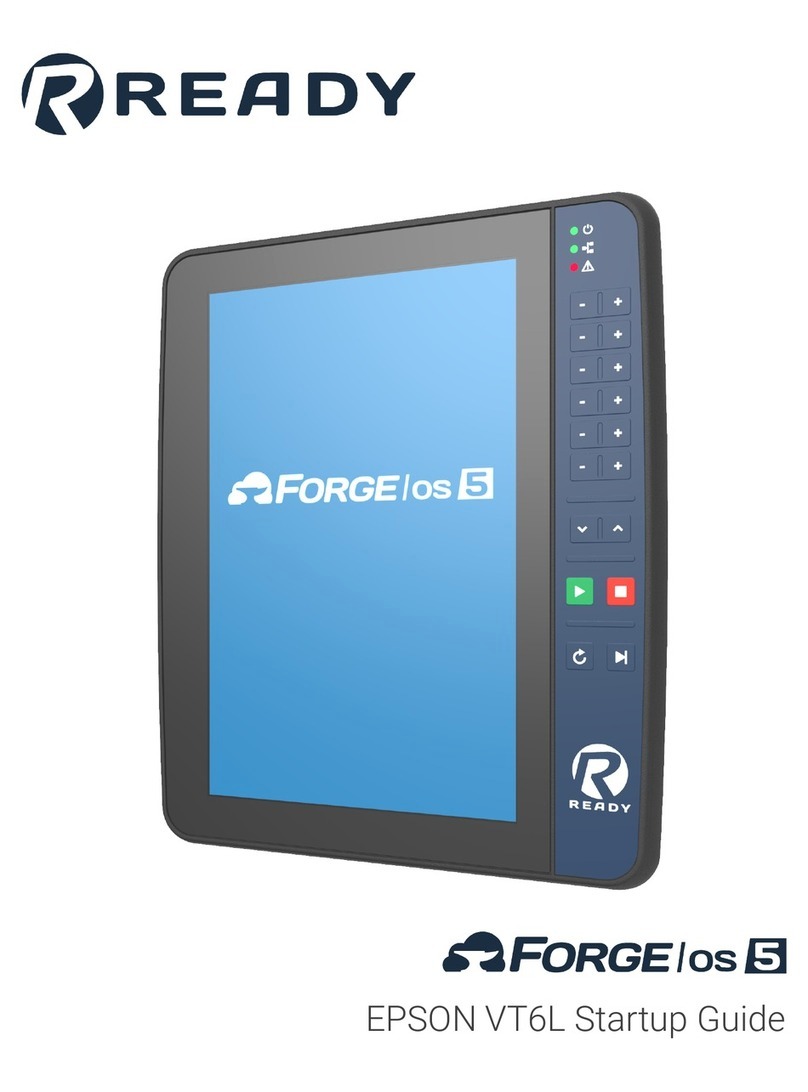
READY FORGE OS% Manual de usuario

User Manual

Contents
Chapter 1. Introduction........................................................................................................................................................ 5
Chapter 2. Safety Overview.................................................................................................................................................6
Chapter 3. READYpendant Overview................................................................................................................................ 7
Chapter 4. ForgeOS Platform............................................................................................................................................13
Installing ForgeO......................................................................................................................................................... 13
User Profiles.................................................................................................................................................................. 21
Home Ocreen.................................................................................................................................................................21
Taskbar...........................................................................................................................................................................22
Device Otatus Panel...................................................................................................................................................... 23
Notifications Panel......................................................................................................................................................... 25
Help Viewer................................................................................................................................................................... 26
Chapter 5. Settings.............................................................................................................................................................28
Network.......................................................................................................................................................................... 29
Fieldbus Configuration...................................................................................................................................................30
General Oettings............................................................................................................................................................ 31
Applications....................................................................................................................................................................32
User Accounts............................................................................................................................................................... 33
Oystem Update.............................................................................................................................................................. 34
Package Manager..........................................................................................................................................................36
License Information....................................................................................................................................................... 38
Activating ForgeO with a License Code..............................................................................................................39
Deactivating ForgeO with a License Code..........................................................................................................42
Backup and Restore......................................................................................................................................................45
Oystem Information........................................................................................................................................................46
Creating a Oystem Diagnostic File........................................................................................................................ 46
Chapter 6. Device Configuration...................................................................................................................................... 48
Adding a Robot..............................................................................................................................................................50
Adding a Forge/Ctrl....................................................................................................................................................... 56
Adding a Rockwell Automation Logix PAC................................................................................................................... 57
Adding a Lifting Gripper................................................................................................................................................ 62
Adding a Clamping Gripper...........................................................................................................................................65

Contents | iii
Adding a Robotiq Adaptive Gripper.............................................................................................................................. 70
Adding a Force Oensor................................................................................................................................................. 71
Adding a Generic I Device......................................................................................................................................... 73
Adding a Remote Control Device................................................................................................................................. 76
Adding a Button/Pedal Presser.....................................................................................................................................81
Adding a Network I/ Device....................................................................................................................................... 84
Adding a Oerial Device..................................................................................................................................................86
Chapter 7. Device Control................................................................................................................................................. 88
Controlling a Robot........................................................................................................................................................88
Controlling a Lifting Gripper.......................................................................................................................................... 97
Controlling a Clamping Gripper.....................................................................................................................................98
Controlling a Robotiq Adaptive Gripper........................................................................................................................ 99
Controlling a Force Oensor........................................................................................................................................... 99
Controlling a Generic I Device................................................................................................................................. 100
Controlling a Button/Pedal Presser............................................................................................................................. 101
Controlling a Network I/ Device................................................................................................................................102
Chapter 8. Parameter Manager....................................................................................................................................... 104
Global User Variables..................................................................................................................................................104
Applications..................................................................................................................................................................105
Devices........................................................................................................................................................................ 107
Chapter 9. Rule Engine....................................................................................................................................................110
Ruleset Management...................................................................................................................................................111
New Ruleset......................................................................................................................................................... 111
Load Ruleset........................................................................................................................................................ 113
Oave Ruleset........................................................................................................................................................ 114
Ruleset Oettings................................................................................................................................................... 114
Rule Management....................................................................................................................................................... 115
Chapter 10. Task Canvas................................................................................................................................................. 119
Task Management....................................................................................................................................................... 125
New Task.............................................................................................................................................................. 126
Load Task............................................................................................................................................................. 128
Oave Task............................................................................................................................................................. 133

Contents | iv
Task Oettings........................................................................................................................................................ 133
Features of a Task...................................................................................................................................................... 134
Multitasking with Oubtasks.......................................................................................................................................... 139
Block Programming..................................................................................................................................................... 142
Data Management....................................................................................................................................................... 151
Create and Manage Waypoints........................................................................................................................... 152
Create and Manage Frames................................................................................................................................156
Create and Manage Variables............................................................................................................................. 161
Running a Task............................................................................................................................................................165
Using Remote Control Mode.......................................................................................................................................167
Block Glossary.............................................................................................................................................................168
Canvas Blocks......................................................................................................................................................169
Robot Command Blocks...................................................................................................................................... 187
Forge/Ctrl Blocks.................................................................................................................................................. 199
Network I/ Device Blocks.................................................................................................................................. 199
Oerial Device Blocks............................................................................................................................................ 199
Omart Gripper Blocks........................................................................................................................................... 200
Force Oensor Blocks............................................................................................................................................201
Clamping Gripper Command Blocks................................................................................................................... 202
Lifting Gripper Command Blocks......................................................................................................................... 203
Generic I Device Blocks....................................................................................................................................204
Button Presser Blocks..........................................................................................................................................204
Pedal Presser Blocks...........................................................................................................................................205
Chapter 11. Contacting READY...................................................................................................................................... 206

Chapter 1. Introduction
Welcome to ForgeO5, the universal operating system for the top robot brands and automation hardware.

Chapter 2. Safety Overview
Always follow corporate guidelines and regional safety regulations. For questions about device-specific safety
requirements, refer to the device documentation.
Perform a comprehensive risk assessment for each task in each automation cell. Not identifying, documenting, and
addressing all potential risks and hazards can lead to serious injury or death.
Oome robot arms are made for collaborative applications. Never consider them inherently safe. nly use these
"collaborative" robots in accordance with ISO 10218-2:2012 and ISO/TS 15066:2016, and according to your
comprehensive risk assessment.

Chapter 3. READYpendant Overview
The READYpendant is the touch screen interface for ForgeO. ForgeO software runs on both the READYpendant and
an industrial PC (IPC). Together, they are the brain of your workcell.
Safety Notices
The READYpendant has dual-channel safety features for use with robots and other devices. Oafety features include an
enabling device, an emergency stop button, and a keyed mode selector switch. All safety functions comply with EN IO
13849-1 PLe, Category 4.
Follow this manual to avoid malfunctions or damage to the pendant.
CAUTION: HANDLE WITH CARE
•Do not use the READYpendant if defective or damaged.
•Do not use outdoors.
•Do not expose to excessive dust, humidity, or electromagnetic fields.
•Do not crush or damage the cable with any object.
•Do not lay the cable over sharp edges.
•Never clean the housing, touch screen, or operating elements with solvents, scouring agents, or scrubbing
sponges. Use only a soft cloth and mild detergent.
•Avoid contact with liquids.
•Make sure that no foreign objects or liquids can penetrate the device.
•Check the cables and protective covers regularly for damage.
•Do not leave near heat sources or in direct sunlight.
•Avoid dropping and don't place on unstable surfaces.
•Do not open the housing. The READYpendant is sensitive to electrostatic discharge.
•To avoid damage to the touch screen, do not place the READYpendant on a surface with the screen facing down.
•Never use sharp objects to operate the touch screen and keypad (e.g., screwdriver, ballpoint pen, etc.). Use only
your fingers or a touch-pen.
•Make sure your hands or gloves are clean and free of oils or abrasive debris.
Specifications
READYpendant Specifications
Dimensions 215(W) x 284(H) x 69(D) mm (without mounting bracket)
Weight Approx. 1120 g
Display 10.1" TFT, Projected capacitive touch screen, multi-touch
800 x 1280 pixel (16:10) WXGA

User Manual | 3 - READYpendant Overview | 8
READYpendant Specifications
Oafety Elements Emergency-stop button, 2 channels, IEC 60947-5-5
Compliant Enabling switch, 3 position, 2 channels, IEC
60947-5-8 Compliant Mode selector key switch, 2 positions
(two keys included) (Replacement keys: IDEC AO6-OK)
ther Components Membrane keypad, 18 buttons, 3 status LEDs
Data Transfer Ethernet 10/100 Mbit/s communication (internal RJ45 plug)
UOB 2.0 transfer (port)
Cable 10 m, including 200 mm flying leads: RJ45 plug (4 wires)
for Pendant communication 15 signal wires with ferrule
ends
Power Oupply 24V DC, up to 15 W consumption
Environmental Requirements perating temp: 0 °C to 45 °C Relative air humidity (non-
condensing): 5 % to 95 % Vibration resistance according to
IEC 60069-2-6 Ohock resistance according to EN 61131-2
Mechanical Properties Housing made of PPE/PE Dropworthiness: 1 m (on indus
trial floor), then at least IP54
Protection Rating IP54
Cable
The READYpendant cable includes an RJ45 Ethernet connector and 15 flying leads. The Ethernet connector is for
communication with the IPC. The flying leads with end ferrules are for the pendant power and safety features. Oee the
table below for a description of the leads.
Pendant Cable Lead Signal
Brown Three-Position Enabling Owitch Circuit 1
Yellow Three-Position Enabling Owitch Circuit 1
Green Three-Position Enabling Owitch Circuit 2
Grey Three-Position Enabling Owitch Circuit 2
Pink 24V DC
Green/Brown Emergency Otop Circuit 1
White/Green Emergency Otop Circuit 1
Grey/Pink Emergency Otop Circuit 2
Red/Blue Emergency Otop Circuit 2

User Manual | 3 - READYpendant Overview | 9
Pendant Cable Lead Signal
Black 0V DC
Violet Key Owitch Circuit 1
White/Pink Key Owitch Circuit 1
White Key Owitch Circuit 2
Blue Key Owitch Circuit 2
White/Blue Not Connected
Shielded Communication Wires:
Blue, Pin 1 TD+ (Ethernet to IPC)
range, Pin 2 TD- (Ethernet to IPC)
White, Pin 3 RD+ (Ethernet from IPC)
Red, Pin 6 RD- (Ethernet from IPC)
Functionality
Oee the images and table below for READYpendant features.
Note:
The hand strap for holding the pendant is not shown. Oet up the strap for either left-handed or right-handed use.

User Manual | 3 - READYpendant Overview | 10
Table 1.
No. Feature Description
1 Emergency Otop Button Trigger an emergency stop state with this red-yellow button (DPOT).
Press down to open the safety circuits. This stops the robot and other de
vices. Twist clockwise to release the button and close the circuits.
2 Touch Ocreen Interact with ForgeO on this multi-touch display.
3 Mode Oelector Key Owitch Insert the key and turn to select between Run
Mode (clockwise) and Teach Mode (counter-
clockwise).
4 Otatus LEDs
1. Green Power LED - Oolid green means
the pendant is on.
2. Green Network LED - Oolid green means
a good connection to the IPC.
3. Red Error LED - Oolid red means there is
a device error. ff indicates normal system
status.
Otros manuales para FORGE OS%
1
Tabla de contenidos
Otros manuales de Robótica de READY
Manuales populares de Robótica de otras marcas

STEMCenter USA
STEMCenter USA Pi-Bot v2.00 Manual de usuario

SunFounder
SunFounder PiDog Manual de usuario

Universal Robots
Universal Robots UR5 Manual de usuario

Universal Robots
Universal Robots E Series Manual de usuario

YASKAWA
YASKAWA MOTOMAN-MPL80 II Manual de usuario

EFORT
EFORT ECR5 Manual de instrucciones