RCP ADF-MSA 1000 Manual de usuario

Wireless Spirometer
Model # ADF-MSA1000

Wireless Spirometer
V1.1 REMOTE CARE PARTENRS PAGE 2
TABLE OF CONTENTS
INTRODUCTION.............................................................. 3
NOTES ON SAFETY.......................................................... 3
INTENDED USE ................................................................ 4
QUICK START .................................................................. 5
YOU SHOULD PERFORM THREE MEASUREMENTS
SEQUENTIALLY. ............................................................... 5
PRODUCT OVERVIEW .................................................... 6
Features...................................................................... 6
Display ........................................................................ 7
PREPARATION BEFORE USE............................................ 9
TURNING ON THE DEVICE............................................ 10
TURNING OFF THE DEVICE........................................... 10
SETTING THE TIME/DATE ............................................... 11
TAKING A MEASUREMENT ........................................... 13
UNDERSTANDING THE RESULTS.................................... 14
CLEANING.................................................................... 15
MEMORY FUNCTIONS.................................................. 16
View Past Readings................................................. 16
Delete Past Readings.............................................. 17
TROUBLESHOOTING..................................................... 18
STORAGE AND MAINTENANCE................................... 19
SPECIFICATIONS........................................................... 20
CONTACT INFORMATION AND NOTICES ................... 23
FCC Compliance Statement.................................. 23

Wireless Spirometer
V1.1 REMOTE CARE PARTENRS PAGE 3
Model # ADF-MSA1000
INSTRUCTION MANUAL
INTRODUCTION
This Wireless Spirometer is provided to you by
Remote Care Partners (RCP), for use exclusively
with the health monitoring program from your
provider.
Please read this manual carefully and keep it
handy for future reference
NOTES ON SAFETY
Please read this section carefully to familiarize
yourself with features and operations before
using the unit.
Self-measurement is not medical treatment. If
there are unusual values, please consult your
doctor.
Handling batteries properly:
As soon as old batteries run out, replace them
with new batteries.
•Do not use old and new batteries together.
•Align the polarities of batteries correctly.
•When the unit will not be used for more than
3 months, remove the batteries. Otherwise,
batteries may leak and cause damage to
the unit.

Wireless Spirometer
V1.1 REMOTE CARE PARTENRS PAGE 4
INTENDED USE
This device is intended for pediatric to adult
patients. The device is used to monitor lung
conditions such as asthma or chronic obstructive
pulmonary disease (COPD). The user should be
under the care of a licensed healthcare
provider. A licensed healthcare provider is
required to understand the meaning and
importance of the measurements as well as the
appropriate treatment plan.
Contraindications:
Users who have one of the following diagnoses
should not use this device: Hemoptysis (blood in
phlegm), emphysema, unstable cardiovascular
status or recent heart attack, pulmonary
embolus (blood clot), thoracic, abdominal, or
cerebral aneurysms, recent eye surgery,
nausea/vomiting, or recent chest or abdominal
surgery.

Wireless Spirometer
V1.1 REMOTE CARE PARTENRS PAGE 5
Do not allow other people to use your spirometer.
The spirometer is specifically assigned to you and
you only. Allowing other people to use your
spirometer can mislead your provider.
QUICK START
Avoid smoking, eating, or exercising for 30
minutes before taking measurements
1. When the device is powered on, the last
result is shown. It then indicates “READY”
for measurement by two short beeps.
2. Inhale completely and hold your breath
for a moment.
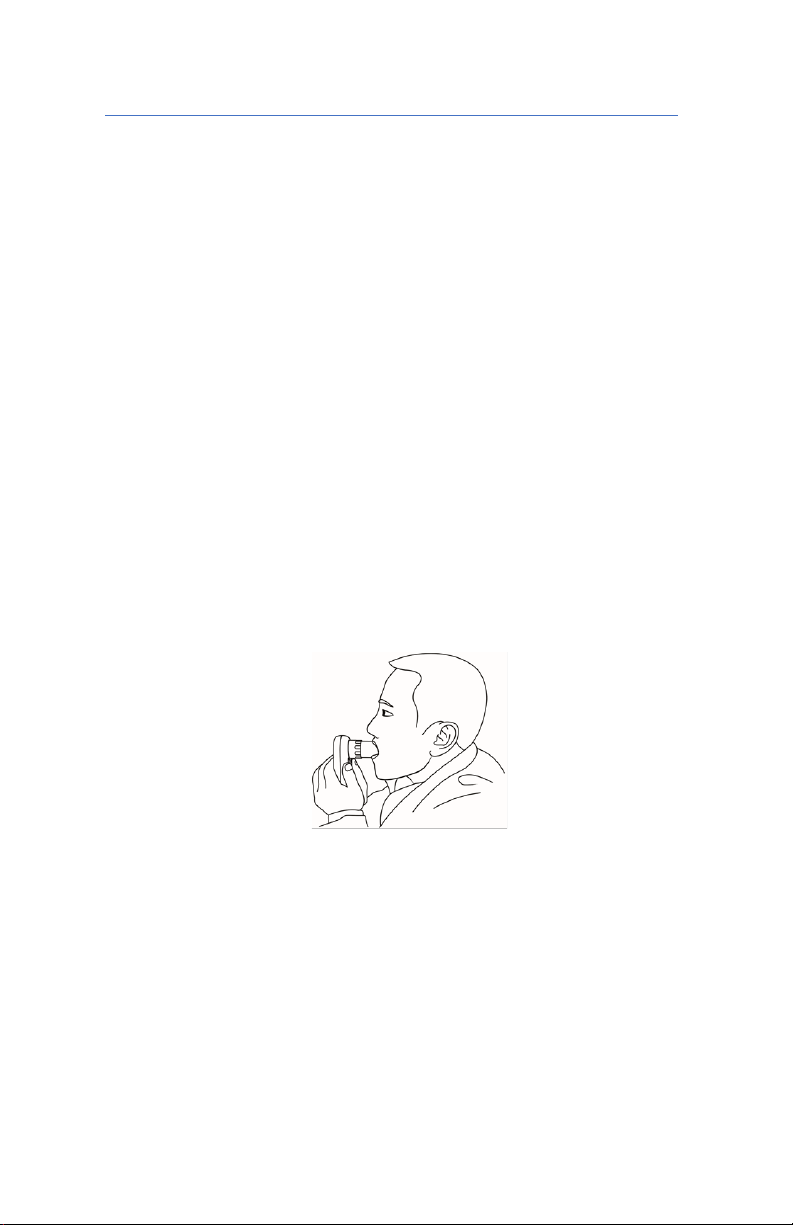
3. Cover the mouthpiece tightly with your
lips. Blow into the turbine as hard and as
fast as you can.
4. A long beep confirms that the test is
complete
5. When you hear two short beeps, the
device has reset and is ready for another
measurement.
6. Your provider may want you to perform
multiple measurements in a row. Check
with your provider.

Wireless Spirometer
V1.1 REMOTE CARE PARTENRS PAGE 6
PRODUCT OVERVIEW
Features
•Auto-off Power Saving Feature
•Operated by 2 AAA batteries

Wireless Spirometer
V1.1 REMOTE CARE PARTENRS PAGE 7
Display
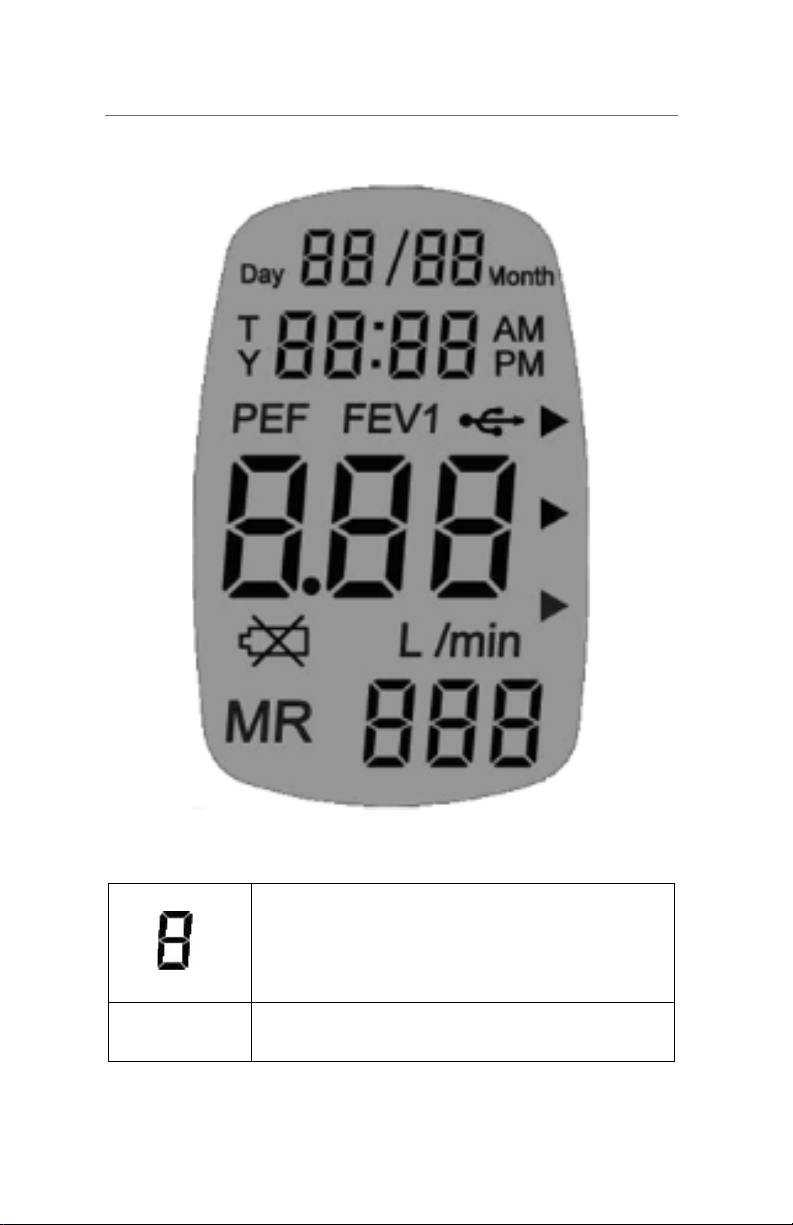
Four rows digit display, indicating
individually date, time,
measurement value, and record
number
Day
Current Day or Day of
Measurement

Wireless Spirometer
V1.1 REMOTE CARE PARTENRS PAGE 8
Month
Current Month or Month of
Measurement
T
Current Time or Time of
Measurement
Y
Current Year or Year of
Measurement
PEF
Indicates that PEF Value is
showing on screen
FEV1
Indicates that FEV1 Value is
showing on screen
Replace
Battery
Symbol
L/min
Unit of PEF value
L
Unit of FEV1 value.
MR
Records number or ID.
►
Points to color indicator after
each test:
Green = Good Result
Yellow = Marginal Result. Change
in treatment may be in order
Red = Poor Result. Consult your
provider.
Memory is full, the oldest records
will be erased automatically
Bluetooth state

Wireless Spirometer
V1.1 REMOTE CARE PARTENRS PAGE 9
PREPARATION BEFORE USE
Insert the batteries
New batteries were installed in your device before
shipping. Unless instructed by a support person, skip
this section
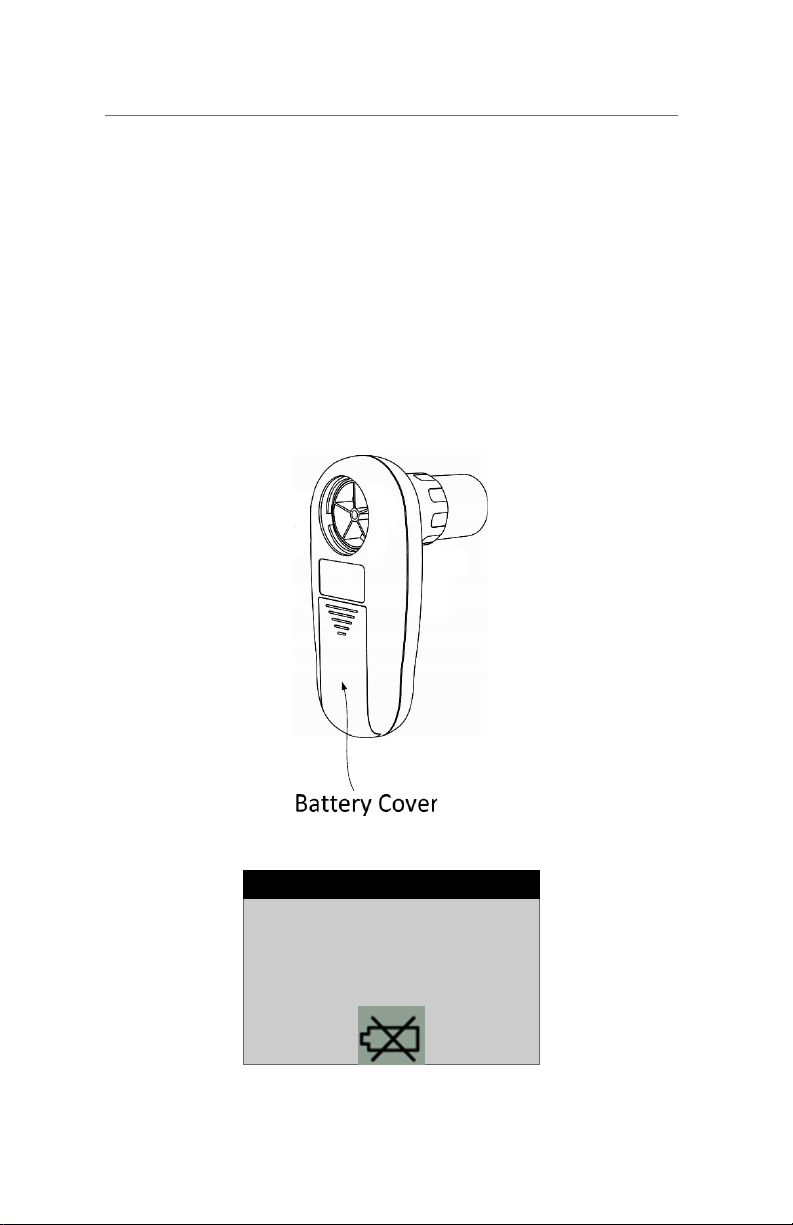
1. Slide the cover down
2. Insert two AAA batteries in the shell
following symbol inside
3. Close the cover.
TIPS
Replace the battery
when the battery
indicator shows low
voltage

Wireless Spirometer
V1.1 REMOTE CARE PARTENRS PAGE 10
Assemble the device
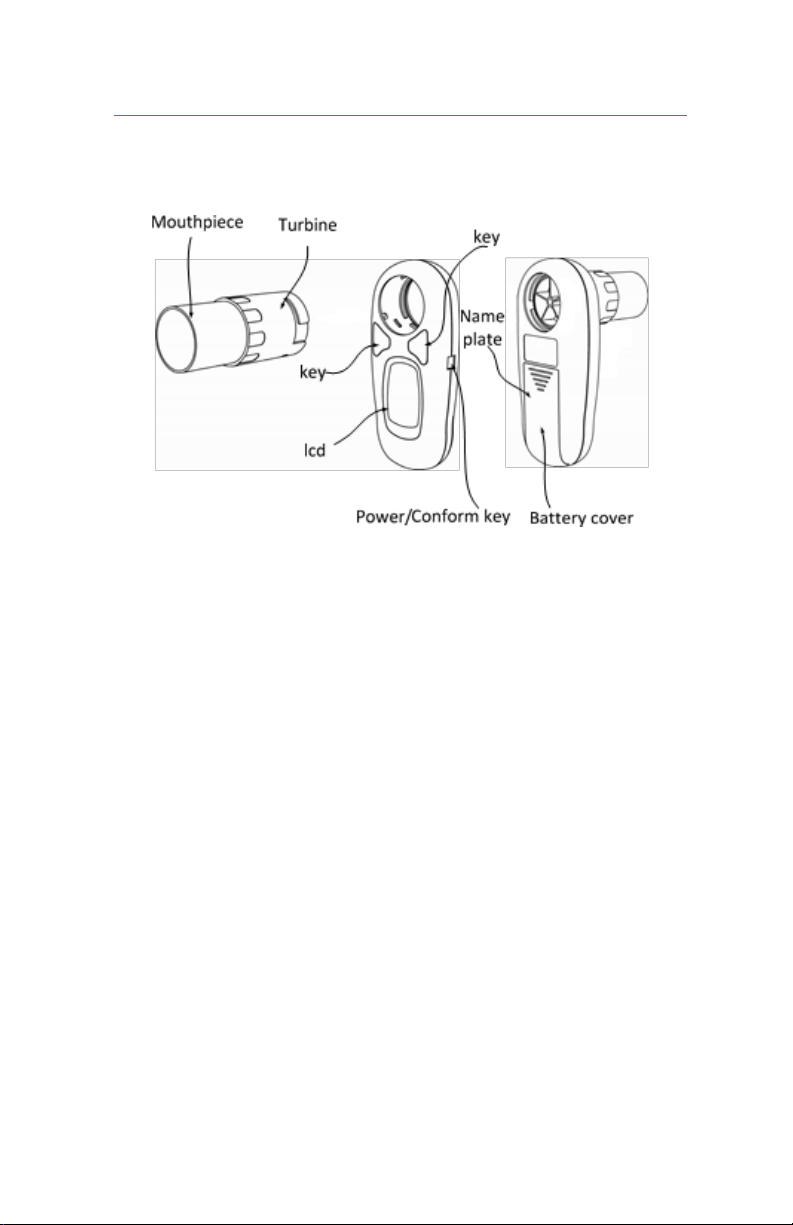
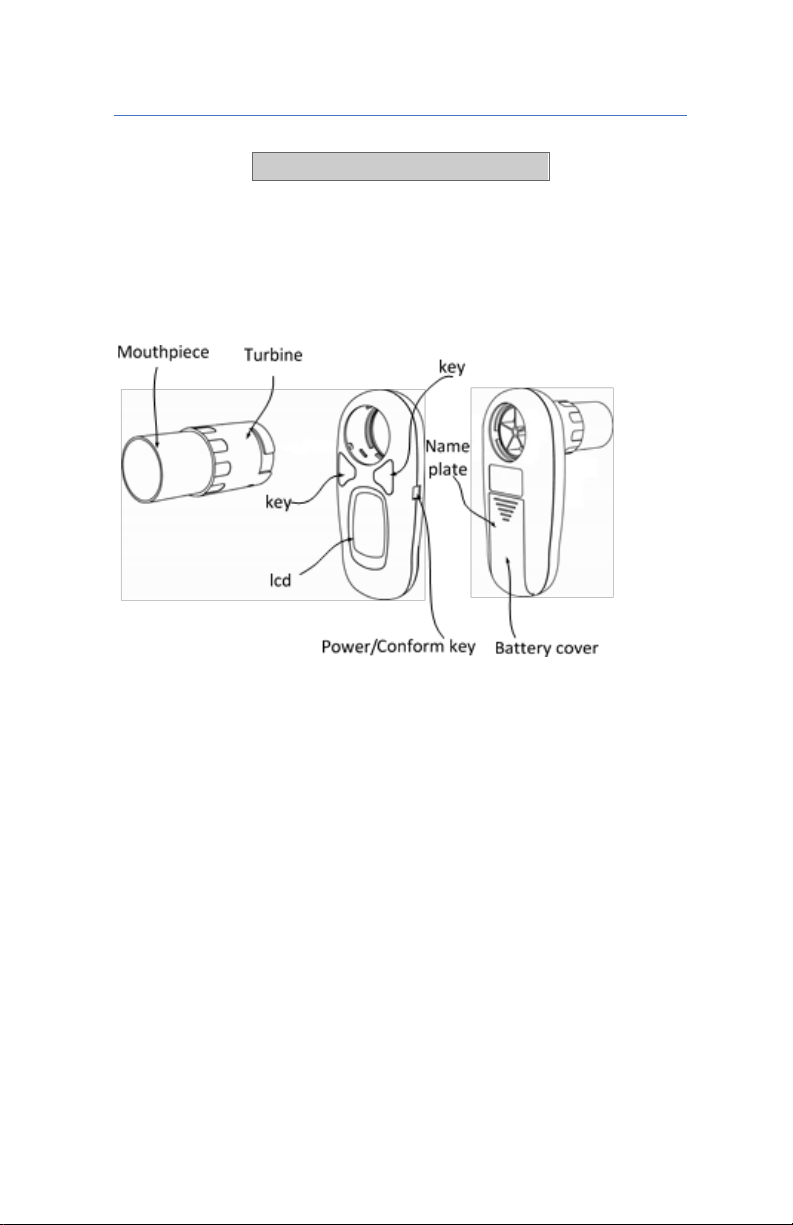
First, insert the mouthpiece into the turbine sensor.
Second, place the assembled mouthpiece and
turbine into the main unit and turn clockwise until it
locks into place and can be turned no further.
TURNING ON THE DEVICE
When looking at the LED screen, the
power/confirm button on the right side of the
device. Press the power/confirm key once; the
meter will power on and beep twice.
TURNING OFF THE DEVICE
Press and hold the power/confirm key until the
device beeps twice. Release the key, the meter
will power off.
After one minute of inactivity, the device will
automatically shut off.
Tabla de contenidos
Otros manuales de Instrumento de medición de RCP
Manuales populares de Instrumento de medición de otras marcas

Endress+Hauser
Endress+Hauser Proline Promag 50 Especificaciones técnicas

Siemens
Siemens SITRANS F Coriolis FCT030 Manual de lista de piezas

KLINGER
KLINGER CMF V Series Manual de usuario

EXFO
EXFO FTB-2 Manual de operación y mantenimiento

Keysight
Keysight M8290A Manual de usuario

ADTEK
ADTEK MW-5 Manual de usuario