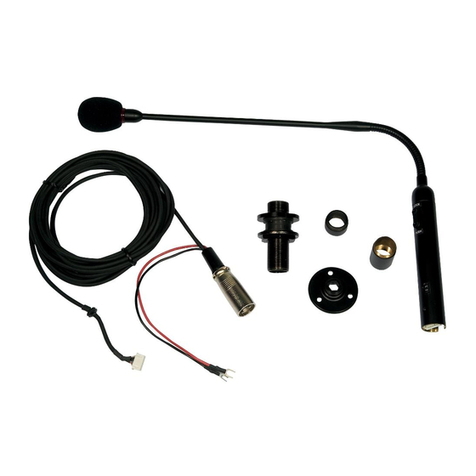
RCF BM 9802 Manual de usuario

TABLE OF CONTENTS
INDICE
ENGLISH
SAFETY PRECAUTIONS
DESCRIPTION
CONNECTION
FRONT PANEL
PAGING MICROPHONE SETTINGS (display menu)
USE
SPECIFICATIONS
ITALIANO
AVVERTENZE PER LA SICUREZZA
DESCRIZIONE
COLLEGAMENTO
PANNELLO FRONTALE
IMPOSTAZIONI DELLA BASE MICROFONICA (tramite menù sul display)
UTILIZZO
DATI TECNICI
4
5
6
11
12
14
15
18
19
20
25
26
28
29
www.acornfiresecurity.com

4
ENGLISH
SAFETY PRECAUTIONS
IMPORTANT
NOTES
IMPORTANT NOTES
Before connecting and using this paging microphone, please read this instruction manual
carefully and keep it on hand for future reference. The manual is to be considered an
integral part of this product and must accompany it when changing ownership as a
reference for correct installation and use as well as for the safety precautions.
RCF S.p.A. will not assume any responsibility for the incorrect installation and / or use
of this product.
SAFETY PRECAUTIONS
According to EN 54-16 standard (‘access level 2’), paging microphones shall be only
accessible by persons having a specic responsibility for safety and who are trained and
authorized to operate in the following conditions: quiescent, voice alarm, fault warning
and disablement.
1. All the precautions, in particular the safety ones, must be read with special attention,
as they provide important information.
2. Make sure all connections have been made correctly before switching all devices on.
Do not connect / disconnect the paging microphone when the system is operating.
3. Protect paging microphone cables from damage and assure they are positioned where
these cannot be stepped on or crushed by objects.
4. Do not put the paging microphone into water (or another liquid), do not throw it.
5. Never attempt to carry out any operations, modications or repairs.
If the paging microphone does not work properly, contact your authorized service centre.
6. Should the paging microphone emit any strange odour or even smoke, turn the sound
system off immediately and disconnect it.
7. RCF S.p.A. strongly recommends the sound system installation is only made by
professional qualied installers (or specialised rms), who can certify it according to the
regulations in force.
The entire audio system must comply with the current standards and regulations regarding
electrical systems.
8. Mechanical and electrical factors need to be considered when installing a professional
audio system (in addition to those which are strictly acoustic, such as sound pressure,
angles of coverage, frequency response, etc.).
9. Do not point the microphone at near loudspeakers, in order to avoid feedback.
10. Hearing loss
Exposure to high sound levels can cause permanent hearing loss. The acoustic pressure
level that leads to hearing loss is different from person to person and depends on the
duration of exposure.
To prevent potentially dangerous exposure to high levels of acoustic pressure,anyone who
is exposed to these levels should use adequate protection devices.
When a transducer capable of producing high sound levels is being used, it is necessary
to wear ear plugs or protective earphones.
11. To prevent inductive effects from causing hum, noise and a bad system operating,
paging microphone cables should not be laid together with other electric cables (mains)
and loudspeaker lines.
12. Keep the paging microphone far from any excessive heat source.
13. Do not use solvents, alcohol, benzene or other volatile substances for cleaning the
external parts. Just use a dry cloth.
www.acornfiresecurity.com

5
ENGLISH
RCF S.P.A. THANKS YOU FOR PURCHASING THIS PRODUCT, WHICH
HAS BEEN DESIGNED TO GUARANTEE RELIABILITY AND HIGH
PERFORMANCES.
WARNING: Any change made by unauthorized personnel to the
product and / or the system (in which it is installed and congured,
including rack cabinet and wiring) may invalidate the CE marking
(certication EN54-16: 2008) and also the product warranty.
DESCRIPTION
BM 9802 is a desktop paging microphone exclusively dedicated for the RCF
DXT 9000 system.
It can be directly connected to a main unit (i.e. MU 9186, MX 9502, MX 9504)
through a four-pair J-type re-rated cable.
It is possible to link up to sixteen BM 9802 paging microphones (or
alternatively, the BM 9804 model, which has three assignable buttons) to each
main unit bus (total: max. 32 paging microphones).
Their conguration (in terms of access) can be set by the dedicated PC software.
Its front panel has a numeric keyboard for zone selection.
All paging microphones also have the ‘Push To Talk’ (PTT), the ‘General Call’
and the ‘Chime’ (On/Off) buttons.
Up to eight BE 9808 keyboards can be linked to every BM 9802 (not used for
emergency purposes).
Each BE 9808 has eight buttons that can be set (by using the dedicated PC
software) to:
-Select zones or zone groups.
-Recall presets.
-Increase / Decrease the background music volume.
-Mute / unmute the background music.
-Fault acknowledgement.
-Reset evacuation / alert events.
-Stop (without resetting) evacuation / alert messages.
-Reactivation of evacuation / alert messages.
-Fault indication.
-Activation of all-clear, test and routine messages.
The paging microphones used for emergency purposes (the rst of each bus)
can have max. four BE 9808 and their ALARM button can be enabled.
All paging microphones need to be powered by external 24 V dc adapters (500
mA, i.e. optional RCF AC AD 2405).
The rst paging microphone of each bus can be used for emergency purposes.
In this case, the paging microphone shall be directly powered by the DXT 9000
system main unit (no need of an external adapter, but it will be necessary to
set an internal switch) as required by the EN 54-16 standard.
www.acornfiresecurity.com

6
ENGLISH
COMMON FEATURES FOR BM 9802 / 9804 PAGING MICROPHONES COMMON FEATURES FOR
BM 9802 / 9804 PAGING
MICROPHONES
REAR PANEL
-Die-cast metal enclosure with 445 mm gooseneck
-Preamplied hypercardioid hi-quality microphone
-Complete self-diagnostic (EN 54-16)
-Powered by either the main unit bus or 24 V dc adapter
-Backlit LCD
-‘Evacuation’ and ‘Alert’ LEDs
-‘Chime’ and ‘PTT’ buttons
-5 m connecting cable (with RJ 45 plugs) included
REAR PANEL
INPUT: RJ 45 port to be linked to either a DXT 9000 main unit PAGING IN
port or the previous paging microphone OUTPUT.
OUTPUT: RJ 45 port to be linked to the next paging microphone INPUT port.
CONNECTION
PIN INPUT PIN OUTPUT
1Audio signal (+, hot) 1Audio signal (+, hot)
2Audio signal (–, cold) 2Audio signal (–, cold)
3Digital and power supply ground 3(not used)
4Audio signal ground 4Audio signal ground
5Audio signal ground 5Audio signal ground
6Power supply + 28 V dc 6(not used)
7RS 485 A (+) 7RS 485 A (+)
8RS 485 B (–) 8RS 485 B (–)
INPUT POWER SUPPLY
INPUT
OUTPUT
www.acornfiresecurity.com

7
ENGLISH
8 46 2
7 35 1
RJ 45 PLUGRJ 45 SOCKET
|1|2|3|4|5|6|7|8|
POWER SUPPLY INPUT:
input for the external 24 V dc adapter (500 mA, i.e. optional RCF AC AD
2405), not included.
NOTE: the first paging microphone of each bus can be used for emergency purposes. in
this case, the paging microphone shall be directly powered by the dXt 9000 system main
unit (no need of an eXternal adapter, but it will be necessary to set an internal switch)
as required by the en 54-16 standard.
WARNING: the internal switch setting shall be carried out only by either
RCF or an authorised service centre.
First, remove the rear cover by unscrewing its 6 screws.
BM 9802 SET FOR EMERGENCY PURPOSES BM 9802 SET FOR
EMERGENCY PURPOSES
www.acornfiresecurity.com

8
ENGLISH
The switch is on the PCB, near the fuse and the input for the adapter.
If the paging microphone is the rst of the line and is for emergency purposes,
set this switch from Vcon (paging microphone supplied by the external adapter)
to Vnet (supplied by the bus).
Then, remount the rear cover.
Up to eight BE 9808 (additional 8-zone-button) keyboards can be linked to every
BM 9802 (each powered by an ACAD2405 adapter and not used for emergency
purposes) to increase the number of available buttons.
* AC AD2405 adapter is optional (not included).
ADDITIONAL BE 9808
KEYBOARDS
ADDITIONAL BE 9808 KEYBOARDS
BE 9808 BE 9808BE 9808 BE 9808BE 9808 BE 9808BE 9808 BE 9808BM 9802
AC AD2405
1 53 72 64 8
www.acornfiresecurity.com

9
ENGLISH
The paging microphones used for emergency purposes (the rst of each bus)
can have maximum four BE 9808.
Link the rst BE 9808 to the BM 9802
paging microphone and all BE 9808 to
one another through at cables linked
to rear ports. Pay attention to the at
cable right way, indicated by its red
wire (see the gure).
Fix the rst BE 9808 to the BM 9802
(and all BE 9808 to one another) by
using the dedicated plate (included in
the BE 9808 package) and four screws.
BM
9802
BE
9808
BE 9808 BE 9808BE 9808 BE 9808BM 9802
AC AD2405
13
24
BM 9802 BE 9808 BE 9808
RED RED
www.acornfiresecurity.com

10
ENGLISH
Up to sixteen BM 9802 paging microphones (with or without additional
BE 9808 keyboards) can be linked to each main unit bus (PAGING IN 1
and PAGING IN 2).
Every BM 9802 needs a 24 Vdc – 500 mA power supply (not included,
i.e. optional RCF AC AD2405).
The first paging microphone of each bus can be used for emergency
purposes (required by the EN 54-16 standard). In this case, the paging
microphone shall be directly powered by the DXT 9000 system main
unit (no need of an external adapter, but it will be necessary to set the
internal switch, as indicated in the previous manual section).
The emergency BM 9802 paging microphone can have max. four
additional BE 9808 keyboards.
BLOCK DIAGRAM BLOCK DIAGRAM
BM 9802
AC AD2405
BM 9802
AC AD2405
BM 9802
AC AD2405
BM 9802
ININ ININ OUTOUTOUT
IN
PAGING
IN 1
MU 9186 / MX 9502 / MX 9504
PAGING
IN 2
(max) 16 3 2 1
EMERGENCY
max. 4 BE 9808
EMERGENCY
max. 4 BE 9808
BM 9802
AC AD2405
BM 9802
AC AD2405
BM 9802
AC AD2405
BM 9802
IN ININ OUTOUTOUT
(max) 16 3 2 1
www.acornfiresecurity.com
Tabla de contenidos
Idiomas:
Otros manuales de Micrófono de RCF

RCF
RCF BM 404 Manual de usuario

RCF
RCF TX516 Manual de usuario

RCF
RCF BM 3022 Manual de usuario

RCF
RCF BM 3804 Manual de usuario

RCF
RCF MD6000-X Manual de usuario

RCF
RCF BM 7608 Manual de usuario

RCF
RCF BM 3023 Manual de usuario

RCF
RCF MD 7600 Manual de usuario

RCF
RCF MC 4064 Manual de usuario

RCF
RCF BM3001 Manual de usuario

RCF
RCF DMS 6410X Manual de usuario

RCF
RCF BM 2006 Manual de usuario

RCF
RCF BM 9804 Manual de usuario

RCF
RCF BM 7601 Manual de usuario

RCF
RCF BM 3804 Manual de usuario

RCF
RCF BM3003 Manual de usuario

RCF
RCF MC4040 Manual de usuario

RCF
RCF ME 3801 Manual de usuario

RCF
RCF BM3003 Manual de usuario

RCF
RCF TX 4016 Manual de usuario