Perreaux eloquence CDt Manual de usuario

Owners Manual
éloquence CDt Compact Disc Transport
PERREAUX

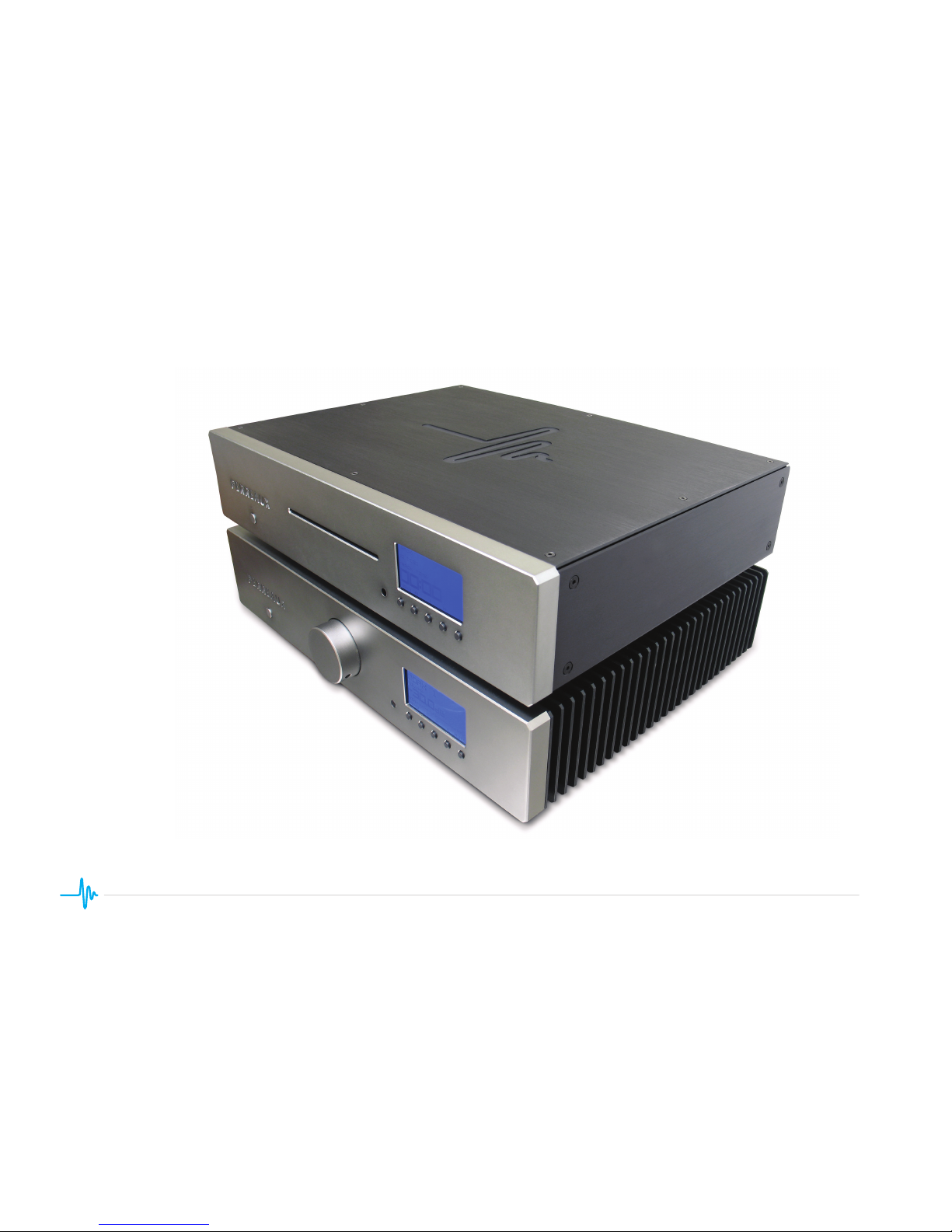
The éloquence CDt Compact Disc Transport
with the éloquence 150i Integrated Amplifier

éloquence CDt
Compact Disc Transport
Designed and Manufactured in Dunedin, New Zealand

Explanation of symbols used in this manual or on the rear of the device:
Caution
• To reduce the risk of electric shock, do not remove the cover.
• No user serviceable parts inside.
• Refer servicing to qualied service personnel.
• Replace the mains fuse in the plug with one of the same type and rating.
• Disconnect supply cord before changing fuse.
Warning
To reduce the risk of re or electric shock, do not expose this device to rain
or moisture.
Shock hazard - do not open.
THIS APPLIANCE MUST BE EARTHED.
Important Safety Instructions
This symbol is intended to alert the user to the presence
of uninsulated dangerous voltages within the enclosure of
sufcient magnitude to cause electric shock.
This symbol is intended to alert the user to the presence of
important operation, maintenance and servicing information
in the instruction and service manuals.
1The crossed-out wheelie bin symbol (left) indicates that the
product should not be disposed of with regular household
waste, but should be disposed of separately. Electrical and
electronic equipment can contain materials that are hazardous
to the environment and human health and therefore should be
disposed of at a designated waste facility or returned to your
retailer for the appropriate recycling to take place. If you wish to dispose
of this product and the product still functions, please consider recycling/
reusing it by donating it to a charity shop, selling it or part-exchanging it
with your retailer.
Marking by the “CE” symbol (left) indicates compliance of this
device with the EMC (Electromagnetic Compatibility) and LVD
(Low Voltage Directive) standards of the European Community.
This device complies with part 15 of the FCC Rules. Operation is subject to
the following two conditions: (1) This device may not cause harmful interfer-
ence, and (2) This device must accept any interference received, including
interference that may cause undesired operation.
Mains Plugs
• This device is supplied with a non-rewireable mains plug for the in-
tended country.
• Replacement mains leads can be obtained from your Perreaux dealer.
Should you need to change the plug please dispose of it carefully.
A plug with bared conductors is dangerous if engaged in a live socket.
• The Brown wire must be connected to the Live (Line) supply pin.
• The Blue wire must be connected to the Neutral supply pin.
• The Green/Yellow wire must be connected to the Earth (Ground) supply pin.
• Please contact your dealer or a competent electrician if you are in any doubt.
• Refer to the rear of the product for fuse and mains voltage information.

All safety and operation instructions should be read carefully before the transport
is operated. Keep the Owners Manual in a safe place for future reference.
• Read and follow all instructions.
• Keep these instructions.
• Heed all warnings.
• Do not use the device near water, for example near a bathtub, kitchen
sink, in a wet basement, near a swimming pool, etc.
• Mounting to a wall or ceiling should be via a heavy-duty bracket or shelf
designed for audio equipment use.
• The device should be situated away from heat sources such as radiators,
stoves, or other appliances that produce excessive amounts of heat.
• DO NOT place the device directly onto carpeted surfaces.
• Avoid exposing the device to extremely high or low temperatures.
• The device should be connected to a mains power supply only of the type
described in the operating instructions, or as marked on the rear of the unit.
• DO NOT defeat the safety earth of the grounding type mains plug,
severe injury or death may result. If the provided plug does not t into
your outlet, contact your dealer or consult an electrician.
• The power cord should be routed so that it is not likely to be walked on
or pinched by items placed on or against it.
• Unplug the device during lightning storms or when unused for long
periods of time.
• DO NOT let objects or liquids fall into the device, expose the device to
dripping or splashing or place a vessel containing liquid on top of the
device.
• Keep this device out of reach of children.
• DO NOT operate the device with the cover removed.
• DO NOT bypass any fuse, replace only with the value and type specied.
• DO NOT attempt to repair the device. In the event of a problem, please
contact your Perreaux dealer.
• DO NOT operate this product in an explosive atmosphere.
General Safety Instructions
2

Copyright © 2009 Perreaux Industries Ltd.
Perreaux Industries Ltd., Gladstone Road, Mosgiel, Dunedin 9024, New Zealand.
All rights reserved. No part of this publication may be reproduced, stored in a retrieval system, or transmitted, in
any form or by any means, electronic, mechanical, photocopying, recording, or otherwise, without the prior written
permission of the publisher.
Copyright and Acknowledgments
Table of Contents
The content of this manual is furnished for information use only, is subject to change without notice, and should not
be construed as a commitment by Perreaux Industries Ltd.
Perreaux Industries Ltd. assumes no responsibility or liability for any errors or inaccuracies that may appear in this manual.
All trademarks and registered trademarks are the property of their respective owners.
Perreaux, the Perreaux logo and éloquence are trademarks of Perreaux Industries Ltd. All rights reserved.
Printed in New Zealand.
3
éloquence CD Transport Manual Version 1.0
INTRODUCTION........................................................................................................... 4
INSTALLATION ............................................................................................................. 4
CONNECTING .............................................................................................................. 5
Rear Panel ..................................................................................................................... 5
OPERATION .................................................................................................................. 7
Front Panel .................................................................................................................... 7
Remote Control ............................................................................................................. 8
THE MENU SYSTEM .................................................................................................. 10
Home Screen ............................................................................................................... 10
Entering and Navigating the Menus ............................................................................ 10
Main Menu ................................................................................................................... 11
Options ........................................................................................................................ 11
Display ......................................................................................................................... 11
Sleep ...........................................................................................................................12
Auto-Play ..................................................................................................................... 12
Coax Out ..................................................................................................................... 13
Playback ...................................................................................................................... 13
Random ....................................................................................................................... 13
Repeat ......................................................................................................................... 13
System ........................................................................................................................ 13
Unit Info .......................................................................................................................13
Presets ........................................................................................................................14
Defaults ....................................................................................................................... 14
TROUBLESHOOTING ................................................................................................ 15
CARE AND MAINTENANCE ...................................................................................... 16
TECHNICAL SPECIFICATIONS ................................................................................. 17
PHYSICAL DIMENSIONS .......................................................................................... 18

Thank you and congratulations on your éloquence CDt Compact Disc
Transport purchase. The Perreaux design team is condent you will enjoy
the performance of the éloquence Transport for many years.
Perreaux has been creating ne high-end audio components for over three
decades and the éloquence CD Transport represents our commitment to
the CD format and the belief that it will remain a reference medium for years
to come.
The éloquence CD Transport is the perfect partner for the éloquence inte-
grated amplier range. Use with the internal digital-to-analogue converter
(DAC) in the éloquence integrated ampliers to experience the exceptional
sound quality this dedicated éloquence system offers.
This owner’s manual has been designed to give you all the information
you need to install, connect and use the éloquence CD Transport. We
have attempted to explain every feature and operation facet clearly and
concisely. Your Perreaux dealer will be happy to assist if you encounter any
unforeseen problems.
Disc Types
The éloquence CD Transport has been designed to play compact discs
(CD), recordable CDs (CD-R) and re-writable CDs (CD-RW). The éloquence
transport will also play MP3 CDs.
NOTE: MP3 CDs must be made using a suitable application, such as iTunes
or Windows Media Player, and must contain 98 tracks or less.
Novelty Discs
Do not play irregularly shaped discs (heart-shaped, business card size, etc.)
in the éloquence CD Transport as they may damage the player.
Introduction
4
Unpacking
The éloquence CD Transport is supplied with the following accessories:
• Remote control
• BNC digital lead
• 3.5mm mono remote trigger lead
• Mains lead
• This manual
We recommend you retain the packaging for reuse in case you need to
transport the unit at a later date. Shipping or moving the éloquence trans-
port in anything other than the original packaging may result in damage that
is not covered by the warranty.
Placement
You can position your éloquence CD Transport almost anywhere you nd
convenient, but please consider the following points:
• The unit should be placed on a at, stable and rigid surface.
• Do not position the unit where sunlight can shine (whether directly,
diffused or reected) on its display as the infra-red (IR) radiation in
sunlight will be picked up by the unit’s IR remote sensor and this can
adversely affect its operation. Similarly, some electrical devices such
as plasma TVs, uorescent lights and energy saving lamps can emit IR
which can likewise affect the operation.
• For best performance, do not stack the unit with other products. Ideally,
position the unit on a shelf by itself or, if proximity to other products is
unavoidable, positioning side-by-side is preferable to stacking.
• The unit should not be situated above, or otherwise directly adjacent to,
sources of heat such as radiators, power ampliers etc. Nor should it
be enclosed in a cabinet with such devices.
• Allow at least 4” (10 cm) free space above and at each side of the unit.
• Do not block the vents on the product’s casing.
Installation

Sleeve Tip
5
Connecting - Rear panel
Important:
Before making any connections, switch off the mains power to all compo-
nents in your system.
1 Coaxial Digital Outputs
The coaxial digital outputs provide a SPDIF digital audio signal via a 75Ω
coaxial cable equipped with either RCA or BNC connectors.
NOTE: Only one of these connectors is active at any given time.
2 Optical Digital Output
The optical digital output provides a SPDIF digital audio signal via a stand-
ard Toslink (EIAJ) optical cable.
3 Trigger Input
The trigger input allows your éloquence CD Transport to be brought in and
out of standby by a remotely connected device; for example, another audio
component or a home automation system. The trigger input uses a mono
3.5mm (8”) plug and accepts voltages of 0V DC up to 12V DC. A trigger
voltage between 3V and 12V DC will bring the transport out of standby and
it will enter standby when the trigger voltage is 0V DC.
The trigger input plug must meet the specications shown below:
Sleeve: GND
Tip: Signal
4 Trigger Output
The trigger output allows your éloquence transport to control the standby
state of a remotely connected device. The remote trigger output accepts
a mono 3.5mm (8”) plug. The trigger output voltage is 5V DC when the
transport is not in standby and is 0V DC when in standby.
The trigger output plug must meet the specications shown (see over):
1 2 3 4 5 6 7 8 9

6
Sleeve Tip
Sleeve Ring Tip
Sleeve Ring Tip
Sleeve Tip
Sleeve: GND
Tip: Signal
5 IR Input
The IR (infrared) input allows your éloquence transport to receive com-
mands from home automation systems or other components.
The IR input uses a stereo 3.5mm (8”) plug, and accepts voltages up to
12V DC. The plug must meet the specications shown below:
Sleeve: GND
Ring: No connection
Tip: Signal
Using an external IR receiver allows the transport to be placed inside a
cabinet or outside the normal line-of-sight of the remote control. The plug
must meet the specications shown below:
Sleeve: GND
Ring: 5V+DC
Tip: Signal
NOTE: Do not use a mono 3.5mm (8”) plug, this may cause damage to the IR input.
6 IR Output
The IR (infrared) output allows your éloquence transport to relay un-modu-
lated commands received via the IR sensor on the front panel, or to pass on
commands from home automation systems or other components received
via the IR input.
The IR output uses a mono 3.5mm (8”) plug, and transmits voltages from
0V DC up to 5V DC. The plug must meet the specications shown below:
Sleeve: GND
Tip: Signal
7 RS-232 Port
The RS-232 (RJ45) port is used both for downloading new operating soft-
ware into your éloquence CD Transport (for example, should new features
ever be added), and also for external control of the transport by systems
such as Control4™, AMX™ and Crestron™. For more information, please
contact your dealer and ask about home automation systems.
8 AC Mains Input
The IEC standard AC mains input is used with the removable power cord to
supply your éloquence CD Transport with power.
Prior to connection to the AC mains, please check the voltage label on
the rear panel to ensure that your transport conforms to the power supply
in your area. Never attempt to connect the unit to an incorrect voltage –
severe damage may result.
9 AC Mains Fuse
The AC mains fuse is user serviceable, and should always be replaced with
the same type and rating, refer to the ‘Technical Specications’ section for
more information.
NOTES: Fuses do not usually blow without a reason. Any doubts about
fuse failure should be conveyed directly to your Perreaux dealer. Ensure
your éloquence transport is disconnected from the mains power before
attempting to change the fuse.

7
Operation - Front panel
1 Power Button
The power button switches the unit on and off.
2 LED Indicator
The LED indicator shows the standby status of your éloquence transport
and is illuminated when the transport is in standby.
3 Disc Slot
Gently inserting a disc (label-side up) into the slot will automatically load the
disc into the transport.
4 Infrared Sensor
Receives infrared (IR) commands from the supplied remote control.
Ordinarily, your éloquence transport must have unobstructed line-of-sight
with the remote control in order to respond to remote control commands.
If your transport is placed inside a cabinet, you may use the IR input at the
rear of the unit to facilitate this.
5 Front Panel Buttons
Use these buttons to control your éloquence CD Transport. They are also
used to navigate the éloquence menu system and make any changes to the
settings.
NOTE: The function of these buttons will differ depending on which state
the transport is in.
6 Display
The liquid crystal display (LCD) shows information relating to the operation
and status of your éloquence CD Transport.
||
1 2 3 4 5 6
Tabla de contenidos
Otros manuales de Reproductor de CD de Perreaux