
PDi BELLA-HD PD295-004 Manual de usuario

USER MANUAL
Document Number: PD196-426R1
mymedTV.com
PD295-004
BELLA-HD™ Set Top Box
Interface Module

MODEL:
PDi BELLA-HD Interface
Document Number:
PD196-426R1
User Manual Page 2 of 27
PDi Communication Systems, Inc. ▪ 40 Greenwood Ln ▪ Springboro, Ohio 45066 USA ▪ www.PDiarm.com and www.mymedTV.com ▪ Phone 800.628.9870
Contents
CAUTIONS AND WARNINGS .........................................................................3
IMPORTANT SAFETY INSTRUCTIONS .....................................................4
Introduction ..........................................................................................................5
Compatibility ........................................................................................................5
Mounting and Powering the Interface Module ....................................5
Connections ..........................................................................................................6
Wall Mounted Televisions .......................................................................6
Wall Mounted TV – Data, Power, and IR Emitter Cable
Installation ...............................................................................................6
Wall Mounted TV - RF Cable Installation ..................................8
Arm Mounted Televisions ..............................................................................8
Arm Mounted TV – Data, Power, and IR Emitter Cable
Installation ...............................................................................................8
Arm Mounted TV - RF Cable Installation ...................................9
TV Setup – Most PDi TVs ............................................................................. 12
TV Setup – A-Series ........................................................................................ 13
TV Setup – medTAB ....................................................................................... 13
Verifying and Troubleshooting Connections ..................................... 13
Power .............................................................................................................. 14
STB Link ......................................................................................................... 14
TV COM .......................................................................................................... 14
LINK ................................................................................................................. 14
HDMI ............................................................................................................... 14
Interface Module Setup Menus................................................................. 15
Accessing Interface Module Setup Menus on most PDi TVs 15
Accessing Interface Module Setup Menus on medTAB-C ...... 15
Menus 1 ~ 5 ................................................................................................. 16
Menu 6 ........................................................................................................... 17
Programming the Interface Module ...................................................... 17
Programming the IR Code Set............................................................. 17
Keypad Programming (Mapping) Instructions .......................... 18
Programming for Off-Air Non-Satellite Channels Using Off-
Air RF Pass-Thru ....................................................................................... 19
An Example for Off-Air RF Pass-Thru ...................................... 19
Programming the STB Signal Input Type ...................................... 20
Restoring Factory Default Settings......................................................... 20
Operation ............................................................................................................ 20
Cable/Satellite TV Operation .............................................................. 20
Off-Air TV Operation (Optional) ........................................................ 21
Troubleshooting .............................................................................................. 21
Appendix A - Control Device (TV) Key Reference ........................... 23
Appendix B - STB Command Reference ............................................... 24
Appendix C - Factory Defaults .................................................................. 25
Limited Warranty ........................................................................................... 27
MODEL:
PDi BELLA-HD Interface
Document Number:
PD196-426R1
User Manual Page 3 of 27
PDi Communication Systems, Inc. ▪ 40 Greenwood Ln ▪ Springboro, Ohio 45066 USA ▪ www.PDiarm.com and www.mymedTV.com ▪ Phone 800.628.9870
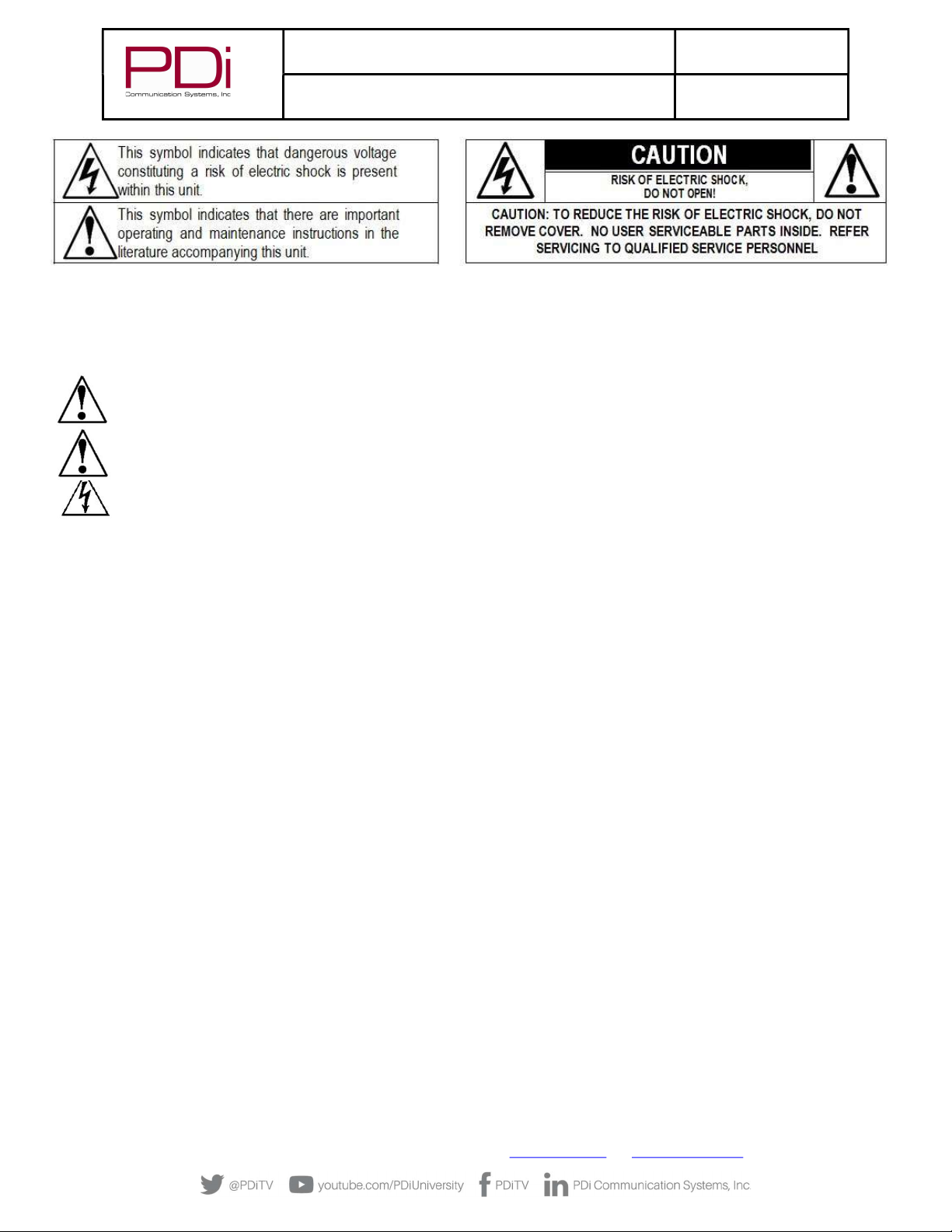
CAUTIONS AND WARNINGS
WARNING: To reduce the risk of fire or electric shock, do not expose
this apparatus to rain or moisture.
WARNING: To prevent injury, this apparatus must be
securely attached to the equipment rack in accordance
with the installation instructions.
WARNING: Do not install this equipment in a confined
space such as a bookcase or similar unit.
Modifications
Any changes or modifications made to this device that
are not expressly approved by PDi may void the user’s
authority to operate the equipment.
Cables
Connections to this device must be made with shielded cables with
metallic RFI/EMI connector hoods to maintain compliance with FCC
Rules and Regulations.
Safety Instructions
To avoid any malfunctions of the unit and associated components
and unwanted electric shock or fire accidents, please observe the
following:
• Review the manual for your STB unit for safety instructions
• Review the manual for your PDI TV for safety instructions
• Review the manual for the rack unit.
Placement
Avoid placing the unit in surroundings with:
• High temperature (over 40 C) or high humidity (over 90%).
• Direct sunlight or heat sources, like radiators or ovens.
• Excessive dust.
• Electrostatic effect.
• Vibration, impact, or tilted surface.
Wet Areas
• Avoid rain and moisture.
• DO NOT set containers with liquid, such as vases, on top of the
unit.
• Avoid placing the unit in areas where there is dripping and/or
splashing.
• Avoid placing unit near standing water.
Oxygen Environment
• DO NOT use in an oxygen tent or an oxygen chamber. Such
use may cause a fire hazard.
SERVICING
User Servicing
If your product is not operating correctly or exhibits a marked
change in performance and you are unable to restore normal
operation by following the detailed procedure in its operating
instructions, do not attempt to service it yourself as opening or
removing covers may expose you to dangerous voltage or other
hazards. Refer all servicing to qualified service personnel.
Damage Requiring Service
Unplug this product and refer servicing to qualified service personnel
under the following conditions:
• If liquid has been spilled, or objects have fallen into the
product.
• If the product has been exposed to rain or water.
• If the product does not operate normally by following the
operating instructions. Adjust only those controls that are
covered by the operating instructions as an improper
adjustment of other controls may result in damage and will
often require extensive work by a qualified technician to
restore the product to its normal operation.
• If the product has been dropped or damaged in any way.
• When the product exhibits a distinct change in
performance which indicates a need for service.
Replacement Parts
When replacement parts are required, be sure the service technician
has used replacement parts specified by the manufacturer or have
the same characteristics as the original part. Unauthorized
substitutions may result in fire, electric shock, or other hazards.
Safety Check
Upon completion of any service or repairs to this product, ask the
service technician to perform safety checks to determine that the
product is in safe operating conditions.
Cleaning & Disinfecting
• Unplug before cleaning.
• Use a soft cloth to clean.
• Do not use harsh chemicals such as solvents.
COPYRIGHT, DISCLAIMER, TRADEMARKS
Copyright
PDi Communication Systems, Inc. claims proprietary right to the
material disclosed in this manual. This manual is issued in confidence
for installation and operational information only and may not be
used to manufacture anything shown herein. Copyright by PDi
Communication System, Inc. All rights reserved.
Disclaimer
The author and publisher have used their best efforts in preparing
this manual. PDi Communication Systems, Inc. makes no
representation or warranties with respect to the accuracy or
completeness of the contents of this manual and specifically disclaim
any implied warranties of merchantability or fitness for any

MODEL:
PDi BELLA-HD Interface
Document Number:
PD196-426R1
User Manual Page 4 of 27
PDi Communication Systems, Inc. ▪ 40 Greenwood Ln ▪ Springboro, Ohio 45066 USA ▪ www.PDiarm.com and www.mymedTV.com ▪ Phone 800.628.9870
particular purpose and shall in no event be liable for any loss of profit
or any other damages, including but not limited to special, incidental,
consequential or other damages for the use of this manual. The
information contained herein is believed accurate, but is not
warranted, and is subject to change without notice or obligation.
Trademarks
All brand names and product names used in this manual are
trademarks, registered trademarks, or trade names of their
respective holders. PDi and Better Solutions Are Within Reach are
registered trademarks of PDi Communication Systems, Inc
IMPORTANT SAFETY INSTRUCTIONS
1. Read these instructions.
2. Keep these instructions.
3. Heed all warnings.
4. Follow all instructions.
5. Do not use this apparatus near water.
6. Clean only with dry cloth.
7. Do not block any ventilation openings. Install in accordance with
the manufacturer’s instructions.
8. Do not install near any heat sources such as radiators, heat
registers, stoves, or other apparatus (including amplifiers) that
produce heat.
9. Do not defeat the safety purpose of the polarized or grounding-
type plug. A polarized plug has two blades with one wider than the
other. A grounding type plug has two blades and a third grounding
prong. The wide blade or the third prong is provided for your safety.
If the provided plug does not fit into your outlet, consult an
electrician for replacement of the obsolete outlet.
10. Protect the power cord from being walked on or pinched
particularly at plugs, convenience receptacles, and the point where
they exit from the apparatus.
11. Only use attachments/accessories specified by the manufacturer.
12. Use only with the cart, stand, tripod, bracket, or table specified by
the manufacturer, or sold with the apparatus. When a cart is used,
use caution when moving the cart/apparatus combination to avoid
injury from tip-over.
13. Unplug this apparatus during lightning storms or when unused
for long periods of time.
14. Refer all servicing to qualified service personnel.
Servicing is required when the apparatus has been damaged in any
way, such as power-supply cord or plug is damaged, liquid has been
spilled or objects have fallen into the apparatus, the apparatus has
been exposed to rain or moisture, does not operate normally, or has
been dropped.
15. This appliance should be mounted in an equipment rack as
recommended by the manufacturer.
16. Care should be taken so that objects do not fall and liquids are
not spilled into the enclosure through openings.
17. If an outside antenna or cable system is connected to the
video product, be sure the antenna or cable system is grounding
so as to provide some protection against voltage surges and built-
up static charges. Section 810 of the National Electrical Code,
ANSI/NFPA 70, provides information with respect to proper
grounding of the mast and supporting structure, grounding of the
lead-in wire to an antenna discharge unit, size of grounding
conductors, location of antenna-discharge unit, connection to
grounding electrodes, and requirements for the grounding
electrode. See Figure A.
NOTE: This reminder is provided to call the CATV system
installer’s attention to article 820-40 of the NEC that provides
guidelines for proper grounding and, in particular, specifies that
the cable ground shall be connected to the grounding system of
the building, as close to the point of cable entry as practical.

MODEL:
PDi BELLA-HD Interface
Document Number:
PD196-426R1
User Manual Page 5 of 27
PDi Communication Systems, Inc. ▪ 40 Greenwood Ln ▪ Springboro, Ohio 45066 USA ▪ www.PDiarm.com and www.mymedTV.com ▪ Phone 800.628.9870
Introduction
Traditionally a facility pays for dozens or hundreds of cable/satellite channels but only has a small number of set-top-boxes, each
locked on a single channel, and combined onto the cable plant. When a patient wants to view a channel that isn’t on the cable plant,
the nurse must go to the head end and change one of the receivers or tell the patient the channel is not available. To provide the full
channel package to each patient, the set-top-box may be placed next to each TV in the patient area. Unfortunately, when the IR remote
is used by one patient to change channels, any TV nearby will also change.
The PDi Interface Module is designed to improve the patient experience interacting with a TV at a facility in which the channels come
from a cable/satellite set-top-box. It allows direct access to all set-top-box functions via PDi TV keypad, IR remote, and pillow speaker.
It gives patients access to every channel the facility is paying for and allows patients to easily switch between cable/satellite, in-house
DVD, and rooftop antenna channels. The interface module can pay for itself by eliminating modulators, splitters, and combiners in
most environments. It removes the need to modulate signals for distribution by sending HDMI from each set-top-box directly to an
associated TV. It offers customizable key mapping and works in many retrofit installations. Best of all it’s made in America!
Compatibility
The PDi interface module uses HDBase-T technology to bring uncompressed HDMI signals from the set top box at the head-end to the
TV. It also forms a communication bridge between the PDi TV and set top box.
As of this print, the following set-top-boxes have been tested to work with the PDi interface module. Contact PDi for compatibility
with other models.
Provider Set Top Box Model PDi Interface Module
Min Firmware Version
Cablevision Scientific Atlanta Explorer 4250HD V5.00
Charter/Spectrum Motorola DCH6200 V5.00
Charter/Spectrum Motorola DCT2224 V5.00
Comcast/Xfiniti Pace DC50X V5.00
Comcast/Xfiniti Pace PXD01ANI V5.00
Comcast/Xfiniti Comcast PR150B V5.00
Comcast/Xfiniti Comcast RNG110 V5.00
COX COX 3250HD
(Scientific Atlanta Explorer 3250HD)
V5.00
COX COX DTA250HD V5.00
DirecTV DirecTV H25 V5.00
Dish Dish ViP211k V5.00
Dish Dish ViP222k V5.00
Haivision Haivision Stingray V5.00
Haivision Haivision Mantaray V5.00
Time Warner Cable/Spectrum Cisco DTA 271HD V5.00
Time Warner Cable/Spectrum Cisco 8742 HDC V5.00
Time Warner Cable/Spectrum Spectrum101-T V5.00
Verizon V5.00
Mounting and Powering the Interface Module
The PDi interface module is designed to slide into an industry standard mini-mod chassis and is powered by the chassis’ power
supply. Standard mini-mod rack mount chassis with power supply are suitable for the interface module. These include, but are not
limited to:
MODEL:
PDi BELLA-HD Interface
Document Number:
PD196-426R1
User Manual Page 6 of 27
PDi Communication Systems, Inc. ▪ 40 Greenwood Ln ▪ Springboro, Ohio 45066 USA ▪ www.PDiarm.com and www.mymedTV.com ▪ Phone 800.628.9870
ATX / Pico Digital MPC-12
Blonder Tongue MIRC-12V with MIPS-12C
Drake® RMM-12 with PSM121
Holland HMR with HMPS
When it is more desirable to have the set-top-box and interface module located near the TV, the module may be used in a stand-alone
configuration without the need for a mini-mod chassis. In this case the PDi PD106-747 power adapter (not included) should be used
to power the interface module. Since the interface module uses very little energy, it has no special ventilation requirements. A
DirectTV set-top-box can power the mini-mod in place of the rack mount chassis power supply.
Connections
The PD295-004 BELLA interface module connects to the TV via standard CAT6a cable. CAT6a provides a higher bandwidth needed for
the HDMI video signal and the length should not exceed 250 feet. BELLA must be powered via the rack mounted chassis, a standalone
power adapter, or via a USB power connection. The IR Emitter cable must also be connected to the module and adhered to the IR
window of the corresponding set-top-box. CAT6a, HDMI and power cables are not provided with the Bella.
Wall Mounted Televisions
Wall Mounted TV – Data, Power, and IR Emitter Cable Installation
1. Connect 26 pin connector of cable PD106-981 to the TV’s 26 pin connector and the other end to the CCI connector on the BELLA
CCI port as shown below.
2. Connect an HMDI cable between the BELLA interface box and the TV.
3. Connect the CAT6a cable to the RJ45 port on the PD295-004 interface module.
4. Remove adhesive backer from the module and secure it to the rear of the TV.
5. For rack mounted interface module, connect rack minimod power cable to PD295-004. For stand-alone mounting, connect power
cord PD106-747 to PD295-004.

MODEL:
PDi BELLA-HD Interface
Document Number:
PD196-426R1
User Manual Page 7 of 27
PDi Communication Systems, Inc. ▪ 40 Greenwood Ln ▪ Springboro, Ohio 45066 USA ▪ www.PDiarm.com and www.mymedTV.com ▪ Phone 800.628.9870

MODEL:
PDi BELLA-HD Interface
Document Number:
PD196-426R1
User Manual Page 8 of 27
PDi Communication Systems, Inc. ▪ 40 Greenwood Ln ▪ Springboro, Ohio 45066 USA ▪ www.PDiarm.com and www.mymedTV.com ▪ Phone 800.628.9870
Wall Mounted TV - RF Cable Installation
The RF Output Signal cable from each set-top-box (STB) must also be routed to each remotely located television. Please refer to the
STB installation instructions for details.
Arm Mounted Televisions
The PD295-004 interface module is also compatible with several of the PDi Arm Mounted televisions that incorporate a BELLA
interface. Models such as the medTV and medTAB can be used successfully with the interface module when ordered with the BELLA
option.
NOTE: Each TV and its Support Arm must be pre-wired with a CAT6a data cable. Please contact PDi Communication
Systems or your PDi distributor for assistance should your TV and/or Arm lack this cable.
Arm Mounted TV – Data, Power, and IR Emitter Cable Installation
The CAT6a cable used to connect the remotely located TV to the interface module should not exceed 250 feet in length. CAT6a, HDMI
and power cables are not provided with the interface module.
1. Connect one end of the CAT6a cable to the Data Cable from the Arm/TV. The in-room Data Connection is typically wall mounted as
illustrated below.
2. Connect the other end of the CAT6a cable to the RJ45 port on the front of the PD295-004 interface module.
3. If using a DirecTV set top box, connect the USB cable to the PD295-004. No other power supply is needed.
4. Connect the IR Emitter cable to the interface module if used (see note below).
5. Remove adhesive backer from IR Emitter and secure it to the IR receiver window of the STB.
6. For a chassis mounted interface module, connect chassis power cable to PD295-004. For stand-alone mounting, connect power
cord PD106-747 to PD295-004.

MODEL:
PDi BELLA-HD Interface
Document Number:
PD196-426R1
User Manual Page 9 of 27
PDi Communication Systems, Inc. ▪ 40 Greenwood Ln ▪ Springboro, Ohio 45066 USA ▪ www.PDiarm.com and www.mymedTV.com ▪ Phone 800.628.9870
Arm Mounted TV - RF Cable Installation
Unlike AC powered wall mounted TV’s, PDi arm mounted television models receive their RF signal and TV power combined along a
connecting coax cable from an external power source. Special consideration must be used in handling the low voltage AC power found
on the RF signal coax cable.
Two types of external power supplies are used with arm mounted televisions: individual or central style. The individual power supply
mounts near the TV injecting power from a nearby AC outlet onto the incoming coaxial cable. The central supply injects power onto 10
separate coax cables simultaneously and mounts in a wiring closet as far as 150 feet away from the TV’s. Connection of the RF signal
coax cable for each style of power supply is detailed below.
Individual Style Power Supply - RF Cable Installation
Signal connections for an arm mounted TV powered from an individual power supply requires a single coax cable no longer than 300
feet, connected at the set-top-box’s “Output to TV” connection.
Some set-top-boxes also allow for the connection of an external Antenna or other signal source via an “OFF-AIR IN” connection. Please
consult your set-top-box installation instructions for details.

MODEL:
PDi BELLA-HD Interface
Document Number:
PD196-426R1
User Manual Page 10 of 27
PDi Communication Systems, Inc. ▪ 40 Greenwood Ln ▪ Springboro, Ohio 45066 USA ▪ www.PDiarm.com and www.mymedTV.com ▪ Phone 800.628.9870
NOTE: The drawing below is representative of the typical set-top-box. Your box may vary in appearance.
Central Style PDI -772HE Power Supply - RF Cable Installation
Low voltage AC TV power is present on each central power supply TV coax cable. A PDi Power Passer (part number PD167-003) is
required to route the AC power on the coax cable around any externally connected device such as the Satellite Box. A Power Passer is
required for each TV/STB connection. For new installations, the use of a PDI-772HE-IND instead of PDI-772-HE will eliminate the
need for the power passers.
NOTE: The PD167-003 Power Passer is an optional device NOT supplied with the interface module and is only required
for centrally powered arm mounted televisions. Please contact PDi or your PDi distributor to order this device.
1. Remove power from the TV at the central power
supply.
2. Connect a coaxial cable from the STB “OUT TO
TV” to the Power Passer’s “RF IN FROM
EXTERNAL DEVICE”.
3. Locate the coaxial cable from the central power
supply. Connect this cable to “FROM POWER
SUPPLY”.
4. Connect the coaxial cable from the TV to
“COMBINED SIGNAL TO TV.” The TV coax should
be limited to 150’ to accommodate the central
power supply coax length limitations.
5. Connect an Optional Secondary RF signal coaxial
cable from the Power Passer’s “RF OUT TO
EXTERNAL DEVICE” to the set-top-box “OFF-AIR
IN”. This connection is only necessary if you
wish to view TV signals that are already present
on your system in addition to set-top-box
signals.
Tabla de contenidos
Otros manuales de Unidad de control de PDi


Manuales populares de Unidad de control de otras marcas

Festo
Festo Compact Performance CP-FB6-E Manual de lista de piezas

Elo TouchSystems
Elo TouchSystems DMS-SA19P-EXTME Manual de usuario

JS Automation
JS Automation MPC3034A Manual de usuario

JAUDT
JAUDT SW GII 6406 Series Guía rápida

Spektrum
Spektrum Air Module System Manual de usuario

BOC Edwards
BOC Edwards Q Series Manual de usuario


