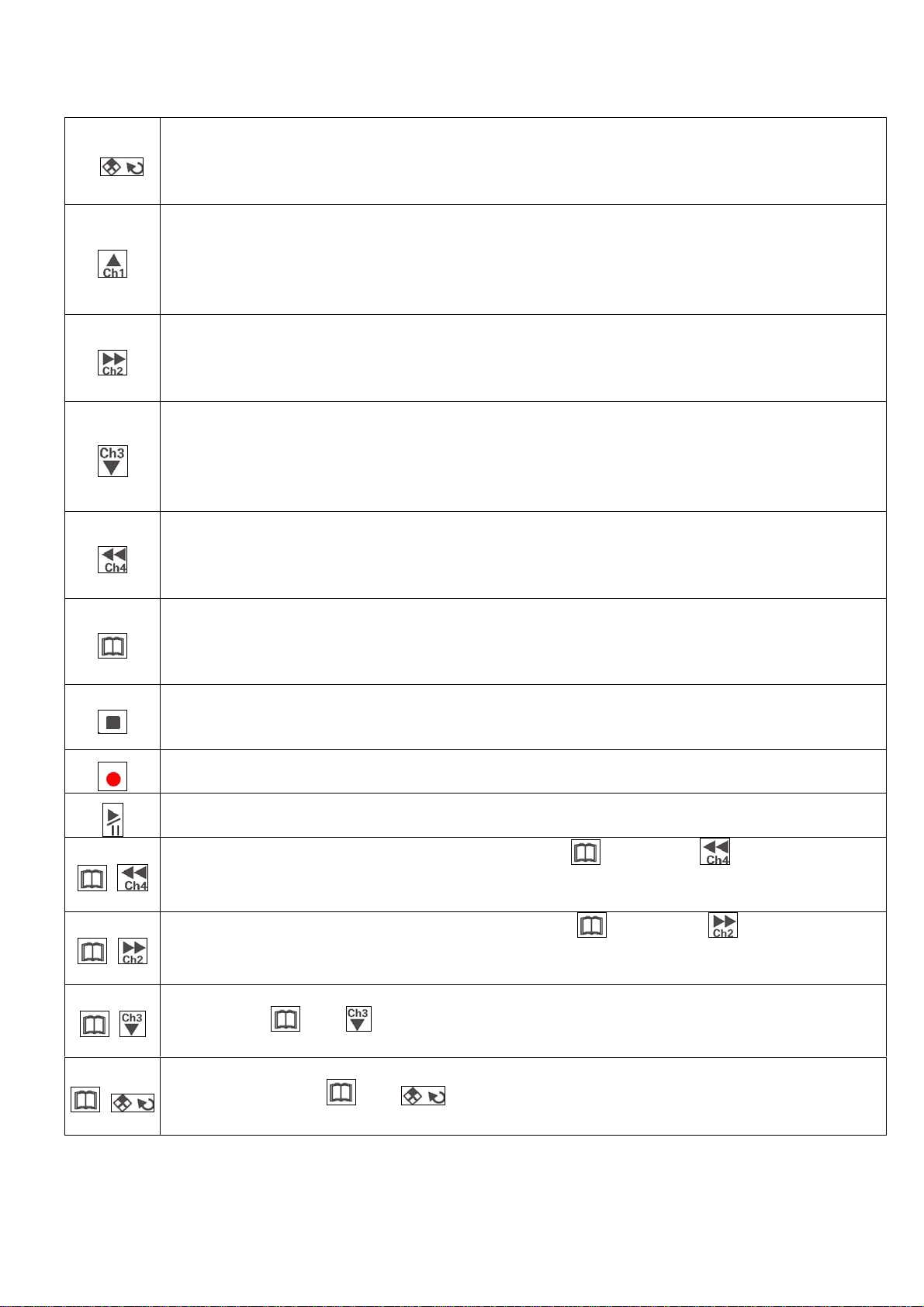
Control Panel Button:
Quad Display: When recording or playback, monitor will be displayed as a quad display when
this button is pressed.
Selection: This button is for selecting an item. This button is pressed to confirm all the
selection made or setting items.
Channel 1: When recording or playback, channel 1 will be displayed as full screen when this
button is pressed.
Up: When under functional setting, this button is the up button for functional selection.
+: Press the button when setup, it will increase the number for the setup item or change
upward.
Channel 2: When recording or playback, channel 2 will be displayed as full screen when this
button is pressed.
Down: When under functional setting, this button is the down button for functional selection.
Next page: Next page button under file list or date list selection.
Channel 3: When recording or playback, channel 3 will be displayed as full screen when this
button is pressed.
Left: When under functional setting, this button is the left button for functional selection.
-: Press the button when setup, it will decrease the number for the setup item or change
downward.
Channel 4: When recording or playback, channel 4 will be displayed as full screen when this
button is pressed.
Right: When under functional setting, this button is the Right button for functional selection.
Last page: Last page button under file list or date list selection.
Setup: Entering the setup menu for system setup. (Recording needs to be stopped before
entering the setup menu.)
Saved Setup: This button needs to be pressed to save all the setting information and exit the
setup pages when each setup is finished..
Stop: System will stop recording/playback when this button is pressed.
ESC: When setting up or making selection, this button will cancel the setting or selection and
esc and return to the last page.
ecord: This button is pressed to activate recording when system is not under setting or
playback mode.
Play: When stop recording, pressing of this button will playback image files.
Pause: Pressed to pause the playing of the file. Pressed again to playback files again.
Skip Backward: When under playback mode, press button and will skip backward
once. By pressing the 2 buttons continually the images will skip backward continually.
Playback back to normal when these buttons are released.
+
Skip Forward: When under playback mode, press button and will skip forward
once. By pressing the 2 buttons continually the images will skip forward continually.
Playback back to normal when these buttons are released.
+
+
Single Frame Playback: When playback images, each single frame will be playback once by
pressing and . By pressing the 2 buttons continually, images will be playback as
slow speed forward. Speed back to normal when “Play” button is pressed
+
Playback Speed: When playback images, Press the button the speed is playback at x2 of normal
speed. Pressing and buttons again will changes the speed as followed x4、
x6、x8、/2、/4、/6、/8、x1. By pressing the “Play” button will back to normal speed.
Playback LED: This playback LED will be on when playback.
VGS4-RT4-B
2/8 V0.1


