NAVIGATING THE MENUS
There are two main menus that are accessible via the two corresponding
joysticks on the top side of the goggles.
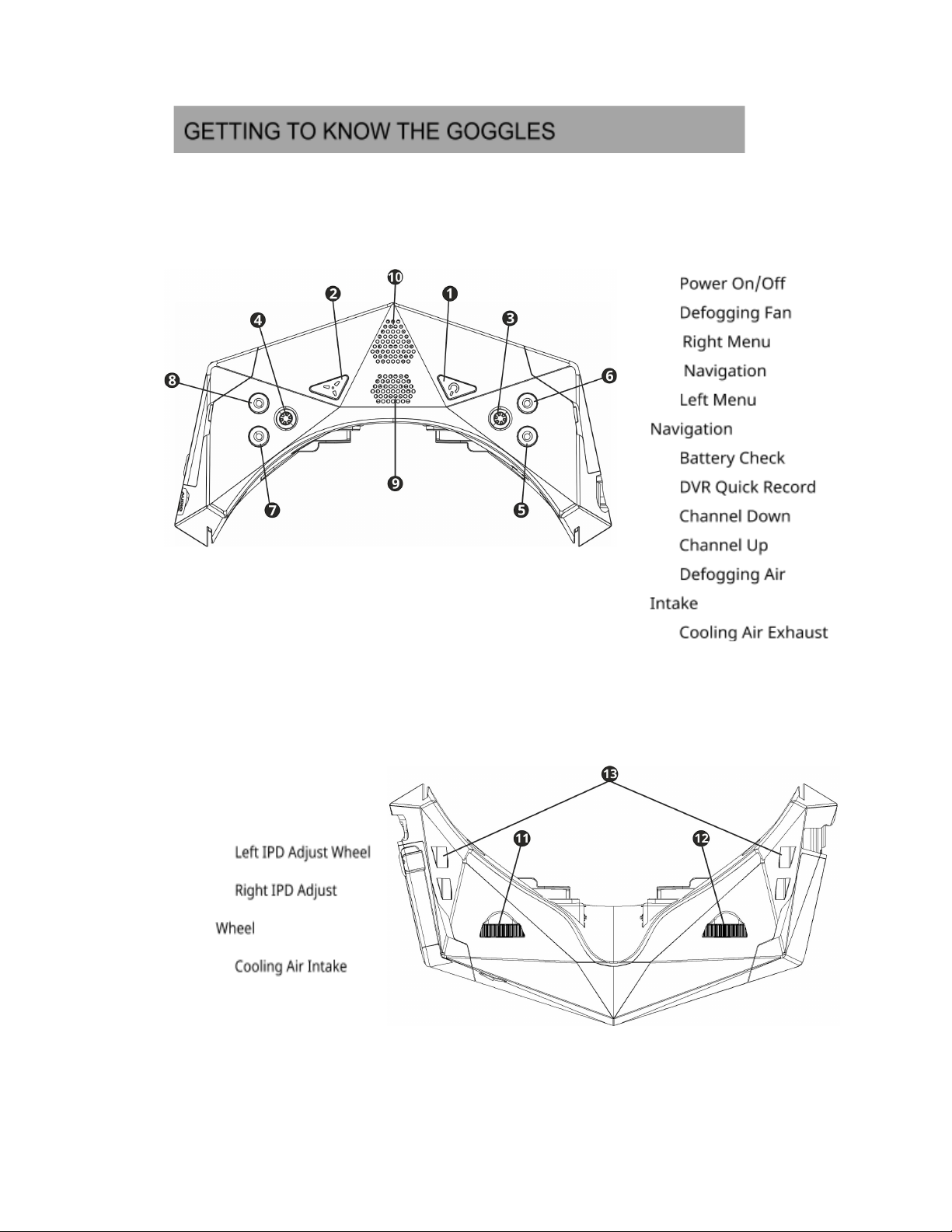
The Left-hand joystick controls the main menu. The main menu
incorporates all the main controls and goggles settings.
The main control joystick can be chosen in the “BUTTON OPTIONS” menu.
The Right-hand joystick is mainly used for playback settings or to control
the main menu which is used mainly to adjust the Digital Video Recorder and
Video Playback settings.
To enter the main or additional menu simply press the corresponding
joystick.
Once inside the menu move the corresponding joystick up, down, left or
right in order to select the required setting.
Confirm/save the set value by pressing the corresponding joystick.
To exit the menu, use the back button.
Back buttons (for exiting the menu)
●if Left joystick is the main - Channel down
●if right joystick is the main - Battery check button
To exit the sub-menu you can press the main joystick in the left direction (
or ) or you can use the back button.
Changes will be saved only if the menu is closed before turning the goggles
off.
8
Orqa FPV.ONE User Manual, Rev.1.6
©2020. Orqa Ltd.