Nixplay Lola Guía de referencia

Let’s get
you started
A Brief Guide to Your Lola™

Read This First,
Please
We care deeply about providing your family with a great frame and service. We go to great
lengths to ensure your Lola is delivered into your hands in perfect working order.
If your Lola isn’t working perfectly, please do let us know. We’re here to help.
We’re just a phone call, email or chat away.
Find our telephone number, email and web address at the back of this guide.

Table of Contents
English
Get to know Lola
Before using the Remote Control
Positioning Lola
Wall mounting Lola
Create your Nixplay Account
Power Lola
Pairing Lola
Starting to Nixplay
Earn Discounts… and More Nixplay Frames!
FCC
English
ISED
English
Français
Contact us
5
6
7
9
11
12
13
14
15
19
20
20
22

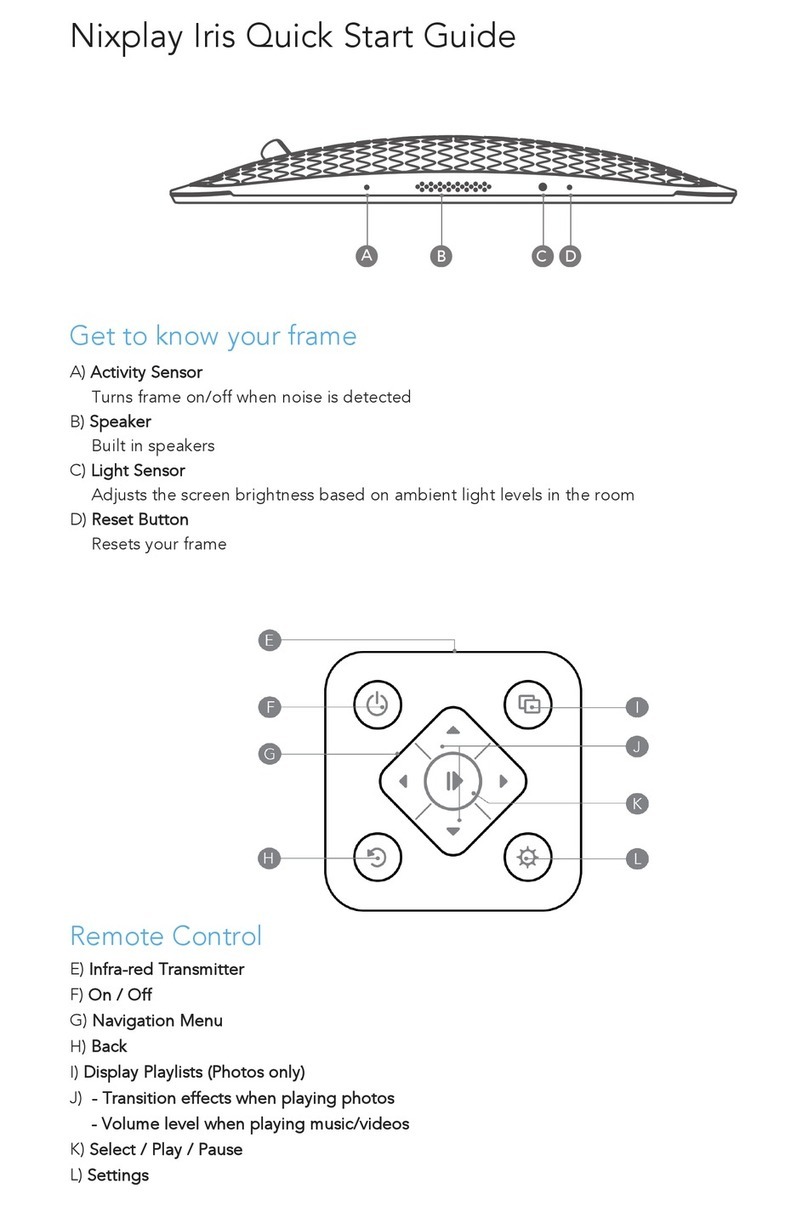
Get to know Lola
5 6
B
A
B
A
A) Senses movement and turns Lola on and off when motion sensor is enabled
B) Infra-red Sensor: Receives signals from the remote control
C) Power Adaptor DC -in
D) Infra-red Transmitter
E) On / Off
F) Up/Down/Left/Right Keys for Menu Navigation
G) Back
H) Settings
I) Play All Photos
J) Select / Play / Pause
K) Volume Up
L) Volume Down
C
E
F
D
G
H
I
K
L
J
M) Remove battery protector.
Before using the Remote Control
Pull
M

7 8
Positioning Lola
Your Lola can be positioned as free-
standing in portrait or landscape mode.
Wall mounting instructions are later in
this guide.
When not in use, the remote control can
be attached behind Lola by magnet
(not applicable when wall mounted).
Portrait
Landscape
Choose your frame orientation and align
the stand to the corresponding holes
behind Lola. Slide up to lock into place.
Slide the stand up/down to adjust the
viewing angle.

9 10
Wall mounting Lola
3
5mm
(0.2 inch)
21
1) Remove the back cover by sliding it
down to access the wall mount holes.
4) Plug in the power cable behind Lola.
2) Use the included Wall Mounting Guide
to align where the screws need to be
drilled on the wall.
2 x M4 screws are included and required
for wall mount.
Depending on your wall type, you may
need to drill in the included anchors
before securing the screws.
5) Mount Lola onto the 2 screws and slide
down to lock into place.
3) Leave a 5mm gap between the wall
and the head of each screw where the
power cable can run through.
5
Wall-mount video guide:
www.nixplay.com/wall-mount
4

11 12
1) Download the Nixplay app
Search for ‘Nixplay’ on the Apple Store or
Google Play. If apps aren’t your thing, you
can do all of the above by logging in at
www.nixplay.com.
2) Create your Nixplay account
You’ll need one to pair and manage Lola.
Use your email address and create a
unique password to create an account.
3) Login to your new Nixplay account.
Create your Nixplay account Power Lola
1) Plug in Lola. 2) Point your remote control at the front
sensor to control Lola. Follow the on-
screen instructions.
13 14
Pairing Lola Starting to Nixplay
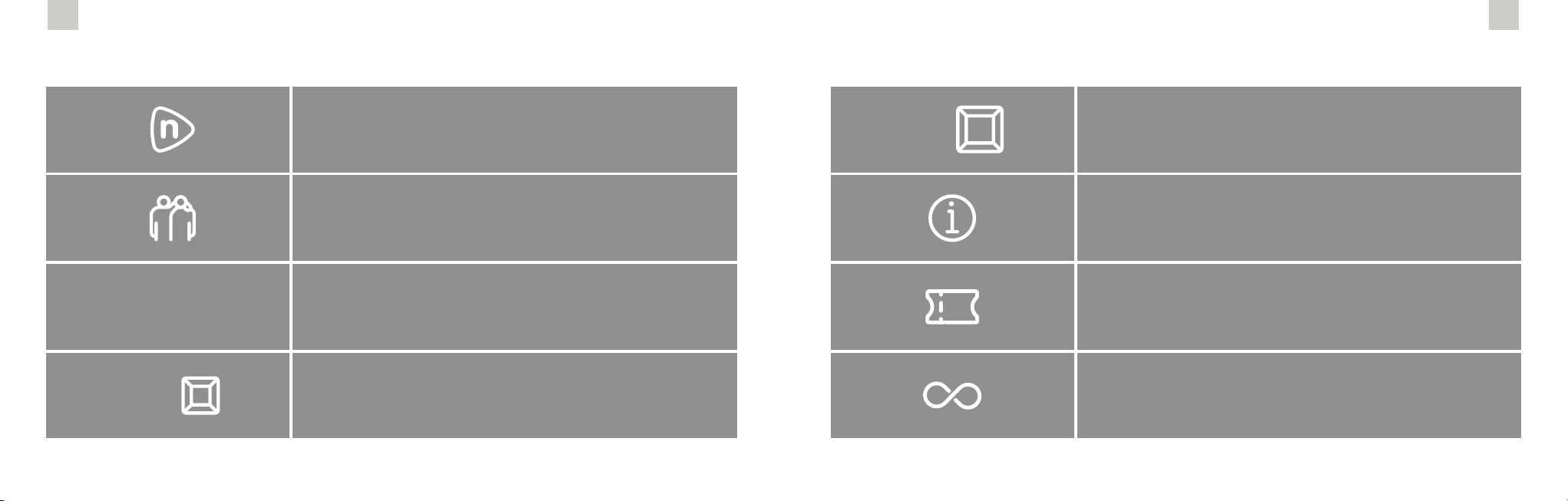
1) In your Nixplay mobile app, you can:
a. Share a photo or video to a playlist and assign a playlist to a frame.
b. Invite friends to share photos to your frame. When you do so, your
friends will get an email invite to download the Nixplay app, from
which they can share photos or videos to your frame.
c. Connect to Google Photos and create a dynamic, ‘always on’
connection, ensuring that your Lola is always up-to-date with your
Google Photos.
d. Control all settings of your frame, playlists and photos.
2) Need help? Something not working?
We’re just a phone call, email or chat away. Go to nixplay.com/support
for details or to nd an answer to your question in our Help Center.
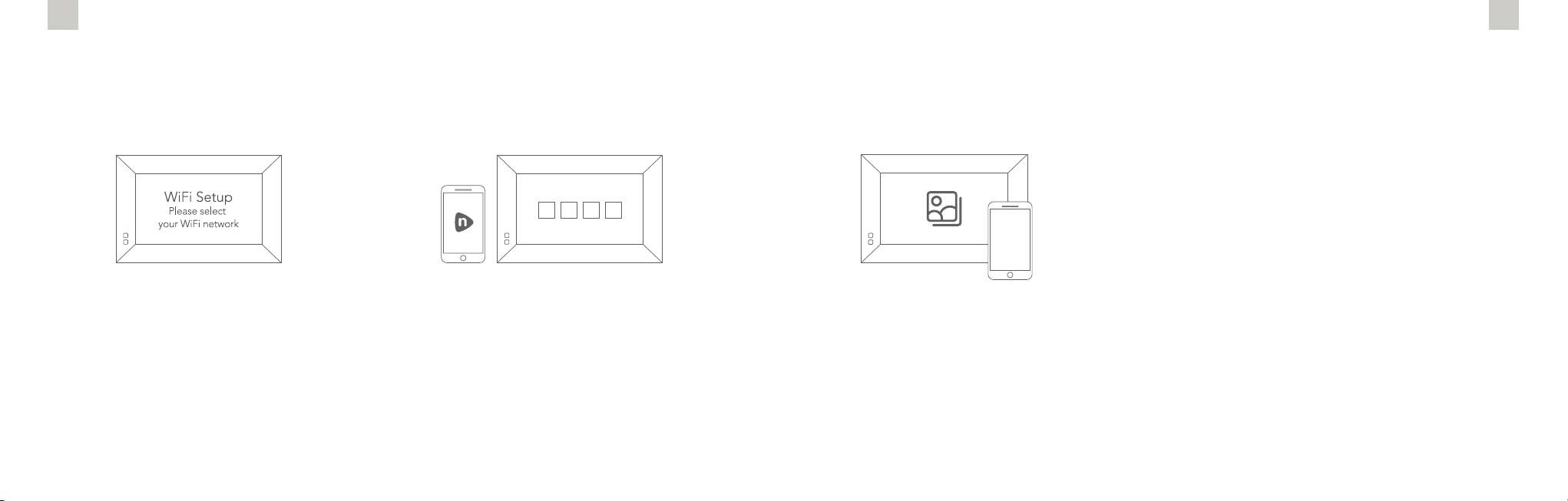
1) Connect Lola to Wi-Fi
Enter your WiFi password using your
remote control. Once connected, a
16-digit serial number will appear on the
Lola screen.
2) Select ‘Pair a New Frame’ in your
Nixplay app or after logging in to
www.nixplay.com. Enter the 16-digit
serial number shown on Lola. You are
now paired and ready to start sharing
memories!
15 16
Earn Discounts… and More Nixplay Frames!
With the‘My Nixplay Rewards’ program,
you are eligible to earn points each time a referred friend
or family member purchases a Nixplay frame from
www.nixplay.com.
Your points balance is available on
https://app.nixplay.com/#/rewards (login required).
‘Nixplay Rewards’ is a joint referral and rewards program
for all Nixplayers who purchase from
www.nixplay.com.
Earn Seven points,
and you are eligible for a brand new
Larger-sized Nixplay frame*.
Earn One point and you are entitled to a
20% discount off the purchase of any new frame from
www.nixplay.com.
Once you reach 5 or 7 points,
you can redeem a coupon
from the same Rewards page.
Earn Five points,
and you are eligible for a brand new Smaller-sized
Nixplay frame*.
There is no limit to the number of friends
or family you can refer, nor is there any limit to
the number of points you can earn.
20%
OFF
5pt. =
* Models published in website above, but are subject to change
7pt. =

17
Earn Discounts… and More Nixplay Frames!
To refer friends, go to
https://app.nixplay.com/#/rewards,
enter a friend’s email address and hit ‘send’.
Each friend or family member you refer will also
receive a 20% discount coupon for a frame
purchase on www.nixplay.com.
Share your experience
1 Go to amazon.com where you purchased your Lola from.
2 On the product page you will usually see a star rating along with the Customer Reviews. Choose the particular model that you have.
3 Make the selection to Write A Review and follow the instructions. Whether positive or negative, this is your assessment of the Lola
Product and Service, which will become available to the online community.
Thank you for purchasing the Lola WiFi Smart Photo Frame. Here at Nixplay, we value every customer and constantly look for new ways
to improve your Lola experience. We’d love you to share your experience by following the steps below:
Our Customer Satisfaction Guarantee is very important to us. If there is anything you want to ask or need help with, please contact us
via http://support.nixplay.com so we can assist you.
‘LIKE’ us on facebook.com/nixplay.cloud
to get access to our weekly tips and prizes.
Write a Review Online
Tabla de contenidos
Otros manuales de Marco de fotos digital de Nixplay

Nixplay
Nixplay W10E Guía de referencia

Nixplay
Nixplay W15C Guía de referencia

Nixplay
Nixplay W15A Manual de usuario

Nixplay
Nixplay WIFI CLOUD FRAME Manual de usuario

Nixplay
Nixplay W15 Manual de usuario

Nixplay
Nixplay W18 Manual de usuario

Nixplay
Nixplay W10J Guía de referencia

Nixplay
Nixplay W0538 Guía de referencia

Nixplay
Nixplay W08F Guía de referencia

Nixplay
Nixplay Nixplay N Manual de usuario