6
MULTI-FUNCTION screen
This multifunction key is used to access the following functions. Each press of this key
moves you to the next function.
Note: You can abort the list at any time by pressing PERIOD / SCORE.
Use the “Home” or “Guests” keys to toggle the possession
indicators.
Enter the player’s jersey number.
Note: Hold the key down for fast advance.
Enter the player’s fouls.
Use the “Home” or “Guests” keys to select the team, then
use the “+” or “-“ keys to change the data for the selected
team.
Use the “Home” or “Guests” keys to toggle thru Bonus 1,
Bonus 2, and Bonus 0 for the proper team.
Use the “Home” or “Guests” keys to select the team, then
use the “+” or “-“ keys to change the data for the selected
team.
H
FOULS
BONUS
T.O.L.
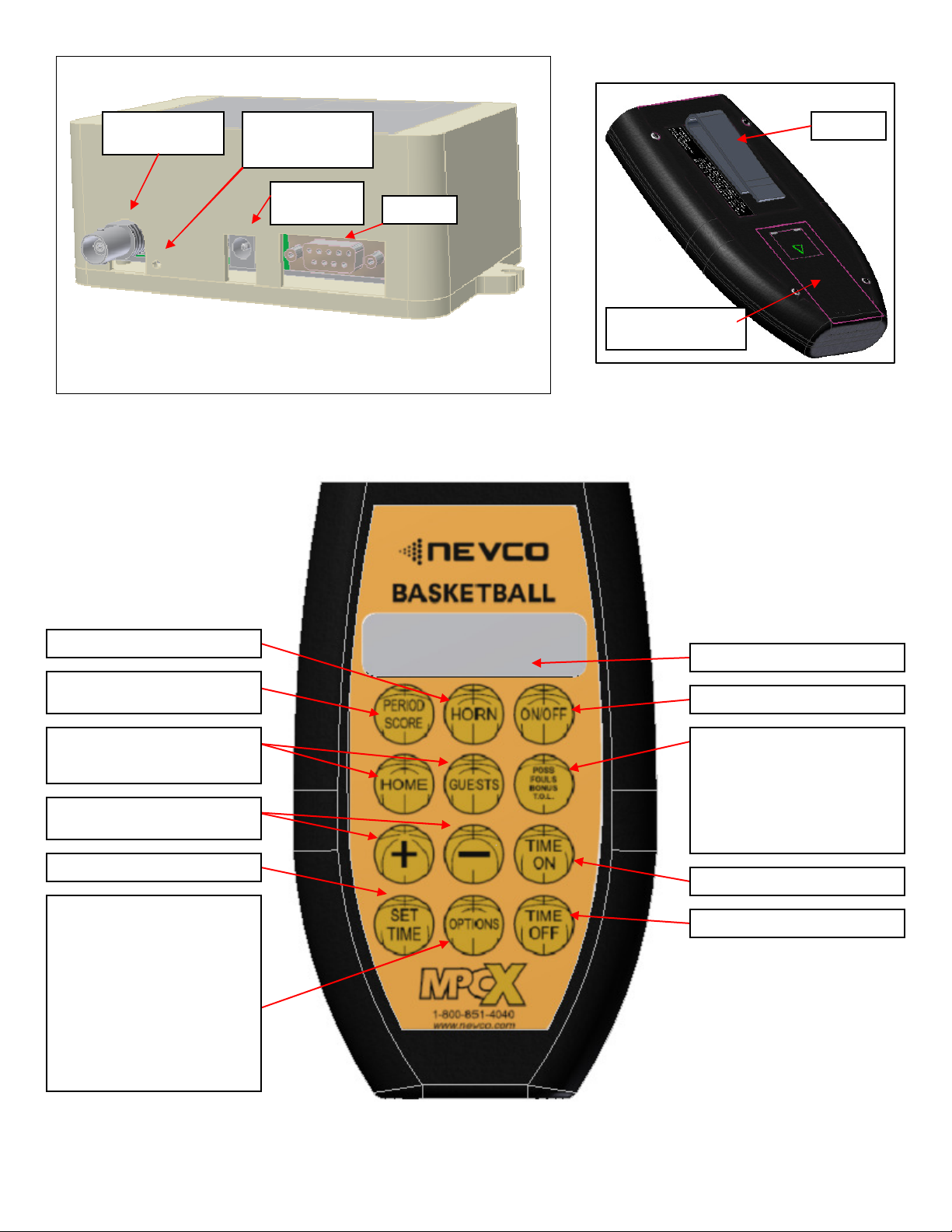
MULTI-FUNCTION
This Multi-function screen provides access to Next Possession
as well as Player Number, Player Fouls, Team Fouls, Bonus,
and Timeouts Left. Use the Multi-function key to step thru
functions and screens. The cursor will indicate the selected
function. Use the HOME or GUESTS keys to select the team.
Use the “+” or “-” keys to update the selected functions value
and send it to the scoreboard.
by
pressing
.G
FOULS
BONUS
T.O.L.