GPS Personal Tracker User Manual V1.3 Page 4
After approximately 10 to 30 seconds, the unit will begin to work and acquire the GSM signal as
well as the GPS signal.
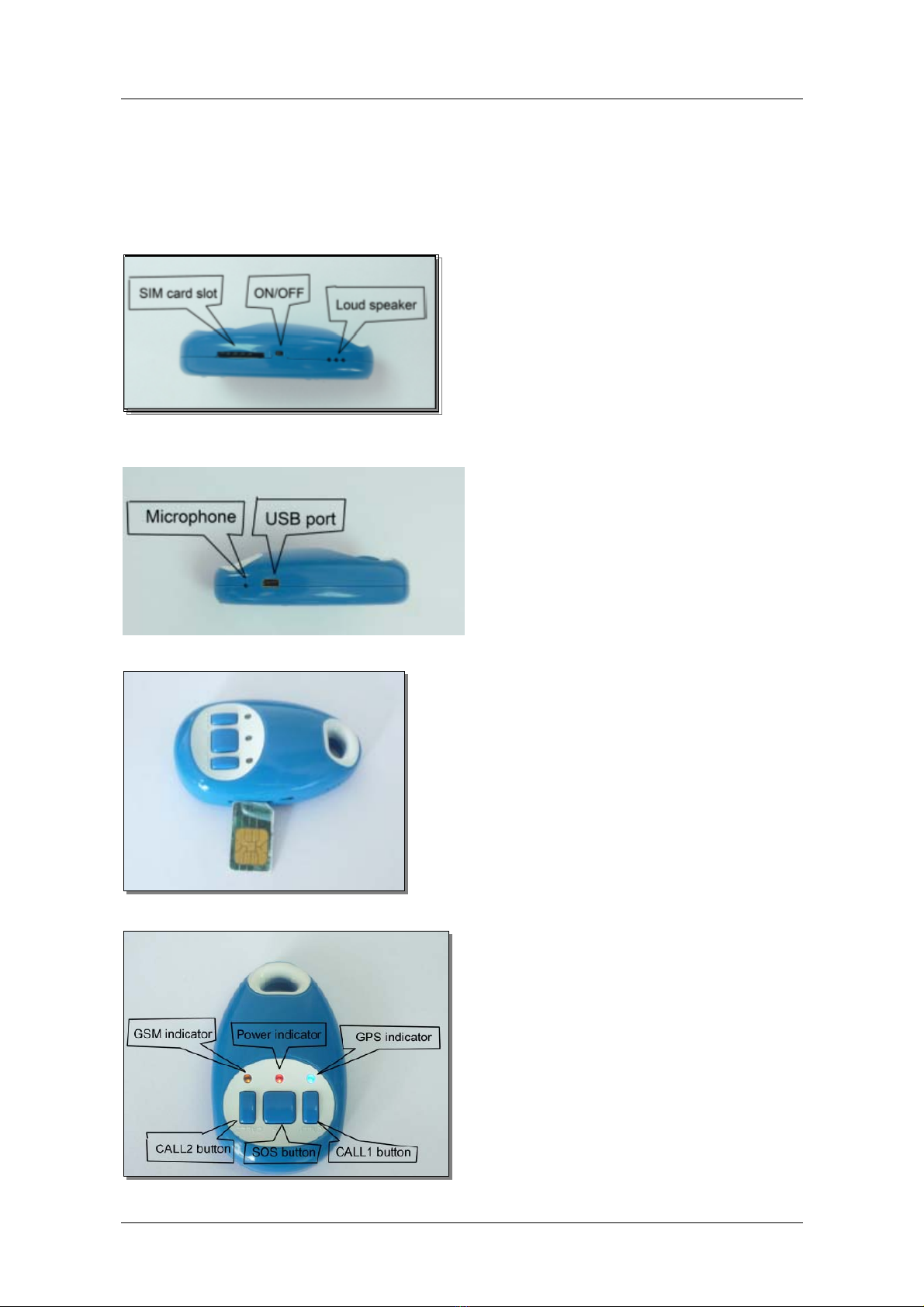
•The red LED indicates power; it will be dim for 0.5 second and bright for 0.5 second in
the normal status.
•The orange LED indicates the GSM signal; it shall flash every 3 seconds to show it is
receiving the GSM signal.
•The blue LED indicates the GPS signal, it shall flash every 3 seconds to show it is
receiving the GPS signal.
To set the Authorized Number
Send SMS“password+A1, +country code +mobile number” to set the first SOS number.
Send SMS“password+A2, +country code +mobile number” to set the second SOS number.
Send SMS“password+A3, +country code +mobile number” to set the third SOS number.
Send SMS“password+A4, +country code + mobile number” to set the CALL1 number.
Send SMS“password+A5, +country code +mobile number” to set the CALL2 number.
Note: The authorization numbers are case sensitive and must not contain any spaces.
E.g. send “123456A1,+61481234567” to set +61481234567 as the first SOS number.
Send “123456A2, +6134898765432” to set +61498765432 as the second SOS number.
(Default password: 123456)
Functions of Authorized Numbers
It is not mandatory for all five of the authorized numbers to be set however a minimum of one
must always be set.
Each authorized number is able to complete following operations:
To delete an Authorized number:
Send SMS: “password+A1, +D” to delete the first SOS number.
Send SMS: “password+A2, +D” to delete the second SOS number.
Send SMS: “password+A3, +D” to delete the third SOS number.
Send SMS: “password+A4, +D” to delete the CALL1 number.
Send SMS: “password+A5, +D” to delete the CALL2 number.
E.g. send: “123456A1, D” to delete the first SOS number.