
NATIVE UNION MM03 Manual de usuario

1
1
1
2
34
5
6
WELCOME
Thank you for buying the MM03 handset, you will love this new experience.
For the most updated information, be sure to check our website at www.nativeunion.com
WHAT YOU GET IN THIS PACKAGE
1. MM03 Bluetooth®wireless handset
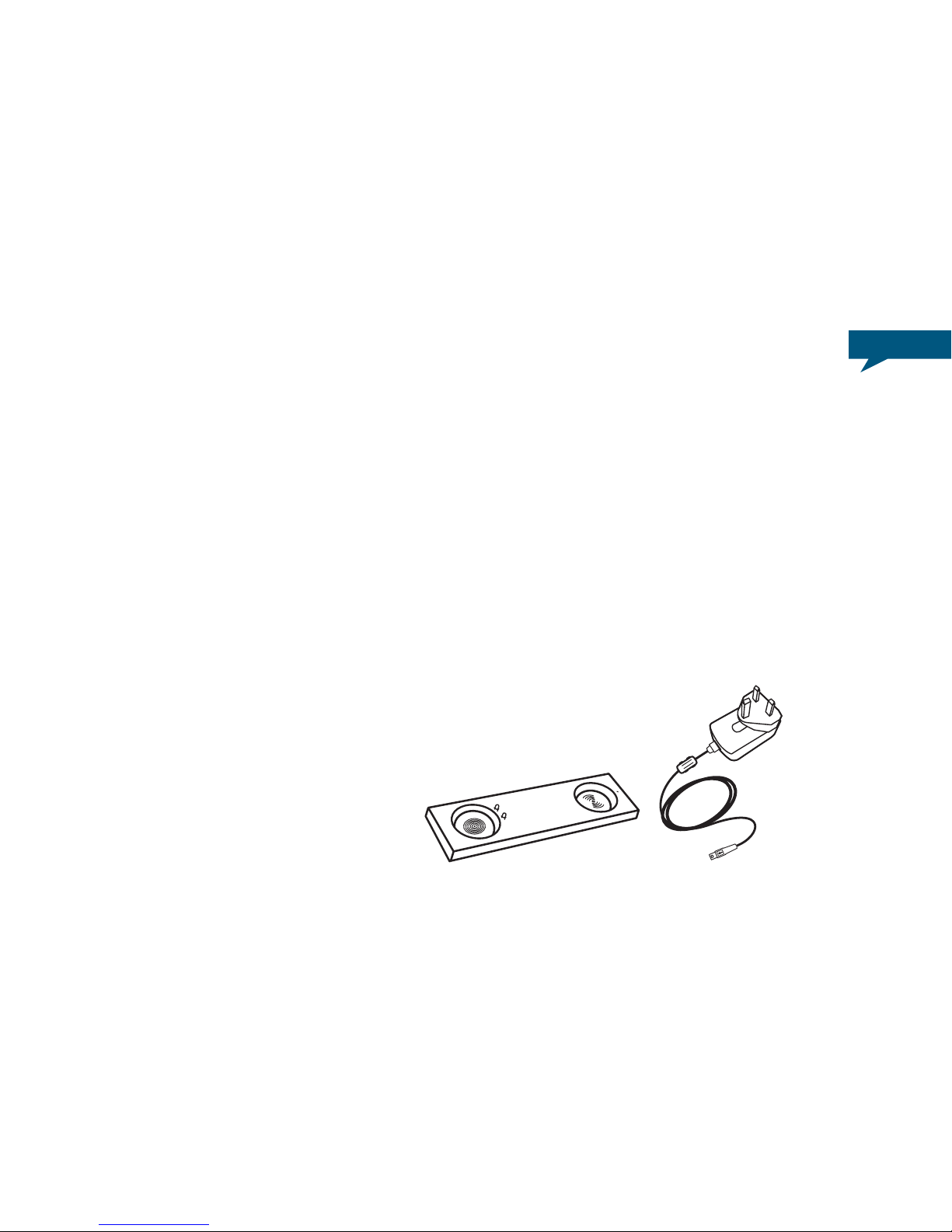
2. MM03 base
3. One Multi-country AC adaptor with wire and micro
USB with 4 exchangeable adaptor plugs
for Europe, UK, North America, Asia and Australia.
4. Micro-USB / USB Cable
5. Instruction Manual
6. One silicon mobile phone mat

How to use the MM03:
PLEASE READ THESE INSTRUCTIONS CAREFULLY before using your new handset
IMPORTANT SAFETY INSTRUCTIONS READ BEFORE OPERATING EQUIPMENT
This product was designed and manufactured to meet strict quality and safety standards.
There are, however, some installation and operation precautions which you should be particularly
aware of :
1. Read these instructions.
2. Keep these instructions.
LOCATION OF CONTROLS
Earpiece
Multi-Function Button (MFB)
Microphone
Volume
Button MM03 Handset
Base
Micro USB Port
Charging Pin
2
3. Heed all warnings.
4. Follow all instructions.
5. Do not use this apparatus near water.
6. Clean only with dry cloth.
7. Do not install near any heat sources such as radiators, heat registers, stoves, or other
apparatus (including ampliers) that produce heat
8. Only use attachments/accessories specied by the manufacturer.
Please check the “Location of controls” section to locate and identify functional buttons.
CONNECTING YOUR MM03 TO YOUR iPHONE®
(OR ANY BLUETOOTH® WIRELESS TECHNOLOGY MOBILE PHONE.)
STEP 1
CHARGE YOUR MM03 HANDSET
a. Connect the AC adaptor provided to the MM03
base.
3

b. Plug the AC adaptor into a power outlet.
The white LED on the base is a charging indicator.
It will turn on when the handset is placed on the base for
charging, and turn off when it is fully charged.
When your MM03 handset has low battery, the red LED of the
handset will start blinking and it will play low battery alert tone
every minute. Place the handset back to the base to charge it.
c. Finally, place the MM03 handset in the charging base to
charge the battery*
* The MM03 comes with a build-in rechargeable battery. It takes two
or three hours to fully recharge the battery.
4

NOTE :
You can also use the Micro-USB/USB cable provided to connect your MM03 base directly to the
USB port of your computer to recharge the handset.
STEP 2
TURN YOUR MM03 HANDSET ON
To turn on your MM03, you must press and hold the MFB button for
2 seconds.
When your MM03 is on, you will hear a sound and the blue LED will
turn on.
STEP 3
TURN YOUR MM03 HANDSET OFF
To turn off your MM03, you must press and hold the MFB button
for 2 seconds.
When your MM03 is off, you will hear a sound and all LED will turn
off.
5

ONBluetooth
Devices
First of all, you must make sure that your mobile phone has
Bluetooth®Wireless capability. If you are not sure whether it
does, please consult your mobile phone’s user manual.
IMPORTANT : Please note that your MM03 must be powered off
before starting the pairing process.
a) To pair your MM03 handset with your mobile phone, you
must press and hold the MFB button for 5 seconds, until
you hear a sound and see the red and blue LED ashing
alternately.
Your MM03 handset is now ready to be paired.
b) Make sure the Bluetooth®Wireless function is activated on
your mobile phone, and instruct your mobile phone to search
for new Bluetooth®devices. (check the user’s instructions of
your mobile phone if you need more information)
STEP 4
PAIRING THE MM03 HANDSET WITH YOUR iPHONE®
(OR ANY BLUETOOTH®WIRELESS TECHNOLOGY MOBILE PHONE.)
6

ON
Bluetooth
Devices
Connected
c) Place your MM03 handset within 1 meter away from your
mobile phone.
d) Your mobile phone should search for all Bluetooth®devices
and the name “MM03” should appear on the Bluetooth®
device list.
e) Select “MM03” and enter “0000” if a password is required.
The MM03 will make a sound and the blue LED will light on,
indicating the pairing process is now completed and the mobile
phone is connected.
You will also see a white LED appearing on the back of the
handset. This LED is a visual indication to tell you that the
MM03 is now connected with your mobile phone.
within 1 meter 7

ATTENTION : The Bluetooth®Wireless technology signal reception works up to a 10m range
(open area).
If your mobile phone moves out of range, the MM03 will be automatically disconnected.
The white LED on the handset will turn off to indicate disconnection.
8Note :
Some phones will connect to the MM03 automatically.
If your phone prompts you to conrm whether you want to connect to the MM03, accept the
connection request. If your phone does not connect to the MM03 then use your mobile phone’s
Bluetooth menu to initiate a connection manually.
If you have connected the MM03 with an iPhone®, a MM03 battery icon will appear on your phone’s
taskbar indicating the current battery level of the MM03 handset.
You can use now your MM03 !

USE YOUR MM03 WITH YOUR iPHONE® (OR ANY OTHER
BLUETOOTH® WIRELESS TECHNOLOGY MOBILE PHONE)
MAKING A CALL
To make a call with your MM03, simply dial the number on your mobile phone keypad as you
normally would. When the call connects, you will now speak and listen through the last active call
device, whether it is the MM03 or your mobile phone.
If you wish to swap the call between MM03 and your mobile phone, press and hold the volume
control ‘+’ button for 2 seconds, or alternatively, select
from your mobile phone interface setting.
ANSWERING AN INCOMING CALL
To answer a call on your MM03, simply pick up the
handset from the base and the call will be connected
on the MM03 automatically. If the handset is not on
the base at the time of the call, press the MFB button
once to answer the call. To answer the call directly on
your mobile phone, simply answer by using your mobile
phone interface.
If you wish to swap the call between MM03 and your
mobile phone, press and hold the volume control ‘+’
button for 2 seconds, or alternatively, select from your
mobile phone interface setting.
DISCONNECTING A CALL
To hang up a call on your MM03, simply place the
handset back on the base or press the MFB
button once.
9
or
or

INFORMATION: MM03 enables a Bluetooth® connection to stay paired even if the MM03
handset or the mobile phone is switched off and on again. Please also note that MM03 can
memorize up to 4 devices. This feature allows Bluetooth®re-connection when either one of the
Bluetooth device is switched off and on again.
MM03 will auto-reconnect to the last connected device. If last connected device is not
available, it will try to connect to the next device on the list.
OTHER FUNCTIONS OF THE MM03 HANDSET
SYNCING YOUR iPHONE®
Your MM03 can also synchronize your iPhone®with your computer :
a) Unplug the AC adaptor from the power outlet and disconnect the cable from the MM03 base
b) Plug the Micro-USB / USB cable into the MM03 base and USB port of your computer
accordingly.
c) The synchronization process between your computer and your iPhone®will automatically
start whenever your iPhone®will be docked.
10
Otros manuales para MM03
1
Tabla de contenidos
Otros manuales de Accesorios para teléfono de NATIVE UNION


