XG0903-013111
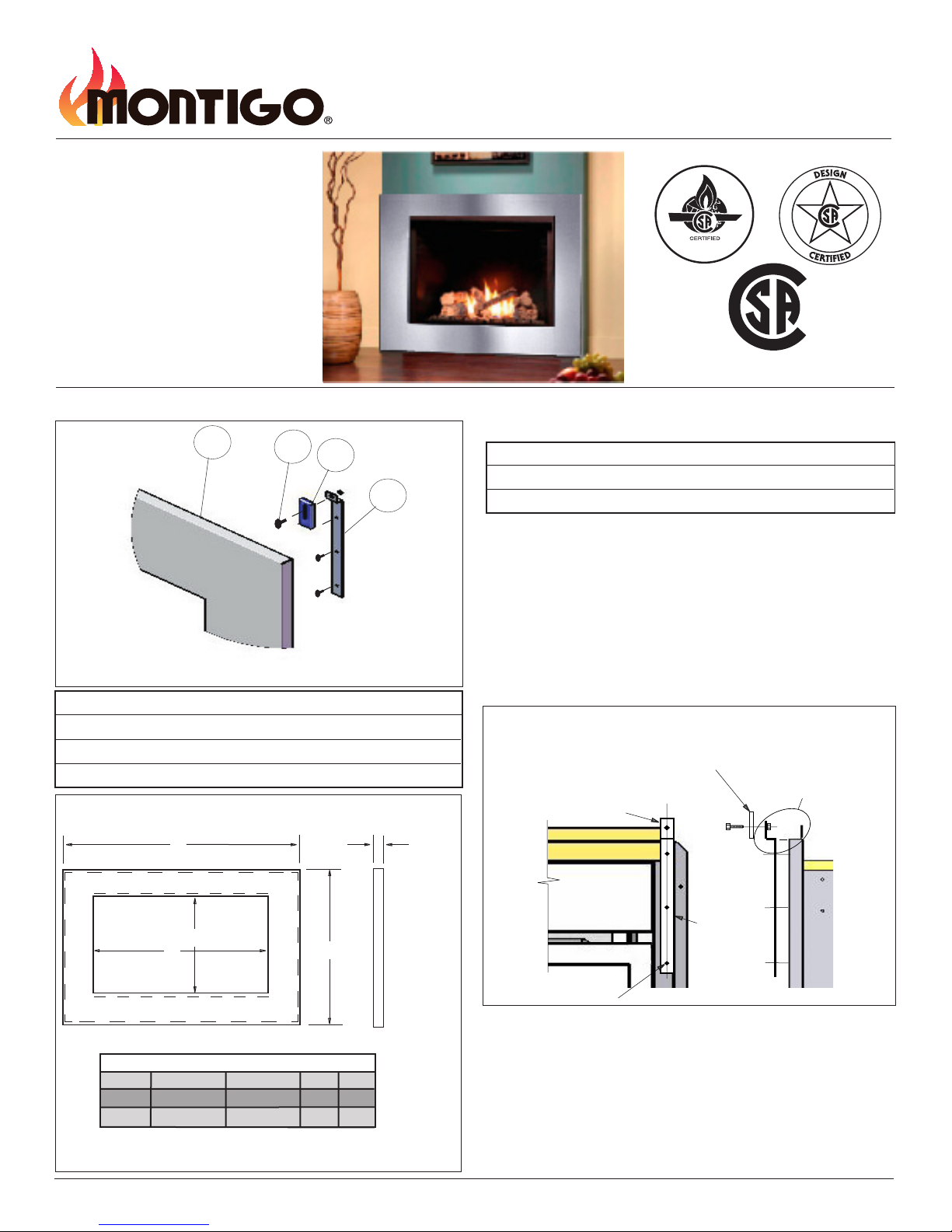
Movable Bracket
Fixed Bracket
Supplied, 1/2”Long
10/24 machine screw.
Fixed 10/24 Nutsert
Step 3. Install the (2) two Attachment Brackets.(See Figure 2)
Nowit'stimetoinstallthetwo(2)AttachmentBracketsyouused
asaguide.HavesomeoneholdoneoftheBracketsinplace,
usingtheHex-tool,placeaself-tapping#8-18sheetmetalhex
screwintotheholeandtwistitintotheholehalfway.
Followthisprocedurefortheremainingtwo(2)screwsintherst
bracket.Afterthethree(3)screwsareinplacetightenthemin
place.RepeattheprocedureinStep 3forthesecondAttachment
Bracket.
Step 4. Install the (2) two Movable Brackets.(If installed disregard this
step. If not See Figure 3)
Nowit'stimetoinstallthetwo(2)MovableBrackets.(These
move up or down to level and align the surround. This will pro-
duce a symmetrical reveal when correctly adjusted).
Figure3. Installing the Movable Brackets
Pickuponeofthebrackets,usingthesuppliedhardware,mountitinto
place.Slidetheboltthroughthebracket'fronttoback',(SeeFig-
ure3),thentightentheboltusingaopenendwrenchorsocket.
FollowthisprocedurefortheremainingboltinthesecondMovable
Bracket.
Step 5. Placing the Surround
Finallyit'stimetoinstalltheStainlesssteelorBlackSurround.
Forthisstepitwouldbehelpfultohavesomeonehelpyouhold
thesurroundinplace.
Liftthesurroundoverthetwo(2)MovableBracketsandswingthesur-
rounddownward.Ifthesurrounddoesn'tclearthetoporbottom
ofthereplaceyouwillhavetoadjustthemovablebracketsupor
down.Removethesurroundplaceitaside.Adjustthebracketas
required.Repeatasnecessary.
Step 6. Final adjusting of the Surround
Thisstepisnotnecessaryifthesurroundtstightlyaroundthe
replace,ortheadjustmentisacceptable.But,ifyoursurround
hasanunevenreveal,orunequalgaparound/betweenthere-
placeandsurround,usingacarpentersleveladjusttheMovable
bracketsasneeded.
FinallyplacetheadjustedSurroundbackontheBracketsandadmire
yourContemporaryMontigoreplace.