
midiplus miniEngine Pro Manual de usuario
1
MIDIPLUS
miniEngine Pro
User Manual
Thank you for purchasing MIDIPLUS miniEngine Pro.It is a stylish, easy- to- use,
powerful and portable MIDI sound module. It can provide 128 the newest
high- quality GM sounds and effects.It has a 2,500mAh Li-ion battery which
allows you continue the performance even without an external power supply. It
supports all the MIDI devices which with MIDI OUT or USB output. Just connect
your device’s MIDI OUT or USB output to miniEngine Pro and start your music
journey.

2
What’s in the package
● miniEngine Pro
● 3.5mm / MIDI Cable
● User Manual
● MIDIPLUS Information Card
● Micro-USB Cable
Safety Cautions:
This product contains Li-ion battery. To avoid any damages to
the battery or any other damages, never disassemble the unit
by yourself.
Never disassemble, press, puncture the unit. Never expose the
unit into water or fire and under high temperature.

3
Features
● miniEngine Pro provides 128 the newest high-quality GM sounds
● Supports up to 64 complex tones and 24bit / 48kHz high-quality audio
output
● Supports MIDI devices with MIDI OUT or USB output with zero latency
● With 128*64 Pixels of OLED display
● Supports MIDI IN and USB Host work simultaneously. One piano plays
accompaniment while another plays melody. A true duet.
● Compact but powerful and easy-to-use. Excellent for operating with MIDI
devices together.
● Comes with 3 (A, B, C) preset function buttons which could be shifted easily.
● Comes with a 2,500mAh rechargeable Li-ion battery. Able to supplies
power to your MIDI device through USB Host (≤500mA).
● USB Host can also charge up your mobile phone
● Power supply: micro-USB
● Interfaces: 3.5mm audio output, MIDI input, USB Host, micro-USB interface.
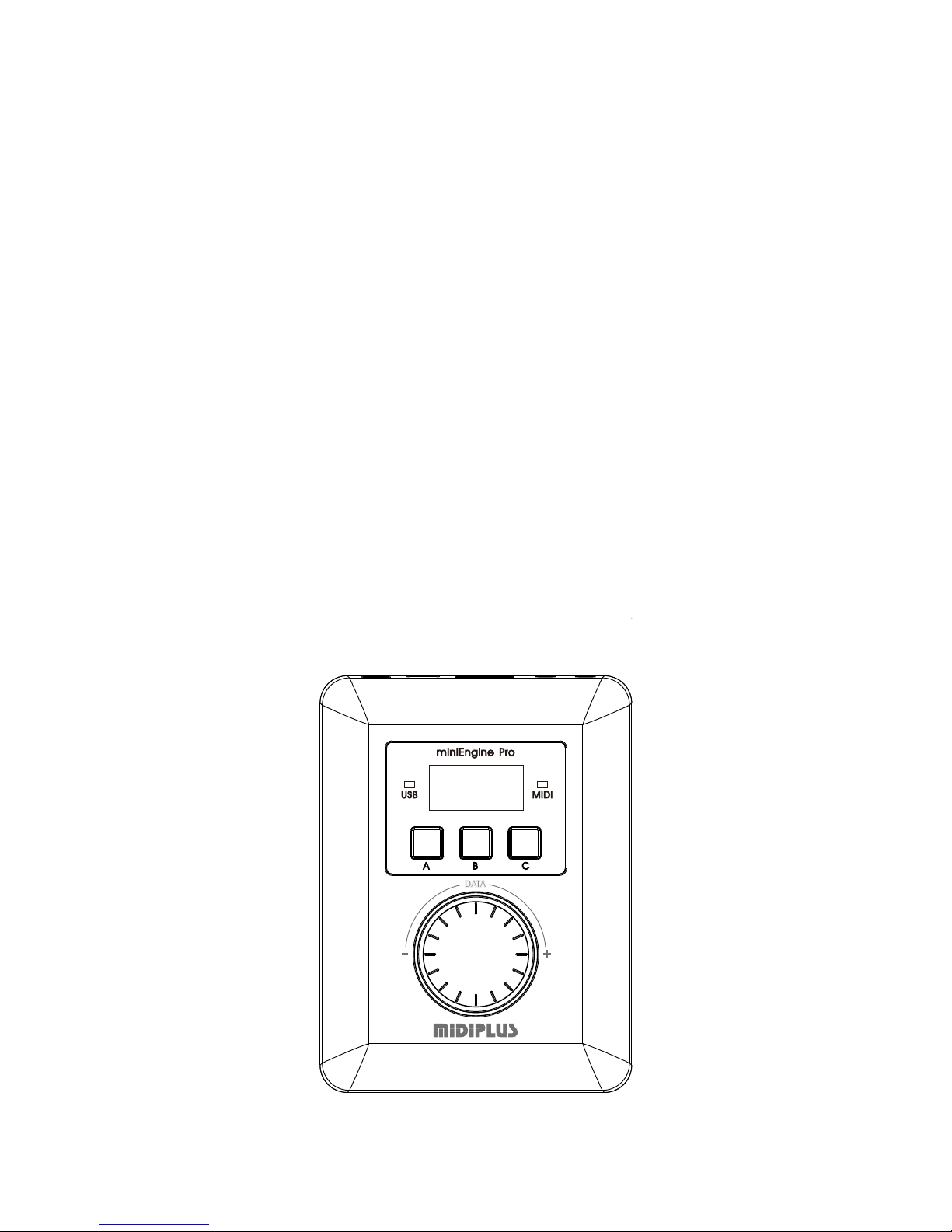
Panel Description
Front Panel
PRESET BUTTON
DATA ENTRY ENCODER
3
2DISPLAY
1 USB/M IDI INDICATOR
4

4
1. Indication LEDs: USB / MIDI indicate communication status. LEDs glow up
when there is any data transmitting.
2. Display: Showing channels, volume, tone code,Reverb value,PAN, vibrato,
battery power, font size and language selection etc. (Channel can only be
selected by the MIDI device)
3. Preset buttons: 3 (A, B, C) buttons for storing preset effects.
To set up a button (e.g. Button A): Press Button A and the light glows.Press the
big knob and select from volume / tone / reverb / Pan / vibrato. Then turn the
big knob again to select value. Display shows the current value. Button A is
set.
4. Data entry encoder: Turn to select value. Press to select function.
Rear Panel
1ON/OFF
23
4
1. Headphone jack / Output: Connect to headphone or other output
devices.
2. MIDI IN / USB Host: Connect to MIDI devices with MIDI OUT or USB output.
3. Power / Charging: micro-USB for power input or battery recharging.
4. On / Off: Press and hold for 5 sec. to turn on or off the unit. When the unit is
on, press it and reset CC parameters
.
Operations
miniEngine Pro allow you to adjust sound effects with its buttons and
knob
1. Select a preset button. Press the big knob and select the function to adjust.

5
2. Turn the big knob and adjust.
miniEngine Pro allow you to adjust sound effects through the
connected MIDI device
Connect miniEngine Pro to a MIDI device and adjust it through the device.
Refer to your MIDI device’s instruction for detailed operations. When you
adjust on your device volume / tone / reverb / pan / vibrato, the display on
miniEngine Pro changes accordingly.
Two MIDI devices connecting to miniEngine Pro
1 . Connect the two MIDI devices to miniEngine Pro’s MIDI IN and USB Host
respectively.
2. The two MIDI devices must be set in different channels.( select the channel
through the MIDI device )
3. Press any key on one of the devices and adjust on miniEngine Pro the tone
and the effect you want. Similarly, set up and adjust the tone and the
effect for another MIDI device. Then the devices are ready to play
simultaneously. ( Tone and effect can be adjusted from the MIDI devices )
Note: With two MIDI devices connected, the display on miniEngine Pro
shows the setting of the device that is last operated. Make sure what the
active device is before adjust tone and effect.
4. Factory reset: Press and hold preset Button A and C at the same time and
restart the unit. A confirmation message is shown on the display. Press
the big knob to confirm.
Display setting
Language / font size setting:Press and hold the big knob for 2 seconds to
enter to the display editor mode,select the language and font size by
pressing the large knob briefly, then turn the big knob to choose the
language and font size

6
Appendix 1:General MIDI Sounds list
0
Acoustic Grand Piano
43
Contrabass
86
Lead 7(fifths)
1
Bright Piano
44
Tremolo Strings
87
Lead 8(Bass+Lead)
2
Electric Grand Piano
45
Pizzicato Strings
88
Pad 1(new age)
3
Honky-Tonk Piano
46
Orchestral Harp
89
Pad 2(warm)
4
Electric Piano 1
47
Timpani
90
Pad 3(polysynth)
5
Electric Piano 2
48
String Ensemble 1
91
Pad 4(choir)
6
Harpsichord
49
String Ensemble 2
92
Pad 5(bowed)
7
Clavi
50
Synth Strings 1
93
Pad 6(metallic)
8
Celesta
51
Synth Strings 2
94
Pad 7(halo)
9
Glockenspiel
52
Choir Aahs
95
Pad 8(sweep)
10
Music Box
53
Voice Oohs
96
Fx 1(rain)
11
Vibraphone
54
Synth Voice
97
Fx 2(sound track)
12
Marimba
55
Orchestra Hit
98
Fx 3(crystal)
13
Xylophone
56
Trumpet
99
Fx 4(atmosphere)
14
Tubular Bells
57
Trombone
100
Fx 5(brightness)
15
Dulcimer
58
Tuba
101
Fx 6(goblins)
16
Drawbar Organ
59
Muted Trumpet
102
Fx 7(echoes)
17
Percussive Organ
60
French Horn
103
Fx 8(sci-fi)
18
Rock Organ
61
Brass Section
104
Sitar
19
Church Organ
62
Synth Brass 1
105
Banjo
20
Reed Organ
63
Synth Brass 2
106
Shamisen
21
Accordion
64
Soprano Sax
107
Koto
22
Harmonica
65
Alto Sax
108
Kalimba
23
Tango Accordion
66
Tenor Sax
109
Bag Pipe
24
Acoustic Guitar(Nylon)
67
Baritone Sax
110
Fiddle
25
Acoustic Guitar(Steel)
68
Oboe
111
Shanai
26
Electric Guitar(Jazz)
69
English Horn
112
Tinkle Bell
27
Electric Guitar(Clean)
70
Bassoon
113
Agogo
28
Electric Guitar(Muted)
71
Clarinet
114
Steel Drums
29
Overdriven Guitar
72
Piccolo
115
Woodblock
30
Distortion Guitar
73
Flute
116
Taiko Drum
31
Guitar Harmonics
74
Recorder
117
Melodic Tom
32
Acoustic Bass
75
Pan Flute
118
Synth Drum
33
Electric Bass(Finger)
76
Blown Whistle
119
Reverse Cymbal
34
Electric Bass(Pick)
77
Shakuhachi
120
Guitar Fret Noise
35
Fretless Bass
78
Whistle
121
Breath Noise
36
Slap Bass 1
79
Ocarina
122
Seashore
37
Slap Bass 2
80
Lead 1(Square)
123
Bird Tweet
38
Synth Bass 1
81
Lead 2(Sawtooth)
124
Telephone Ring
39
Synth Bass 2
82
Lead 3(Calliope)
125
Helicopter
40
Violin
83
Lead 4(Chiff)
126
Applause
41
Viola
84
Lead 5(Charang)
127
Gunshot
42
Cello
85
Lead 6(Voice)

7
Appendix 2: Specifications
www.midiplus.com
V1.0
Product Specifications
Product miniEngine Pro
MIDI sound module Internal MIDI sound module
complex tones Up to 64 complex tones
Sounds 128 GM sounds
Jack Headphone ( Line ) OUT, MIDI IN, USB Host,
Power Supply micro-USB ( ≥500mA
)
Battery Capacity 2,500mAh
Display OLED matrix display
Accessory
User Manual,
3.5mm MIDI adapting cable
micro-USB charging cable
MIDIPLUS information card
Input / Output
Headphone (Line) OUT for standard 3.5mm stereo headphones
MIDI IN for MIDI data
USB HOST for USB peripherals ( MIDI devices )
micro-USB for power supply and charging
8
MIDIPLUS
miniEngine Pro
用户手册
感谢您购买了 MIDIPLUS 的miniEngine Pro;miniEngine Pro 是集时尚、轻便、
操作简单、功能强大于一体的移动音源。它能为您提供 128 种最新的高品质 GM
音色和效果器等功能。同时自带一个 2500mAh 的锂电池,能让您在没有外部供
电的情况下继续演奏;支持所有拥有 MIDI OUT 或者 USB 输出功能的 MIDI 设备,
只需将 MIDI 设备的 MIDI OUT 或者 USB 接口连接到您的 miniEngine Pro 上,便可
开始您的音乐之旅。

9
包装附件
miniEngine Pro 一台。
3.5mm 转MIDI 转接线一条。
用户手册一份。
MIDIPLUS 信息卡。
Micro-USB 充电线
安全警告:
本产品中含有锂离子电池,严禁私自拆开产品外壳,避免可能造成的
电芯破损或其他破坏。
严禁任意拆解、挤压、穿刺本产品;不得将本产品投入水中、火中、
暴露在高温环境中。

10
产品特性
miniEngine Pro 能为你提供 128 种最新的高品质 GM 音色。
拥有最大支持 64 复音输出,提供 24 bit / 48 kHz 高质量音频输出。
支持连接带有 MIDI OUT 或者 USB 输出的 MIDI 设备,且均可实现零延时。
128*64 分辨率的 OLED 显示。
支持 MIDI IN 和USB HOST 同时使用,一台琴弹伴奏,一台琴弹旋律,实现双
琴演奏。
miniEngine Pro 不仅小巧玲珑、功能强大,而且操作十分便捷,支持 miniEngine
Pro 与MIDI 设备同时操作。
带有 3个 ( A、B、C )预设功能按键,随时切换预设。
内置 2500mAh 可充锂电池,可以给您的 MIDI 设备供电( USB 输出电流
≤500mA )。
miniEngine Pro 的USB 设备口( USB HOST )提供了标准的 USB 5V 500mA 电流
输出,可充当您的移动电话的应急移动充电器。
供电方式:Micro-USB 充电/供电。
接口:3.5mm 音频输出接口,MIDI 输入接口,USB HOST 接口( USB 外设),
Micro-USB 充电接口。
面板说明
前面板
①指示 灯
②显示 器
③预设按键
④按 键旋钮
Tabla de contenidos
Otros manuales de Unidad de control de midiplus

Manuales populares de Unidad de control de otras marcas

Festo
Festo Compact Performance CP-FB6-E Manual de lista de piezas

Elo TouchSystems
Elo TouchSystems DMS-SA19P-EXTME Manual de usuario

JS Automation
JS Automation MPC3034A Manual de usuario

JAUDT
JAUDT SW GII 6406 Series Guía rápida

Spektrum
Spektrum Air Module System Manual de usuario

BOC Edwards
BOC Edwards Q Series Manual de usuario


