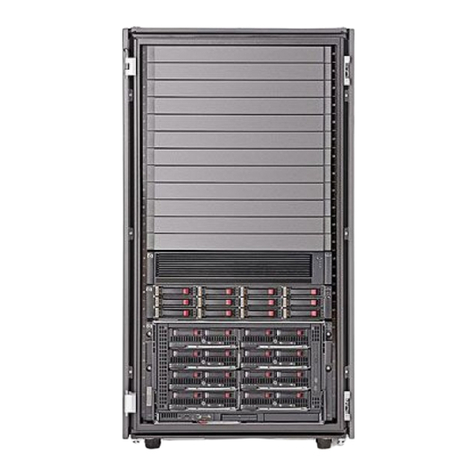
MaxTronic JanusRAID II SA-6651E Instrucciones de uso

JanusRAID II SA-6651E
Hardware User Manual
4G Fibre Channel to Serial ATA II
Disk Array System
Version 1.0


SA-6651E
4G Fibre Channel to Serial ATA
II
Disk Array System
Hardware User Manual


i
Table of Contents
Preface................................................................................................................... i
Chapter 1 System Requirements
Operating Environment ....................................................................................1
Host Interface-4G Fibre Channel .....................................................................1
Hard Disk Interface-SATA II .............................................................................1
VT100 Terminal Settings ..................................................................................2
Ethernet settings ...............................................................................................2
Chapter 2 Basic Configuration
Unpacking .............................................................................................................3
Components ..........................................................................................................4
Closed Front Panel ...........................................................................................4
Open Front Panel .............................................................................................5
Disk Tray ..........................................................................................................6
SA-6651E Rear View .......................................................................................7
Installing Disks ......................................................................................................8
Making Connections ...........................................................................................10
Connecting the Host Interface ........................................................................10
Connecting the GUI management port ...........................................................11
Connecting the JBOD enclosure ....................................................................11
Connecting and Turning on the Power ........................................................... 12
Mounting in a Rack .............................................................................................13
Installing the Rail Extenders ...........................................................................14
Chapter 3 Maintenance
Replacing a Disk ................................................................................................. 15
Replacing a Power Supply .................................................................................. 16
Upgrading Memory ............................................................................................. 17
Replacing a FAN module ....................................................................................18
Appendix
Hardware Specifications ..................................................................................... 19


i
Preface
About this Manual
This manual is designed to make the disk array system as easy to use as possible.
Information contained in this document has been checked for accuracy, but no guaran-
tee is given that the contents are correct. Information and specifications are subject to
change without notice.
Copyright Notice
© Copyright 2007 MaxTronic International Co., Ltd.
All rights reserved. This disk array system and related documentation are protected by
copyright and are distributed under licenses restricting their use, copying, and distribu-
tion. No part of this documentation may be reproduced in any form by any means with-
out prior written authorization of MaxTronic International Co., Ltd. and its licensors, if
any.
Conventions
Caution
This symbol is used to remind users to pay attention to important
descriptions regarding usage and maintenance (repair) or additional
important information related to this disk array system.
Note
This symbol is used to remind users of useful information that can make
procedures such as configuration easier to accomplish.

ii
SA-6651E Serial ATA II Disk Array Systems
Preface – Important Safety Instructions, Care and Handling
Important Safety Instructions, Care and Handling
Before starting, take a few minutes to read this manual.
Read all of these instructions and save this manual for
later reference.
Protect the disk array system from extremely high or low
temperatures. Let the disk array system warm (or cool)
to room temperature before using it.
Protect the disk array system from being bumped or
dropped. Do not place the disk array system on an
unstable cart, stand, or table. It may fall, causing serious
damage to the product.
Keep the disk array system away from magnetic forces.
Do not use the disk array system near water.
Keep the disk array system away from dust, sand, or dirt.
Gaps and openings in the cabinet are provided for venti-
lation. Never block or cover these openings, because
the disk array system may overheat and become unreli-
able. Don’t place the disk array system on a bed, sofa,
rug, or other similar surface.
Do not place the disk array system near or over a radia-
tor or other heat source.
Refer to the rating plate for the correct voltage and
ensure that the appliance voltage corresponds to the
supply voltage.
V

SA-6651E Serial ATA II Disk Array Systems
iii
Preface – Important Safety Instructions, Care and Handling
The appliance must be grounded. The disk array system
is equipped with a 3-wire grounded type of power cord.
This power cord will only fit into a grounded type of
power outlet.
If an extension cord or a power center is used with the
disk array system, make sure that the total current con-
sumption of all products plugged into the wall outlet
does not exceed the ampere rating.
Do not place the disk array system where the cord will
be walked on.
Never push any kind of object into the disk array system
through cabinet gaps and openings, since they may
touch dangerous voltage points and cause a risk of fire
or electric shock.
Unplug the power cord from the wall outlet before clean-
ing. Keep the disk array system dry. Do not use liquid
cleaners, aerosol cleaners, or a wet cloth. Use a damp
cloth for cleaning.
Except as specifically explained in this User Manual, do
not attempt to service the disk array system by yourself.
Opening or removing the covers may expose you to
dangerous voltages.
Unplug this product from the wall outlet and refer servic-
ing to qualified service personnel under the following
conditions.
• If the disk array system has been exposed to
water or any liquid.
• If the disk array system has been dropped or the
cabinet damaged.
Users should not remove the cover.
Disconnect all power supply cords before servicing.
Fan1
Power1
oGGwGGY

iv
SA-6651E Serial ATA II Disk Array Systems
Preface – Important Safety Instructions, Care and Handling
Placement Notes
• The disk array system LCD panel can be damaged by exposure to
direct sunlight. Limit exposure to subdued or indirect sunlight only.
• The disk array system should be used only in clean environments
that are free from airborne contaminants such as dust, dirt, and
smoke. Excessive moisture or oil particles in the air can also hinder
disk array system performance.
• To reduce the possibility of data errors caused by electromagnetic
interference, locate the disk array system at least five feet away
from electrical appliances and equipment that generates magnetic
fields.
Power Supply Safety Notes
• To avoid electric shocks, do not use an extended power cord or an
outlet that does not match the disk array system plug or leaves the
plug exposed.
• The disk array system has a 3-wire grounded plug. The third pin
connects to ground; do not remove it.
• If the power cord or plug is damaged or worn, unplug it immediately
and contact a qualified service technician for maintenance.
• To avoid fire or electric shocks, do not overload electric power out-
lets.
Tabla de contenidos
Otros manuales de Sistema de matriz de discos de MaxTronic


Manuales populares de Sistema de matriz de discos de otras marcas

Fujitsu
Fujitsu ETERNUS DX60 S2 Manual de usuario

Accom
Accom WSD/2XTREME Manual de usuario

HP
HP Compaq Presario,Presario 4400 Instrucciones de uso

ATTO Technology
ATTO Technology Diamond Storage Array V-Class Manual de usuario

National Instruments
National Instruments RMX-8268 Manual de usuario

Overland Tandberg
Overland Tandberg SnapServer DX1 Manual de usuario