Madge Networks RFPRHTemp2000A Hoja de especificaciones

RFPRHTemp2000A
To view the full MadgeTech product line,
visit our website at www.madgetech.com.
RFPRHTemp2000A
Wireless Pressure, Humidity & Temperature Data Logger
Product User Guide

Product User Guide
To view the full MadgeTech product line,
visit our website at www.madgetech.com.
RFPRHTemp2000A Data Logger
Quick Start Steps ........................................... 1
Product Overview .......................................... 2
Additional Features & Operation .................... 3
Mounting Instructions ................................... 4
Product Maintenance ..................................... 5
Recalibration .................................................. 5
RMA Instructions ............................................. 5
General Specifications.................................. 6-7
RFC1000 Transceiver
Product Overview .......................................... 9
Installation Guide ........................................... 9
Mounting Instruction ................................... 10
Channel Programming ................................. 11
Deployment & Activation .............................. 12
General Specifications................................... 12
Compliance Information................................ 13
Troubleshooting Tips ............ Back Cover
Table of Contents

1
1. Install the MadgeTech 4 Software and USB Drivers onto a Windows PC.
2. The RFC1000 interface device comes with a USB cable. Plug one end of the cable into
an available USB port on the PC and plug the opposite end of the cable into the
communication port on the RFC1000.
3. Push and hold the wireless button on the RFPRHTemp2000A for 5 seconds to activate
wireless communication. The display will confirm “Wireless: ON” and the blue LED will
blink every 15 seconds.
4. Launch the MadgeTech 4 Software. All active MadgeTech Data Loggers that are within
range will automatically appear in the connected devices window. Each data logger in
the list can be identified by serial number (printed on the exterior of the logger).
5. To claim a device, select the desired data logger in the list and click the Claim icon.
6. Select the start method, reading rate and any other parameters appropriate for the
desired data logging application. Once configured, deploy the data logger by clicking
the Start icon.
7. To download data, select the device in the list, click the Stop icon, and then click the
Download icon. A graph will automatically display the data.
Quick Start Steps
1. Install the MadgeTech 4 Software and USB Drivers onto a Windows PC.
2. Before plugging the data logger in the computer, make sure the wireless setting on
the device is set to “Wireless: OFF”. If wireless mode is on, press and hold the Wireless
button on the device for 5 seconds.
3. The RFPRHTemp2000A comes with a USB cable. Plug one end of the cable into an
available USB port on the PC and plug the opposite end of the cable into the
communication port on the RFPRHTemp2000A.
4. Launch the MadgeTech 4 Software. The RFPRHTemp2000A will appear in the connected
devices window indicating the device has been recognized.
5. Select the start method, reading rate and any other parameters appropriate for the
desired data logging application. Once configured, deploy the data logger by clicking
the Start icon.
6. To download data, select the device in the list, click the Stop icon, and then click the
Download icon. A graph will automatically display the data.
Product Operation (Plugged In)
Product Operation (Wireless)

Product User Guide
Product Overview
The RFPRHTemp2000A is a wireless data logger that measures and records ambient
pressure, humidity and temperature. This dynamic data logger is ideal for monitoring
weather data, measuring barometric pressure in high-rise buildings or monitoring
storage or warehouse environments that contain sensitive material. Clinical laboratories
and clean rooms can utilize the RFPRHTemp2000A to measure and maintain critical
pressure, humidity or temperature levels, all with one device.
The RFPRHTemp2000A features an LCD screen which provides instant access to the
current reading, minimum, maximum and average statistics. Statistics can be reset
directly on the keypad of the device, allowing customers to keep track of statistics
over certain time periods. This feature does not erase the data recorded, and resets the
statistics count. Other features include configurable alarms, battery life indicator and
wall or surface mounting options.
This data logger allows users to select the desired units in which the data is displayed.
The RFPRHTemp2000A has a wide range of units available for each channel: °C, °F, °R,
K for the temperature channel, %RH, mg/mL, Dew Point for the humidity channel and
mbar, PSI, inHg, mmHg, atm, Torr, Pa, m, kPa, MPa for the pressure channel. The unit is
available for display on the LCD screen as well as in the software.
Selection Buttons
The logger is designed with 3 direct selection buttons: Scroll, Units and Wireless.
• Scroll: Allows user to scroll through current readings, average stats and device status
information displayed on the LCD Screen.
•Units: Allows user to change displayed units of measurement: °C, °F, °R, K Units for the
temperature channel, %RH, mg/mL, Dew Point Units for the humidity channel and mbar,
PSI, inHg, mmHg, atm, Torr, Pa, m, kPa, MPa for the pressure channel.
•Wireless: Push and hold this button for 5 seconds to activate or deactivate wireless
communication.
•Manual Reset Option: Allows user to manually reset the statistics within the device to 0
without needing to use the MadgeTech software. Any data recorded up to that point is
recorded and saved. To apply the manual reset, press and hold the scroll key down for
three seconds.
LED Indicators
• Status: Green LED blinks every 5 seconds to
indicate unit is logging.
• Wireless: Blue LED blinks every 15 seconds
to indicate unit is operating in wireless
mode.
• Alarm: Red LED blinks every 1 second to
indicate an alarm condition.
Connecting Information
Port Information
The RFPRHTemp2000A data logger has an RTD
sensor located on the bottom of the device.
2

RFPRHTemp2000A
Additional Features and Operation
Alarm Settings/Rules
In MadgeTech 4, alarms can be created in
the software or programmed directly on
the data logger. Creating alarm rules in the
software allows the user to utilize alarms
during real time recording, and have the
added benefit of features such as e-mail
and SMS notification. An alarm that is
programmed on the data logger will only
alert the user from the device itself, either by
a flashing LED, audible alarm, or local LCD
notification.
Creating a Real Time Alarm Rule
1. Within the Device tab in MadgeTech 4, in the Alarms group, click Manage Rules,
then select New.
2. Enter a name in the Rule name box, and select whether notifications will occur when
All conditions are met or Any condition is met.
3. Select the desired conditions to have met before notifications occur, and select which
notifications will occur from the drop down menus.
4. If selecting to receive notifications by email or text message, click Email settings and
make sure the correct info has been entered. Email and text message notifications will
not be received if settings are incorrect.
5. Click OK. The OK button will be disabled if the Rule name box is empty.
Changing the Alarm Settings of a Device
1. In the Connected devices panel, select the RFPRHTemp2000A device.
2. Click the Properties button under the device tab at the top of the software, and select
the Alarm tab in the Properties window.
3. The High and Low settings indicate reading thresholds at which the alarm becomes active.
4. The Delay setting indicates how long to wait before the alarm becomes active after
passing an alarm threshold.
5. The Use cumulative alarm delay checkbox indicates whether the alarm delay should
reset when reading values fall back within the alarm threshold.
6. Once the alarm is configured appropriately, click Apply to save the settings.
**Please refer to the Help file in the MadgeTech software for more information regarding alarm settings**
3

Product User Guide
The base provided with the RFPRHTemp2000A can be used in two ways.
• The bottom of the logger snaps in place to use and mount the unit on a table top or
horizontal surface.
• The base can also securely snap to the backside of the logger for wall mounting if desired
(as shown below).
• There are two holes in the base to allow for screws for mounting.
Mounting Instructions
4
Still need help?
For more troubleshooting tips and information, refer to the built in help section of the MadgeTech 4 software, visit
our Knowledge Base online at www.madgetech.com/kbase or contact us for customer support at 603-456-2011.

RFPRHTemp2000A
Product Maintenance
Battery Replacement
Materials: U9VL-J Battery
1. On the bottom of the enclosure, open the battery compartment by pulling in on the
cover tab.
2. Remove the battery by pulling it from the compartment.
3. Install the new battery, taking note of the polarity.
4. Push the cover closed until it clicks.
Recalibration
The RFPRHTemp2000A standard calibration is one point at 25 °C, two points at 25 %RH
and 75 %RH and two points at 460 mbar and 1090 mbar.
Recalibration is recommended annually for any MadgeTech data logger; a reminder is
automatically displayed in the software when the device is due.
Pricing:
Recalibration traceable to NIST $120.00
Recalibration only $100.00
RMA Instructions
To send a device back in to MadgeTech, follow the instructions below to create an RMA
(Return Merchandise Authorization) on the MadgeTech website:
1. Visit www.madgetech.com, under the Services tab select RMA Process.
2. When the web page opens, please sign in. If this is the first time, select Click here to
register an account and create one. Once signed in, click on the Make New RMA
button and fill in all the blank fields.
3. Complete the applicable fields on the form including customer Billing and Shipping
information, even if they are the same. Please see the field explanation below for a more
detailed description about questions asked in the Device Information section.
4. When all of the fields are complete, click Generate RMA.
5. Print out the confirmation page that follows containing the RMA number and
MadgeTech’s address for shipping. A Return Merchandise Authorization must be
accompanied by a copy of the RMA paperwork and shipping is prepaid by the
customer. The RMA number should be clearly marked on the outside of the package.
6. Please ship the package via UPS, FedEx, TNT, or DHL to the address listed on the
confirmation page. USPS will not ship MadgeTech data loggers.
7. A notification email will be automatically sent when MadgeTech has received the RMA.
5

Product User Guide
Reading Rate 1 reading every second up to 1 reading every 24 hours
Memory 10,752 readings per channel
LED Functionality
• Green LED blinks every 5 seconds to indicate unit is logging
• Blue LED blinks every 15 seconds to indicate unit is in wireless mode
• Red LED blinks every 1 second to indicate alarm condition
Memory Wrap
Around Yes
Start Modes Immediate Start & Delay Start
Battery Type Ultralife 9V lithium battery included; user replaceable
Battery Life 5 years typical at 15 minute reading rate
Time Accuracy ±1 minute/month
Computer Interface USB to mini USB, 250,000 baud for standalone operation or RFC1000
required for wireless operation
Software XP SP3/Vista/Windows 7/Windows 8 (MadgeTech 4 only)
Operating
Environment
-20 °C to +60 °C (-4 °F to +140 °F); 0 to 95 %RH non-condensing
0.002 PSIA to 100 PSIA
Dimensions 3.5 in x 3.0 in x 0.95 in (88.9 mm x 76.2 mm x 24.1 mm)
Data logger only
Weight 4.9 oz (0.3 lb)
Enclosure Material ABS Plastic
Alarm
User configurable audible, on-screen, email and text (SMS) alarms.
Alarm Delay: A cumulative alarm delay may be set in which the device
will activate the alarm (via LED) only when the device has recorded a
user specified time duration of data.
Audible Alarm
Functionality 1 Beep per second for reading alarm above/below threshold
Approvals US (FCC), CA (IC), CE, South Korea (KCC)
RFPRHTemp2000A General Specifications
6
This device complies with Part 15 of the FCC Rules. Operation is subject to the following two conditions: (1) this device may
not cause harmful interference, and (2) this device must accept any interference received, including interference that may cause
undesired operation.
To satisfy FCC RF Exposure requirements for mobile and base station transmission devices, a separation distance of 20 cm or
more should be maintained between the antenna of this device and persons during operation. To ensure compliance, operation
at closer than this distance is not recommended. The antenna(s) used for this transmitter must not be co-located or operating
in conjunction with any other antenna or transmitter.

RFPRHTemp2000A
Measurement Range -20 °C to +60 °C
Measurement Resolution 0.01 °C
Calibrated Accuracy ±0.5 °C (0 °C to +50 °C)
Temperature
Measurement Range 0 to 95 % RH non-condensing
Measurement Resolution 0.1 %RH
Calibrated Accuracy ±3 %RH
Humidity
Measurement Range 250 mbar to 1300 mbar
Measurement Resolution 0.02 mbar
Calibrated Accuracy ±10 mbar
Pressure
RF Frequency 2.45 GHz IEEE 802.15.4 ultra-low power MadgeNET wireless
transceiver with fully bi-directional communication
Band ISM band 2.405-2.475 GHz
Operation (channels 11 through 25) @ 250 kbps
Maximum Output Power +0 dBm typical
Receiver Sensitivity
(RFC1000) -95 dBm typical
Transmission Distance
(to other RFC1000s)
• RFC1000
4,000’ max. outdoors - line of sight unobstructed
1,000’ max. indoors - typical urban environment
• RFC1000-CE
2,500’ max. outdoors - line of sight unobstructed
700’ max. indoors - typical urban environment
• RFC1000-IP69K
4,000’ max. outdoors - line of sight unobstructed
1,000’ max. indoors - typical urban environment
Transmission Distance
(to data loggers)
• RFC1000, RFC1000-CE & RFC1000-IP69K
2,000’ max. outdoors - line of sight unobstructed
500’ max. indoors - typical urban environment
Wireless
Battery Warning
WARNING: BATTERY MAY LEAK, FLAME OR EXPLODE IF DISASSEMBLED, SHORTED, CHARGED, CONNECTED
TOGETHER, MIXED WITH USED OR OTHER BATTERIES, AND/OR EXPOSED TO FIRE/HIGH TEMPERATURE.
DISCARD USED BATTERY PROMPTLY, KEEP OUT OF REACH OF CHILDREN.
Specifications subject to change.
See MadgeTech’s terms and conditions at www.madgetech.com 7

Product User Guide
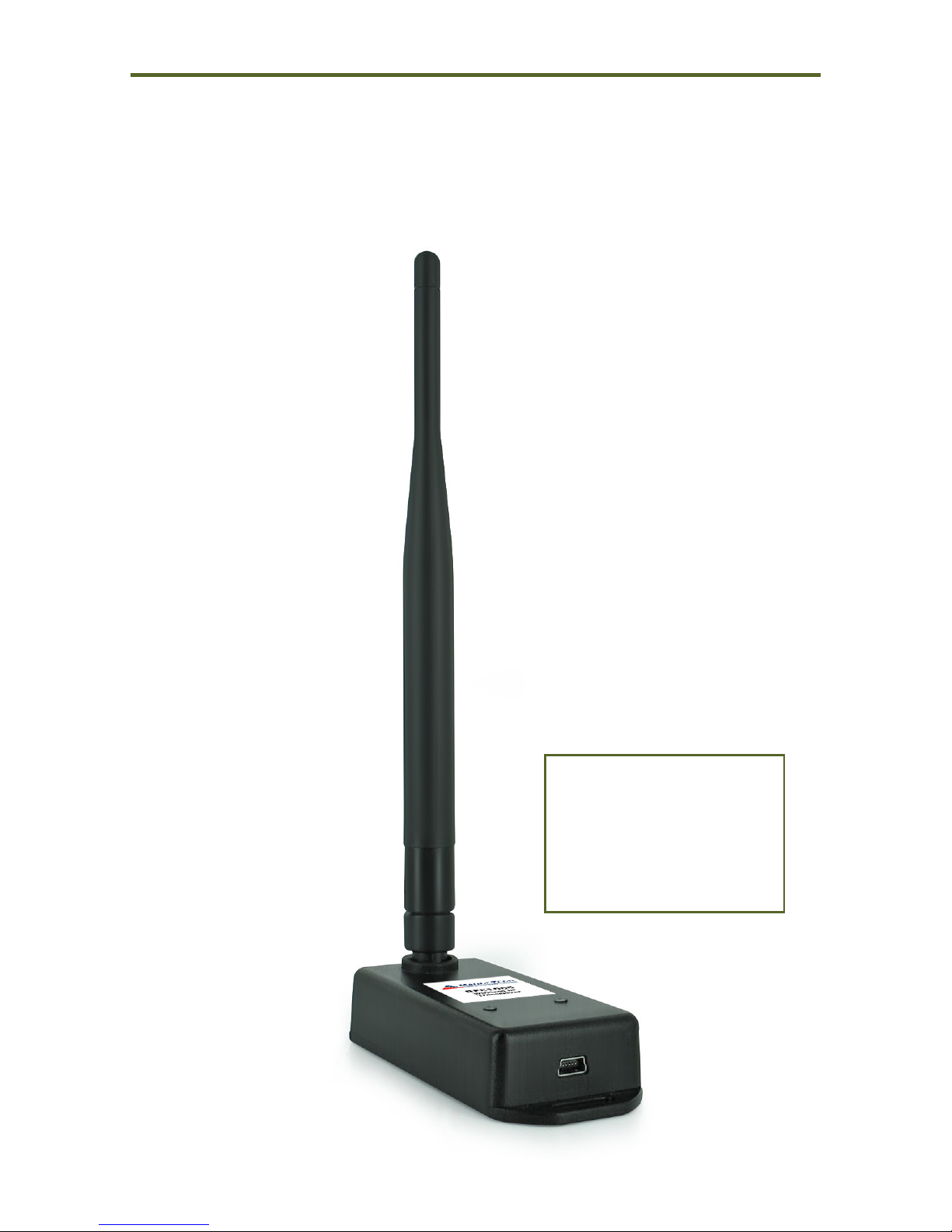
RFC1000
Wireless Transceiver
8
Other models available:
RFC1000-CE - Approved for
European markets
RFC1000-IP69K - Splash Proof
for harsh environments
Tabla de contenidos