
LEPULSE F4 Pro Manual de usuario

Smart Body Fat Scale
User Manual

1
Smart Body Fat Scale User Manual
Thank you for choosing Smart Body Fat Scale! This scale is your
personal health assistant. It uses Bio-electrical Impedance Analysis
(BIA) technology to offer you the data you need to keep track of
your important personal health indicators, including BMI (Body
mass index), body fat, body water, muscle mass, bone mass,
protein, etc. We sincerely hope that you enjoy using your new
product.
Scan the QR code to access the latest instructions or visit our
website www.lepulsefit.com to get more information and support.

2
Caution
Safety precautions
When using the smart body fat scale, follow the safety precautions
below:
⚫The smart body fat scale should not be used to diagnose or treat
any medical condition. You should consult a doctor when
undertaking any diet or exercise program.
⚫If you are pregnant or have a pacemaker or other internal device,
you should not fully rely on the data provided by this product.
All data is for reference and is not a substitute for advice from a
licensed health care professional.
⚫Check the device before each use. Do not use the device if
damaged. The continuous use of a damaged unit may cause
injury or improper results.
Note:
⚫Scale is a high-precision measuring device. Do not jump or
stamp on the scale. Do not disassemble the scale. Please handle
the scale carefully to avoid breakage.
⚫Place the scale on a hard, flat surface during use. Using the scale
on a soft surface like carpet or linoleum may affect the accuracy
of the scale readings.
⚫To ensure measurement accuracy, please gently step on the scale
to wake it up and Wait until the scale shows “0.00” before
measuring on the scale. You need also wake up the scale if it has
been moved. Take your measurements at the same time each day
to ensure the most accurate results.

3
⚫When the scale is not for use for a long term, please place the
device in a dry room and protect it against extreme moisture, heat,
lint, dust and direct sunlight. Never place any heavy objects on
the device.
⚫Before using the scale, make sure you have entered all your
personal data through the App.
⚫Use the scale with bare feet. The scale can only measure body
weight if you're wearing shoes or socks.
⚫Make sure your feet are dry before measuring. Too dry feet may
affect the measurement results. If measurement is inaccurate,
please wash your feet and dry them or moisturize your feet with
some body lotion, and then try again.
⚫This scale is not waterproof. Never immerse the scale in water.
⚫To clean the surface, use a damp cloth or glass cleaner. Do not
use soap or other chemicals.
⚫For people under 16 years old, the scale can only measure
body weight.
Specifications
Size: 27.8 x 27.8 x 2.7 CM
Weight: 1.54kg / 3.95 lb
Li-lon Battery:300mAh
Capacity: 6.6-396 lb / 3-180kg
Division: 0.1 lb / 0.05kg
Unit: lb / kg / st

4
Overview
Set unit of measurement
⚫When using the body fat scale without
running App, you can switch units by
gently touching the “UNIT” icon at the
bottom of the scale.
⚫When connected to the App, the unit of the
scale will be synchronized with the unit on
the App, please tap [Account]-[Settings]-[Switch units] in the App
to switch the unit.
Accuracy range
50kg: ± 0.3kg 100kg: ± 0.4kg 180kg: ± 0.5kg
110lb: ± 0.66lb 220lb: ± 0.88lb 396lb: ± 1.1lb
Power on
Charge the scale with a 5V/1A
charger for about 2 hours.
2
Press the power button to
turn on the scale.
1

5
Display Screen
Note: The pictures shown in this manual are only for illustration.
Please refer to the actual product for details.
Body Mass Index (BMI) Table
BMI (Suitable for men and women)
Age
Underweight
Healthy
weight
Overweight
Obesity
Severe
obesity
18-100
<18.5
18.5-23.9
24-27.9
28-34.9
≧35
Body Mass Index (BMI) = Weight (kg) ÷Height^2 (m)
For example: BMI = 70kg ÷(1.75m * 1.75m) = 22.86 In the range of healthy weight
Note: The BMI index is a commonly used standard to measure body weight and health
status.
Battery Bluetooth Weight units
Weight
Body water rate
Heart rate
BMR
Body fat rate
BMI
Muscle mass
Change curve

6
Install the Fitdays App
Search for "Fitdays" in App Store or Google play, or scan the
QR code below to download and install the App to connect to the
device.
Please make sure that your device meets the
following requirements:
⚫iPhone/iPad/iPod touch running iOS 8.0
and above.
⚫Android 4.3 and above and equipped
with Bluetooth 4.0.
Once you have downloaded the App, enter
the homepage of the App to log in or
register, and properly set the device for the
current user for initial use.
Each user needs to tap [Account] - [Add
user] to complete a personal profile.
Note: It is essential to complete your
personal profile because the data you enter
(gender, birthday, height) is necessary to
provide you with the most
accurate information.

7
Preparation before Measuring
1. Remove the label on the glass surface of the scale.
2. Place the scale on a solid flat surface. Carpeted or uneven floors
may affect accuracy.
3. Gently step on the scale to wake it up, and step on the scale again
to start measuring after the screen shows “0.00”.
Note: Please be sure to calibrate before use, otherwise you will
get inconsistent readings every time you step on.
Calibrating the scale
①Place the scale on a hard, flat surface.
②Step on the scale with one foot until
the readings appear on the screen.
③Step off the scale. It will show “0.00”,
indicating that the calibration process is
complete.

8
Pairing the Scale with the App
Turn on Bluetooth and open the Fitdays App on your phone.
Step onto the scale to wake it up. The App will automatically
connect with the scale. The real-time data can be synchronized to the
App and recorded when measuring on the scale.
If the App can not connect with the scale automatically, or you
want to add another one to the App:
1. Enter [Account] page and tap [Device].
2. Tap [+] in the upper right corner and
select “Searching Bluetooth for pairing”.
3. Step onto the scale to wake it up.
When the App has detected the device,
select the scale icon, then the scale is
successfully bounded.
Enable iOS Bluetooth:
Swipe down from the top of the
screen, open the control center
and click the Bluetooth icon.
Enable Android Bluetooth
and location:
Open the App, and click
“Allow”after the Bluetooth and
location prompt pops up.
9
Measuring Steps
1. Gently press the scale to wake it up. When the scale shows
“0.00”, step on the scale with bare feet, positioning your feet
evenly on the scale platform with maximum contact with the
electrodes.
Note: Please take off your shoes and socks, otherwise the scale
can only measure your weight.
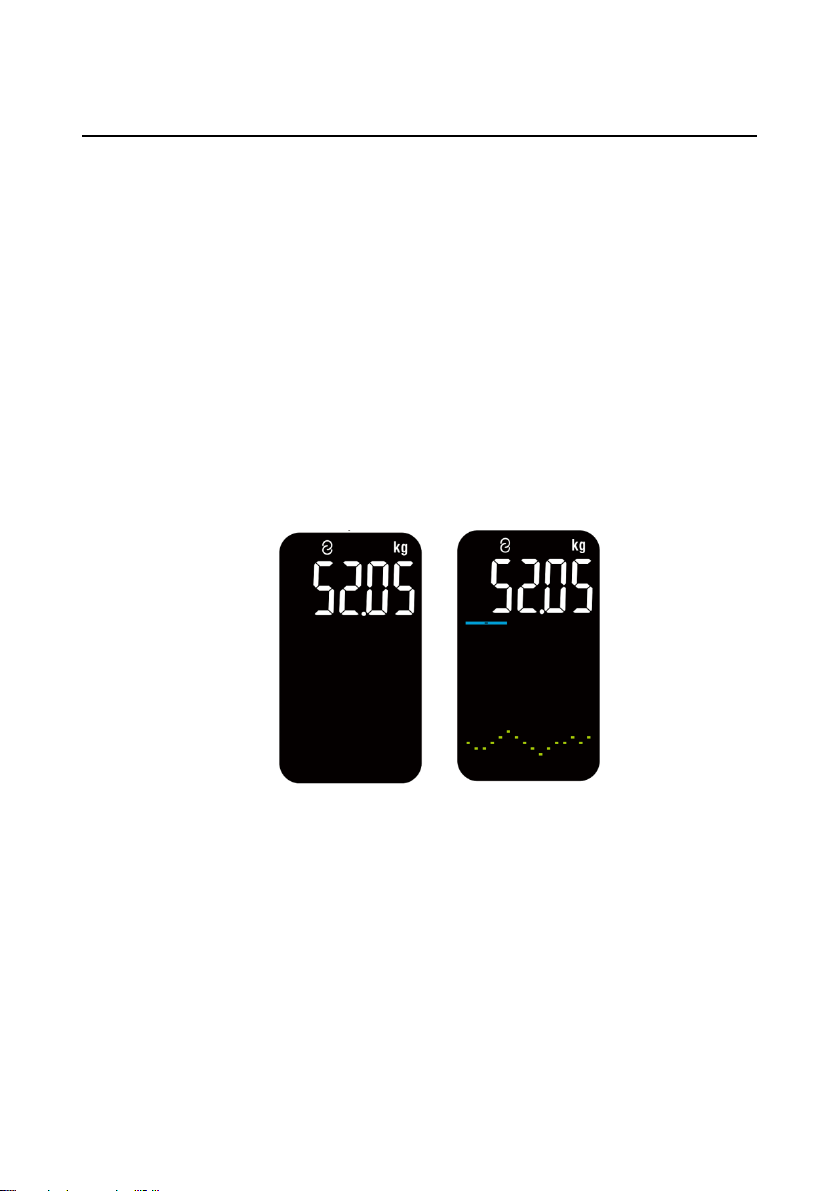
2. Stand still while measuring. The weight value locks after flashing
three times, and you can view the weight change at the same
time. Then, the body fat is measured.
3. When the heart rate icon stops flashing, the scale displays the
measurement value and change curve of body fat and muscle
mass in turn. Wait until the scale displays "Done", the
measurement is complete.
Tabla de contenidos


