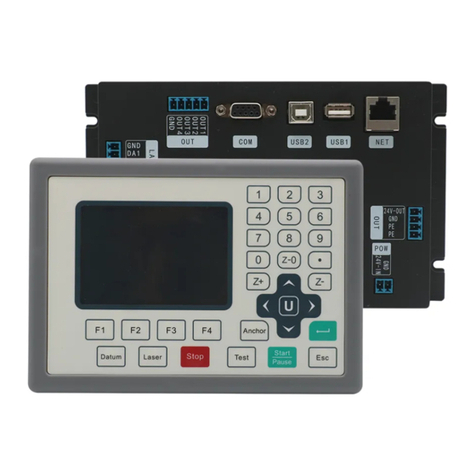
Leetro MPC2810 Manual de usuario

MPC2810
Hardware Manual
Rev. 1.0
December, 2008

MPC2810 Motion Controller Hardware Manual
II
The content of this manual has been carefully prepared and is believed
to be accurate. However, no responsibility is assumed for
misunderstanding and inaccuracies.
Leetro Automation Co., Ltd. reserves the right to make changes
without further notice to any products herein to improve reliability,
function or design. Leetro Automation Co., Ltd. does not assume any
liability arising out of the application or use of any products or
circuitry described herein; neither does it convey any license under its
patent rights of others. Both Step-Servo™and Leetro™are trademark
of Leetro Automation Co., Ltd.
Leetro’s general policy does not recommend the use of its products in
life support or aircraft applications wherein a failure or malfunction of
the product may directly threaten life or injury. Per Leetro’s terms and
conditions of sales, the user of Leetro Automation Co., Ltd. products
in life support or aircraft applications assumes all risks of such use and
indemnifies Leetro Automation Co., Ltd. against all damages.
Contact
Leetro Automation Co., Ltd.
Building 8-B
Dayi Zone of Incubating Hi-tech
No.1 South 2nd Keyuan Road
Chengdu 610041
CHINA
Internet: http://www.leetro.com
Email: [email protected]
Tel: +86 28 85142599
FAX: +86 28 85187774
©2010 by Leetro Automation Co., Ltd. All Rights Reserved

MPC2810 Motion Controller Hardware Manual
III
Preface
Thank you for buying and using Leetro Automation’s Leetro™motion
controllers.
MPC2810 is a high-performance universal motion controller developed by
Leetro Automation Co., Ltd. Please read through this manual for
specifications and proper use, especially the “Safety Precautions”section.
Your motion controller has been designed to work with both servo and
stepper motors. Installation and system setup will vary depending on whether
the controller will be used with stepper motors or servo motors.

MPC2810 Motion Controller Hardware Manual
IV
Safety Warnings
Please pay attention to following warnings to avoid any injury or machine
damage.
In this document, the following symbols are used to indicate the
level of damages. Ignoring the warnings might cause injuries.
The following symbols represent "MUST NOT" or "MUST"
operations which you have to observe.
Routine Safety Precautions
Please read through the routine safety precautions to avoid any injury or
property damage.
Use only quality power cables.
Make a connection or disconnection correctly and securely. The power
shouldn’t be turned on till the wire connection completes. The control
Indicates a potentially hazardous situation, if not
avoided, will result in death or serious injury.
Danger
Indicates a potentially hazardous situation, if not
avoided, will result in minor injury or property damage.
Represents "MUST NOT" operation, which is
inhibited.
Represents "MUST" operation, which has to be
executed.
Caution

MPC2810 Motion Controller Hardware Manual
V
card should be connected to the Breakout board first, then the motors and
drives to the Breakout board. To disconnect the system correctly and
securely, make sure to turn off the external power supply first.
Disconnect the motors and motor drives from the Breakout board, and
then disconnect the control cards from the Breakout board.
Do not operate if there are suspicions of potential errors. If you suspect
any parts of the Product are damaged, please have them inspected by
qualified technicians.
Do not subject the Product to water, corrosive or flammable gases, and
combustibles.
Keep the Product from dust and humidity.
Prevent the Product from ESD damage. Do not touch the electronic
components on the control cards. Do not place the control cards on
surfaces possible to have ESD impacts on the Product. Place the control
cards in ESD-proof bags or packages.

MPC2810 Motion Controller Hardware Manual
VI
Warranty Information
This is to certify that MPC2810 controllers are guaranteed by Leetro
Automation Co., Ltd. to be free of all defects in material and workmanship
for a period of 12 months from the date of delivery. The warranty does not
apply to any defect caused by negligence, misuse (including environmental
factors), accident, alteration, or improper maintenance.
If, within one year from the date of delivery, any part of the Product should
fail to operate, contact the company Customer Service department in the
region and report the problem. When calling for support, please be prepare to
provide the dates of purchase and delivery, model number and serial number
of the unit, and a brief description of the problem.
Leetro Automation Co. Ltd neither assumes nor authorized any
representative or other person to assume for us any other warranties in
connection with the sale, service, or shipment of our products. Leetro
Automation Co. Ltd. reserve the right to make changes and improvements in
the design of our products at any time without incurring any obligation to
make equivalent changes in products previously manufactured or shipped.
Warranty Period
Leetro Automation Co., Ltd. warrants its motion control cards against defects
in materials and workmanship for a period of 12 months from the date of
delivery. During the warranty period, Leetro Automation will either, at its
option, repair or replace products which prove to be defective.

MPC2810 Motion Controller Hardware Manual
VII
Warranty Range
If the Product failed or has been damaged due to company’s
manufacturing and is within the warranty period, we will repair or replace it.
Following cases are exclusive from the warranty:
Failure and damage caused by improper operation or improper
operating environment.
Failure and damage caused by the devices or the control software
produced by other than our company.
Repair and modification by other than our company.
Failure and damage caused by natural disasters.
Customers are responsible for the shipping costs.
Product Application Precaution
The Product is designed for general industrial applications. Leetro does not
recommend the use of its products in life support or aircraft applications
wherein a failure or malfunction of the product may directly threaten life or
injury.
Maintenance
Routine maintenance and inspection of the motion controller are essential for
the proper and safe operation.

MPC2810 Motion Controller Hardware Manual
VIII
TABLE OF CONTENTS
1 OVERVIEW....................................................................... 1
1.1 INTRODUCTION ............................................................................................1
1.2 THE MANUAL IS FOR ....................................................................................2
1.3 FEATURES ....................................................................................................2
1.4 SPECIFICATIONS ...........................................................................................4
1.5 TYPICAL CONTROL SYSTEM.........................................................................5
2 Quick Installation............................................................... 6
2.1 CHECK YOUR PACKAGE...............................................................................6
2.2 MPC2810/P62-01/P37-05/P62-02 LAYOUT ................................................6
2.3 HARDWARE INSTALLATION........................................................................10
2.4 SOFTWARE INSTALLATION .........................................................................10
2.5 UNINSTALL SOFTWARE...............................................................................20
2.6 SOFTWARE UPDATE....................................................................................20
3 How to Use ...................................................................... 21
3.1 PARAMETER SETUP....................................................................................21
3.2 SIGNAL INTERFACE ....................................................................................22
3.2.1 Breakout board-P62-01......................................................................22
3.2.2 Universal I/O Extension Cable-C4037...............................................24
3.2.3 Breakout board-P62-02......................................................................26
3.3 CONNECTION .............................................................................................29
3.3.1 Connect MPC2810 to P62-01 ............................................................29
3.3.2 Connect P2810 to Power Supply........................................................30
3.3.3 Connect P62-01 to Motor Drive.........................................................30
3.3.3.1 OUTPUTS...................................................................................30
3.3.3.2 CONNECT ENCODER INPUTS...............................................32
3.3.3.3 CONNECT DEDICATED INPUTS............................................33
3.3.3.4 CONNECTING UNIVERSAL I/O.............................................33
4 System Debugging........................................................... 36
4.1 DESTINATION PATH ....................................................................................36
4.2 HOW TO USE THE DEBUGGING PROGRAM...................................................37
5 Typical Connection.......................................................... 42
5.1 CONNECT MPC2810 TO DMD808 STEPPER MOTOR DRIVE......................42
5.2 CONNECT MPC2810 TO PANASONIC MINASASERIES SERVO MOTOR
DRIVE..............................................................................................................43

MPC2810 Motion Controller Hardware Manual
1
1 OVERVIEW
1.1 Introduction
Leetro™MPC2810 is a high-performance 1 to 4-axis PCI-BUS card for stepper
motors and digital servo motors. Multiple MPC2810 control cards can be put in a
PC to control up to 16 axes.
MPC2810 motion control card adopts IBM-PC and its compatible PC as the host
computer. It is a PC-based control unit for stepper motor and digital servo motor.
With the advanced Field Programmable Gate Array (FPGA), MPC2810 provides
dedicated motion control features such as pulse/direction or CW/CCW signal
output, forward/reverse limit and origin input for each axis,
acceleration-deceleration control, linear and circle interpolations, and much more.
For step motors/servo motors, pulse output rate up to 2.0 MHz provides fast and
smooth motion for full step or micro-stepping drivers.
Based on MPC2810’s powerful functions and Windows DLL, the user can
develop various motion control system easily. Library, header files and module
declare files are applicable for current popular programming development tools
such as Visual Basic6.0 and Visual C++6.0. MPC2810’s functions are also
conveniently applicable for other 32-bit Windows development tools such as
Delphi, C++ Builder, and etc. Moreover, the configuration software that supports
Windows DLL can also use MPC2810 motion controller.

MPC2810 Motion Controller Hardware Manual
2
MPC2810 motion controller is widely used in the following areas: the laser
processing machines, the CNC machines, the machining center, the robots, the
X-Y-Z control set, the painting instruments, the engraving machines, the printing
machines, the feeding machines, the marking machines, the coiling machines,
the medical machines, the packing machines, the textile machines, the
woodworking machines and the assemble line.
1.2 The manual is for
MPC2810
1.3 Features
Motion modes
Two modes are available: batch processing and immediate processing.
Interpolation of continuous micro-line segments trajectories
Look-ahead capability to achieve high-speed and smooth interpolation
of continuous micro-line segments trajectories
High-speed
Pulse output to 2Mpps
Max working steps
32-bit (2147483647) pulse counter
Encoder
2-CH 3-phase (A/B/Z phase) encoder inputs
Noise Cancellation
Opt-isolated digital I/Os ensuring the noise cancellation ability of
MPC2810
Universal outputs and inputs
Besides the special I/Os for each axis, the card has 24 universal
outputs (200mA driving capability for each CH), and 18 universal
inputs. With origin, limit, deceleration and alarm inputs which can be
Tabla de contenidos
Otros manuales de Controladores de Leetro