
Kind KD-C1000NW Manual de usuario
WWW.KINDLIVECAST.COM
Beijing kind network technology co.ltd.
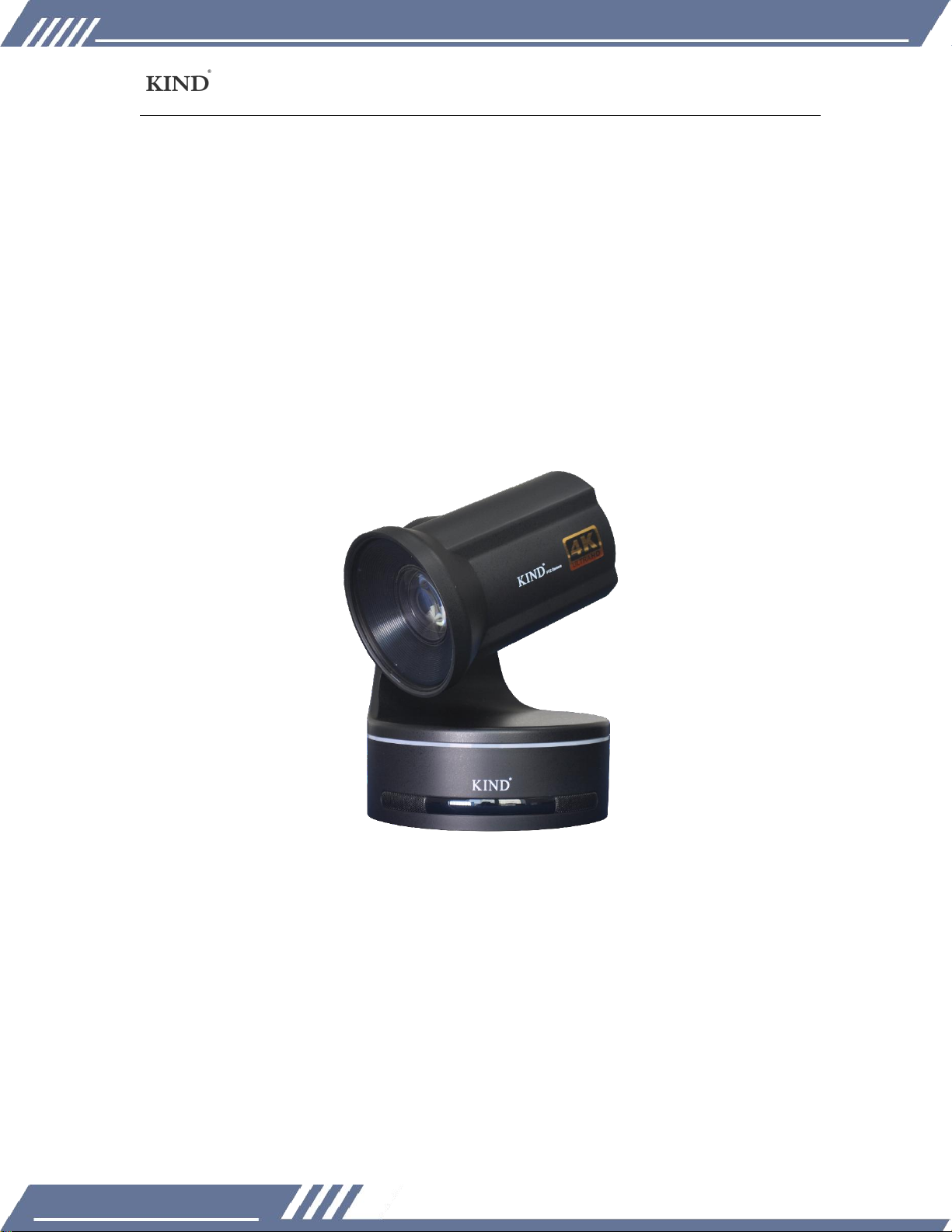
KIND KD-C1000NW Instruction manual
Please read this manual carefully before using the machine and keep it for future reference.

WWW.KINDLIVECAST.COM
Beijing kind network technology co.ltd.
1
CATALOGUE
一、Product overview...........................................................................................................2
Matters needing attention:.....................................................................................3
二、Connection specification............................................................................................5
三、Camera debugging instructions .............................................................................. 7
Menu introduction........................................................................................................7
(一)、EXPOSURE.................................................................................................. 8
(二)FOUCS......................................................................................................... 10
(三)WB.................................................................................................................11
(四)SYSTEM....................................................................................................... 12
(五)IMAGE..........................................................................................................13
四、Remote control debugging instructions............................................................14
五、Packing list.....................................................................................................................16
六、After-sales service .......................................................................................................17

WWW.KINDLIVECAST.COM
Beijing kind network technology co.ltd.
2
一、Product overview
1、1/2.5 inch Exmor R CMOS imager with broadcast-quality 4K images.
2、20x optical zoom, SRZ 4K 30x, HD 40x.
3、servo motor high speed head, translation/pitching speed 0.1°~300°/ s.
4、8.93 million pixels, 3840×2160 1920*1080 resolution.
5、HDMI video output.
6、360°TALLY lamp.
7、Application: 4K image shooting, studio, media broadcast, multi-camera
shooting.
8、size: 160mm155mm×230mm; Weight: about 3.0kg.

WWW.KINDLIVECAST.COM
Beijing kind network technology co.ltd.
3
Matters needing attention:
Before use, please read this manual carefully, and please take the retention of
instruction.
Please do comply with the products identified on the warning signs and
instructions.
Before cleaning the machine, please pull the plug, do not use alcohol, thinner,
pesticides or other volatile solvent, because doing so would make the shell
deformation or damage to the surface.
Using extension, please confirm the total quantity/total Ann used multiple,
shall not exceed the total load by extension multiples.
Do not any liquid splashes on this product. Avoid short circuit.
Please not do STH without authorization for dismantling maintenance.
If you have the following situations occurs. Please unplug this product and
contact a qualified technician.
①The power cord or plug is damaged or peeled.
②There is liquid seeping into the product.
③If this product has been rained on or splashed with water.
When transported to equipment installed in the original packaging box, or a
similar package, the equipment can be reduced by strong vibration.

WWW.KINDLIVECAST.COM
Beijing kind network technology co.ltd.
4
Product and service disclaimer
The information provided in this manual is intended as a guide only. All along,
KIND strives to provide correct, complete and appropriate information. However,
KIND cannot exclude that some information in this manual may be incorrect or
incomplete and that this manual may contain typos, omissions or incorrect
information. KIND recommends that you double-check the accuracy of the
information in this document, and KIND is not liable for any omissions or errors. Or
any subsequent loss or damage resulting from the information provided in this
Description, further information about the contents of this description or the
products may be obtained by contacting local offices or KIND Headquarters.
For your safety, please do not let the equipment receive rain or damp. In case
of failure, please do not remove the casing. For after-sales matters, contact the
manufacturer to ask professional engineers for maintenance.
When recording or transferring important data, be sure to pre-check the
device connection or perform a test first to ensure proper operation and avoid
data loss.
According to copyright law, recorded video or audio may not be used for any
purpose other than personal enjoyment without the permission of the copyright
holder. Note that for live performances, performances and exhibitions, even your
own entertainment may be restricted.
WWW.KINDLIVECAST.COM
Beijing kind network technology co.ltd.
5
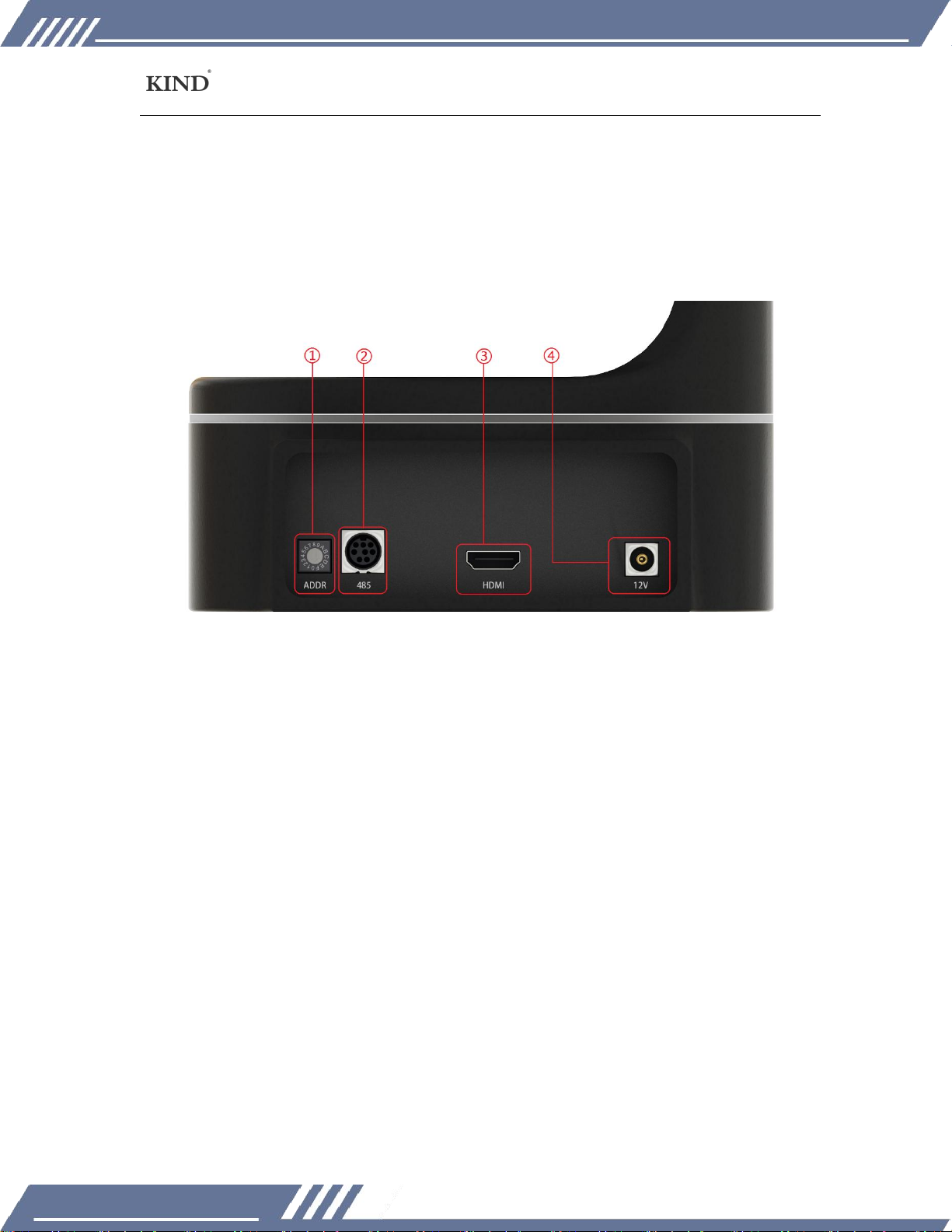
二、Connection specification
1、ADDR: Control camera address (0 is 1,1 is 2, and so on).
2、485 control.
3、HDMI output.
4、12VPower interface.

WWW.KINDLIVECAST.COM
Beijing kind network technology co.ltd.
6
Connection step:
⑴Connect the bottom of the camera ① to the top of the lifting device ①, as shown
in the following figure.

WWW.KINDLIVECAST.COM
Beijing kind network technology co.ltd.
7
⑵Secure the camera with screws, as shown below.
⑶The HDMI port on the rear of the camera connects to the HDMI port on the
wireless transmission box.
⑷ The 12V power interface is connected to the wireless transmission box
interface (the picture below shows the wireless transmission box).
Wireless transmission box
三、Camera debugging instructions
Menu introduction
This section describes the Settings menu of the camera

WWW.KINDLIVECAST.COM
Beijing kind network technology co.ltd.
8
1. Click the "OK" key of the driver or the "MENU" key of the remote control of the
camera to enter the setting graphic menu, as shown in the figure below
RETURN
-->
EXPOSURE
-->
FOUCS
AUTO
WB
-->
SYSTEM
-->
COLOR
-->
IMAGE
-->
(一)、EXPOSURE
1. Automatic mode
RETURN
-->
EXPOSURE
AUTO
GAIN
001
SHUTTER
018
IRIS
019
BRIGHT
019
EXPCOMP
0FF
LEVEL
007
BLC
0FF
2. Luminance priority mode
RETURN
-->
EXPOSURE
BRIGHT
GAIN
001

WWW.KINDLIVECAST.COM
Beijing kind network technology co.ltd.
9
SHUTTER
018
IRIS
019
BRIGHT
019
EXPCOMP
0FF
LEVEL
007
BLC
0FF
3. Gain priority
RETURN
-->
EXPOSURE
GAIN
GAIN
001
SHUTTER
018
IRIS
019
BRIGHT
019
EXPCOMP
0FF
LEVEL
007
BLC
0FF
4. SHUTTER
RETURN
-->
EXPOSURE
SHUTTER
GAIN
001
SHUTTER
018
IRIS
019
Tabla de contenidos
Otros manuales de Cámara digital de Kind


