
Kimaldi RD200 Manual de usuario
RD200/300 TOOL
OPERATION MANUAL
V02.21

1
Model description.............................................................................................................................2
Installation........................................................................................................................................4
Driver installation (For change to virtual COM port mode)...............................................................5
Common Setting..............................................................................................................................6
Auto Read (RD200-M1, RD300-H series supported).....................................................................11
NTAG/Ultralight (RD200-M1, RD300-H series supported).............................................................12
MIFARE .........................................................................................................................................14
MIFARE Key ..................................................................................................................................15
LF Card (RD200-LF 125KHz supported) .......................................................................................17
EPC/eTag (RD200-U1 UHF reader supported)..............................................................................18
ISO14443A (RD200-M1, RD300-H series supported)....................................................................19
ISO 14443B (RD200-M1, RD300-H series supported) ..................................................................20
ISO 15693 (RD300-H series supported)........................................................................................21
DESFire (RD300-DES1 supported) ...............................................................................................22
Fingerprint (RD300-FH1 only)........................................................................................................25
Command Test...............................................................................................................................27
Firmware Update ...........................................................................................................................28

2
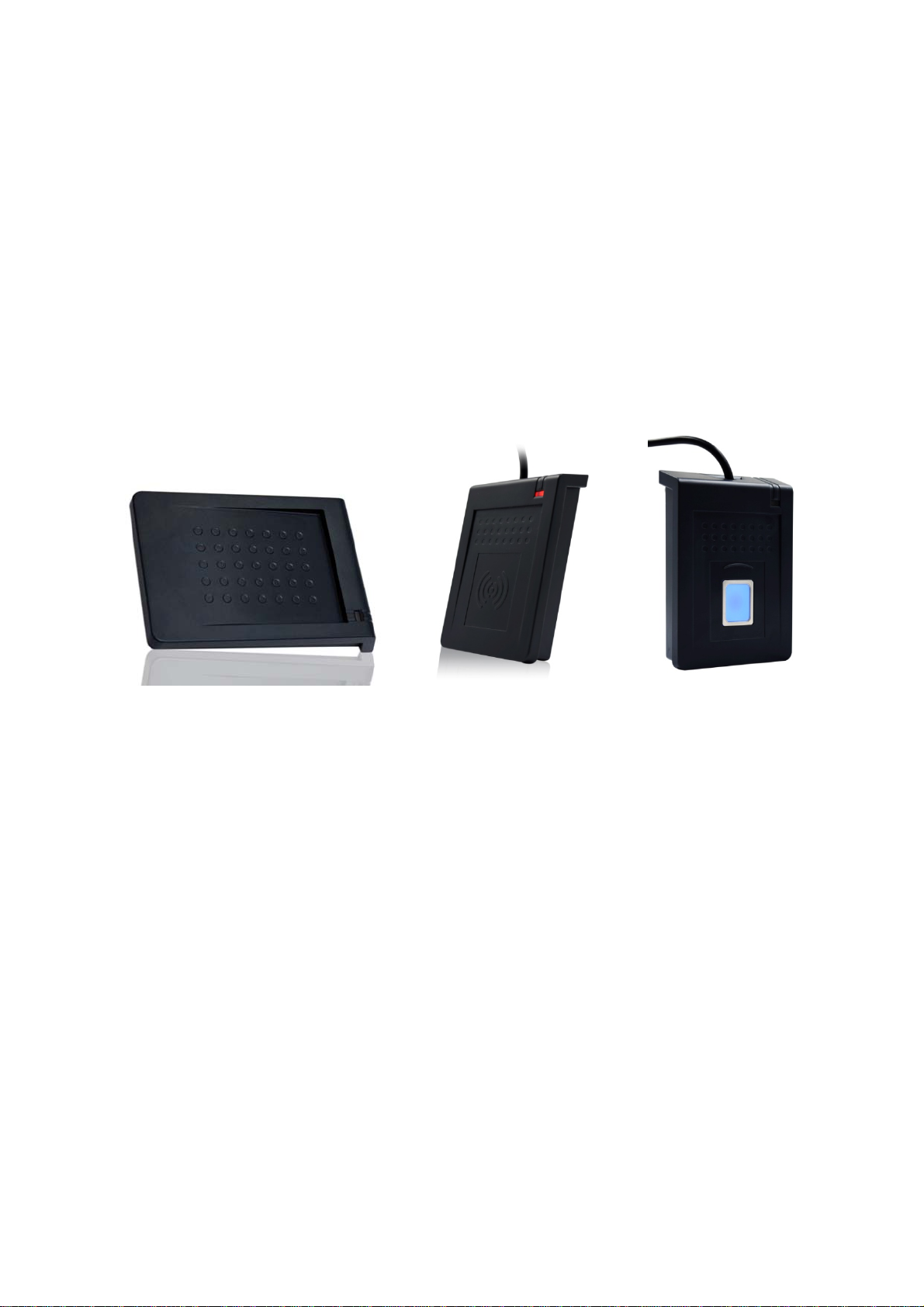
Model description
Model Picture Difference description
RD200-M1 HF RFID Desktop Reader
Frequency: 13.56 MHz
Support tag: ISO-14443A/ Mifare Ultralight / NTAG203
RD200-LF LF RFID Desktop Reader
Frequency: 125 KHz
Support tag: EM4100 compatible class / SYRIS/ FDX-B(ISO11784)
RD200-U1 UHF RFID Desktop Reader
Frequency: 860~960MHz
Support tag: Compatible with EPC Class 1 Gen 2;ISO-18000-6C
RD300-H1
HF RFID Desktop Reader
Frequency: 13.56 MHz
Support tag: ISO15693 / ISO14443A(Mifare) / ISO14443B / DESFire
/ NTAG203
RD300-FH1
HF RFID and Fingerprint Desktop Reader
High accuracy and high recognition speed Optical Fingerprint
Sensor
Frequency: 13.56 MHz
Support tag: ISO15693 / ISO14443A(Mifare) / ISO14443B / DESFire
/ NTAG203
RD300-L1
LF RFID Desktop Reader
Frequency: 125 KHz
Support tag: EM4100 compatible class / SYRIS/ FDX-B(ISO11784)
RD300-FL1
LF RFID and Fingerprint Desktop Reader
High accuracy and high recognition speed Optical Fingerprint
Sensor
Frequency: 125 KHz
Support tag: EM4100 compatible class / SYRIS/ FDX-B(ISO11784)

3
RD300-DES1
DESFire Reader
Frequency: 13.56 MHz
Support tag: DESFire full function with tools

In
s
Th
e
an
"
will
s
talla
t
e
default s
e
"
Enter" si
g
press the
t
ion
e
tting of U
S
g
nal when
r
"Set" butt
o
S
B Mode i
r
ead the c
a
o
n at the s
s USB Ke
y
a
rd. If use
r
a
me time.
4
yboard E
m
r
let curso
r
m
ulation.
r
focus on
"
This Keyb
o
"
Set" butt
o
oard mod
e
o
n and rea
d
e
would se
d
the card
nd
that

5
Driver installation (For change to virtual COM port mode)
1. Follow firmware update procedure to change virtual COM port mode firmware.
(ex. RD200_U1_COM_V0191_20150316.SYB)
2. Connect RD200/RD300, system will automatically pop-up the "Found New Hardware Wizard"
window for install the driver.
3. Allocate the driver folder, and then complete the installation.
(SYRIS_RFID_DVD\RD200\Driver)

C
o
1.
o
mmo
n
USB M
o
There ar
e
then clic
k
setting fr
o
USB K
e
The devi
c
n
Setti
n
o
de
e
three sel
k
Set to fin
o
m the re
a
e
yboard
c
e can em
n
g
ections of
ish the se
t
a
der.
Emulati
o
ulate key
b
USB mod
e
t
ting proce
o
n:
b
oard to se
6
e
s in "US
B
e
dure, or cl
e
nd charac
t
B
auto" co
n
ick Get C
u
t
e
r
or strin
n
nection, a
u
rrent Setti
g
to host t
e
a
fter select
e
i
ng to rea
d
e
rminal.
e
d the mo
d
d
current
d
e

2.
3.
4.
USB HI
Device r
e
buffer.
USB HI
The devi
c
Virtual
There ar
e
USB S
e
The devi
c
USB S
e
Device r
e
buffer.
USB K
e
In this m
o
read tag.
D-Com
p
e
sponse d
a
D-Com
p
c
e sends
U
COM P
o
e
two sele
c
e
rial Por
t
c
e send U
I
e
rial Por
t
e
sponse d
a
e
ypad D
e
o
de, you c
a
p
liant De
v
a
ta when r
e
p
liant De
v
U
ID to hos
t
o
rt mode
c
tions of
U
t
Auto S
e
I
D to host
t
t
:
a
ta when r
e
e
lay Tim
e
a
n set ke
y
v
ice:
e
ceived p
r
v
ice Aut
o
t
terminal
a
(Need u
SB mode
s
e
nd:
t
erminal a
f
e
ceived p
r
e
y
pad delay
7
r
otocol co
m
o
Send:
a
fter read
c
pdate fi
r
s
in "COM
f
ter read c
a
r
otocol co
m
timing to
r
m
mand, an
c
ard.
r
mware)
x" connec
t
a
rd.
m
mand, an
r
educe the
d the data
t
ion.
d the data
key code
will be qu
e
will be qu
e
sending s
p
e
ued in de
e
ued in de
p
eed whe
n
vice
vice
n

5.
6.
Read C
In this m
o
j
ust click
from the
Auto
Bee
p
LED
Sam
e
Ener
g
eTag
Syste
m
This tool
reader.
T
settings
t
C
ard Mo
d
o
de, progr
a
Set to fini
s
reader.
Options
p
e
Card Dete
c
g
y Saving
M
m
Comm
a
provides t
w
T
he other c
t
o initial se
d
e
a
m provid
e
s
h the sett
A
ut
o
Pro
m
Fla
s
c
tion If c
o
cou
l
M
ode Pro
v
(It i
s
Re
a
a
nd
w
o syste
m
ommand i
s
ttings.
e
d differen
ing proce
d
o
matically re
a
m
pt the bee
p
s
h the LED
w
o
ntinuously r
e
d read agai
n
v
ide more e
n
s
not recom
m
a
d Taiwan E
T
m
comman
d
s
Use Fac
t
8
t options f
o
d
ure, or cli
c
ad card
p
sound or n
o
w
hen read th
e
e
ad the sam
n
.
n
ergy saving
m
end to use
i
T
C eTag for
m
d
s; user c
a
t
ory Defa
u
o
r user to
c
c
k Get Cu
r
Descri
p
o
t.
e
card.
e card, user
method.
i
n writing ca
r
m
at.
a
n use Re
b
u
lt Settings
c
hoose, a
f
r
rent Setti
n
p
tions
has to wait
a
r
d blocks or
s
b
oot Read
e
which ca
n
f
ter ticked
t
n
g to read
a
round 1.5
s
s
everal card
s
er
to rebo
o
n
restore t
h
t
he option
s
current se
t
s
ec then
s
)
o
t the RD
2
h
e reader
s
,
t
ting
2
00

9
7. Send ID Format
This tool provide many ID format to choose,
such as 4~16 numbers of hexadecimal and
4~13 numbers of decimal.
Also can put comma, space…etc. into the ID
format, after ticked the items then click Set to
finish the setting procedure, or click Get
Current Setting to read current setting from the reader.
The ID format example as below:
ID Format Example Result
4H 58E8
6H D558E8
8H 00D558E8
10H 1800D558E8
16H 0000001800D558E8
32H 00000000000000000000001800D558E8
5D 47295
8D 01226943
10D 0001226943
13D 0098785474751
4D 6493
FDX (LF only) 000000001226943
16H + Card ID Reverse E858D50018000000
16H + Comma 0000001800D558E8,
16H + Brackets [0000001800D558E8]
4D + Space 1928 1928
16H + Quotation '0000001800D558E8'
Este manual sirve para los siguientes modelos
1
Tabla de contenidos


