Izzo Swami Voice Manual de usuario

User Manual

TABLE OF CONTENTS
Thank You for Choosing Swami GT ..................................................................................2
Warranty/Video.................................................................................................................2-3
1. General..............................................................................................................................4
1.1 Screen Display/Button Description ...................................................................4
1.2 Basic Specications ........................................................................................5
1.3 Accessories List ..............................................................................................6
1.4 Charging Instructions ......................................................................................7
2. Getting Started ................................................................................................................8
2.1 Set Up ..............................................................................................................8
2.2 Main Menu .......................................................................................................8
2.3 Pairing Clubs ...................................................................................................9
3. On the Golf Course ........................................................................................................10
3.1 Course/Mode Selection ..................................................................................10
3.2 Game Tracker Mode ...................................................................................10-11
3.3 Advancing Holes.............................................................................................11
3.4 E-Caddie ...................................................................................................11-12
3.5 Hazard Screen ...............................................................................................12
3.6 Play Menu ..................................................................................................12-13
3.7 SpecialScenarios.......................................................................................13-14
3.8 End Round .....................................................................................................14
4. Settings.......................................................................................................................15-16
5. Online Portal ............................................................................................................16-23
5.1 Uploading Rounds..................................................................................22-23
5.2 Reviewing Rounds.......................................................................................23
5.3 Deleting Rounds...........................................................................................23
7. Caution/About GPS...................................................................................................24-26
1Table of Contents

Name: _____________________________________________
ADDRESS: __________________________________________
___________________________________________________
Email: _____________________________________________
Phone: ( ) ________________________________
Date purchased: ________ /_________ /_______________
REGISTER YOUR SWAMI GT
FILL OUT THE INFORMATION BELOW OR GO TO
WWW.SWAMIGPS.COM/REGISTRATION

Thank You for Choosing Swami GT
Utilizing NFC technology the Swami GT communicates with your clubs, tracking club data from
every shot and statistics from round to round. In order to ensure the best performance of the
product and extend its service life, please read this manual before using your Swami GT.
Warranty / Return Policy
SWAMI is warranted to be free from defects for up to (1) year from your purchase date.
Software updates are free of charge. IZZO cannot refund your purchase. IZZO will replace
any defective unit within the warranty period. Please call Swami Support at 800-777-7899 to
request a Return Authorization. All defective product must be returned to:
IZZO Golf
1635 Commons Parkway
Macedon, NY 14502
RA:_____________
Please include a note with your Name, Address, Phone # and the Return Authorization #.
2Warranty

Recommended: Prior to using your SWAMI GT,
please watch the instructional video by visiting
www.swamiGPS.com/swami-gt
3
Video

1. General
1.1 Screen Display/Button Description
4
Button Description:
• [Power] Button: Hold for a few seconds to power on/off.
• [Enter] Button: Press to select options.
Press to toggle between distances to Green or Hazards in Play Mode.
Hold for a few seconds to access Play Menu.
• Sensor: Hold club tags near sensor to register each shot.
• [Up] Key: Scroll Up
• [Down] Key: Scroll Down
Micro USB Port for
Charging/Data Transfer
[Up] Button
Hole Number/Par
[Enter] Button/
Sensor
[Down] Button
Battery Level
Time
General Description of Hardware
Total Score
Hole Score
[Power] Button
Satellite Signal

5
[Up] Button
[Enter] Button/
Sensor
Number of courses stored 30,000 Worldwide
Battery Type Rechargeable Lithium-Ion Battery
Battery Life About 6-8 hours
Charging Time About 3-5 hours
Dimensions Length 4” x width 2.2” x thickness .6”
Weight 3.52 oz
Display Size 2.5 inches
Water Resistent Yes
1.2BasicSpecications
General Description of Hardware

1.3 Accessories List
Thank you for purchasing the SWAMI GT. Please conrm whether your Swami GT contains
the following items:
* Should any item above be missing, please contact IZZO Golf.
6
Micro USB Cord
General Description of Hardware
IZZO Golf
1635 Commons Parkway
Macedon, NY 14502
www.izzo.com
1-800-777-7899
14 Club Tags

7
1.4 Charging Instructions
• A rechargeable lithium battery is built in the body of Swami GT.
• Insert one end of the USB cord into the connection port located on the top of the
device. Plug the other end of the USB cord into a PC or AC adapter (not included).
• The Swami GT can be used for about 6-8 hours after a full charge.
• Battery can be charged before being completely drained, but please do not charge it
excessively.
• The best and fastest charging method is to charge the battery after the device is
powered off.
• While unit is turned off the charging screen will show a battery with bars repeatedly
blinking. When the bars stop blinking, unit is fully charged.
Charging

2. Getting Started
2.1 Set Up
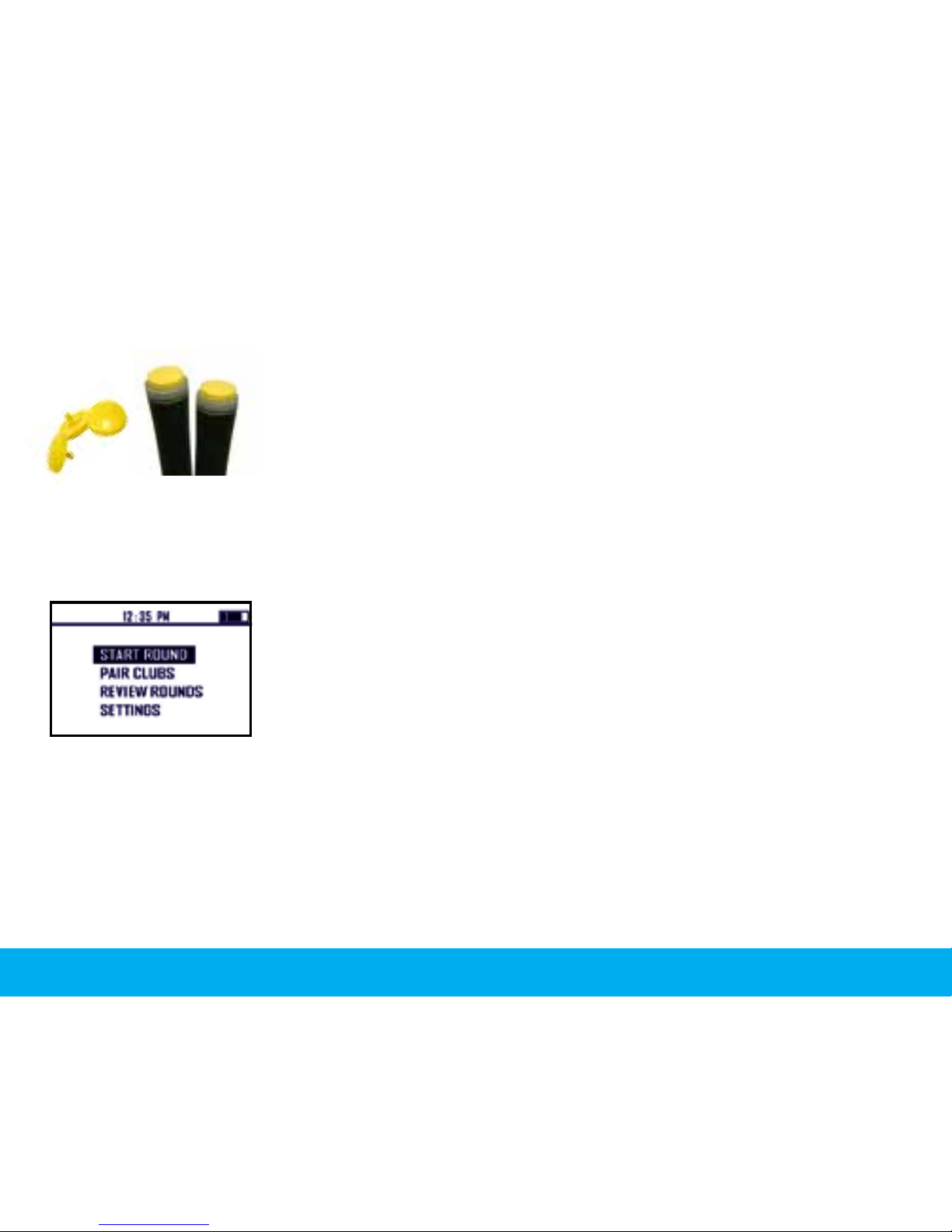
1. Attach Club Tags to the end of the grip for each club by rmly
pressing down and twisting to tighten.
2. Hold Power button for 3 seconds to power device on and then
proceed to Pair Clubs (see page 9).
2.2 Main Menu
1. Use [Up/Down] buttons to scroll through the menu choices. Press [OK] to select any choice.
• Start Round: Initiates satellite x to begin your round of golf.
• Pair Clubs: Synchronize your golf clubs with the device (using the
tags provided).
• Review Rounds: View the data from your previous rounds.
• Settings: Adjust the settings on the device.
8Getting Started
Tabla de contenidos
Otros manuales de GPS de Izzo