
IP Power 9212 Delux Manual de usuario

IP Power 9212 Delux
User Manual

IP POWER 9212 USER MANUAL
USER MANUAL
IP POWER 9212Delux
Version: V1.00
2006.12
VER. X.X,
- 1 -

Warning:any changes to this equipment without permission may cause damages to your
equipment! This equipment has been proved to can be prevented from the influence of harmful
electronic jamming in normal business use condition.
IMPORTANT NOTICE
1. IP POWER 9212 Delux is deigned to be used in-door, we have no responsibility
for the possible damage in out-door use especially in the rain.。.
2. Please use the power adaptor provided by the dealer, we have no responsibility
for the possible damage in using other adaptors.
4. Do not use IP POWER 9212 Delux in strong shaking condition
5. Please contact the dealer If IP POWER 9212 Delux works improperly.
Copyright © 2006 All rights reserved. No part of this publication may be reproduced, stored
in a retrieval system, or transmitted in any form or by any means, electronic, mechanical,
photocopying, recording or otherwise, without the prior written consent of us
All trademarks and products mentioned in this document are the properties of us.
- 2 -

IP POWER 9212 USER MANUAL
Table of Content
1. INTRODUCTION..........................................................................................................4
FEATURES.........................................................................................................................
2.BEFORE YOU START.................................................................................................5
PACKAGE CONTENTS ........................................................................................................
MINIMUM SYSTEM REQUIREMENTS....................................................................................
3.INTERFACE DESCRIPTION .......................................................................................6
4.HARDWARE & SOFTWARE INSTALLATION..........................................................6
HDWARE INSTALLATION .....................................................................................................
9201 PRO HARDWARE CONNECT(RECOMMEND) ……………………………………… …
9202 PROHARDWARE CONNECT(RECOMMEND) ……………………………………… …
SOFTWARE INSTALLATION .................................................................................................
5. INITIALIZATION.........................................................................................................14
BASIC SETTING THROUGH ETHERNET ................................................................................ .
SETTING OF SOFTWARE SHUT DOWN CONTROLLED PC/ SERVER……………..……….
6. SETTING AND CONTROL THROUTH THE INTERNET.......................................17
SYSTEM CONFIGURATION.........................................................................................
ADVANCE SETING .......................................................................................................
SPECIAL INTER-CONTROL ………………………………………………………… …….
DDNS SETTING ……………………………………………………………………….…
SMTP FOR E-MAIL: INFORM IP ADDRESS & SENSOR TRIGGER. ………….……….
CONTROL DI THROUGH TIME SCHEDUEL ………………………………………...
CLOCK AND NTP SETTING………………………………………………………………….
NETWORK WAKE UP ……………………………………………………………………….
FIRMWARE UPDATE…………………………………………………………………………
7. SETING 9212 THROUGH THE INTERNET.............................................................31
8. APPLICATION ASSOCIATED TO OTHER IP RPODUCTS..................................32
9. FAQ.............................................................................................................................33
10. CONTROL AND SETUP BY HTTP COMMAND ..................................................33
11. WEBPAGE CUSTOMIZATION ..............................................................................36
VER. X.X,
- 3 -

1. Introduction
The IP Power 9212SDelux is a Network Controller & Sensor with 8 DI & 8 DO. A specific PC or
software is not needed; you can easily control devices remotely and check the device status via
the Internet anywhere in the world.
Using a Browser such as Internet Explore or Netscape, you can securely access the unit. It
includes 8 Digital Inputs ( Dry / Wet contact can be switched ) , 8 Digital Relay Outputs and
works like an IO Server. You can integrate it with Home / Office security, Personal entertainment,
and Industrial field applications.
The API program is supported to help the integrator to easy program any software to integrate
with existing application systems in local computers. The IP POWER 9212 can be flexibly applied
to Home entertainment & industry security & systems with integrated management.
Feature︰
1. Embedded web server – no need to connect to a PC – Use Ethernet or Internet (LAN / WAN)
2. Accessible with popular web browsers- IE (Internet Explore) or Netscape – DO NOT need
specific S/W.
3. Comes with 8DI & 8DO: Direct control relay output (DO) and detects digital input (DI)
* 8 Set Sensor – Default 4 Set Source mode (Dry - Voltage Input) and
& 4 Set Sink mode (Wet- Resistance Input).
Source& Sink mode could be switched .
* 8 Set Controllers – Default 4 Set NO - Normal Open & 4 Sets NC - Normal Close
4. Network protocols supported: HTTP, DDNS, DHCP, Virtual and Dynamic IP.
5. Support RS232 to control .
6. Security code identification and Hardware reset function.
7. Individual LED indicates switch-working status.
8. Safe, durable, non-electric leakage and anti-farmable design.
9. Polar protection – will even connect contrary port.
10. Digital inputs provide de-bouncing function.
11. Update firmware by the TCP/IP network.
12. Embedded “ WATCH DOG “,
15. Support SMTP: Send IP address as log in and send e-mail as detecting sensor trigger.
16. Auto Internal Control: DI Control DO (Own or other 9212Delux).
17 Timer Schedule -- pre-set the time schedule to turn power on / off thru Internet / Ethernet
18 Support NTP (Network Time Protocol) - synchronize the time of 9258 to the Internet web
19 WAP Mobile Phone Control - can use the GPRS cell phone via WAP to control
20 Setup up own outlet default: set DO status as regain power.
21 Provide SDK (VB & VC) for own Software develop and application.
22 Supply Exclusive IP Service for easily find on Internet by name.
Specification: 1. DC 5V (AC90-240 input) 2. D-SUB In & out port. 3. RJ45
Application field: can be associated with any kind of electrical equipments, no matter household
appliances or security equipment. It can manage the power supply through the web page; make
it be safer for the security equipment and more convenience for digital control at the far end.
- 4 -
IP POWER 9212 USER MANUAL
Industrial application field: bank, financial security system, jewels, casino, cash register in
supermarket, park, traffic control, military equipment and airport.
2.Before you start
9212 package contents
One set of IP POWER 9212
One network wire with RJ45 port
One 1A, 110~220V adaptor
TWO D-Sub 15 Pin cable
One install CD
One rapid install manual
Minimum System Requirements
* Minimum Intel Pentium II 300MHz/compatible AMD processor
* WINDOWS operating system (IE5.0+SP1)
* Minimum 64MB RAM
* VGA Card: with capability of displaying full-Colors and DirectDraw support
* Network card with RJ45 port
* Ethernet Hub / Router
* Internet network (Ethernet, xDSL or other ways, depends on whether you need far end control
ability or not)
VER. X.X,
- 5 -

3. Interface Description
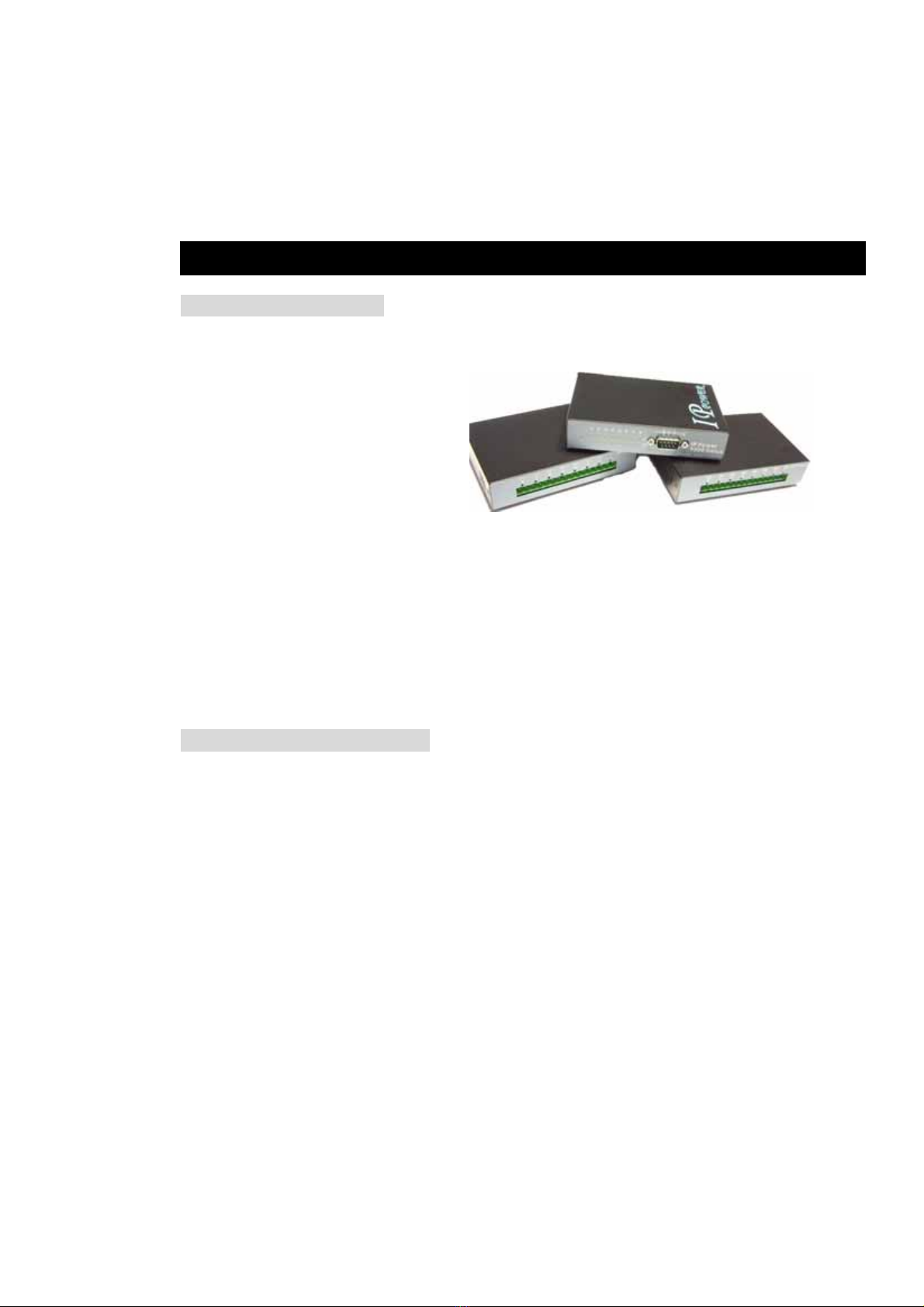
IP Power 9212 has three devices, 9200 is the network module, and the followed picture
shows its interface:
9201 is the input /sensor module and 9202 is the output / control module
4. Hardware & Software installation
Before you star to use IP Power 9212, please follow the steps below:
Check the package to make sure the contents is complete.
Prepare one Ethernet HUB, or Router
Check the voltage of the power supply to make sure it is AC 110-240 volt
Hardware Installation: Connect RJ45 first (before connect POWER jack)
1 Connect the 9200 to HUB through RJ 45 netting cable.
2 Connect the 9200 ( IN-BLACK ) to 9201( BLACK port) &
9200 ( OUT- BLUE ) to 9202( BLUE) through D-SUB cable.
3 Connect the HUB to the Internet (May through ADSL/XDSL modem).
4 Connect the power adapter to the 9200.
Power on your computer and power adapter of IP POWER 9212.
- 6 -

IP POWER 9212 USER MANUAL
9201Pro Hardware connection (recommend):
4-1. Dry & Wet Setting
In 9212Delux, the DRY or WET contact of each input ( in 9201) can be switch.
To setup the Dry or Wet contact of each input signal , please open 9201 case and
adjust the two blue SWITCHs
There is two blue switch in 9201. Please arrange all the setup to ON in the Right Switch.
VER. X.X,
- 7 -

Then you can setup the Dry/Wet contact in left switch :
As no contact with the Input ,
Switch set as ON : LED light ON & means the input is Dry contact ,
Switch set as OFF : LED light is OFF which means the input is Wet contact
For example: the left switch setup input 1~4 is OFF & 5-8 is ON.
So the input 1- 4 is DRY contact and LED light OFF
the input 5- 8 is WET contact and LED light ON
- 8 -

IP POWER 9212 USER MANUAL
4-2 . Connection Illustration:
For different request of normal state of electric equipment, 9201 offers four sets of voltage
signal IN1-IN4 and four sets of shortcut circuit signals IN5-IN8.
9201 Pro provide 4set Source mode - Voltage Input – Out 1 ~ Out 4
ON : 4V~24V
OFF : 0V ~ 3V
4 set Sink mode - Resistance input – Out 5 ~ Out 8.
ON : 200 ohm~ 0 ohm
OFF : 500 ohm ~ ∞
1. The polarity: Right - Positive & Left – Negative .
NOTE: Because of the polarity protective function, it won’t damage the product if you reverse the
polarity in installation. But it will cause the product cannot work properly
2. Source mode ( Voltage signal ) -- IN1 & IN4: can be connected to voltage signal detectors such
as smoke detector, light detector and gas detector.
VER. X.X,
- 9 -
Otros manuales para 9212 Delux
1
Tabla de contenidos
Otros manuales de Controladores de IP Power


