11 12
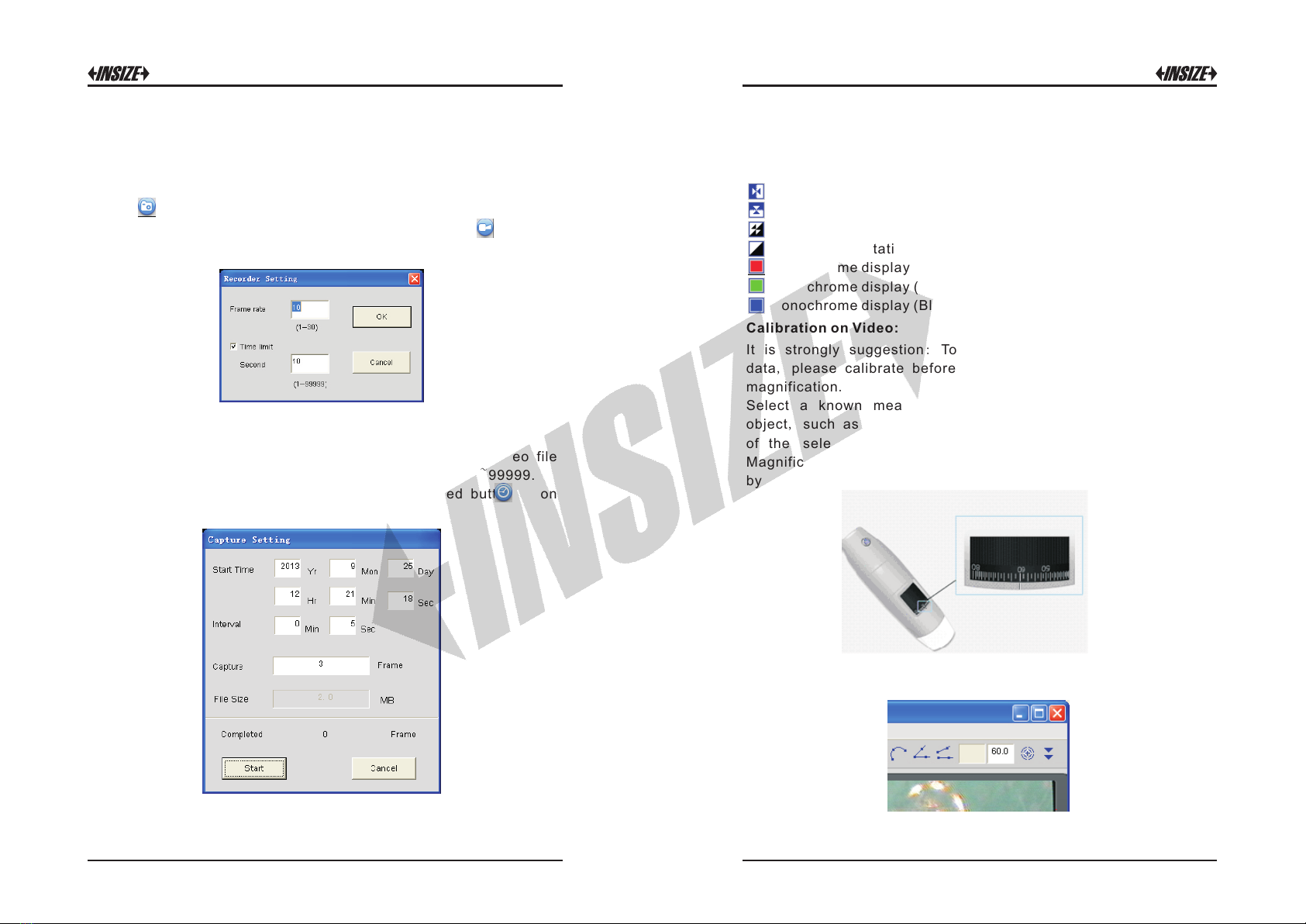
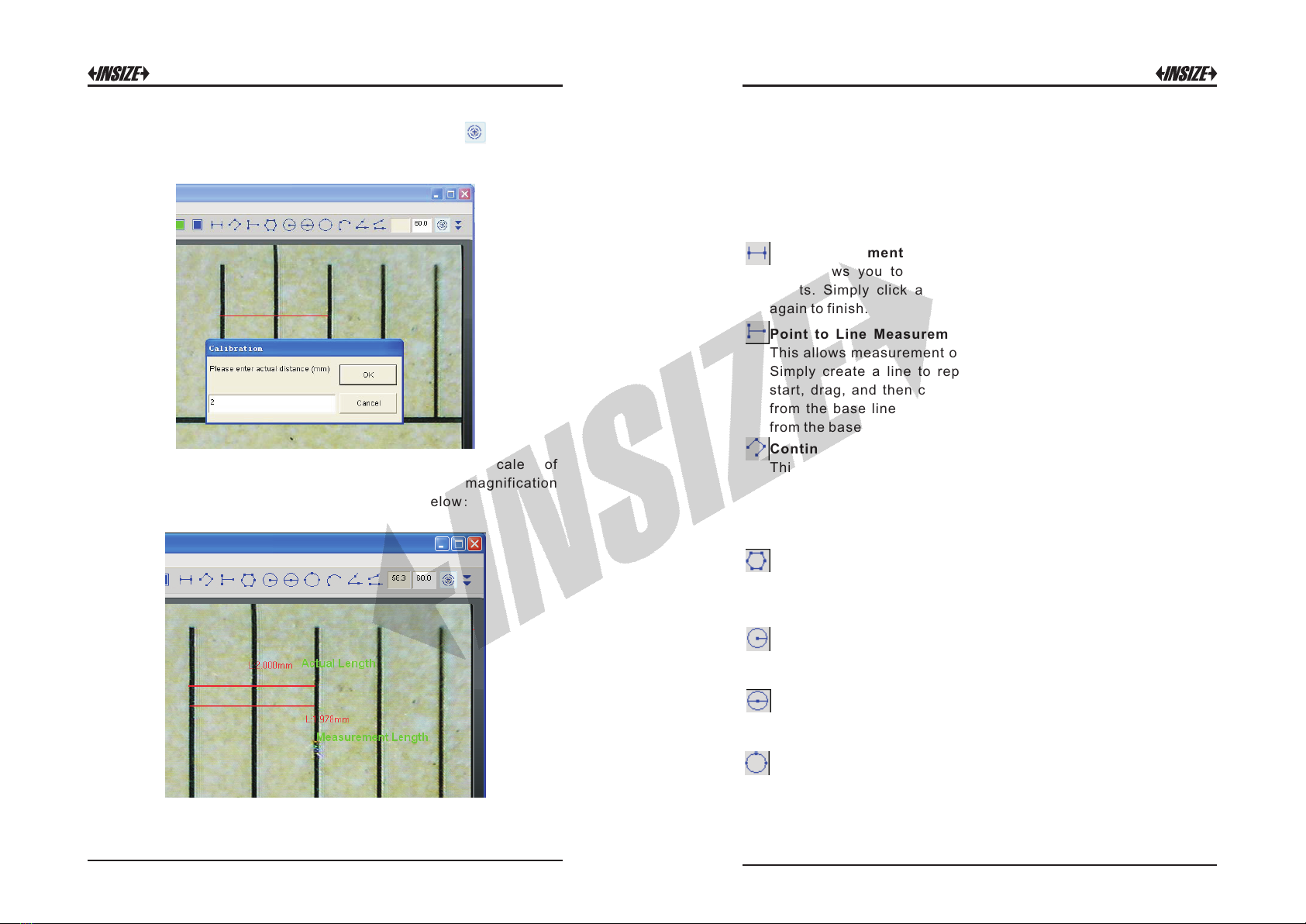
In the live video window click on the calibration button , and then
click and drag to 2mm length, a small window pop up, enter the actual
length(The example is 2mm) to click “OK” Button.
The software will automatically calibrate the scale of
magnification and will show the calibrated scale of magnification
at the right‐hand box of calibration button as below:
Now the calibration is completed, you can make measurement
features accurately on taken photos or real‐time video at this
focus point (Don’t subsequently adjust the “Focus & Magnification
adjustment wheel”).If the new photo object is not in focus, please
only adjust the distance between the microscope and the object till
the photo is clear, and then capture the photo to measure it.
Line measurement:
This allows you to measure the linear distance between two
points. Simply click and drag to the desired length, and click
again to finish.
Point to Line Measurement
This allows measurement of a line 90 degree from a certain line.
Simply create a line to represent the base by clicking once to
start, drag, and then click again to set the endpoint. Branch off
from the base line to start measuring the line that is 90 degree
from the base line and a final click to finish the measurement.
Continuous Line Measurement
This allows measurement of the distance between multiple
connecting lines. Simply click and drag to form one section
of distance, click again to start another section. Continue
until the total desired distance is measured. Double‐click to
finish.
Polygon Measurement
This allows measurement of a polygon. Simply click and drag
to form the desired length, and click again to start the next
section, double‐click to finish the polygon measurement.
Radius of Circle Measurement
This allows you to measure the circumference, area, and radius
of a circle. Simply click and extend out to the desired radius.
Diameter of Circle Measurement
This allows you to measure the circumference, area, and radius
of a circle. Simply click and extend out to the desired diameter.
Three Point Circle Measurement
This allows the measurement of the circumference, area, and
radius of a circle. Simply click on any three points on the circle
you wish to measure.