07
Do not manipulate the Meter with wet or dirty
hands/gloves.
Inserting the Chip
Verify the expiry date and the storage conditions of
the Chip before conducting the test.
•Open the Chip pouch and remove the Chip
from the package.
Hold the Chip by the yellow part so that the
“microINR” logo can be read correctly. Insert
the Chip into the slot and push it until it stops.
•Make sure the Chip has reached the end.
Do not use the Chip if you detect that the Chip is
defective or its pouch is opened or damaged.
Do not manipulate the Chip with wet or dirty hands/gloves.
Conducting the Test
•The Meter must be placed on a flat and steady surface.
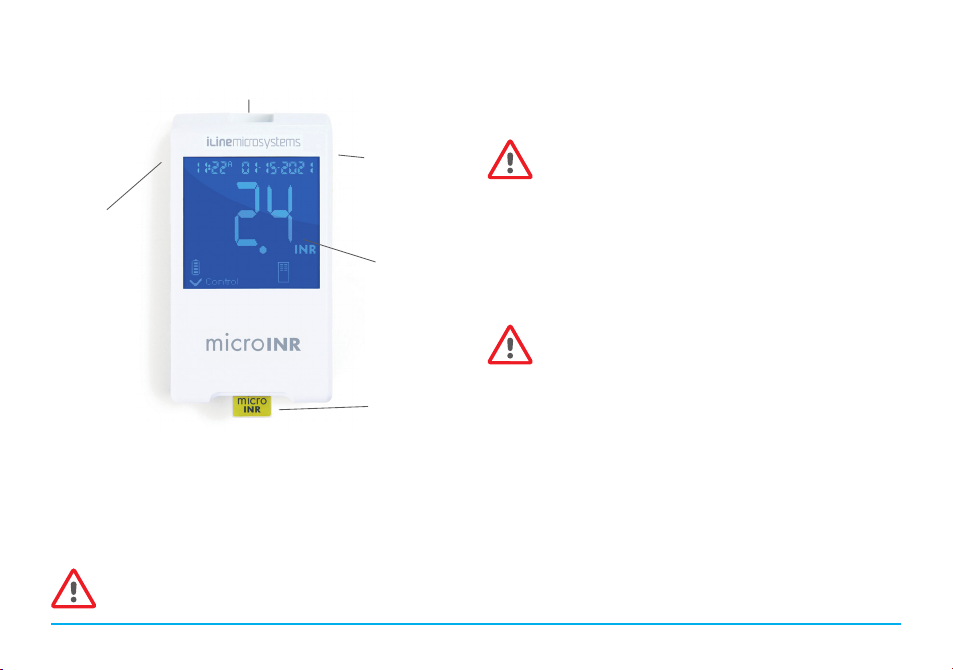
•Once the Chip is inserted, the Meter
automatically turns on. The Chip and the
hourglass symbols appear on the screen
while the Meter performs a quality
control to check the system’s integrity
prior to sample application. A blinking
Chip symbol appears on the screen if no
Chip is inserted or it has not been
inserted all the way until it comes to a full stop.
•While waiting for the device to be ready, make sure your
hand is warm and the fingertip clean (see section 3.3 of
these instructions for use).
•If the quality control is correct, the “Control” symbol will
appear on the screen. If the quality control fails, an error
message will be displayed. In that case, check the “Error
Guide” section of these Meter instructions for use.
•The Chip begins to flash and warms up until it reaches the
appropriate temperature. Once this temperature is reached:
- The device emits an audible signal
(beep tone).
- The drop symbol begins to flash on
the display.
- A count down appears (80s).
- The Chip emits a steady light.
•Once the Meter is ready, perform the
fingerstick (see section 3.3 of these instructions for use).
•Make sure to obtain a spherical and properly sized drop,
equivalent to a teardrop.
•For self-testing patients: Rest the pricked finger on the other
hand leaning on a flat surface to help you during the blood
application.
•Apply the drop of blood on the Chip immediately by putting it
in contact with the Chip’s entry channel, without resting the
finger on the Chip.
•The Meter will emit a beep tone when it detects that the
sample volume is enough, the drop symbol will stop flashing
and the countdown disappears.