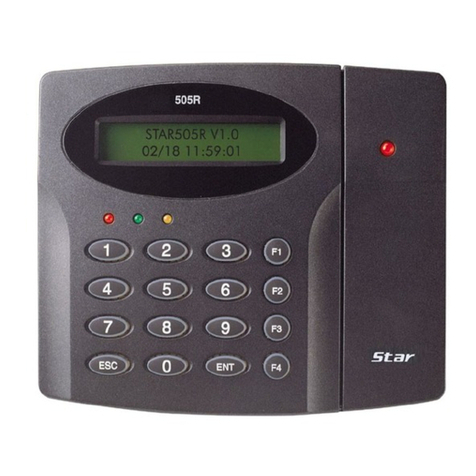
IDTECK Star RFL200C Manual de usuario


Table of Contents
ii
Table of Contents
1 Safety Information
1 IMPORTANT SAFETY INSTRUCTIONS
2 General
3 Features
4 Identifying Supplied Parts
5 Specification
6 Installation
7 Color Coded & Wiring Table
8 Wire Connection to Controller
1 Connecting a power supply
2 Connecting a door lock
3 Connecting an exit button
4 Connecting a door sensor
5 Connecting a door lock type
6 RS485 Communication port connection
9 Network connection to the access controller
10 Set up Hardware
1 Set up “System Address” and “Normal” or “Toggle Mode”.
2 Set “In / Out Point”
3 Card Holder Registration or Deletion
4 System Initialization
. . . . . . . . . . . . . . . . . . . . . . . . . . . . . . . . . . . . . . . . . . . . . . . . . . . . . . ii
. . . . . . . . . . . . . . . . . . . . . . . . . . . . . . . . . . . . . . . . . . . . . . . . . . . 1
. . . . . . . . . . . . . . . . . . . . . . . . . . . . . . . . . . . . . . . . . 3
. . . . . . . . . . . . . . . . . . . . . . . . . . . . . . . . . . . . . . . . . . . . . . . . . . . . . . . . . . . 4
. . . . . . . . . . . . . . . . . . . . . . . . . . . . . . . . . . . . . . . . . . . . . . . . . . . . . . . . . . . 5
. . . . . . . . . . . . . . . . . . . . . . . . . . . . . . . . . . . . . . . . . . . . . 6
. . . . . . . . . . . . . . . . . . . . . . . . . . . . . . . . . . . . . . . . . . . . . . . . . . . . . . . 7
. . . . . . . . . . . . . . . . . . . . . . . . . . . . . . . . . . . . . . . . . . . . . . . . . . . . . . . . . 9
. . . . . . . . . . . . . . . . . . . . . . . . . . . . . . . . . . . . . . . . . . . 11
. . . . . . . . . . . . . . . . . . . . . . . . . . . . . . . . . . . . . . . . . 12
. . . . . . . . . . . . . . . . . . . . . . . . . . . . . . . . . . . . . . . . . . . . . . . . 12
. . . . . . . . . . . . . . . . . . . . . . . . . . . . . . . . . . . . . . . . . . . . . . . . . . . 13
. . . . . . . . . . . . . . . . . . . . . . . . . . . . . . . . . . . . . . . . . . . . . . . . . 13
. . . . . . . . . . . . . . . . . . . . . . . . . . . . . . . . . . . . . . . . . . . . . . . . . 13
. . . . . . . . . . . . . . . . . . . . . . . . . . . . . . . . . . . . . . . . . . . . . . . 13
. . . . . . . . . . . . . . . . . . . . . . . . . . . . . . . . . . . . . . 13
. . . . . . . . . . . . . . . . . . . . . . . . . . . . . . 15
. . . . . . . . . . . . . . . . . . . . . . . . . . . . . . . . . . . . . . . . . . . . . . . . . . . 16
. . . . . . . . . . . . . . . . . . . . . . . . . 16
. . . . . . . . . . . . . . . . . . . . . . . . . . . . . . . . . . . . . . . . . . . . . . . . . . . . . . . 17
. . . . . . . . . . . . . . . . . . . . . . . . . . . . . . . . . . . . . . . . . 17
. . . . . . . . . . . . . . . . . . . . . . . . . . . . . . . . . . . . . . . . . . . . . . . . . . . . . . 18

p.iii
5 LED Color Control
11 Operation
1 When the RFL200C / IP-RFL200C is powered on,
2 When a registered tag is read on the RFL200C / IP-RFL200C or the exit button is pressed,
3 When an unregistered tag is read on the RFL200C / IP-RFL200C,
4 When a tag is read on the RFL200C / IP-RFL200C while the door is open.
5 When you need to know the Board ID (or Communication Address),
6 To initialize the RFL200C / IP-RFL200C,
7 Besides the operations described above, users can register or delete cards using the STAR
RFL200C software, as well. Using this software, you can also adjust or change “Normal Mod
e” / “Toggle Mode”, “Door Open Time” and “LED Color Control”.
12 FCC REGISTRATION INFORMATION
13 RMA Request
. . . . . . . . . . . . . . . . . . . . . . . . . . . . . . . . . . . . . . . . . . . . . . . . . . . . . . . . 19
. . . . . . . . . . . . . . . . . . . . . . . . . . . . . . . . . . . . . . . . . . . . . . . . . . . . . . . . 20
. . . . . . . . . . . . . . . . . . . . . . . . . . . . . . . 20
20
. . . . . . . . . . . . . . . . . . . 20
. . . . . . . . . . . . 21
. . . . . . . . . . . . . . . . 21
. . . . . . . . . . . . . . . . . . . . . . . . . . . . . . . . . . . . . . . 22
. . . . . . . . . . . . . . . . . . . . . . 22
. . . . . . . . . . . . . . . . . . . . . . . . . . . . . . . . . . . . 23
. . . . . . . . . . . . . . . . . . . . . . . . . . . . . . . . . . . . . . . . . . . . . . . . . . . . . 24

Safety Information 1
p.1
CAUTION: TO REDUCE THE RISK OF ELECTRIC SHOCK, DO NOT REMOVE COVER
(OR BACK) NO USER SERVICEABLE PARTS INSIDE. REFER SERVICING TO QUALIFIE
D SERVICE PERSONNEL.
This symbol indicates that dangerous voltage consisting a risk of electric shock is pres
ent within this unit.
This exclamation point symbol is intended to alert the user to the presence of importa
nt operating and maintenance (servicing) instructions in the literature accompanying the ap
pliance.
WARNING
To reduce the risk of fire or electric shock, do not expose this appliance to rain or moisture.
WARNING
1. Be sure to use only the standard adapter that is specified in the specification sheet. Usin
g any other adapter could cause fire, electrical shock, or damage to the product.
2. Incorrectly connecting the power supply or replacing battery may cause explosion, fire,
electric shock, or damage to the product.

p.2
3. Do not connect multiple controllers to a single adapter. Exceeding the capacity may cau
se abnormal heat generation or fire.
4. Securely plug the power cord into the power receptacle. Insecure connection may caus
e fire.
5. When installing the controller, fasten it securely and firmly. The fall of controller may ca
use personal injury.
6. Do not place conductive objects (e.g. screwdrivers, coins, metal parts, etc.) or container
s filled with water on top of the controller. Doing so may cause personal injury due to fi
re, electric shock, or falling objects.
7. Do not install the unit in humid, dusty, or sooty locations. Doing so may cause fire or el
ectric shock.
8. If any unusual smells or smoke come from the unit, stop using the product. In such case,
immediately disconnect the power source and contact the service center. Continued us
e in such a condition may cause fire or electric shock.
9. If this product fails to operate normally, contact the nearest service center. Never disass
emble or modify this product in any way. (SAMSUNG is not liable for problems caused
by unauthorized modifications or attempted repair.)
10. When cleaning, do not spray water directly onto parts of the product. Doing so may ca
use fire or electric shock.
CAUTION
1. Do not drop objects on the product or apply strong blows to it. Keep away from a locat
ion subject to excessive vibration or magnetic interference.
2. Do not install in a location subject to high temperature (over 50°C), low temperature (b
elow -30°C), or high humidity. Doing so may cause fire or electric shock.
3. If you want to relocate the already installed product, be sure to turn off the power and
then move or reinstall it.
4. Remove the power plug from the outlet when there is a lighting storm. Neglecting to d
o so may cause fire or damage to the product.
5. Keep out of direct sunlight and heat radiation sources. It may cause fire.
6. Install it in a place with good ventilation.
7. Avoid aiming the controller directly towards extremely bright objects such as sun.
8. Apparatus shall not be exposed to dripping or splashing and no objects filled with liqui
ds, such as vases, shall be placed on the apparatus.
9. The Mains plug is used as a disconnect device and shall stay readily operable at any tim
e.

Safety Informationp.3
1IMPORTANT SAFETY INSTRUCTIONS
1. Read these instructions.
2. Keep these instructions.
3. Heed all warnings.
4. Follow all instructions.
5. Do not use this apparatus near water.
6. Clean only with dry cloth.
7. Do not block any ventilation openings. Install in accordance with the manufacturer’s ins
tructions.
8. Do not install near any heat sources such as radiators, heat registers, or other apparatus
(including amplifiers) that produce heat.
9. Do not defeat the safety purpose of the polarized or grounding-type plug. A polarized
plug has two blades with one wider than the other. A grounding type plug has two bla
des and a third grounding prong. The wide blade or the third prong is provided for you
r safety. If the provided plug does not fit into your outlet, consult an electrician for repla
cement of the obsolete outlet.
10. Protect the power cord from being walked on or pinched particularly at plugs, convenie
nce receptacles, and the point where they exit from the apparatus.
11. Only use attachments/accessories specified by the manufacturer.
12. Use only with cart, stand, tripod, bracket, or table specified by the manufacturer, or sol
d with the apparatus.
13. Unplug this apparatus when a card is used. Use caution when moving the cart/ apparat
us combination to avoid injury from tip-over.
14. Refer all servicing to qualified service personnel. Servicing is required when the apparat
us has been damaged in any way, such as power supply cord or plug is damaged, liquid
has been spilled or objects have fallen into the apparatus, the apparatus has been expo
sed to rain or moisture, does not operate normally, or has been dropped.

General 2
p.4
The Star RFL200C / iPASS IP-RFL200C are an elegant looking and an attractive 4" read range
proximity reader built-in Proximity Single Door Access Controller which can be mounted to
metal door frame (mullion) or to any flat wall surface. The Star RFL200C / iPASS IP-RFL200C
is epoxy potted that ensure you a successful operation even in harsh environments.
Two-color LED of green and red, inside Piezo buzzer sound will guarantee you an accurate a
nd reliable Door Access Operations.

Features 3
p.5
●125KHz Standalone Proximity Access Controller
●iPASS IP-RFL200C: ASK[EM] Format
Star RFL200C: PSK Modulation
●512 Users
●Network Communication via RS485 (Max.255ch)
TCP/IP (External LAN Converter required, optional)
Wireless (e.g. Bluetooth module required, optional)
●512 Users / 256 Event Buffers
●Direct Control of Door Lock
●Power Fail Safe or Power Fail Secure Locks Selectable
●Solid Epoxy Potted
●Waterproof
●Warranty: Life Time
●Compatible Software: STAR RFL200C

Identifying Supplied Parts 4
p.6
Please unpack and check the contents of the box.

Specification 5
p.7
Model RFL200C IP-RFL200C
CPU Dual 8bit Microprocessor
Memory Program
Memory
64KByte Flash ROM
Data Mem
ory
4KByte EEPROM
User 512 Users
Event Buffer 256 Event Buffers
Passive Typ
e
IDK50 / IMC125: Up to 2 inch (5cm)IDC80 / I
DC170: Up to 4 inch (10cm)
IPK50: Up to 2 inch (5
cm)
IPC80 / IPC170: Up to
4 inch (10cm)
Active Typ
e
IDA150 / IDA200 Compatible N/A
Time (Card) 30ms
Door Open Time 1~99sec.(Selectable)
Power / Current DC 12V / Max.150mA
Communication RS485 (Max.255ch)
Input Port 3ea (Exit Button, Door Sensor, Aux#1)
Output Port 2ea (TR Output / open collector output)
Rating Max 300mA Alarm Output, 1A Lock Output
LED Indicator / Beeper 9 Array LED Indicators (Red and Green) / Piezo Buzzer
Operating Te
mperature
Controller -35 to +60C (-31 to +140F)
RF Reader -35 to +65C (-31 to +149F)
Otros manuales para Star RFL200C
1
Este manual sirve para los siguientes modelos
1
Tabla de contenidos
Otros manuales de Controladores de IDTECK