
IASUS EAR3H Manual de usuario
IASUS_EAR3H_OPERATINGINSTRUCTIONS_v1_2020 1
H E L M E T A M P
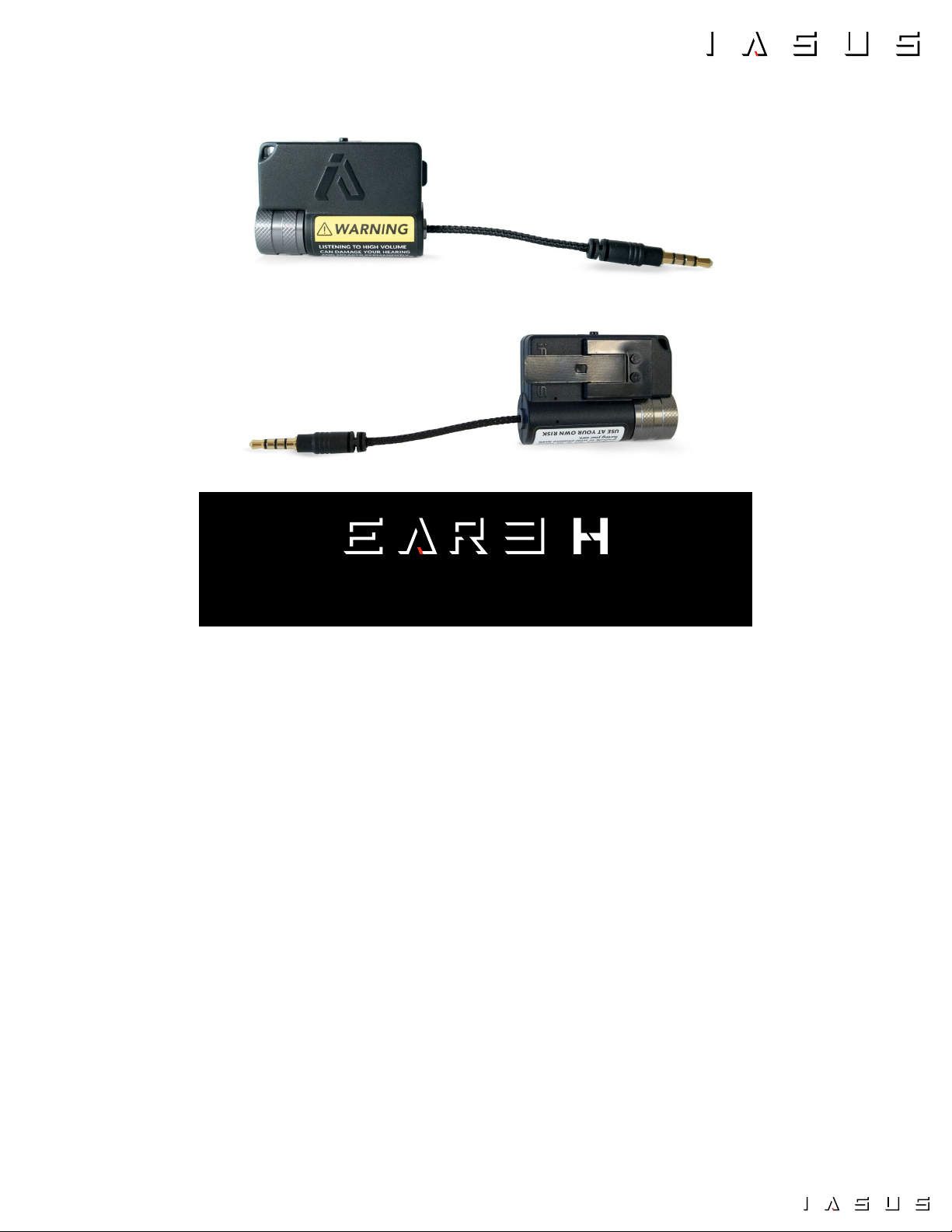
MODEL NUMBER: IA-E3H-AMP
Thank you for choosing the IASUS EAR3H Helmet Amp, the newest evolution in a long line
of IASUS portable audio ampliers. The EAR3H boosts any audio track, giving it a fuller and
more robust sound from a micro and compact form factor, with the signature IASUS quality
and performance many have come to trust.
In addition to boosting volume, the EAR3H also features the embedded Transparent Mic
to introduce transparency into your music by blending in surrounding ambient sounds.
This keeps you safe in no matter what environment you wish to experience premium in-ear
audio.
The EAR3H is based on the EAR3 Micro Amp, but with a special attachement designed for
helmet users - an IASUS proprietary quick release mounting system. Just snap it on and go.
In this manual are instructions and tips to operating the EAR3H Helmet Amp. Should you
have any questions and require assistance with setup and usage, please feel free to visit our
website or contact us directly at : [email protected]
You must register your product to be eligible for warranty service. To register online, please visit the IASUS Concepts website.
To receive warranty service, you will need to provide a copy of your dated sales receipt to confirm warranty status. Please
retain the original copy for your records.
www.iasus-concepts.com

IASUS_EAR3H_OPERATINGINSTRUCTIONS_v1_2020 2
ABOUT THIS MANUAL
WARNINGS
CAUTION
We recommend reviewing this instruction manual in its entirety before using your EAR3H Mobile Amp.
It introduces and explains the EAR3H’s features, how to set them up, and correct operation for a rich user
experience that you come to expect from the best performing amp on the market today.
Any changes or modications to this product not expressly approved by IASUS Concepts Ltd. could void
the 1-year limited warranty. Should there be any questions or concerns about modications, please contact
IASUS.
Do not operate your device at high volume levels when using the EAR3H Amplier. Hearing experts advise
against continuous exposure to high volume levels. If you experience ringing in your ears, discontinue using
the EAR3H immediately.
Do not turn the volume up too high on the EAR3H. This amp has the potential to damage helmet speakers,
earphones, headphones, etc., should they not be rated for a higher audio input. Use the volume amplication
carefully by increasing the volume slowly. Proceed with caution to avoid over boosting your helmet speakers,
earphones, headphones, etc., but most importantly, to avoid permanently damaging your hearing.
!

IASUS_EAR3H_OPERATINGINSTRUCTIONS_v1_2020 3
TABLE OF CONTENTS
PACKAGE CONTENTS .......................................................................4
PARTS & CONTOLS REFERENCE ......................................................5
BOOSTING VOLUME AND SAVING BATTERY LIFE...............................6
CHARGING THE EAR3H ....................................................................6
SPECIFICATIONS...............................................................................5
CONTROLS .........................................................................................7
MOUNTING THE EAR3H ONTO A HELMET.................................. 11
TRANSPARENCY MODE ................................................................. 12
1-YEAR LIMITED WARRANTY ....................................................... 15
CONNECTING THE EAR3H ...............................................................8
POWER ON/OFF ............................................................................ 7
AUDIO SOURCE ............................................................................. 9
AUDIO OUT .................................................................................. 10
VOLUME + / -................................................................................ 7
TURNING TRANSPARENCY MODE ON ........................................ 12
TURNING TRANSPARENCY MODE OFF ...................................... 14

IASUS_EAR3H_OPERATINGINSTRUCTIONS_v1_2020 4
EAR3H AMPLIFIER
A.......... EAR3H Amplifier
B.......... Quick Release Clip
C.......... XSound 3 Helmet Speakers (Sold Separately)
ACCESSORIES
D.......... 3.5mm to USB-A Charging Cable
E.......... Short Extention Cable
F.......... Long Extension Cable with right
angled plug
G.......... Quick Release Mount
H......... 3M Double Sided Adhesive
A
B
C
D E
F
HG
PACKAGE CONTENTS

IASUS_EAR3H_OPERATINGINSTRUCTIONS_v1_2020 5
PARTS & CONTROLS REFERENCE
1.......... Transparency Mode Switch On/Off
2.......... Mic for Transparency Mode
3.......... Input 3.5mm jack Cable
4.......... Output 3.5mm jack plug
5.......... Volume Knob
6.......... Quick Release Clip
7.......... Charging indicator LED
8.......... Lanyard Loop
1
8
4
5
6
2
7
3
SPECIFICATIONS
51mm x 37mm x 20mm
2" x 1-3/8" x 3/4"
30g | 1oz
OPERATION ............20 HOURS /charge
CHARGING TIME ......................3 HOURS
BATTERY CAPACITY .................150mAh
BOOST .................................10Hz to 100Hz +0/-0.1dB
OUTPUT ........................... 55mW / channel x2 @ 16Ω
S/N RATIO .....................................100dB@32Ω, 20mW
FREQ RESPONSE..........10Hz to 100Hz +0/-0.1dB
DIMENSIONS
WEIGHT
BATTERY AUDIO

IASUS_EAR3H_OPERATINGINSTRUCTIONS_v1_2020 6
BOOSTING VOLUME
AND SAVING BATTERY LIFE
CHARGING THE EAR3H
The EAR3H is powered by an internal, non-removable
lithium-ion battery. It is pre-charged, enabling the
EAR3H to be ready for use right out of the box.
When charging is required, connect the included
charging cable to the input jack at the bottom of the
unit and the other end to a computer USB port.
When charging, the Charging Indicator LED (7) is lit
red and will turn off when charging completed.
A full charge can be completed in about 3 hours
when charged using a computer’s USB port (0.5A
output). Each charge allows for usage of up to 20
hours, depending on the output volume level and
ambient temperature.
To prolong the life of the battery cells, IASUS does
not recommend charging the EAR3H using high
output USB chargers (ie. 1.0A, 2.1A, etc).
Note: If the EAR3H will not be used for a prolonged period, fully charge the unit before storing to
prevent permanent damage to the battery.
One of the EAR3H’s main features is amplifying
your audio source’s signals to higher and sufcient
levels for your helmet speakers and earphones. This
results in the fuller and richer sound one comes to
expect from IASUS portable ampliers.
Another main feature is conserving the power on
your audio source (smartphone, music player...)
Example: Lowering the volume on your phone
and turning up the EAR3H will allow you to
achieve the same desired volume while saving
your phone’s battery power.
WARNING: Do not turn the volume up
too high on the EAR3H. It have the potential
to damage helmet speakers, earphones,
headphones, etc., should they not be rated
for a higher audio input. Use the volume
amplification slowly and proceed with caution
to avoid over boosting your helmet speakers,
earphones, headphones, etc., but most
importantly, to avoid permanently damaging
your hearing.
!
!
Use only the included IASUS charging
cable. Using any other charging cable
may cause permanent damage to the
EAR3H.

IASUS_EAR3H_OPERATINGINSTRUCTIONS_v1_2020 7
CONTROLS
The EAR3H is equipped with the IASUS signature
CNC-machined and knurled aluminum volume knob
for an enhanced grip, even when operating with
gloves.
Power on the amp and continue turning clockwise to
your desired volume level.
To power on the EAR3H and increase the volume,
turn the volume knob clockwise until you hear and
feel a click.
To power off the EAR3H, turn it counter-clockwise
until you hear and feel the click.
To decrease the volume, turn it counter-clockwise.
CLICK
POWER ON/OFF
VOLUME + / -
WARNING: Do not turn the volume up too high on the EAR3H. Please exercise extreme caution when
doing so. It has the potential to damage helmet speakers, earphones, headphones, etc., should they
not be rated for a higher audio input. Use the volume amplification slowly and proceed with caution
to avoid over boosting your helmet speakers, earphones, headphones, etc., but most importantly, to
avoid permanently damaging your hearing.
!

IASUS_EAR3H_OPERATINGINSTRUCTIONS_v1_2020 8
CONNECTING THE EAR3H
AUDIO OUT
AUDIO SOURCE
LONG
EXTENSION CABLE
(OPTIONAL)
SHORT
EXTENSION CABLE
(OPTIONAL)
OUTPUT JACK
INPUT JACK
HELMET COMM SYSTEM,
SMARTPHONE,
MUSIC PLAYER...
HELMET SPEAKERS,
EARPHONES...
Note: While the EAR3H Output Jack supports headsets and earbuds with an inline mic, any mic
input will not pass through the EAR3 and into the audio source. A smartphone will not receive
any input from that mic.
IASUS Rekon Helmet Comm System
Sold Separately

IASUS_EAR3H_OPERATINGINSTRUCTIONS_v1_2020 9
CONNECTING THE EAR3H
Connect the Audio Source into the Input jack (3) of
the EAR3H Amp.
In most cases when installing onto a large helmet, use the
included extension cable with right angle plug to connect the
EAR3H Amp with your audio source (helmet comm, smartphone,
music player...).
IASUS Rekon sold separatelyIASUS Rekon sold separately
AUDIO SOURCE

IASUS_EAR3H_OPERATINGINSTRUCTIONS_v1_2020 10
CONNECTING EAR3H
Connect helmet speakers, or earphones directly into
the Output jack (4) of the EAR3H Amp.
If needed, use the included short extension cable. For a tidy
installation, cables can be tucked behind the helmet padding.
AUDIO OUT
IASUS XSound 3 sold separately IASUS XSound 3 sold separately
Este manual sirve para los siguientes modelos
1
Tabla de contenidos
Otros manuales de Amplificador de IASUS


