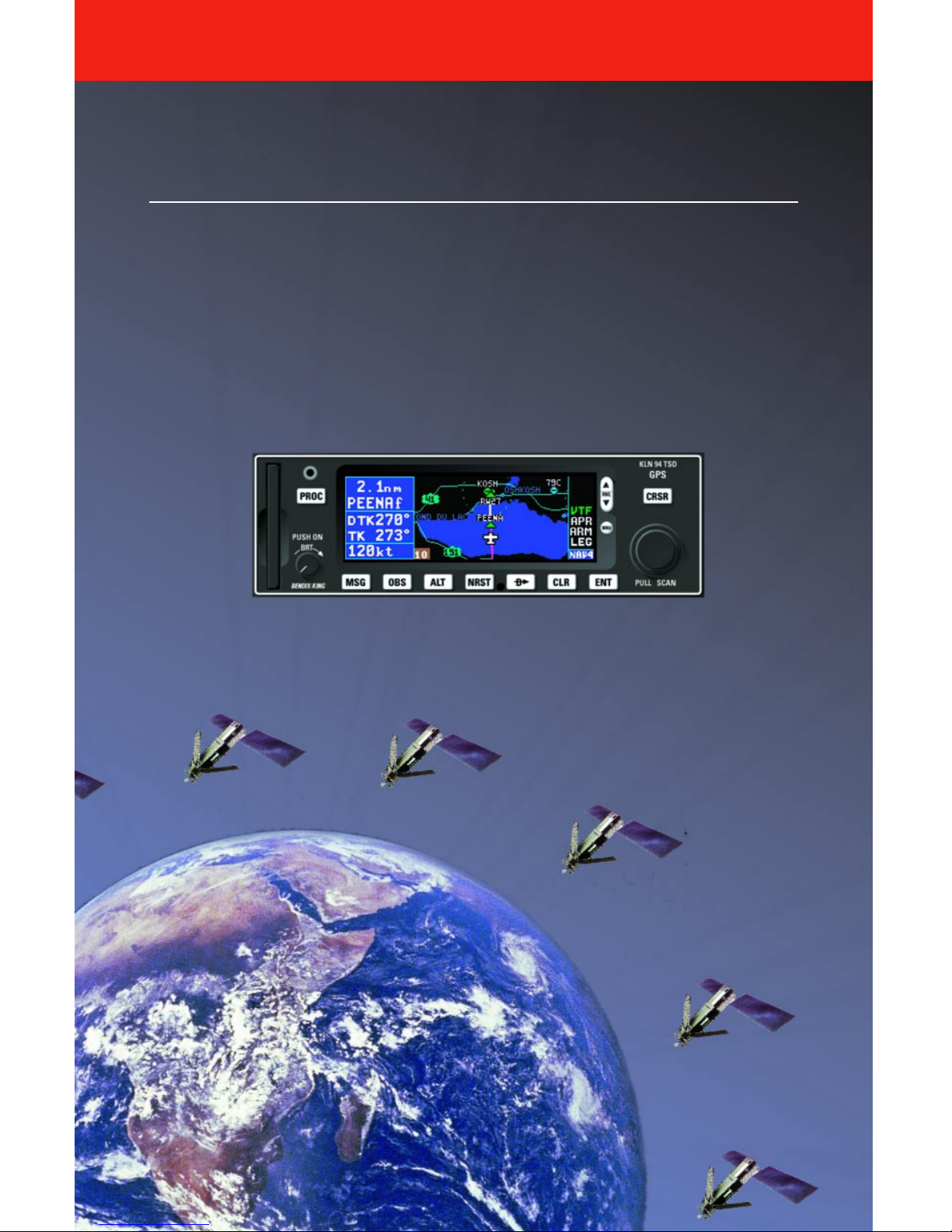
Honeywell BENDIX/KING KLN 94 Manual

Pilot’s Guide
ORS 01, 02 and 03
KLN 94
Bendix/King®
GPS Navigation System
N

WARNING
Prior to export of this document, review for export license requirement is needed.
COPYRIGHT NOTICE
Copyright ©2000-2002 Honeywell International Inc. All rights reserved.
Reproduction of this publication or any portion thereof by any means without the
express written permission of Honeywell International Inc. is prohibited. For fur-
ther information contact the Manager, Technical Publications; Honeywell; One
Technology Center; 23500 West 105th Street; Olathe, Kansas 66061.
Telephone: (913) 782-0400.

KLN 94 Pilot’s Guide
006-18207-0000
Operational Revision Status
ORS 01, 02 and 03
July 2002
The ORS level is annunciated on the Turn-on page each time power is
applied to the KLN 94 (see figure 3-3). Features limited to specific ORS
levels are so designated in the text of this manual. The operational differ-
ences between ORS levels are described below.
ORS 02: Operational characteristics are similar to ORS 01 with the excep-
tion of the following primary differences:
(1) Enhanced waypoint scanning on the Nav 4 map page encircles the way-
point whose identifier is contained in the waypoint scan field. In addition,
pressing the ENT button brings up the waypoint page for the selected
waypoint. See section 3.11.4.11.
(2) Procedure turns and holding patterns associated with approaches, DPs,
and STARs are displayed on the map. See section 3.11.4.12.
(3) New airport map icons now distinguish between airports having hard sur-
face runways vs. soft surface runways and show the orientation of the
longest runway if available. See section 3.11.4.7.
(4) New highway map icons are used for the Atlantic International and
Pacific International databases. See section 3.11.4.7.
(5) There is a new message that appears if the database card is removed
while the KLN 94 is operational. See Appendix B.
(6) The default value for intersections has been changed from 2NM to OFF
on the SET 7 page.
(7) A software problem was fixed which now allows updating of the
Aeronautical database with a computer via diskettes or the Internet. See
sections 2.4.1 and 2.4.2.
(8) The Database page has been modified to display the region for the Land
database. See section 3.2.
(9) Approaches which have the format of “RNAV # 18L” can now be acco-
modated. The “#” is a letter or number that designates there is more than
one approach of a given type (i.e. RNAV) to the same runway. This for-
mat has been adopted by the FAA and other international aviation
agencies.
Example 1: There could be RNAV Y 18L and RNAV Z 18L
approaches at the same airport.
Example 2: There could be RNAV 1 09L and RNAV 2 09L
approaches at the same airport
ORS 03: Operational characteristics are similar to ORS 02 with the excep-
tion that Special Use Airspace inner rings may be displayed on the Nav 4
map page. See section 3.11.4.4.

NOTE: A white border is used around
data on some of the figures in this Pilot's
Guide to indicate that the data inside the
border is flashing.
WARNING: The KLN 94 displays GPS-derived altitude on the AUX 1
page. Due to many factors, GPS altitude may typically be several
hundred feet in error. Do not use the GPS-derived altitude for naviga-
tion.
IMPORTANT: Special installation procedures must be followed in order
for the KLN 94 to be certified for IFR En route, Terminal and Non-precision
Approach use. If these procedures are followed, the KLN 94 can be used
for IFR use. Consult the aircraft’s KLN 94 Flight Manual Supplement for
the operating limitations of this unit.
IMPORTANT: The KLN 94 has two software configuration numbers, one
for the boot software and one for the application software. It may be useful
for you to obtain these software configuration numbers to aid maintenance
personnel if service is required on your KLN 94. The boot software config-
uration number is displayed on a label located on the KLN 94’s top cover.
The bottom of the label reads “BOOT SOFTWARE MOD” followed by the
four digit configuration number. The application software configuration
number is available on the top line of the Auxiliary (AUX) 14 page. It reads
“SW REVISION” followed by a four digit configuration number. These soft-
ware configuration numbers should have been recorded in the aircraft’s
logbook at the time of KLN 94 installation or time of a later software
update.

Revision History and Instructions
Manual KLN 94 Pilot’s Guide
Revision 2, July 2002
Part Number 006-18207-0000
This revision incorprates software changes for ORS 03.
R-1

Revision History and Instructions
Manual KLN 94 Pilot’s Guide
Revision 1, March 2001
Part Number 006-18207-0000
This revision incorprates software changes for ORS 02.
R-2

R-3
Revision History and Instructions
Manual KLN 94 Pilot’s Guide
Revision 0, September 2000
Part Number 006-18207-0000
This is the original version of this publication.

This page intentionally left blank.
R-4

KLN 94 Pilot’s Guide Table of Contents
TOC-1
INTRODUCTION ............................................................................i
KLN 94 SNEAK PREVIEW ...............................................................ii
HOW-TO INDEX ..........................................................................iv
1. KLN 94 System Components ..................................................1-1
2. Database ........................................................................2-1
2.1. Functions of the Database ................................................2-1
2.2. Database Contents and Coverage Areas .........................2-1
2.3. ICAO Identifiers .................................................................2-4
2.4. Updating the Database .....................................................2-4
2.4.1. Computer Updating of the Database (diskettes) ...2-6
2.4.2. Computer Updating of the Database (internet) ......2-8
2.4.3. Card Exchange Updating of the Database ............2-8
2.5. User Defined Database .....................................................2-9
2.6. Database Update Service Options ...................................2-9
3. Basic GPS Operation ................................................................3-1
3.1. Coverage Area ..................................................................3-1
3.2. Turn-on and Self Test .......................................................3-1
3.3. Display Format ..................................................................3-9
3.4. Basic Operation of Panel Controls ..................................3-12
3.4.1. Page Selection ......................................................3-12
3.4.2. Data Entry ..............................................................3-14
3.4.3. The Duplicate Waypoint Page ..............................3-16
3.5. Message Page ................................................................3-18
3.6 Scratchpad Messages .....................................................3-18
3.7. Initialization and Time to First Fix ...................................3-19
3.8. Selecting and Scanning Waypoints ................................3-21
3.8.1. Selecting Waypoints by Identifier ..........................3-21

Table of Contents
TOC-2
3.8.2. Selecting Waypoints by Scanning .........................3-23
3.8.3. Selecting Waypoints by Name or City ..................3-24
3.9. “Nearest” Functions ........................................................3-27
3.9.1. Viewing the Nearest Waypoints ............................3-28
3.9.1.1 Nearest Airport Criteria ................................3-28
3.9.1.2 Continuous Display of Nearest Airport ........3-29
3.9.2. Viewing the Nearest Special Use Airspaces ........3-30
3.9.3. Viewing the Nearest Flight Service Station
Frequencies .....................................................................3-31
3.9.4. Viewing the Nearest Center Frequencies .............3-32
3.10. Direct To Operation .......................................................3-33
3.10.1. Initiating a Direct To ............................................3-34
3.10.2. Cancelling a Direct To .........................................3-36
3.10.3. Waypoint Alerting for Direct To Operation ..........3-36
3.11. Navigation Pages ..........................................................3-37
3.11.1. The Navigation 1 (NAV 1) Page ..........................3-37
3.11.2. The Navigation 2 (NAV 2) Page ..........................3-39
3.11.3. The Navigation 3 (NAV 3) Page ..........................3-40
3.11.4. The Navigation 4 (NAV 4) Page – Moving Map .3-40
3.11.4.1 Selecting The NAV 4 (Map) Page ............3-40
3.11.4.2 NAV 4 Page Format .................................3-41
3.11.4.3. Selecting What Is Shown On The Map ...3-42
3.11.4.4. Configuring Aeronautical Data For
The Map ....................................................................3-42
3.11.4.5. Runway Diagrams ..................................3-44
3.11.4.6. Configuring Land Data On The Map .......3-44
3.11.4.7. Symbols Used On The Map ....................3-46
3.11.4.8. Selecting The Map Orientation ................3-46
Tabla de contenidos
Otros manuales de GPS de Honeywell

Honeywell
Honeywell CAS-100 Manual de usuario

Honeywell
Honeywell KMH 880 Guía del usuario
Honeywell
Honeywell Tracker IIIC Manual de usuario

Honeywell
Honeywell FFP21996 Manual de usuario

Honeywell
Honeywell KLN 90B GPS Manual de usuario

Honeywell
Honeywell KMA 29 Manual

Honeywell
Honeywell KLN 900s Manual

Honeywell
Honeywell KLN 90B GPS Manual de usuario

Honeywell
Honeywell KFC 150 Manual

Honeywell
Honeywell bendis king KLN 94 Manual de usuario