Harman dbx ZC Series Manual de usuario

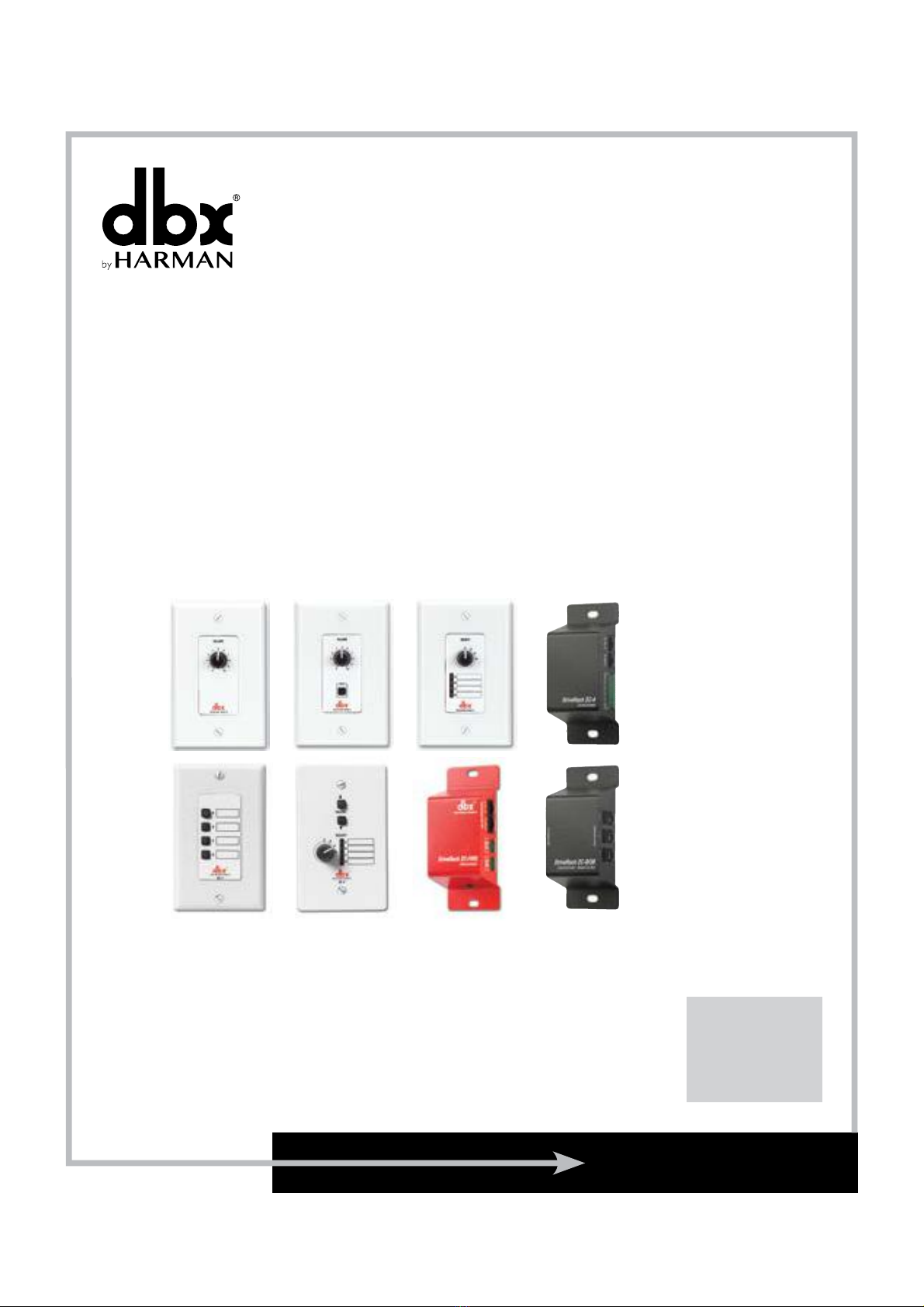
ZC SERIES
Wall-Mounted Zone Controllers
ZC-1-4
ZC-6-9
ZC-Fire
ZC-BOB
User Guide

If you want to dispose this product, do not mix it with general household waste. There is a separate collection system
for used electronic products in accordance with legislation that requires proper treatment, recovery and recycling.
Private households in the 25 member states of the EU, in Switzerland and Norway may return their used electronic products free
of charge to designated collection facilities or to a retailer (if you purchase a similar new one).
For Countries not mentioned above, please contact your local authorities for a correct method of disposal.
By doing so you will ensure that your disposed product undergoes the necessary treatment, recovery and recycling and thus prevent
potential negative effects on the environment and human health.
Do not open the unit. Do not attempt to service the unit yourself. Refer
all servicing to qualified personnel. Opening the chassis for any reason
will void the manufacturer’s warranty. Do not get the unit wet. If liquid
is spilled on the unit, shut it off immediately and take it to a dealer
for service.
The following is indicative of low
altitude use; do not use this product
above 2000m.
WARNING FOR YOUR PROTECTION
READ THE FOLLOWING:
READ THESE INSTRUCTIONS.
KEEP THESE INSTRUCTIONS.
HEED ALL WARNINGS.
FOLLOW ALL INSTRUCTIONS.
DO NOT USE THIS APPARATUS NEAR WATER.
CLEAN ONLY WITH A DRY CLOTH.
FOR INDOOR USE ONLY.
DO NOT BLOCK ANY OF THE VENTILATION OPENINGS. INSTALL IN ACCORDANCE WITH THE
MANUFACTURER’S INSTRUCTIONS.
DO NOT INSTALL NEAR ANY HEAT SOURCES SUCH AS RADIATORS, HEAT REGISTERS, STOVES, OR
OTHER APPARATUS (INCLUDING AMPLIFIERS) THAT PRODUCE HEAT.
ONLY USE ATTACHMENTS/ACCESSORIES SPECIFIED BY THE MANUFACTURER.
UNPLUG THIS APPARATUS DURING LIGHTNING STORMS OR WHEN UNUSED FOR LONG PERIODS
OF TIME.
Refer all servicing to qualified service personnel. Servicing is required when the apparatus has
been damaged in any way, such as power-supply cord or plug is damaged, liquid has been spilled
or objects have fallen into the apparatus, the apparatus has been exposed to rain or moisture, does
not operate normally, or has been dropped.
DECLARATION OF CONFORMITY
Manufacturer’s Name: dbx Professional Products
Manufacturer’s Address: 10653 S. River Front Parkway, Suite 300
South Jordan, Utah 84095, USA
declares that the product:
Product name: dbx Zone Controllers Models 1, 2, 3, 4, 6, 7, 8, 9; FIRE and
BOB
Note: Product name may be suffixed by a combination of the letters EU, M, or V.
Product option: None
conforms to the following Product Specifications:
Safety: IEC 60065 -01+Amd 1
EMC: EN 55022:2010 (N/A, analog product)
EN 55013:1990
EN 55020:1991
FCC Part 15 (N/A, analog product)
Supplementary Information:
The product herewith complies with the requirements of the:
Low Voltage Directive 2014/35/EU
EMC Directive 2014/30/EU
RoHS Directive 2011/65/EU
WEEE Directive 2012/19/EU
With regard to Directive 2005/32/EC and EC Regulation 1275/2008 of
17 December 2008, this product is designed, produced, and classified as
Professional Audio Equipment and thus is exempt from this Directive.
C. Rex Reed
Director, Engineering
Signal Processing
10653 S. River Front Parkway, Suite 300
South Jordan, Utah 84095, USA
Date: August 15, 2016
European Contact:
Harman International
Salisbury House
London Wall
EC2M 5QQ
+44 207 562 9450
or
Harman Professional Inc.
10653 S. River Front Parkway, Suite 300
South Jordan, Utah 84095, USA
Ph: (801) 566-8800
Fax: (801) 568-7583
IMPORTANT SAFETY INSTRUCTIONS
CAUTION
ATTENTION:
RISQUE DE CHOC ELECTRIQUE - NE PAS OUVRIR
WARNING:
TO REDUCE THE RISK OF FIRE OR ELECTRIC
SHOCK DO NOT EXPOSE THIS EQUIPMENT TO RAIN OR MOISTURE
RISK OF ELECTRIC SHOCK
DO NOT OPEN
The symbol shown to the left is an internationally accepted
symbol that warns of potential hazards with electrical
products. The exclamation point in an equilateral triangle
indicates that it is necessary for the user to refer to the
owner’s manual.

®
®
®
®
®
®
1
USER GUIDE ZC Series Wall Controllers
Zone Controller Wiring
The Zone Controllers, (ZC-1, ZC-2, ZC-3, ZC-4, ZC-6, ZC-7, ZC-8, ZC-9 and ZC-Fire) can be wired serially
or in parallel. To wire in series, each Zone Controller must have an identification or zone number chosen
using the DIP switches on the side of the controller (see diagram A). Each controller must have a unique
number chosen — although there may be multiple Zone Controllers controlling a single zone, or a single Zone
Controller that controls multiple outputs. The Zone Controllers can then be wired together and connected to
the compatible device (e.g., DriveRack®220i, 260, ZonePRO™, etc.) (see diagram B).
The Zone Controllers may also be wired in parallel with the use of the ZC-BOB. To wire in parallel (home
run cabling), each controller must have a unique identification or number chosen using the DIP switches on
the rear of the panel (see diagram A). To wire in parallel, each controller must be wired into a port of the
ZC-BOB with a connecting wire going to the controlled device (see diagram C). Diagram D shows the typical
wiring for ZC-4 Euroblock connections in which the installer needs to use SPDT (single-pole, double-throw)
switches with one side being connected to 5 volts (+VREF) and the other side to ground (GND). Diagram E
shows the proper way to interface the ZC-Fire to the fire alarm system. Use only the relay/switch closure or
the 5-24V DC inputs. Do not use both inputs at the same time. For information regarding ZC setup, please
see the respective manual for the device that you are setting up.
RS-232
Diagram B
Diagram A

®
®
®
®
®
®
2
USER GUIDE
ZC Series Wall Controllers
RS-232
Diagram C
4
+V 3 2 1 INOUT
ZC-4
Diagram D
Switches SW1-SW4 correspond to switch inputs 1-4 on the ZC-4’s
EuroBlock connector. Each switch connected to the ZC-4 must
be a Single-Pole Double-Throw (SPDT). One pole of each switch
should be connected to the ground reference on the ZC-4’s
EuroBlock connector while the other pole should be connected
to the +V reference. Because there are four switch inputs, there
are 16 possible switch combinations. In the chart above, a “0”
corresponds to a switch connected to the ground reference; a “1” corresponds to the switch being connected to
the +V reference. None of the poles should be left hanging but should either be connected to +V or ground.
ZC-4 Binary Appnotes
SW4 SW3 SW2 SW1 Hex Setting
000000
000111
001022
001133
010044
010155
011066
011177
100088
100199
1 0 1 0 A 10
1 0 1 1 B 11
1 1 0 0 C 12
1 1 0 1 D 13
1 1 1 0 E 14
1 1 1 1 F 15

®
®
®
®
®
®
3
USER GUIDE ZC Series Wall Controllers
IN
OUT
INPUTS
RJ45 - CONNECT ONLY TO
ZONE CONTROLLER INPUT
RELAY/
SWITCH
CLOSURE
CONTROL
VOLTAGE
5-24 VDC
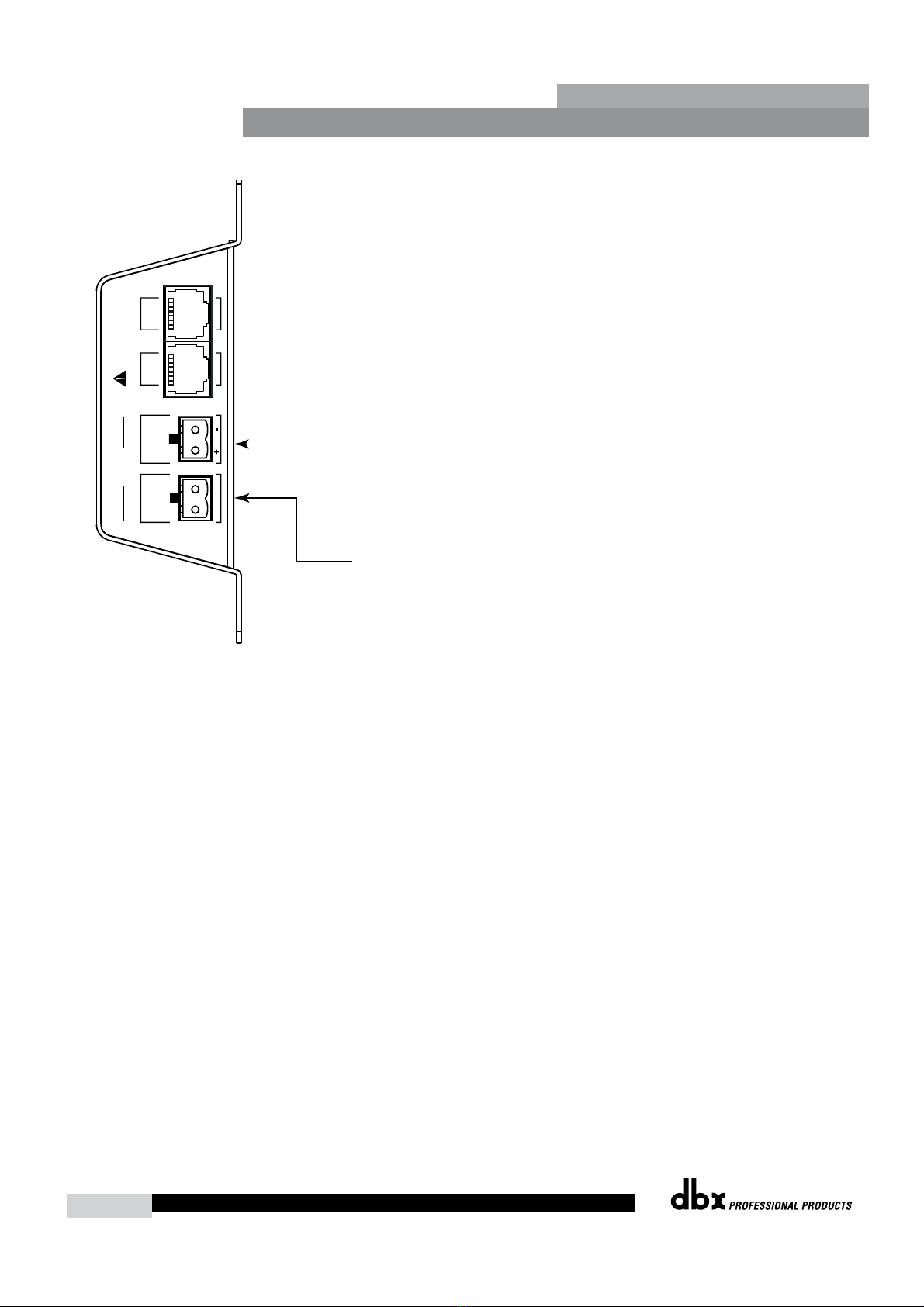
Connect a normally open or normally closed relay closure
to this connector.
Connect a 5-24V DC control voltage to this connector.
Or
ZC-FIRE
Diagram E
Zone Controller Maximum Cable Length
Note - The following cable lengths were achieved using Cat5 Enhanced cable exhibiting a maximum D.C.
resistance of 29 Ohms per 1,000 feet. When connecting Zone Controllers in series, the following cable length
restrictions apply:
• As shown in Diagram F, any (3) Zone Controllers may be wired in series as long as the total cable
length does not exceed 600 feet.
• Any (6) Zone Controllers may be wired in series as long as the total cable length does not exceed 300
feet. Refer to Diagram G.
• Cable runs of up to 1,000 feet may be achieved using “Home Run” wiring. An example of this is
shown in Diagram H. A dbx Zone Controller Break Out Box (dbx ZC-BOB) is used to parallel several
cable runs. It should be noted that a 1,000 foot cable with a single Zone Controller may be connected
directly to the controlled device.
Note - Daisy chaining Zone Controllers to a ZC-BOB (connecting them serially) is not supported or
recommended.

®
®
®
®
®
®
4
USER GUIDE
ZC Series Wall Controllers
RS-232
Diagram G
RS-232
Diagram H
RS-232
Diagram F

®
®
®
®
®
®
5
USER GUIDE ZC Series Wall Controllers
Cable Spec: Cat5 Cable - 4-Twisted Pairs of 24AWG wire
Cat 5 Cable / 4-Twisted Pairs of 24 AWG Wire
RJ-45
(8-Position)
RJ-45
(8-Position)
ON
12345
6
ON
12345
6
ON
12345
6
ON
12345
6
ON
12345
6
ON
12345
6
8 8
Brown
Ground
1 1
White / Orange Voltage Reference
2 2
Orange Controller 1/7
3 3
White / Green Controller 2/8
4 4
Blue Controller 3/9
5 5
White / Blue Controller 4/10
6 6
Green Controller 5/11
7 7
White / Brown Controller 6/12
Zone Controller Compatibility Chart
DriveRack
220i
DriveRack
260
DriveRack
4800/4820
ZonePRO
640(M) / 641(M)
ZonePRO
1260(M) / 1261(M) SC 32 / 64
ZC-1 X X X X X X
ZC-2 X X X X X X
ZC-3 X X X X X X
ZC-4 X X X X X X
ZC-6 X X X X
ZC-7 X X X X
ZC-8 X X X X
ZC-9 X X X
ZC-Fire X X X X
ZC-BOB X X X X X X

®
®
®
®
®
®
6
USER GUIDE
ZC Series Wall Controllers
Safety Warning
The installation of the Zone Controllers MUST be accomplished with the use of cable which is rated VW-1 or
higher. Common NEC designations which meet this rating include: CMP, CMR, CMG, CM and CMX.
Specifications
Connections: ZC-1, ZC-2, ZC-3, ZC-6, ZC-7, ZC-8 and ZC-9 Connectors: (2) RJ-45
ZC-4 Connectors: (2) RJ-45, (1) 6-Pin Phoenix
ZC-BOB Connectors: (7) RJ-45
ZC-Fire Connectors: (2) RJ-45, (2) 2-Pin Phoenix
Wiring: Maximum cable length depends on number of Zone Controllers and wiring
schematic.
Series Wiring: Maximum cable length varies with number of Zone Controllers. For
example, three Zone Controllers: 600 ft., six Zone Controllers: 300 ft.
Parallel Wiring: Using a ZC-BOB: Up to six Zone Controllers: 1000 ft.
Cable: CAT5 or CAT5E with <28.6 Ohm/M (Ohm/1000 ft.) nominal DCR and
rated VW-1 or higher.
Safety Agency Approvals: UL 60065-07, IEC 60065, EN 55013
Shipping Weight: .7 lb.

®
®
®
®
®
®
7
USER GUIDE ZC Series Wall Controllers
Dimensions
ZC-1, ZC-2, ZC-3, ZC-6, ZC-7
[33.0]
[105.7
]
[96.77]
[7.11]
[24.46]
[15.52]
[83.31]
[66.29]
ZC-8 and ZC-9
[114.3] [83.31]
[69.85] [22.86] [20.07]

®
®
®
®
®
®
8
USER GUIDE
ZC Series Wall Controllers
ZC-4, ZC-BOB and ZC-Fire
[53.34]
[120.7]
[40.89]
[133.1]
ZC-1, ZC-2, ZC-3, ZC-6, ZC-7, ZC-8 and ZC-9 EU Models
Este manual sirve para los siguientes modelos
4
Tabla de contenidos
Otros manuales de Controladores de Harman

Harman
Harman AMX NX-3200 Manual de usuario

Harman
Harman AMX Modero X Series Manual de usuario

Harman
Harman AMX NX-3200 Manual de usuario

Harman
Harman AMX MU Series Manual de usuario

Harman
Harman AMX NI-2100 Manual de operación y mantenimiento

Harman
Harman AMX NETLINX NX-1200 Manual de usuario

Harman
Harman AMX NX-2200 Manual de usuario

Harman
Harman JBL PROFESSIONAL INTONATO 24 Manual de usuario

Harman
Harman AMX NETLINX NX Series Guía rápida de usuario

Harman
Harman FG2106-04 Manual de usuario