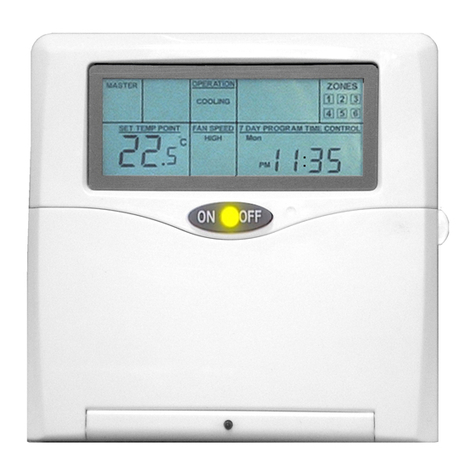
FAN SPEED ADJUSTMENT
Select the desired fan speed by pressing the “FAN SPEED” button.
oIn FAN mode, you can only select HIGH –MEDIUM or LOW fan speed.
oIn DRY mode, the fan operates on low fan speed only.
oIn COOLING or the cooling cycle of AUTO mode, you can select from HIGH –MEDIUM –
LOW –AUTO –HIGH CONSTANT –MEDIUM CONSTANT –LOW CONSTANT –AUTO
CONSTANT with each press.
oIn HEATING operation (AUTO or HEAT mode) the indoor fan speed is automatically controlled to ensure the air
conditioner operates to its maximum efficiency.
oCONSTANT means continuous operation of the fan speed while the control is in operation even when the compressor
has turned off. When CONSTANT is off, when the set temperature is reached and the compressor stops, the indoor
fan also stops.
SET POINT TEMPERATURE ADJUSTMENT
Press the “SET TEMP” UP or DOWN button to increase or decrease the
temperature set-point as desired. Temperature is selectable in ½ °C increments.
The digital LCD display will indicate the set-point temperature while the adjustment is
being carried out.
You can adjust the set-point temperature to different temperatures for Heating or
Cooling mode. Just change the mode selection to “HEATING” or “COOLING” and
adjust temperature as required.
ROOM TEMP DISPLAY
Press “ROOM TEMP.” to display the room temperature of each zone if optional
remote sensors are installed
The LCD will display “ROOM TEMP” at the bottom left hand corner and every time
you press the “ROOM TEMP.” button the zone number will light up (left hand
side) with the room temperature of that zone.
To get back to the set-point temp press either the “SET TEMP” UP or DOWN button.
12 HOUR TIMER
The 12 hour timer will only work on the master control. With unit operating press “12H OFF TIMER”
button. Select the number of hours until the control is to switch off. Unit will be placed into Standby
mode after the set number of hours has passed.
ZONES (OPTIONAL)
If the air conditioning installation has zones installed with the auxiliary zone board
connected select the zones to be turned on.
Press ZONE1 for zone 1, ZONE2 for zone 2 etc.
LOCKING UNUSED ZONES
On installations where less than 6 zones are used, zones 3-4-5-6 can be locked off
to prevent unused zones being turned on. To lock the zones off, press the zone button
and hold for 3 seconds. To unlock the zone, press the zone button and hold for 3 seconds.
SLEEP
SLEEP mode is designed to provide a more comfortable environment whilst the occupants of the air-
conditioned area are sleeping. SLEEP mode does not work in AUTO mode. With the air conditioner
operating the following temperature adjustment will automatically occur.
oSLEEP button pressed, start sleep timer.
Cooling Heating
oAfter 30 min. temp. set point up 0.5°Cdown 0.5°C.
oAfter further 30 min. temp. set point up 0.5°Cdown 0.5°C.
oAfter further 60 min. temp. set point up 1.0°Cdown 1.0°C.
oTotal set back temperature up 2.0°Cdown 2.0°C.
Sleep can be cancelled at any time by any of the following methods.
a. Pressing the SLEEP button.
b. Setting the required number of hours on the “12 hour TIMER”.
c. Setting a program off time to repeat daily.
d. Setting a control start “ON” time to repeat daily.
KEYLOCK
The KEYLOCK function prevents unauthorised persons tampering with the control settings. To activate press and hold “SLEEP”
button for 4 seconds. When activated all control setting operations are disabled with the exception of the ON/OFF key. To
disable the keylock function press and hold “SLEEP” button again for 4 seconds.