
G Sat TR-150 Manual de usuario
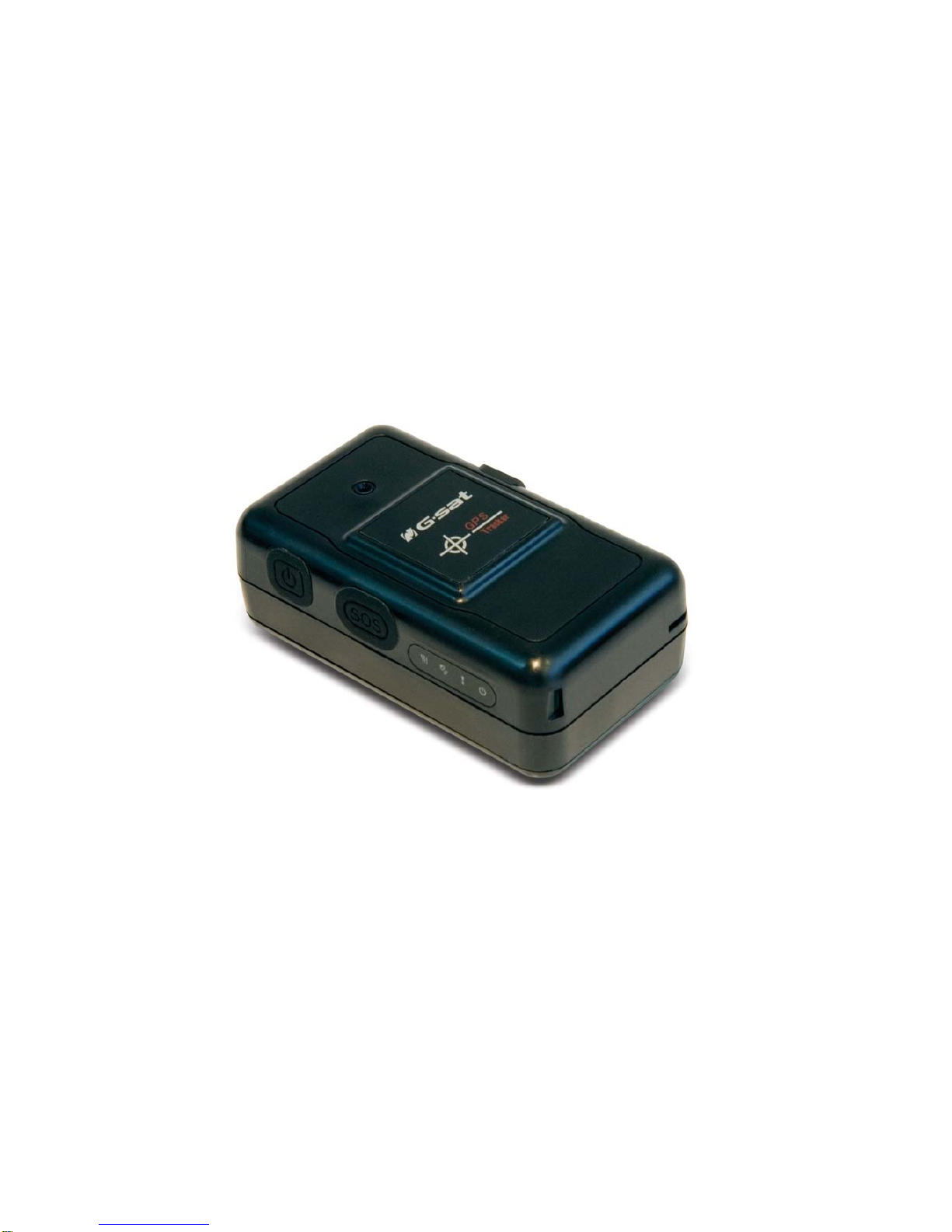
TR-150
Vehicle/Asset Tracker
User Manual
Version 0.2.3

TR-150 page 2
Table of Content
1. Introduction and Features............................................................................................3
1.1 Introduction ..........................................................................................................3
1.2 Features ...............................................................................................................3
2. Specifications...............................................................................................................4
2.1 Hardware.............................................................................................................. 4
3. Start-up........................................................................................................................ 5
3.1 Accessories ...........................................................................................................5
3.2 Install SIM card and Battery ....................................................................................6
3.3 Charging the battery ..............................................................................................8
3.4 TR-150 with magnetic holder ................................................................................... 9
4. Hardware Overview.................................................................................................... 11
4.1 Appearance ......................................................................................................... 11
4.2 Button description................................................................................................ 12
4.3 DIP switch .......................................................................................................... 13
5. TR-150 Setup and Call Center Operation ....................................................................14
5.1 Install the USB driver ........................................................................................... 14
5.2 Install the Call Center program .............................................................................. 15
5.3 Call Center Menu ................................................................................................. 16
5.4 TR-150 Setup ...................................................................................................... 18
5.5 SMS Tracking commands and Configuration for SMS Call Center software developer ...... 20
6. Operating the device ..................................................................................................21
6.1 Turn on / Turn off................................................................................................. 21
6.2 Tracking/Monitoring TR-150 by SMS........................................................................ 22
►SMS Report functions _ Immediate Report .......................................................... 23
►SMS Report functions _ Period Report ................................................................ 24
►SMS Report functions _ Stop Report................................................................... 25
6.3 Geofence ............................................................................................................ 26
6.4 Voice monitor function .......................................................................................... 29
6.5 The format of return SMS from TR-150 ................................................................... 30
6.6 SOS function ....................................................................................................... 31
6.7 SMS Configuration ............................................................................................... 32
►SMS Configuration _ SMS Default Return Phone Number....................................... 33
►SMS Configuration _ Maximum GPS Fixing Time .................................................. 34
►SMS Configuration _ Default Report Mode Setting ................................................ 35
►SMS Configuration _ SOS Numbers .................................................................... 36
7. Appendix .................................................................................................................... 37
FCC Regulations:....................................................................................................... 37
RF Exposure Information (SAR) ................................................................................... 38

TR-150 page 3
1. Introduction and Features
1.1 Introduction
TR-150 is durable and water resistant GPS/GSM tracker. Allow a user to track his
vehicle and assets from anywhere through SMS. TR-150 is designed with high
capacity Li-ion battery for long operation time. There is one SOS button on the
TR-150 for emergency help. It is very easy to install or hide TR-150 in the car to
perform tracking. TR-150 is ideal application for vehicle tracking and
equipment/assets monitoring.
1.2 Features
zSiRF Star III LT GPS chipset, SiRF latest, flagship performance, lowest power
consumption GPS chipset.
zCombination of GPS ,GSM wireless network
zDurable and water resistant GPS tracker
zEasy to install or hide in the car to perform tracking. No external wires needed.
zIdeal application for vehicle tracking and equipment/assets monitoring
zOptional external antenna for GPS reception
zRechargeable 2100mA high capacity Li-ion battery for long operation time
zExternal DC power supply
zConfiguration can be done via SMS commands or by application software via USB
interface.SOS (emergency) button.
zVoice monitor function to monitor the sound/conversation live.
zGeofence function

TR-150 page 4
2. Specifications
2.1 Hardware
GSM module: Siemens GSM 900/1800
GPS Chipset: SiRF Star III LT chipset
Frequency: L1, 1575.42 MHz
C/A code: 1.023 MHz chip rate
Channels: 20 channel all-in-view tracking
Horizontal Position Accuracy: < 2.5 meters
Velocity Accuracy: 0.01 m/s
Tracking Sensitivity -159 dBm
Default datum: WGS-84
Hot start: 1 sec., average
Warm start: 35 sec., average
Cold start: 35 sec., average
Altitude Limit: 18,000 meters (60,000 feet) max.
Velocity Limit: 515 meters/second (1000 knots) max.
Acceleration Limit: Less than 4g
Jerk Limit: 20 m/sec3
Operating temperature: -20° to 55° C
Antenna Type: GPS patch antenna
Dimension: 86.7*48.9*32.5 mm
Battery: 2100mA rechargeable Li-ion battery
LED indicator: For Charging, GPS, GSM and Status.
Interface: Mini USB port for connecting to PC
Casing: Water resistant
GPS external antenna port: MMCX port
TR-150 page 5
3. Start-up
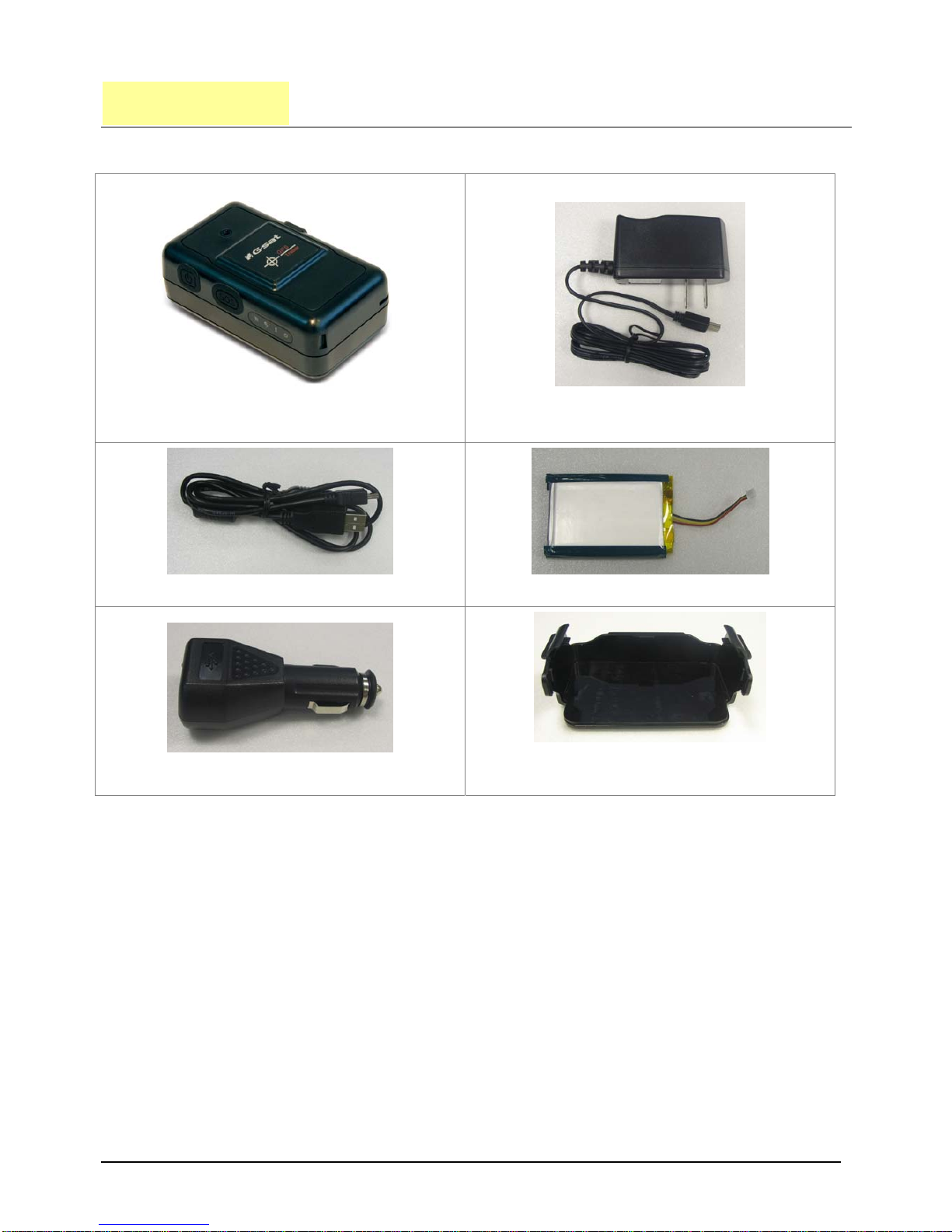
3.1 Accessories
TR-150
AC charger
USB Cable
Battery
Car charger
Mounting bracket with magnet
(optional)

TR-150 page 6
3.2 Install SIM card and Battery
zUse a coin or screwdriver to loosen the screw on back cover.
zLift the back cover and remove it as the direction shown.

TR-150 page 7
zSlide down the SIM card slot as the direction marked “OPEN” on it.
zSlide in the SIM card with its metal contacts facing down and the cut corner at
the top left.
zPlug the battery connector into socket. Be aware that the red wire is on the top
side when you plug in the connector.

TR-150 page 8
3.3 Charging the battery
Before you can use the TR-150, you must complete the following procedures:
1. Fully charge the battery. Before your first time using of TR-150, please connect
it with AC power adapter for battery charging under the power-off condition.
(The included battery is specially designed for TR-150. Please do not use other
type of battery; otherwise it will damage the device. If you need to change the
battery for TR-150, please contact you local dealer.)

TR-150 page 9
3.4 TR-150 with magnetic holder
zInsert the TR-150 with the Power button side facing out.
zPush TR-150 into the holder until it clicks in position.

TR-150 page 10
zOn the back of magnetic holder, there are 4 circular magnets which you can use
it for attaching TR-150 onto the metal material of vehicle or machine.
zTo remove TR-150, slightly push the both sides of holder outward, and slide out
the TR-150.
Tabla de contenidos
Otros manuales de GPS de G Sat


