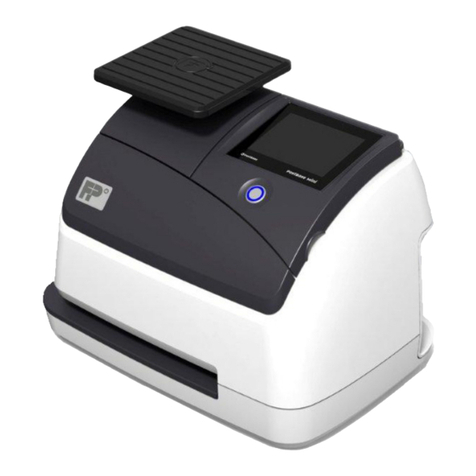
FP Mailing Solutions Optimail Manual de usuario

Optimail
Postage meter
Operator Manual

2
Please read this operator manual before using the
Optimail postage meter.
Please keep the manual near the Optimail at all
times for reference.
Quick Reference Guide
The quick reference gives you an overview of the
most frequently used functions.
The following keywords and symbols identify the
safety tips in this operator manual.
Warning! indicates a potential hazard which may
result in injury.
Caution!indicatesapotential hazard thatmayresult
in damage to the Optimail or impair the metering
process.
The following symbols and graphic representations
are used in this operator manual:
A tip offers advice or additional suggestions for
improving the operation.
Displaysshowtheinputsandcurrentsettings.Fields
which refer to the text have a dark background. An
arrow points out a field to which you should pay
special attention.
The keys to be pressed are highlighted in the key
field symbol.
In the example: Press the Postage value key.
About this Operator Manual

3Optimail – Display
Display for
– Postage value
–Time
– Register values
–…
– Next maintenance due
– Fault: Display with error number,
and/or
Print:
Account/register report
Incoming mail stamp
Service: Memory component /
data backup measure
– Time display
– Fault: System clock
Available postage warning:
Low postage
No postage,
metering not possible
Fault: Ribbon cassette
or mail jam
Postage scale connected,
automatic postage value /
endorsement setting
Flashing:
Print offset ON 1)
Register
(1 … 8)
Account
(1 … 9)
Postage used by
the account
Number of meter imprints
of the account
Endorsement 4)
Incoming mail stamp 1)
Advertisement
Date in the meter imprint

4Optimail – Keyboard
Set endorsement 4)
Display postage used
by an account
TELESET
Display/set print offset 1)
Set
–Advertisement
– Incoming mail stamp 2)
Display/set date
Numeric keys:
Enter numerical values
Change account
Display
register
Display/set
time
Display number of meter
imprints of an account
Program basic
settings
Connect/disconnect
postage scale
Delete, abort input
High postage value
– Confirm for metering
–Setlimitvalue
Back to metering 3)
Set postage value
Legend
1) in incoming mail stamp mode only
2) optional, only if special incoming mail stamps are ordered
3) close ‘incoming mail stamp mode’ or ‘account/register report print mode’
4) only available if the Optimail displays the postage in tenths of a cent (‘0.000’)

Contents 5
1 Safety tips ___________________________________________________7
2 A short description of the Optimail _______________________________8
3 Switching Optimail on/off ______________________________________10
4 Metering ____________________________________________________11
4.1 Setting the postage value __________________________________12
4.2 Setting the advertisement __________________________________13
4.3 Setting the optional endorsement ____________________________14
4.4 Date of the meter imprint / print without date ___________________15
4.5 Changing the account _____________________________________16
4.6 Positioning and metering a letter _____________________________17
5 Account function _____________________________________________18
5.1 Showing account data _____________________________________18
5.2 Printing an account report __________________________________20
5.3 Deleting account information ________________________________21
6 Displaying and printing register values __________________________22
7Loading postage – TELESET ___________________________________24
8 Basic settings _______________________________________________28
8.1 Setting the date __________________________________________28
8.2 Setting the time __________________________________________29
8.3 Setting a high postage value ________________________________30
9 Using the incoming mail stamp function _________________________31
9.1 Things worth knowing about incoming mail stamp _______________31
9.2 Stamping incoming mail ___________________________________31
9.3 Setting a print offset ______________________________________33
9.4 Selecting another incoming mail stamp
(optional)
_________________34
10 Using Optimail with the postage scale ___________________________35
10.1 Connecting the postage scale _______________________________35
10.2 Weighing and metering ____________________________________36
11 Maintenance and care _________________________________________38
11.1 Cleaning _______________________________________________38
11.2 Changing the ribbon cassette _______________________________39

Optimail Operator Manual
6
12 Error messages and tips for helping yourself _____________________ 41
12.1 Error messages – device faults _____________________________ 41
12.2 Error messages – TELESET _______________________________ 44
12.3 Tips for helping yourself ___________________________________ 47
Appendix
Instructions for installation ______________________________________ 51
Setting the outside dialing parameters for the modem _________________ 59
Glossary ____________________________________________________ 61
Technical data ________________________________________________ 63
Index _______________________________________________________ 65
Service _____________________________________________________ 69

Safety tips 7
1 Safety tips
The Optimail is a fully electronic postage meter for metering letters.
The Optimail complies with the pertinent safety regulations for office information
equipment. Please observe the following tips for your own safety.
•Only use the power and interface cables supplied with the machine by
Francotyp-Postalia. Makes sure that the cables are not damaged.
•Connect the Optimail to a grounded single-phase power socket only. Make sure
your office power supply conforms to the power requirements shown on the serial
number plate of the Optimail.
•Make sure the socket for connecting the Optimail is close by and the mains plug is
easily accessible at all times.
•Switch off the Optimail and all devices connected to it before plugging in or
removing interface cables.
•Never plug in interface cables during a thunderstorm.
•Switch off the Optimail before cleaning it or moving it to another location.
•Make sure that no liquids or foreign objects penetrate theinterior of the Optimail. If
this happens, pull out the mains plug immediately. Have the Optimail checked by
your local servicing dealer before using it again.
•Only have maintenance and repair work done by qualified personnelauthorized by
Francotyp-Postalia. Failure to do so will result in voiding of your warranty and loss
of your postal licence. You will be liable for any damages.
The Optimail is designed so that you can install and start it yourself. Please read the
chapter “Instructions for installation” in the appendix to this manual. You are also
welcome to contact our Service department who will help you get started.

Optimail Operator Manual
8
2 A short description of the Optimail
Keyboard
Display
flap/ribbon cassette compartment
with ribbon cassette behind
Release key
(for flap/ribbon cassette
compartment)
Keylock
with key
Power connection Modem socket
(for loading postage via
TELESET)
25-pole port for connecting
the postage scale
Letter guide
Letter receiving tray
Operating instructions
(removable, with advertise-
ments and endorsements)

A short description of the Optimail 9
Things worth knowing about the Optimail
The Optimail is a postage meter for small mail
volumes. It meters letters up to a thickness of 0.2"
(5 mm) and self-adhesive FP labels.
Mode of operation
All the information for the metering process is
electronically stored. The memory component
provides space for new advertisements.
The settings for the meter imprint can be selected
quickly and easily at the push of a button. The dis-
play shows you the current settings at aglance. You
only have to put the letter in place – the Optimail
takes the letter, meters it, and ejects the ready to
send letter to the right.
Very clean meter imprints
Fast cassette change
The thermal printing process provides a clean,
smudge-proof imprint. The solid ink on the ribbon is
heated up asit passes the thermal printhead. Under
pressure, the liquefied ink penetrates the paper of
the envelope and remains permanently bonded.
The ribbon cassette can easily be replaced with just
a few actions.
TELESET
You load postage with the TELESET process via a
built-in modem – fast, comfortable and, if need be,
24 hours a day.
Extended functions
– Automatic date setting.
– Separate registration and accounting of the
postage costs for up to 9 accounts.
– Printing of account information and register data.
– Warning of high postage values and insufficient
available postage.
– Incoming mail stamp function to register incoming
mail.
Operation with postage scale
YoucancombineOptimail withapostagescalefrom
Francotyp-Postalia. The postage scale then controls
setting of the postage value.

Optimail Operator Manual
10
3 Switching Optimail on/off
Switching on
•Insert the key in the keylock on the back of the
Optimail.
•Turn the key to the horizontal position ( = ON).
Self-test
The display shows a dash running from the right to
the left side. This is concluded with two beeps. Now
all segments of the display will briefly illuminate,
followed by another beep. The current date is then
displayed.
Ready for metering
After about 18 seconds, the self-test is completed.
TheOptimailwillbeepagainandthelastsetpostage
value appears. The Optimail is ready for metering.
Sleep mode
If the Optimail is not used for about one minute, i.e.
no imprints are made or no key is pressed, the
postage meter switches over to the time display.
Reactivate the Optimail with the key .
Switching off
•Turn the key to the vertical position ( = OFF).
•Remove the key. Your Optimail is now safe from
unauthorized use.
ON
OFF
Tabla de contenidos
Otros manuales de Equipos postales de FP Mailing Solutions