
Fox Rx+ micron Manual de usuario


2CONTENTS
• Page 3 English
• Page 11 Français
• Page 19 Nederlands
• Page 27 Deutsch
• Page 35 Italiano
• Page 43 Magyar
• Page 51 Poski
• Page 59 Česky
• Page 67 Slovenský
• Page 75 Pусский
• Page 83 Notes

3
ENGLISH
Power Out Socket
(2.5mm)
Sealed Battery Cover
Vari-Bright adjustable
brightness function
Multi Colour LED
adjustment function
D-TEC™ Plus Sensing
System (DTPSS)
Twin Multi-colour LEDs
with Colour Sync™
Indexed Ergonomic
Volume Control
Indexed Ergonomic
Tone Control
Indexed Ergonomic
Sensitivity Control
Rod Friendly Rubber Inlays
• Weatherproof Sealed Case
• Ultra-Long Range™ (RX+ Compatible)
• Digital Circuitry
• See-Saw Effect Elimination Feature
• Audible & Visual Backdrop Indication
• Low Battery Drain
• Anti Theft Alarm (RX+ Receiver Compatible)
• Easy Micron Registration (RX+ Receiver
Compatible)
On / Off Toggle Switch
with 2 operational modes
High Quality
Cone Speaker
Rigid 3/8” Stainless
Steel Thread
Features

4ENGLISH
DO NOT over tighten the battery
compartment screws, excessive
force will damage the screw
threads.
Fitting the Batteries
1. Turn off unit prior to tting or replacing batteries.
2. Using the supplied screwdriver unscrew the two battery cover
screws.
3. Pinch either side of the battery cover to grip and pull the cover
away from the case.
4. Take care removing the batteries. Insert new batteries and
ensure correct polarity.
5. For best weatherproong, ensure battery cover has a good seal
by seating it in place applying rm pressure.
6. Re-t cover and screws.
Battery Requirements
The RX+ Micron requires 2 x LR6 AA 1.5V Alkaline batteries. The use of
good quality batteries is essential for maximum battery life.
To reduce the risk of battery leakage:
• DO NOT mix old and new batteries
• DO NOT mix different battery types
• The use of rechargeable batteries is NOT recommended
If the RX+ Micron will not be used for a long period please ensure the
batteries are removed.

5
ENGLISH
The unit does not beep when switched on or off.
The RX+ Micron comes with a hard case cover. Please ensure the unit is switched off
before attempting to t the hardcase.
Do not use excessive force when tting the hardcase as this may result in damage
to the alarm.
The RX+ Micron is OFF The RX+ Micron is ON and DAY
mode is selected. In this mode you
can choose from 3 pre-set LED
brightness levels (see “Vari-Bright
adjustable brightness
function” on the following page)
The RX+ Micron is ON and NIGHT mode
is selected. In this mode you can choose
from 3 pre-set LED brightness levels (see
“Vari-Bright adjustable brightness func-
tion” on the following page). This mode
also has a nightlight function – when the
alarm is idle, the LEDs will glow faintly.
Switching On / Off
6ENGLISH
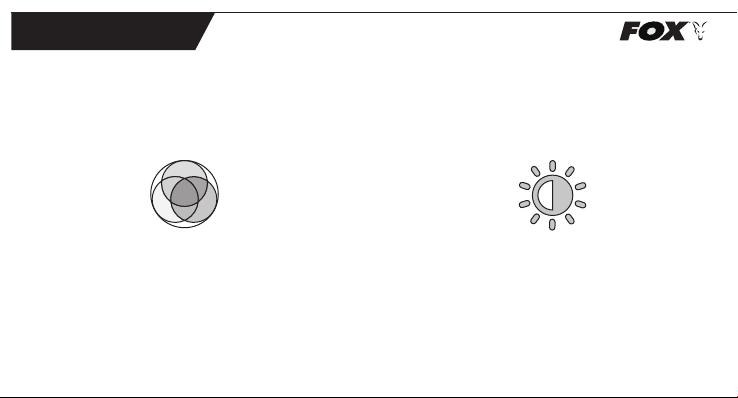
Vari-Bright adjustable brightness function
This allows the choice of 3 LED brightness settings in DAY mode and 3
different brightness settings in NIGHT mode, with the push of a button.
The button is located on the right side of the battery cover when
looking at the back of the alarm and has this symbol on it.
To select the brightness, set the RX+ Micron into DAY or NIGHT mode as
desired and press the brightness button to change the setting.
Your choices will remain stored in the memory of the RX+ Micron,
even when the batteries have been removed.
Multi Colour LEDs with Colour Sync™
This allows the choice of six colours (Red, Green, Blue, Orange, Purple &
White) to be selected with the push of a button.
The button is located on the left side of the battery cover when looking
at the back of the alarm and has this symbol on it.
Your choice will remain stored in the memory of the RX+ Micron even
when the batteries have been removed. This selection will govern the
colour in both Day Mode and Night Mode so any colour change in one
setting will change the other. The RX+ Micron automatically synchroniz-
es the colour selections with the RX+ Receiver.
When the RX+ Micron is switched on the LEDs will illuminate, cycle
through their colours and stay on the selected colour for 10 seconds.
When the RX+ Micron is triggered the LEDs will illuminate in your chosen
colour and stay on or ash (depending on the direction of line
movement) for 10 seconds from the last movement of the roller wheel.

7
ENGLISH
Sensitivity Control
Intelligent Sensitivity Control (With See-Saw Elimination)
Turn the dial clockwise to increase the sensitivity and anti-clockwise
to reduce the sensitivity.
There are eight different sensitivity settings available. In all sensitivity
settings (except maximum), the line must travel the specied distance
in the same direction and within 2 seconds in order to trigger the unit.
Any movement in the opposite direction will reset the distance counter
to zero. This can substantially reduce, or eliminate false triggering
caused by wind and water movement.
Sensitivity Table
Setting 1 = 90mm (Min)
Setting 2 = 73mm
Setting 3 = 56mm
Setting 4 = 34mm
Setting 5 = 17mm
Setting 6 = 11mm
Setting 7 = 5.6mm
Setting 8 = 2.8mm (Max)
Minimum sensitivity
Maximum sensitivity
Low Battery Warning
When the RX+ Micron batteries are low the twin multi-colour LEDs will
automatically change to the colour cyan (green-blue). They will remain
this colour until new batteries are inserted into the alarm.
Once new batteries have been placed into the RX+ Micron the LED
colour will automatically revert back to your last chosen colour.
No audible low battery warning is given by the RX+ Micron.
Controls
Volume Control
Turn the dial clockwise to increase volume, anti-clockwise to lower
volume. There are eight different volume settings available.
The lowest setting is completely silent.
Tone Control
Turn the dial clockwise to raise pitch, anti-clockwise to lower pitch.
There are eight different tone settings available.

8ENGLISH
Radio Compatibility (Ultra-Long Range™)
The RX+ Micron contains an advanced transmitter device, capable of
long distances, this is only compatible with the Fox RX+ Receiver.
Up to eight RX+ Microns can be used at one time with the RX+ Re-
ceiver. Please visit our website or consult the RX+ Receiver manual for
further information.
WORKS EXCLUSIVELY WITH THE RX+ RECEIVER NOT COMPATIBLE WITH
EXISTING FOX RECEIVERS OR EXTENSION BOXES.
Range Test
To activate the range test feature – starting with the alarm switched
ON, turn it OFF and then ON again within 1 second. The RX+ Micron
will then start to transmit a test signal at intervals of approximately one
second, which will be heard on the RX+ Receiver. The RX+ Micron will
signify this by ashing both LEDs approximately once a second. The
user can then walk away with the receiver, to their desired location, to
check that the test signal can still be heard.
NOTE: The RX+ Micron itself will remain silent whilst in test mode – beeps
are heard from the receiver only.
If using more than one bite alarm, select range test mode on ONE unit
only. If more than one unit is placed in test mode, then the test signals
will either be received intermittently, or not received at all. All the bite
alarms will have a similar transmission range in use, provided they have
good batteries.
The test signal will continue until one of the following occurs:
A) Test mode auto-cancels. This will occur approximately ve minutes
after selecting test mode.
B) The unit is triggered by line movement. If this occurs, then the unit
will revert to normal mode.
C) The user switches the unit off. This also cancels test mode and the
unit will re-start in normal mode when switched back on.
Sensitivity control setting also applies in test mode the same amount
of line movement is required to bring the unit out of test mode, as
would normally be required to make it “beep” in normal mode. Once
the unit has exited test mode, it reverts fully to nor mal operation, unless
test mode is initiated again by the user.

9
ENGLISH
Compression Washers
The RX+ Micron is supplied with 2 styles of compression washer. A
conventional rubber O ring and a 2 piece rigid design.
The 2 piece rigid design has the ability to offer 4 different thicknesses
depending on the how they are pushed together.
To use this washer start with the washer in its thinnest conguration.
Snap the halves together as per image (A). Place this on the thread of
the alarm and attach the alarm to your chosen mount. If the thread
tightens at the wrong angle reverse these steps and rotate the top
half of the washer anticlockwise aproximately12° (image B) and snap
together. The washer should now resemble image (C).
If the alarm still does not tighten to the desired angle there are 2 more
follow step 2 and retry the washer in the 3rd height (image D) and
nally the 4th height (image E) should the 3rd height not be correct.
Warnings
• DO NOT trigger LED or speaker in close proximity to human or
animal eyes and ears.
• Store this equipment out of reach of children and infants.
• Avoid dropping or subjecting the Micron to severe impacts.
• Use only recommended batteries and accessories.
Drying Out After Use in Heavy Rain
The RX+ Micron has been designed to be weatherproof. However, after
use in heavy rain, it is important to allow the unit to dry out properly by
bringing the unit indoors and removing the hard case cover.
NEVER place batteries in a hot environment (e.g. on a radiator).
A B C D E

10 ENGLISH
Warranty & Product Information
For customer service returns:
Fox International Group Limited
Customer services
Dennenlaan 3A
2340 Beerse
België
Fox, Micron & RX+ are Registered Trade Marks
Patents Pending
We reserve the right to alter or modify the contents of this manual.
Operating frequency = 869.5MHz
Effective radiated power = 4mW max
IP Rating: IPX5
Hereby, Fox International Group Ltd declares that the radio
equipment type RX+ Micron CEI159 is in compliance with Directive
2014/53/EU.
The full text of the EU declaration of conformity is available at the
following internet address:
https://www.foxint.com/home/support/declarations-of-conformity/
Tabla de contenidos
Idiomas:
Otros manuales de Equipo de pesca de Fox


Manuales populares de Equipo de pesca de otras marcas


Milwaukee
Milwaukee 2873-20 Manual de usuario

VEXILAR
VEXILAR FL-8SLT Manual de usuario

Fishmaster
Fishmaster Casting Platform Guía de inicio rápido

Marcum Technologies
Marcum Technologies PanCam Manual de usuario

Harmony
Harmony SlideTrax 8023061 Manual de usuario

Quantum
Quantum Baitcast Reel Manual de usuario


