
Four-Faith F-NR100 Manual de usuario

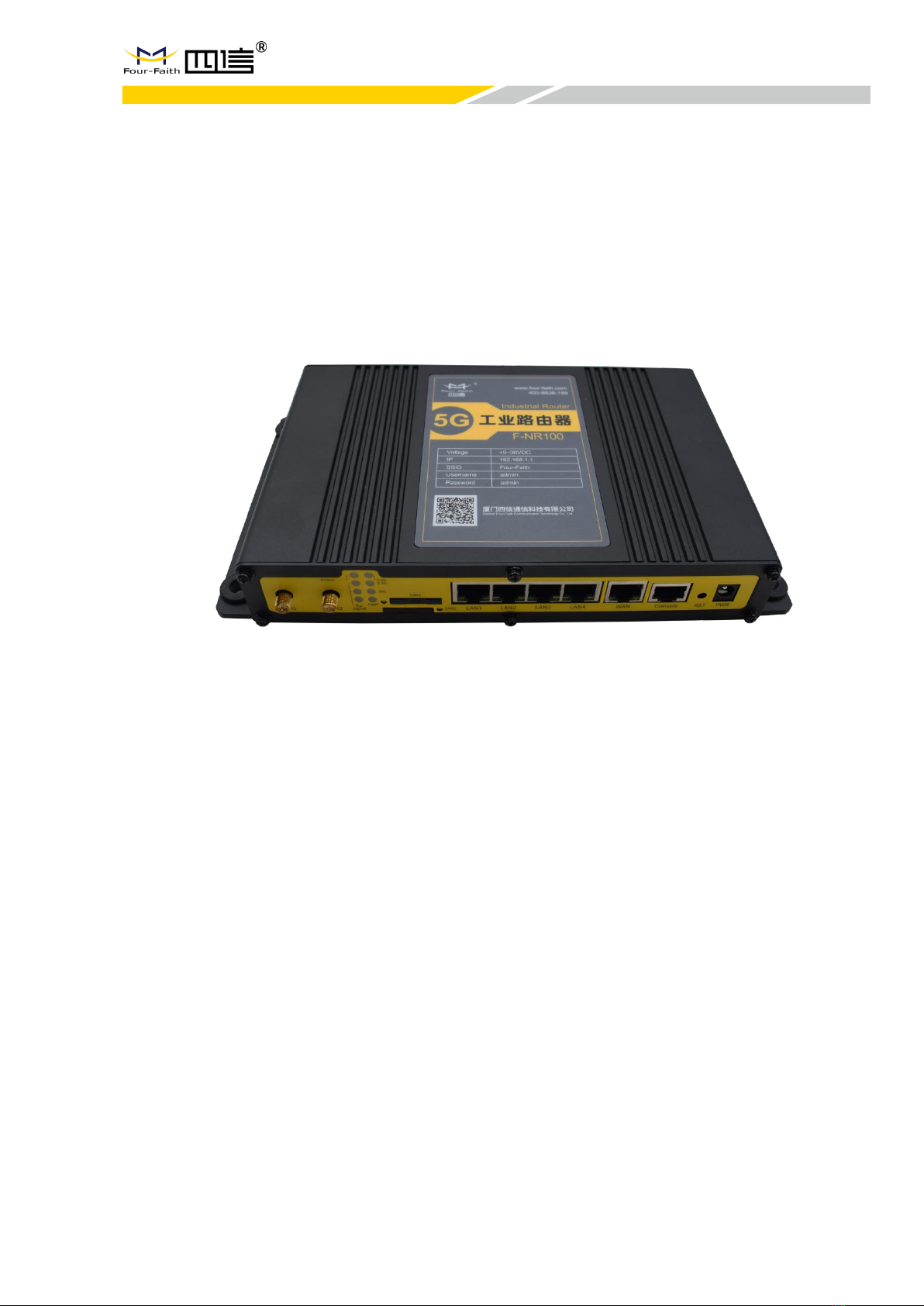
5G Industrial Router
F-NR100
User Manual
V2.0.0
This manual is applicable to the following products: F-NR100
Xiamen Four-Faith Communication Technology Co., Ltd.
https://www.fourfaith.com

F-NR100 User Manual
Document Revision History
Date
Version
Note
Author
2020.4.17
V1.0.0
First Version
XRC
2020.4.20
V1.0.1
Modify picture
LJH
2020.4.29
V1.0.2
Delete Duplicate
content
XRC
2020.4.29
V1.0.3
Modify Package
Content
Fish Yan
2021.8.20
V2.0.0
New Version
Jonas
F-NR100 User Manual
Note: There may be differences between models of accessories and interfaces, actual products shall
prevail.

F-NR100 User Manual
Copyright Notice
All contents in the files are protected by copyright law, and all copyrights are reserved by Xiamen Four-Faith
Communication Technology Co., Ltd.
Without written permission, all commercial use of the files from Four-Faith are forbidden, such as copy,
distribute, reproduce the files, etc., but non-commercial purpose, downloaded or printed by individual (all files
shall be not revised, and the copyright and other proprietorship notice shall be reserved) are welcome.
Trademark Notice
Four-Faith, 四信, , , are all registered trademarks of Xiamen Four-Faith
Communication Technology Co., Ltd., illegal use of the name of Four-Faith, trademarks and other marks of
Four-Faith is forbidden, unless written permission is authorized in advance.
Contact Us
Address:
11th Floor, A-06 Area, No.370, Chengyi Street, Jimei District, Xiamen City, Fujian Province, China
Website:
www.fourfaith.com
Tel:
+86-592-5907276 5907277
Fax:
+86-592-5912735
Post Code:
361021
E-mail:
info@four-faith.com

F-NR100 User Manual
Content
Chapter 1 Product Introduction........................................................................................... 1
1.1 Product Overview ...................................................................................... 1
1.2 Diagram of Working Principle ......................................................................... 2
Chapter 2 Installation .......................................................................................................... 3
2.1 Overview.........................................................................................................................................3
2.2 Packing List....................................................................................................................................3
2.3 Installation and Cable Connection.................................................................................................4
2.4 Power Supply.................................................................................................................................7
2.5 Indicators........................................................................................................................................7
2.6 Reset Button...................................................................................................................................8
Chapter 3 Configuration and Management ......................................................................... 9
3.1 Configuration Connection...........................................................................................................9
3.2 Access the Configuration on Web Page.....................................................................................9
3.3 Management and Configuration...............................................................................................11
3.3.1 Setting ............................................................................................................................11
Basic Setting.............................................................................................................11
Dynamic DNS ...........................................................................................................17
Clone MACAddress .................................................................................................18
Advanced Router......................................................................................................18
VLANS......................................................................................................................20
Networking................................................................................................................20
3.3.2 Wireless..........................................................................................................................23
Basic Setting.............................................................................................................23
Wireless Security......................................................................................................25
3.3.3 Services..........................................................................................................................27
Services ...................................................................................................................27
3.3.4 VPN................................................................................................................................31
PPTP.........................................................................................................................31
L2TP..........................................................................................................................32
OPEN VPN ...............................................................................................................33
IPSEC .......................................................................................................................38

F-NR100 User Manual
GRE ......................................................................................40
3.3.5 Security.......................................................................................42
Firewall ...................................................................................42
3.3.6 Access Restrictions .........................................................................44
WAN Access.............................................................................44
URL Filter ................................................................................47
Packet Filter..............................................................................48
3.3.7 NAT...........................................................................................49
Port Forwarding..........................................................................49
Port Range Forward.....................................................................49
DMZ ......................................................................................50
3.3.8 QoS Setting..................................................................................51
Basic......................................................................................51
Classify...................................................................................51
3.3.9 Applications..................................................................................52
Serial Applications.......................................................................52
3.3.10 Administration ..............................................................................54
Management.............................................................................54
Keep Alive................................................................................56
Commands...............................................................................57
Factory Defaults .........................................................................57
Firmware Upgrade.......................................................................58
Backup ...................................................................................58
3.3.11 Status .......................................................................................59
Router ....................................................................................59
WAN......................................................................................61
LAN.......................................................................................63
Wireless ..................................................................................66
Bandwidth................................................................................67
Sys-Info...................................................................................69
Appendix.....................................................................................................................72
www.fourfaith.com 1Copyright @ Four-Faith 2021
F-NR100 User Manual
Chapter 1 Product Introduction
1.1 Product Overview
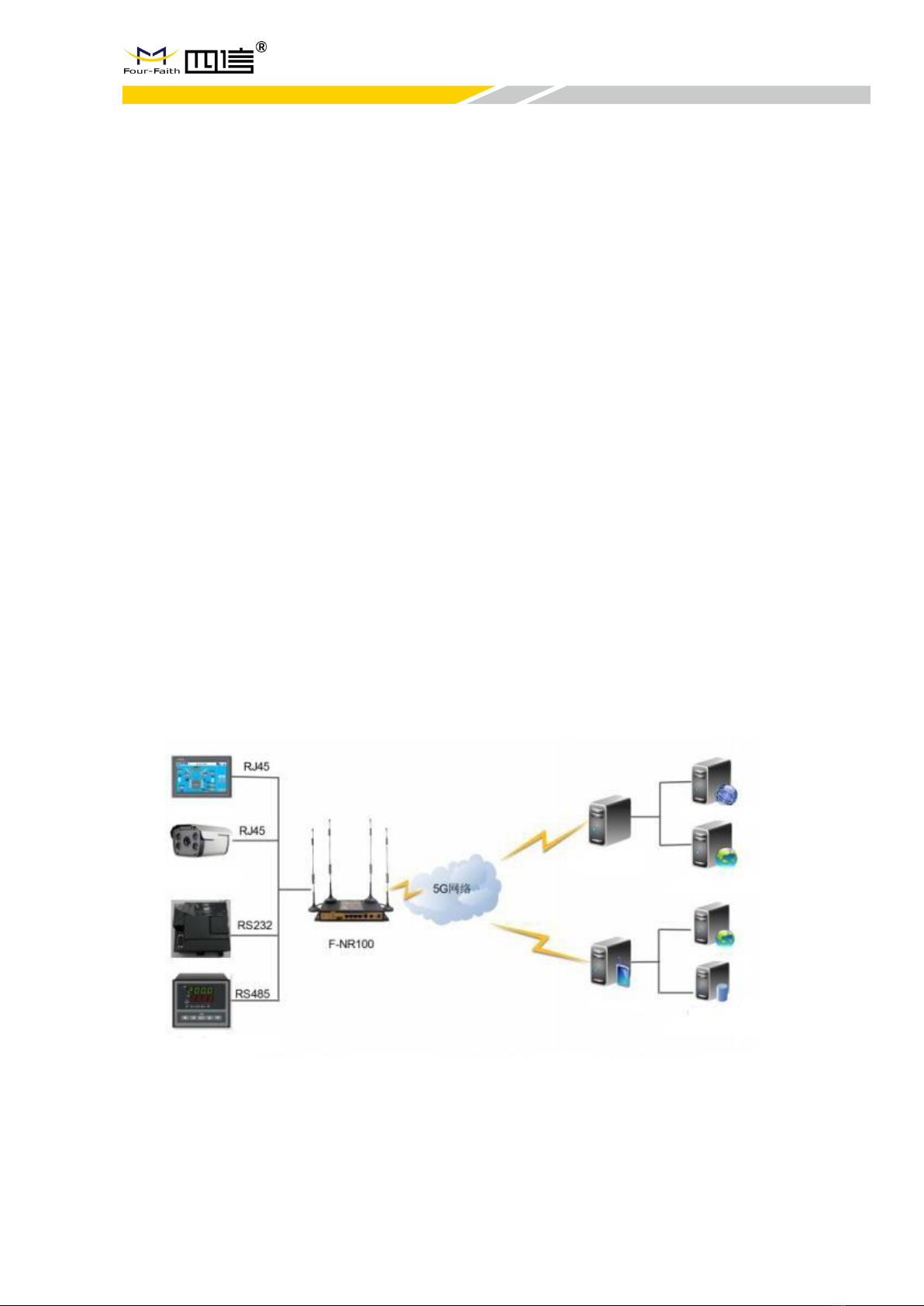
F-NR100 is a wireless communication router for the Internet of Things, which uses
public 3G/4G/5G networks to provide users with wireless
long-distance big data transmission functions.
The product adopts high-performance industrial-grade 32-bit communicationprocessor
andindustrial-gradewirelessmodule,withembedded real-time operating system as the
software support platform, and provides 1 RS232 (or RS485) + 4 Ethernet LAN + 1
Ethernet WAN + 2 WIFI interfaces, which can connect serial devices, Ethernet devices
and WIFI devices at the same time to realize data transparent transmission and routing
functions.
This product has been widely used in the M2M industry in the Internet of Things industry
chain, such as smart grid, smart transportation, smart home, finance, mobile POS
terminals,supply chain automation,industrialautomation, smart buildings, fire protection,
public safety, environmental protection, meteorology,Digitalmedicaltreatment,remote
sensingsurvey,military,space exploration, agriculture, forestry, water affairs, coal mine,
petrochemical and other fields.
www.fourfaith.com 2Copyright @ Four-Faith 2021
F-NR100 User Manual
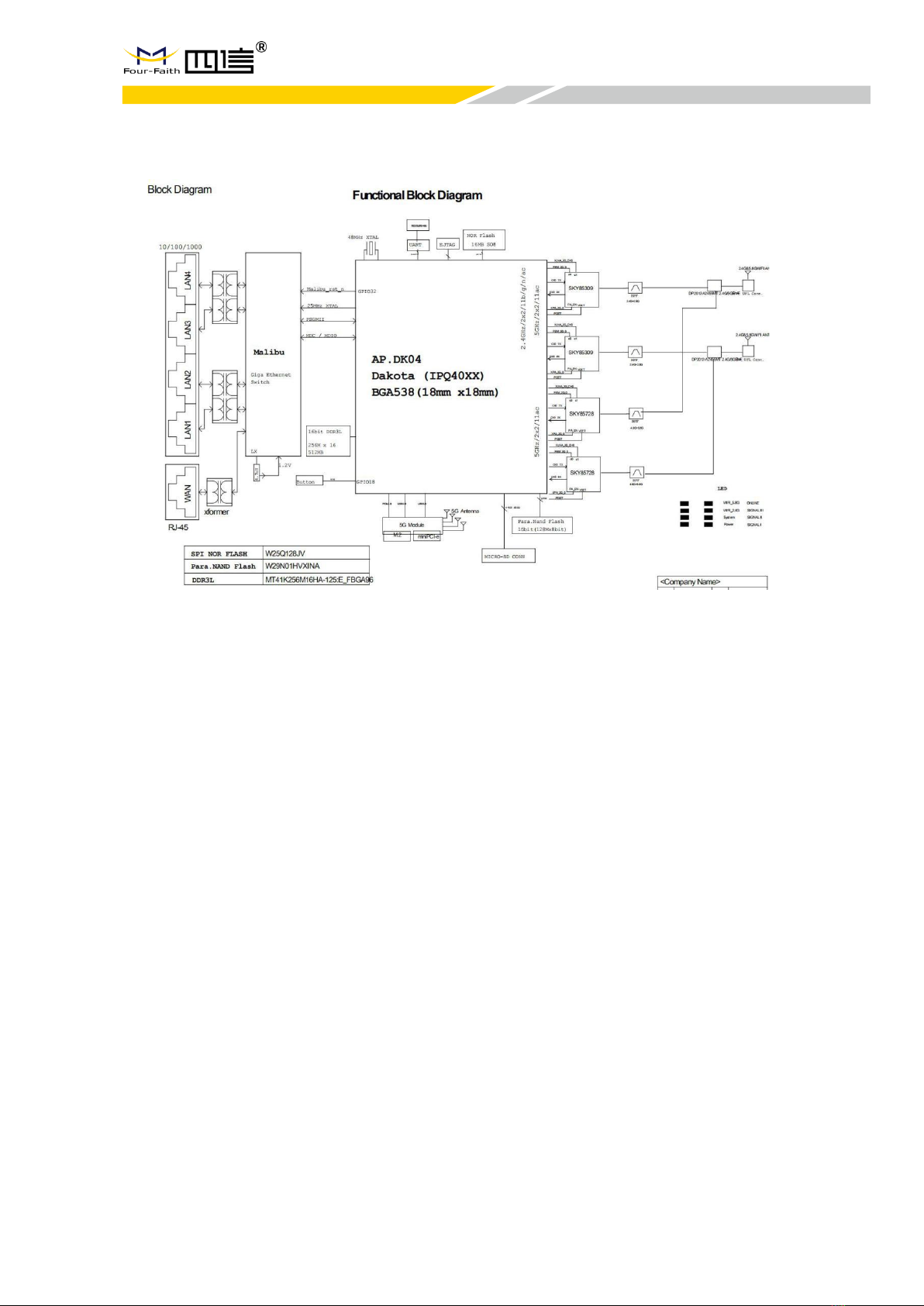
1.2 Block Diagram of Working Principle

www.fourfaith.com 3Copyright @ Four-Faith 2021
F-NR100 User Manual
Chapter 2 Installation
2.1 Overview
5Groutersmustbeinstalledcorrectlytoachievethedesignedfunctions.Usually the
installation of the equipment must be carried out under the guidance of qualified
engineers approved by the company.
2.2 Packing List
When you open the box, please keep the packingmaterials, so that you can use it when
you need to transfer in the future.
The list is as follows:
·
1 x 5G router host
·
4 x 5G wireless cellular antennas (SMA male)
·
2 x WIFI antenna (SMA female)
·
1 x Matching power supply
·
1 x Ethernet direct connection
·
1 x Warranty card

www.fourfaith.com 4Copyright @ Four-Faith 2021
F-NR100 User Manual
2.3 Installation and Cable Connection
Size(mm):
Antenna installation:
The 5G antenna interface is an SMA female socket. Screw the SMA maleof the matching
wireless cellular antenna to the antenna interface and make sure to tightenit. To increase
the isolation ofthe 5Gantenna,try to keepthe antenna at an angle of 30 degrees to
enhance signal quality.
Tabla de contenidos
Otros manuales de Enrutador inalámbrico de Four-Faith


