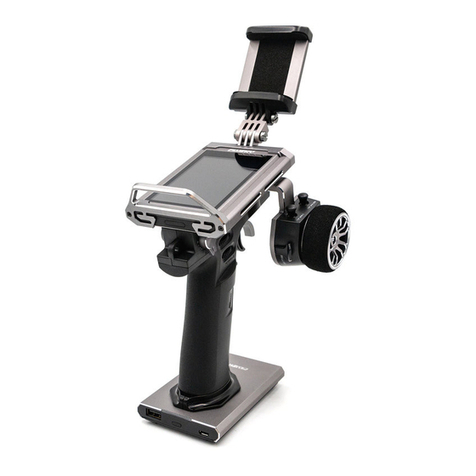
Fly Sky Elysium EL18 Manual de usuario

U s e r M a n u a lU s e r M a n u a l
Copyright ©2022 Flysky Technology co., Ltd
Elysium EL18
Website
.
Touching Innity

Thank you for purchasing our products.
Read the manual carefully to ensure your personal safety as well as the safety of your
equipment. If you encounter any problems during using, please refer to this manual rst.
If the problem is still not resolved, please contact the local dealer directly or contact the
customer service sta via the website below:
http://www.ysky-cn.com
The following documents can be downloaded at the ocial Flysky website:
1. EL18 user manual
2. EL18 Quick Start Guide
3. Disclaimer & Warning
Users are advised to read the Disclaimer & Warning rst, then the EL18 Quick Start Guide
and the EL18 user manual.

1.Safety .........................................................................................................5
1.1 Safety Symbols .........................................................................................................................5
1.2 Safety Guide ..............................................................................................................................5
2.Battery Safety Instructions .........................................................................6
3. Product Description ...................................................................................7
3.1 System Features ........................................................................................................................7
3.2 Transmitter Overview ...............................................................................................................8
3.3 Receiver Overview ..................................................................................................................11
3.4 Antenna ..................................................................................................................................11
4.Before Use ................................................................................................12
4.1Transmitter Battery Installation...............................................................................................12
4.2Receiver Installation ................................................................................................................12
4.3 RF Module Adapter Installation ...............................................................................................13
4.4 Left and Right Gimbal Swap ....................................................................................................13
5. Operation Guide ......................................................................................15
5.1 Basic Setting Guidelines..........................................................................................................15
5.2 Language Selection .................................................................................................................15
5.3 Power On ................................................................................................................................16
5.4Binding ....................................................................................................................................16
5.5 Power O ................................................................................................................................17
5.6 Neck Strap Hook and SD Card Slot ..........................................................................................17
5.7 Warning After Turning On ........................................................................................................17
5.8 Upgrading RF Firmware ..........................................................................................................18
5.9 Upgrading Transmitter Firmware ............................................................................................19
6. Radio Interface .........................................................................................20
7. Function Settings .....................................................................................21
7.1 Select Model ...........................................................................................................................21
7.1.1 Create A Model .................................................................................................................................. 21
7.1.2 Create New Label .............................................................................................................................. 21
7.2 Channel Monitor .....................................................................................................................21
7.3 Model Settings ........................................................................................................................22
7.3.1 Model Name ...................................................................................................................................... 22
7.3.2 Model Image ...................................................................................................................................... 22
7.3.3 Use Global Function ......................................................................................................................... 22
7.3.4 ADC Filter .......................................................................................................................................... 22
7.3.5 Internal RF ........................................................................................................................................ 22
7.3.7 Trainer ............................................................................................................................................... 24
7.3.8 Timer1 ............................................................................................................................................... 24
7.3.6 External RF ........................................................................................................................................ 24
7.3.9 Timer2 ............................................................................................................................................... 26
7.3.10 Timer3 ............................................................................................................................................. 26
7.3.11 Preight Checks .............................................................................................................................. 26
7.3.12 Trims ............................................................................................................................................... 27
Table of Contents

7.3.13 Throttle ...........................................................................................................................................27
7.3.14 HELI Setup ....................................................................................................................................... 28
7.3.15 Flight Modes .................................................................................................................................... 28
7.3.16 Inputs .............................................................................................................................................. 28
7.3.17 Mixes ............................................................................................................................................... 30
7.3.18 Outputs ........................................................................................................................................... 32
7.3.19 Curves .............................................................................................................................................33
7.3.20 Global Variables .............................................................................................................................. 34
7.3.21 Logical Switches .............................................................................................................................. 34
7.3.22 Special Functions ............................................................................................................................35
7.3.23 Telemetry ........................................................................................................................................ 36
7.4 Radio Settings .........................................................................................................................37
7.4.1 Tools .................................................................................................................................................. 37
7.4.2 SD-HC Card ........................................................................................................................................ 37
7.4.3 Radio Setup ....................................................................................................................................... 38
7.4.4 Themes ............................................................................................................................................. 40
7.4.5 Global Functions ...............................................................................................................................40
7.4.6 Trainer ............................................................................................................................................... 40
7.4.7 Hardware .......................................................................................................................................... 41
7.4.8 Version .............................................................................................................................................. 42
7.5 Screen Settings .......................................................................................................................43
7.6 Reset .......................................................................................................................................43
7.7 Statistics .................................................................................................................................44
7.8 About EdgeTX ..........................................................................................................................44
8.Product Specications .............................................................................45
8.1 Transmitter Specications ......................................................................................................45
9. Package Contents ....................................................................................46
10.Certications ..........................................................................................47
10.1 DoC .......................................................................................................................................47
10.2 CE Warning ............................................................................................................................47
10.3 FCC Statement ......................................................................................................................47
10.4 Environmentally friendly disposal ........................................................................................48
10.5 UKCA Compliance Statement ................................................................................................48

1.Safety
Warning • Not following these instructions may lead to major injuries.
Danger • Not following these instructions may lead to serious injuries or death.
Attention • Not following these instructions may lead to minor injuries.
• Misuse of this product may lead to serious injury or death. To ensure the safety of you
and your equipment, read this manual and follow the instructions.
• Make sure the product is properly installed in your model. Failure to do so may result in
serious injury.
• Make sure to disconnect the receiver battery before turning o the transmitter. Failure to
do so may lead to unintended operation and cause an accident.
• Ensure that all motors operate in the correct direction. If not, adjust the direction rst.
• Make sure the model ies within a certain distance. Otherwise, it would cause loss of
control.
• Do not use the product at night or in bad weather like rain or thunderstorm. It can cause
erratic operation or loss of control.
• Do not use the product when visibility is limited.
• Do not use the product on rain or snow days. Any exposure to moisture (water or snow)
may cause erratic operation or loss of control.
• Interference may cause loss of control. To ensure the safety of you and others, do not
operate in the following places:
Near any site where other radio control activity may occur
Near power lines or communication broadcasting antennas
Near people or roads
On any body of water when passenger boats are present
• Do not use this product when you are tired, uncomfortable, or under the inuence of
alcohol or drugs. Doing so may cause serious injury to yourself or others.
• The 2.4GHz radio band is limited to line of sight. Always keep your model in sight as a
large object can block the RF signal and lead to loss of control.
• Never grip the transmitter antenna during operation. It signicantly degrades signal
quality and strength and may cause loss of control.
• Do not touch any part of the model that may generate heat during operation, or
immediately after use. The engine, motor or speed control, may be very hot and can
cause serious burns.
• The EL18 system uses EdgeTX open source rmware. Ocial updates will be posted on
our ocial website from time to time. If you modify or use unocial software, the system
may encounter out-of-control or error. Our company will not accept legal responsibility
caused by unocial software!
Pay close attention to the following symbols and their meanings. Failure to follow these warnings could cause damage,
injury or death.
1.1 Safety Symbols
1.2 Safety Guide

2.Battery Safety Instructions
The battery should be stored in a location that is not accessible to infants and toddlers.
Be sure to charge the battery before ying.
• If a battery leak accidentally comes in contact with skin, clothing, etc., wash it immediately with
water. If it comes in contact with eyes wash immedietly. Seek medical attention if necessary.
When not in use for a long time, remove the battery from the transmitter and store it in a dry
environment.
Do not throw used batteries into the garbage can, etc., and dispose of them according to the
treatment methods specied in each area.
Use only the battery specied by the manufacturer.
Take care to prevent the battery from falling, bumping or vibrating.
If the battery is damaged, stop using it immediately.
Do not use batteries that are damaged, aged or have abnormalities such as leaks.
Do not short circuit the battery.
Do not repair, modify, dissaemble, crush or punture the battery.
Do not allow contact with water.
Do not charge or store the battery in high temperatures or in direct sun light.
Store the battery in a cool, dry environment.
Do not charge under the following conditions:
• Covered or without ventalation.
• In extremely cold or hot conditions.
Do not use around ammable gases or liquids.
Do not bend, stretch or pull on the power cord.
• The power cord may be damaged by re, heat, electric shock etc.

Website
7
3. Product Description
The Elysium, referred to as EL18, is a transmitter using EdgeTX system with a 3.5in IPS color touch-screen. The EL18 has 2
RF options, internal RF and external RF. the internal RF, namely AFHDS 3 supports up to 18 channels of output, the external
RF supports up to 32 channels of output. The system comes with the Tmr receiver, making it a perfect system for FPV.
3.1 System Features
AFHDS 3
EdgeTX
AFHDS 3 (third-generation automatic frequency hopping digital system) is a newly developed digital wireless system with
independent intellectual property rights by FLYSKY. It is compatible with one-way and two-way real-time data packet
transmission and transparent data stream transmission.In other words, this system has advantages of both AFHDS 2A and
WS2A wireless system. It equips with a brand-new 2.4G chip, stable and reliable connection, good real-time performance,
and supports various congurations. Bring you the optimal conguration for multi-scenario application performance.
EdgeTX is an open source operating system for transmitter. EdgeTX is very powerful. Users can congure the transmitter
according to their own needs, making transmitter more comprehensive and higher performance.
Compatible with
One-way/two-way
Real-time Data
Transmission
The system supports one-way and two-way connections. When the transmitter is working in one-
way transmission way, the receiver can receive data from the transmitter. When the transmitter
is working in two-way transmission way. The receiver can receive data from the transmitter and
the transmitter can also receive data from the receiver, as well as the information cross from the
temperature and speed sensor modules.
Data Transparent
Transmission
The independent data transparent transmission module is built into RF system, which can
realize data transmission via transmitter and transparent transmission. It can be used for data
transmission of ight control.
Intelligent RF
Conguration
To set the parameters which aect RF transmission distance, speed and anti-interference, such
as numbers of channels, resolution, bandwidth and receiver sensitivity. The system can be set
according to dierent application requirements to obtain the most suitable performance.
Multi-channel
Frequency
Hopping
This systems bandwidth ranges from 2.402GHz to 2.480GHz. Set intelligent RF congurations
accordding to your required, it can avoid or reduce the interference from other transmitters with
the same frequency via dierent congurations, dierent time of powering on the transmitter,
various patterns to the hopping frequency and various using frequency spots.
Unique ID
Recognition
System
Each transmitter and receiver has it's own unique ID. Once the transmitter and receiver have been
bound, they will save the each other's ID and only connect with each other. When the syetem is
working,if the IDs are matched with each other, then the connection will be connected, otherwise,
there is no connection between transmitter and receiver. This unique ID recognition syetem resists
the interference so as to make the system stabler and more reliable.
Low Power
Consumption
It is built using highly sensitive, low power consumption components. And it works in the way of
interval data transmission to improve transmitting ecient eectively and extend the working time
of the battery distinctly, while it consumes as little as one tenth the power of a standard FM system.

Website
8
Elysium EL18
3.2 Transmitter Overview
Front View
[1] Type-C USB Port [10] Battery Compartment Covers
[2] VRA [11] Trainer Port
[3] Switch B [12] VRB
[4] Switch A [13] Switch C
[5] TRIM [14] Switch D
[6] Left Stick [15] TRIM
[7] Grip [16] Right Stick
[8] Power Switches [17] Touch-screen
[9] Neck Strap Hook [18] SD Card Slot
<>

Website
9
Back View
[19] Speaker [25] DFU Button
[20] Switch G [26] Screw Holes for Fixing Neck Strap Hook
[21] Switch H [27] Switch F
[22] RF Firmware Forced-update Button [28] Switch E
[23] Type-C Connection Toggling Button [29] Stealth I/O RF Module Interface
[24] Screw Holes for Fixing RF Module Adapter [30] Rotatable Antenna
<>
<>
Type-C USB Port: For charging, simulator or update.
VRA: Knob
VRB: Knob
Switch A: Short 2 position switch
Switch B: Short 3 position switch
Switch C: Short 2 position automatic return switch
Switch D: Short 2 position switch
Switch E: Long 2 position automatic return switch
Switch F: Short 3 position switch
Switch G: Short 3 position switch
Switch H: Long 2 position automatic return switch
TRIM(Left)/TRIM(Right): Trim for aileron , elevator, throttle and rudder
Left Stick:Non self-centering
Right Stick:Self-centering
Trainer Port:For trainer function
RF Firmware Forced-update Button: For forced updating the RF module rmware
Type-C Connection Switch Button: For switching the Type-C to connect the transmitter MCU or RF module MCU
DFU button: To update the transmitter rmware
Stealth I/O: To connect to the external RF module
Antenna:Omnidirectional antenna, foldable
Switches/Buttons/Ports

Website
10
Elysium EL18
DFU Button
The DFU button is located in in the screw hole marked in the green circle in the picture below. The DFU button is used to
update the EL18 rmware.
Note: Do not operate the DFU button with sharp or metal objects to prevent damage to its internal structure.
For the steps on use (To be updated...)
Type-C Connection Toggling Button
To toggle the Type-C connection to RF MCU or the transmitter MCU. When the RF rmware needs to be focred upgraded,
press this button to toggle the Type-C connection to RF MCU rst.
Note: By default, the Type-C connects to the transmitter MCU.
DFU Button
Type-C Connection Toggling Button
SD Card Slot
Tabla de contenidos
Otros manuales de Controladores de Fly Sky