
Evesham PS1025 Manual de usuario

Nav-Cam 7000
User Guide
Model Number: PS1025

Congratulations on your purchase of the Nav-Cam 7000. Not only can
you use your Nav-Cam 7000 as an in-car navigation system, you can
also use it as an MP3 player and a photo album viewer.
Please read through the following manual carefully in order to use
your Nav-Cam 7000 correctly.

Contents
Nav-Cam 7000 User Guide .................................................................. 1
Contents......................................................................................................3
DESCRIPTION OF BUTTONS, ETC................................................ 4
ACCESSING THE NAVIGATOR FUNCTION................................. 6
MP3 PLAYER ...................................................................................... 7
Mp3 player button definitions..................................................................8
Playing music .............................................................................................9
Adjusting the volume ................................................................................9
Changing the order of tracks ...................................................................9
Repeating tracks ........................................................................................9
Creating a play list ..................................................................................10
PHOTO ALBUM................................................................................ 11
Viewing photos.........................................................................................12
Using the slideshow .................................................................................14
SETUP................................................................................................ 15
Setting the time/date................................................................................16
Setting the volume ...................................................................................17
Screen options ..........................................................................................18
Calibrating the touch screen ..................................................................18
Adjusting the brightness .........................................................................18
Setting the Idle Time ...............................................................................20
Choosing the language ............................................................................21
System Information.................................................................................22
DOWNLOADING FILES TO THE MEMORY CARD ................... 23
CARE AND MAINTENACE............................................................. 24
TROUBLESHOOTER ....................................................................... 25
Terms and Conditions………………………………..………...……24

DESCRIPTION OF BUTTONS, ETC.
FRONT VIEW
TOP VIEW
BOTTOM VIEW
Main Menu
Navi
g
ato
r
Directional
/OK keys
Zoom in
Zoom out
Touch screen GPS si
g
nal indicato
r
Power indicato
r
Head
p
hone/Socket
SD card slot
Hardware reset switch
Software reset button

SIDE VIEWS
BACK VIEW
USB
connector
St
y
lus
Foldable GPS Antenna
External
power
connecto
r
External
antenna
connector on/off

ACCESSING THE NAVIGATOR FUNCTION
Switch the unit on and tap Navigator in the Main Menu screen.
Alternatively, you can use the directional keys to highlight
Navigator and then press the OK key.
After the application loads the main Navigator menu will appear. For
more information regarding the Navigator function please see the
Navigator Manual.

MP3 PLAYER
Playing music on your Nav-Cam 7000 couldn’t be easier.
Switch the unit on and tap MP3 in the Main Menu screen.
Alternatively, you can use the directional keys to highlight MP3
and then press the OK key.
The MP3 screen will now appear in the display:
NOTE: Music must be loaded to the SD memory card from your
computer. See the section entitled DOWNLOADING FILES TO
THE MEMORY CARD for more information.

Mp3 player button definitions
The MP3 Player Buttons are defined as follows:
Son
g
title
Time
V
olume indicato
r
Exit MP3
player
Se
q
uence/random indicato
r
Linear/repeat
indicator
Distance throu
g
h track
Increase volume
Decrease
volume
Select linear/re
p
eat
Select se
q
uence/random
Pla
y
list
Fast forward
Rewind
Pla
y
/
Pause Sto
p

Playing music
While on the MP3 screen, press the Play button to begin
listening to music.
To pause music, press the Pause button .
To stop listening to music, press the Stop button .
To skip to the next track, press the Fast forward button .
To go to the beginning of the current track or skip back to the
previous track, press the Rewind button .
Adjusting the volume
To adjust the volume, press the Increase volume or Decrease
volume buttons.
Changing the order of tracks
To choose between playing tracks in sequential order or random
order, press the Select sequence/random button. The current order
is indicated in the top left-hand side of the screen.
NOTE: The appearance of the Select sequence/random button
changes depending on the current mode.
Repeating tracks
To choose between repeating tracks or not, press the Select
linear/repeat button. The current mode is indicated in the top left-
hand side of the screen.
NOTE: The appearance of the Select linear/repeat button
changes depending on the current mode.
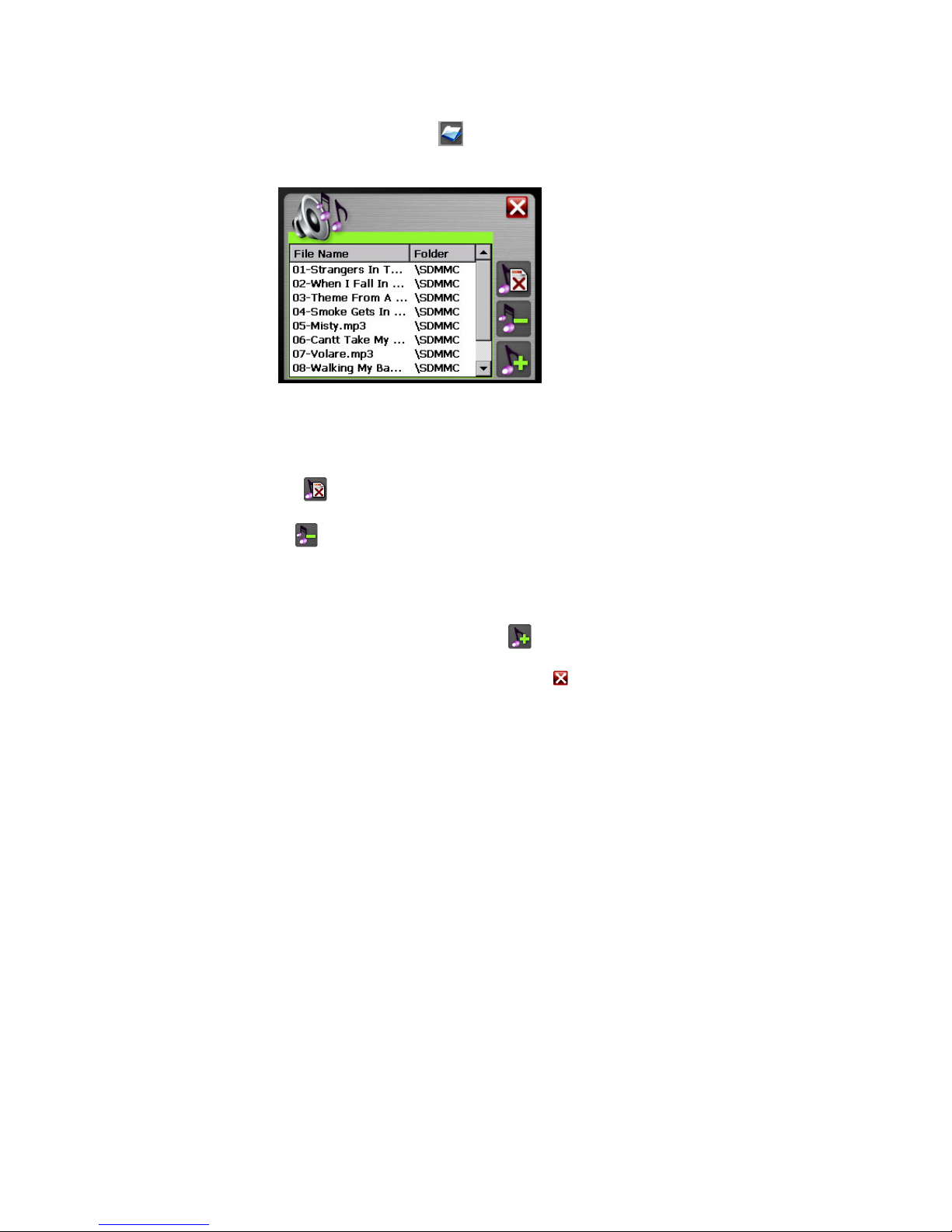
Creating a play list
Press the Play list button
The Play list screen will now appear in the display
NOTE: By default, all tracks in the My Music folder of the Memory
Card are added to the play list.
To remove ALL tracks from the play list, press the Remove all
tracks button. You will be asked to confirm this operation.
To remove only the currently highlighted track, press the Remove
track button.
NOTE: To change which track is highlighted, use the up/down
direction buttons or the touch screen.
To add tracks, press the Add track button, then navigate to
the track/s you would like to add.
To exit the Play list screen, press the Exit button.
Este manual sirve para los siguientes modelos
1
Tabla de contenidos
Otros manuales de GPS de Evesham


