
ETEKCITY MSR-A1000 Manual de usuario


2
Thank you for purchasing the MSR-A1000
Digital Multimeter by Etekcity.
If you have any questions or concerns, please reach out to our
We hope you enjoy your new multimeter!
BECOME AN ETEKCITIZEN
Get exclusive deals, giveaways, and product
registration. Better products for better living.
Find us at etekcity.com

3
1 x Digital Multimeter
2 x 1.5V AA Batteries (Pre-Installed)
2 x Test Leads
1 x Temperature Probe
2 x Alligator Clip Cables
1 x Hook Clip
1 x User Manual
Package Contents
Safety Information
• Electrical Symbols
Multimeter Features
• Display Symbols
• Button Functions
Operation
• General Use
• DC/AC Voltage Measurement
• Resistance Measurement
• Continuity Measurement
• Diode Measurement
• Capacitance Measurement
• DC/AC Current Measurement
• Temperature Measurement
• Frequency Measurement
• Non-Contact AC Electric Field
Sensing
• Other Functions
Maintenance
• General Maintenance
• Replacing the Batteries
• Replacing the Fuses
Technical Index
• Specifications
Warranty Information
Customer Support
3
4
5
6
7
8
9
9
10
11
12
13
14
15
16
16
17
18
19
19
19
20
21
21
28
30
Package ContentsTable of Contents

4
WARNING
Safety Information
The following safety certification standards
apply to this multimeter:
• CE certifications
• EN 61010-1:2010 and EN 61010-2-030:2010
• EN 61326-1:2013 and EN 61326-2-2:2013
• Overvoltage category: CAT II 1000V/CAT
III 600V
• Double insulation
• Material pollution grade II
Only use the multimeter as directed, or the
multimeter may be damaged, and you may be
seriously injured.
• To reduce the risk of fire, electrical shock,
or other serious injury, please read and
follow all instructions and warnings in this
manual.
• The person responsible for this
equipment must ensure that all users
understand and follow the instructions.
• To avoid electric shock, never connect
leads to power sources that may exceed
1000V.
• Check the insulation layers (protective
coverings) of the multimeter and the test
leads before use. They should be in good
condition without any damage or broken
wires.
• To avoid electric shock, do not use
the multimeter if the rear cover or the
protective jacket is not fully in place.
• Do not use the multimeter if it is
damaged, if any part is removed, or if
you suspect that the multimeter is not
working correctly.
• Always inspect all parts of the multimeter
and the test leads before using. Always
replace damaged test leads.
• Do not apply more than 1000V between
the multimeter terminal and the ground.
In this manual:
WARNING identifies conditions and actions
that are dangerous to the user or may damage
the multimeter and test leads.
5
• To avoid electric shock, be extremely
cautious when the measured voltage is
higher than DC 60V or AC 30Vrms.
• To avoid damaging the multimeter,
always turn the rotary dial to the correct
position when using.
• Do not change the range on the rotary
dial while the test leads are connected to
a power source.
• Do not alter the internal circuitry of the
multimeter. This may result in serious
injury.
• Do not use or store the multimeter in
wet or humid environments, in very
high temperatures, around explosive or
flammable substances, or in areas with
strong magnetic fields. The multimeter
will not perform correctly, which may
create a safety hazard.
• Never touch any exposed metal while
measuring. Keep fingers behind the finger
guards of the test leads.
• Avoid working alone.
• Do not allow children to operate or play
with this multimeter.
• Household use only.
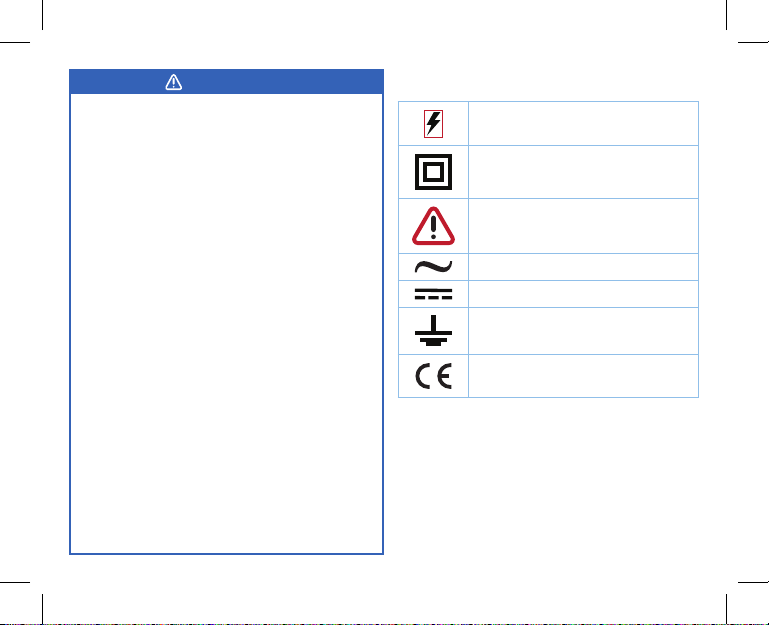
Electrical Symbols
High Voltage Hazard
Double Insulation
Warning
AC
DC
Grounding
Conforms to European Union
Directives
WARNING

6
Multimeter Features
A. Protective Jacket
B. Internal NCV Sensor
C. LCD Screen
D. Function Buttons
E. Stand
F. Rotary Dial
G. AInput Terminal
H. mA/uA Input Terminal
I. COM Input Terminal
J. Terminal
K. Test Lead Caps
L. Test Lead
M. Type K Thermocouple
Temperature Probe
N. Alligator Clip Cable
The MSR-A1000 is a multifunctional
multimeter with a large LCD screen,
true RMS, and both auto and manual
range. This multimeter is designed
with a new intelligent ADC chip,
overvoltage and overcurrent alarms,
lightning protection (6kV), and high
voltage protection. It is an ideal
digital multimeter for commercial
and industrial electricians.
B
D
A
C
F
E
L
GHIJ
M
K
N
7
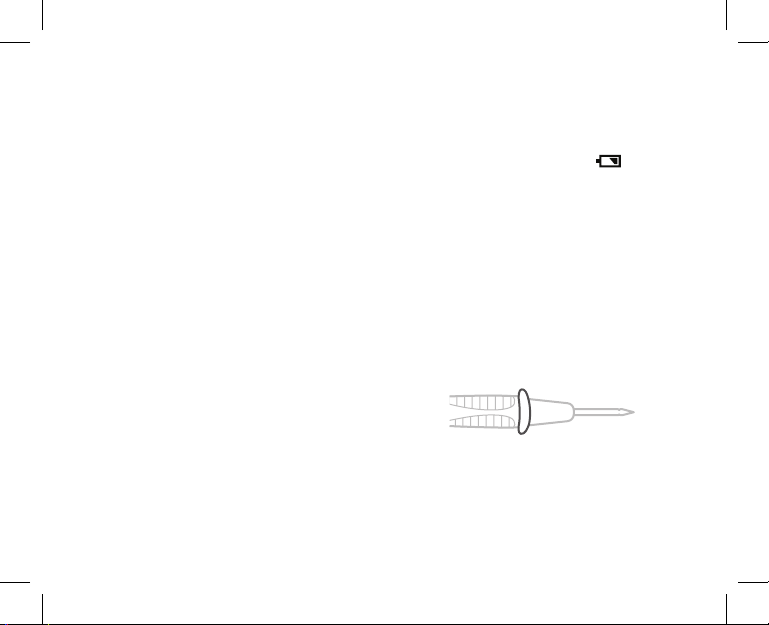
Display Symbols
Symbol Description
Auto power-off
High voltage warning
Data hold is active
Indicates a negative reading
AC measurement indicator
DC measurement indicator
Low battery indicator
Non-contact voltage detector
Input value is too large for the
selected range
Diode test
Continuity test
Capacitance test
Ohms (resistance)
Kilohm, 1 x 10³or 1,000 ohms
Symbol Description
Megaohm, 1 x 10⁶or 1,000,000
ohms
Volts (voltage)
Millivolt, 1 x 10⁻³ or 0.001 of a volt
Amperes or amps (current)
Milliamp, 1 x 10⁻³ or 0.001 of an
amp
Microamp, 1 x 10⁻⁶ or 0.000001 of
an amp

8
Button Functions
Button Description
SELECT
Press to switch between
resistance/diode/continuity/
capacitance, °C/°F
temperature, and AC/DC
current.
RANGE
Press to switch to manual
range at ACV, DCV, mV,
resistance, uA, mA and A
positions.
REL
Press to clear the base value
at ACV, DCV, mV, resistance/
capacitance, uA, mA and A
positions.
HOLD/
Press to enable/disable the
data hold mode (hold the
current measurement on the
display). Press and hold this
button for 2 or more seconds
to turn the backlight on or off.
9
• Inspect the test leads for damaged insulation
or exposed metal parts. Check the leads for
continuity. Replace damaged test leads if
necessary.
• Keep your fingers behind the finger guards
at all times when handling the test probes.
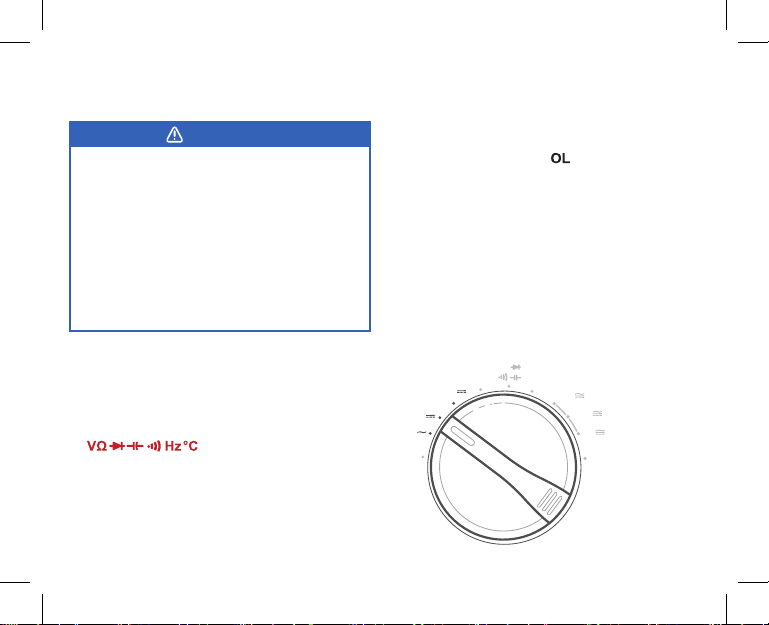
[Figure 1.1]
• Always remove the test leads from the item
being measured before changing the range.
• Check the fuses in the multimeter before
measuring current. Always make sure
power to the circuit has been shut off before
connecting the multimeter to the circuit.
Once you have properly connected the
multimeter, power on the circuit.
• Remember to replace the batteries as soon
as the low battery indicator appears
(see Replacing the Batteries, page 19). The
multimeter may produce incorrect readings
if it is operated with a low battery.
• When measuring low voltages, the
multimeter reading will fluctuate a small
amount. This is due to ambient electricity
in the air.
• Always make sure the rotary dial is in the
correct position before using the multimeter
to measure anything.
General Use
Operation
Figure 1.1
10
AC Voltage, DC Voltage, and DC
Millivoltage Measurement
Note:
• If the range of the measured voltage is unknown
before measuring, select the maximum range
and then gradually reduce the measuring range
until the multimeter shows an accurate reading.
• The display will show “ ” if the reading is
over range (if there is an overload within the
selected voltage range). Select a higher range
to get a correct reading.
• In each range selection, the multimeter has an
input impedance of 10MΩ. This load effect can
cause measurement errors in high impedance
circuits. If the circuit impedance is less than or
equal to 10kΩ, the error can be ignored (0.1%
or less).
• Before using the multimeter, try measuring a
known voltage to verify it is working correctly.
WARNING
• To avoid electric shock, DC
measurement should be less than
1000Vrms, and AC measurement
should be less than 750Vrms. It is
possible to measure higher voltage,
but this may damage the multimeter
and cause personal injury.
• Always take extra care to avoid
electric shock when measuring high
voltages.
1. Turn the rotary dial to the AC voltage, DC
voltage, or DC mV (millivolts) position.
[Figure 2.1]
2. Insert the black test lead into the COM
terminal, and the red test lead into the
terminal.
3. Connect the test leads in parallel to the
object being measured. Hold them in place
until the reading on the display stabilizes.
Hz
A
mA
µA
mV
V
V
OFF NCV
Ω
°F°C
Figure 2.1
Tabla de contenidos
Otros manuales de Multímetro de ETEKCITY

ETEKCITY
ETEKCITY MSR-R500 Manual de usuario

ETEKCITY
ETEKCITY MSR-C600 Manual de usuario

ETEKCITY
ETEKCITY MSR-A2000 Manual de usuario

ETEKCITY
ETEKCITY MSR-R500 Manual de usuario

ETEKCITY
ETEKCITY MSR-C600 Manual de usuario

ETEKCITY
ETEKCITY MSR-A600 Manual de usuario

ETEKCITY
ETEKCITY MSR-U1000 Manual de usuario
Manuales populares de Multímetro de otras marcas


Gossen MetraWatt
Gossen MetraWatt METRAmax 6 Manual de usuario

PeakTech
PeakTech 4000 Manual de uso y cuidado

YOKOGAWA
YOKOGAWA 90050B Manual de usuario

Gossen MetraWatt
Gossen MetraWatt METRALINE DMM16 Manual de usuario

Fluke
Fluke 8846A Manual de operación y mantenimiento

Tempo Communications
Tempo Communications MM200 Manual de usuario


