
Estun E21S Manual de usuario

Page 1 of 41
E21S Shear Numerical Control Device
Installation Manual
V1.01
ESTUN AUTOMATION CO., LTD
Address : No.155 Jiangjun Road, Jiangning
Development Zone Nanjing P.R.C 211106
Postal code: 211106
TEL: 025-52785569
FAX: 025-52785966
WEB: www.estun.com
E-mail: [email protected]


Page 3 of 41
Document Revision Record
Seria
l No. Versio
n No. Revisio
n Date Descriptio
n Revised by Approved by Remarks
1 V1.00 2012-6-4 Initial
release.
Yao Qing
2 V1.01 2012-6-6 Update
Assembly
Drawings.
Yao Qing


Page 5 of 41
Preface
Target reader
This manual is applicable to operators of E21S shear numerical control device,
including:
Machine tool operators
Installation and maintenance personnel
Range of application
Installation and maintenance personnel can install and operate this device
properly by referring to this manual.
Regulation
The design of E21S shear numerical control device complies with the
following grade standard:
Grade standard of EMC test:
−GBT 17626.2-2006 Electromagnetic compatibility(EMC) - Testing
and measurement techniques - Electrostatic discharge immunity test.
Grade 3, contact discharge ±4KV, air discharge ±8KV.
−GBT 17626.4-2008 Electromagnetic compatibility - Testing and
measurement techniques - Electrical fast transient/burst immunity
test.
Grade 3, power port ±2KV, communication port ±1KV.
−GBT 17626.3-2006 Electromagnetic compatibility - Testing and
measurement techniques - Radiated radio-frequency electromagnetic
field immunity test
Grade strength: 10V/m, criteria: Grade A.
−GB/T 17626.8-2006 Electromagnetic compatibility(EMC) - Testing
and measurement techniques - Power frequency magnetic field
immunity test.
30A/m, 50~60HZ, criteria: Grade A.
−RE Test, reference standard EN55011
Execute CLASS A standard.
Environmental test standard
−Low temperature; refer to JB-T 8832-2001 General requirements for
numerical control systems of machine tools.

Page 6 of 41
0 ℃, 2hours. Low temperature store -20℃. Criteria: normal start up,
normal operation.
−High temperature, refer to JB-T 8832-2001 General requirements for
numerical control systems of machine tools, 40 ℃, 2hours. High
temperature store 55℃. Criteria: normal operation.
−Constant temperature wet, refer to JB-T 8832-2001 General
requirements for
numerical control systems of machine tools, 40 ℃, humidity
93%~95%, 2 hours. Criteria: normal operation.
−Vibration impact, refer to JB-T 8832-2001 General requirements for
numerical control systems of machine tools.
Personnel
Only authorized and properly trained person is allowed to operate this
equipment. Any person without necessary training is not allowed to use this
control system, not even for temporary use.
Area of responsibility distributed for personnel participating in installing,
operating and servicing equipment shall be stipulated explicitly and be
confirmed eligible.

Page 7 of 41
Content
Preface ..........................................................................................................................5
1 Specification.............................................................................................................9
1.1 Display ...................................................................................................................................9
1.2 Internal memory.....................................................................................................................9
1.3 Electrical specification...........................................................................................................9
1.4 Encoder specification...........................................................................................................10
2 Installation .............................................................................................................11
2.1 Annoucements before installation ........................................................................................ 11
2.2 Installation space and direction............................................................................................ 11
2.3 Installation environment ...................................................................................................... 11
2.4 Installation dimension .......................................................................................................... 12
2.5 Installation layout................................................................................................................. 13
2.5.1 Layout of rear panel....................................................................................................13
2.5.2 Rear panel port description .........................................................................................13
2.5.3 Overall wiring scheme ................................................................................................14
2.5.4 Electrical wiring scheme.............................................................................................14
2.6 Definition of system interface..............................................................................................15
2.6.1 Definition of power interface......................................................................................15
2.6.2 Definition of input interface........................................................................................15
2.6.3 Definition of external output interface........................................................................17
2.6.4 Definition of encoder interface ...................................................................................17
2.6.5 Definition of communication interface.......................................................................18
3 Parameter Description of Machine Tool ..........................................................19
3.1 Enter parameter page ...........................................................................................................19
3.2 Parameter specification ........................................................................................................ 21
4 Debugging..............................................................................................................23
4.1 Preparation before debugging ..............................................................................................23
4.2 Debugging procedure...........................................................................................................23
4.3 Debugging............................................................................................................................23
4.4 Actual processing .................................................................................................................25
5 Diagnosis ................................................................................................................26

Page 8 of 41
5.1 Enter diagnosis page ............................................................................................................26
5.2 Input diagnosis .....................................................................................................................27
5.3 Output diagnosis ..................................................................................................................27
5.4 Keyboard diagnosis..............................................................................................................28
5.5 FRAM diagnosis ..................................................................................................................28
5.6 Encoder diagnosis ................................................................................................................ 29
5.7 LCD diagosis .......................................................................................................................29
6 Maintenance...........................................................................................................31
6.1 Instructions to maintenance.................................................................................................. 31
6.2 Routine inspection................................................................................................................31
6.3 Periodic inspection............................................................................................................... 32
7 Appendix ................................................................................................................35
7.1 External power description ..................................................................................................35
7.2 Grounding design.................................................................................................................35
7.2.1 Ground classification in equipment cabinet................................................................ 35
7.2.2 Equipment grounding design ......................................................................................36
7.3 Protective measures..............................................................................................................37
7.3.1 Measures to ensure electromagnetic compatibility ..................................................... 37
7.3.2 Instructions to E21S electricmagnetic compability installation..................................39
7.3.3 Install freewheeling diode on relay.............................................................................39
7.4 Demonstration of AC Asynchronism motor wiring .............................................................40

Page 9 of 41
1 Specification
1.1 Display
LCD display
Dimension of display window: 54.38mm*54.38mm
Dot matrix: 160*160
Status light
Green indicates running.
Red indicates stop.
1.2 Internal memory
Capable of storing 40 programs, each program includes 25 steps at most.
1.3 Electrical specification
POWER
Input voltage: DC24V±10%
Rated current: 1A
INPUT
Input voltage: DC24V±10%
Maximum input current: 10mA
OUTPUT
External voltage: DC24V±10%
Maximum current: 70mA

Page 10 of 41
Encoder power
Output voltage: DC12V±5%
Allowable maximum output current: 500mA
Absolute temperature:
Working temperature: 0~40℃
Storage temperature: -20~55℃
1.4 Encoder specification
Power supply is DC 12V.
Incremental encoder, single-ended output, with Z/C phase.
Voltage-type output.
Otros manuales para E21S
2
Tabla de contenidos
Otros manuales de Controladores de Estun

Estun
Estun E200 Guía del usuario

Estun
Estun TRIO Flex-X Nano Manual de usuario

Estun
Estun E21 Manual de usuario

Estun
Estun E21 Manual de usuario

Estun
Estun E-Series Manual de usuario

Estun
Estun EP1000 PLC Manual del propietario

Estun
Estun Trio MC404-Z Manual de usuario
Estun
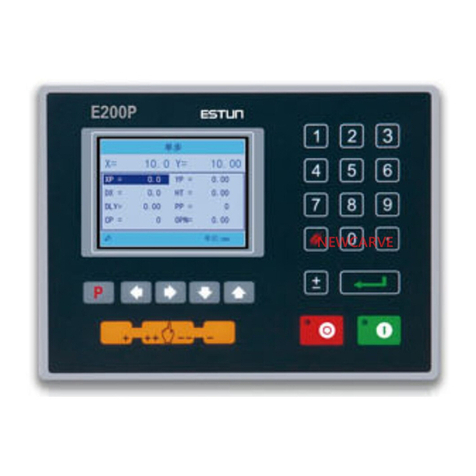
Estun E200P Manual de usuario

Estun
Estun S1E Series Manual de usuario

Estun
Estun TRIO Flex-6 Nano Manual de usuario


