Elko SmartMove Multiwire Dimmer Push Manual de usuario

ELKO - SmartMove Multiwire Dimmer Push
Device user guide
Information about features and functionality of the devices
11/2022
www.elko.no

Legal Information
The ELKO brand and any trademarks of ELKO AS and its subsidiaries referred to in
this guide are the property of ELKO AS or its subsidiaries. All other brands may be
trademarks of their respective owners.
This guide and its content are protected under applicable copyright laws and
furnished for informational use only. No part of this guide may be reproduced or
transmitted in any form or by any means (electronic, mechanical, photocopying,
recording, or otherwise), for any purpose, without the prior written permission of
ELKO.
ELKO does not grant any right or license for commercial use of the guide or its
content, except for a non-exclusive and personal license to consult it on an "as
is" basis. ELKO products and equipment should be installed, operated,
serviced, and maintained only by qualified personnel.
As standards, specifications, and designs change from time to time, information
contained in this guide may be subject to change without notice.
To the extent permitted by applicable law, no responsibility or liability is assumed by
ELKO and its subsidiaries for any errors or omissions in the informational content of
this material or consequences arising out of or resulting from the use of the
information contained herein.

Table of Contents
Safety information.......................................................................................4
ELKO - SmartMove Multiwire Dimmer Push...........................................5
For your safety ...........................................................................................5
About the device.........................................................................................6
Installing the device ....................................................................................6
Pairing the device .......................................................................................6
Pairing device manually.........................................................................6
Pairing device with auto scan.................................................................8
Checking the type of wiring mode ................................................................9
Configuring the device ................................................................................9
Changing the device icon ......................................................................9
Renaming the device ..........................................................................10
Changing the device location ...............................................................10
Managing motion sensor dimmer settings .............................................12
Removing the device ................................................................................15
Resetting the device .................................................................................16
Using the device.......................................................................................16
Switching/Dimming the device manually ...............................................17
Switching/Dimming the device using app ..............................................17
Creating a schedule ............................................................................18
Creating a moment .............................................................................19
Creating an automation .......................................................................21
LED Indication..........................................................................................26
Troubleshooting .......................................................................................26
Technical Data .........................................................................................27
DUG_SmartMove MW Dimmer_ELKO-01 3

Safety information
Safety information
Important information
Read these instructions carefully and look at the equipment to become familiar
with the device before trying to install, operate, service, or maintain it. The
following special messages may appear throughout this manual or on the
equipment to warn of potential hazards or to call attention to information that
clarifies or simplifies a procedure.
The addition of either symbol to a “Danger” or “Warning” safety label indicates
that an electrical hazard exists which will result in personal injury if the
instructions are not followed.
This is the safety alert symbol. It is used to alert you to potential personal injury
hazards. Obey all safety messages that accompany this symbol to avoid possible
injury or death.
DANGER
DANGER indicates a hazardous situation which, if not avoided, will result in
death or serious injury.
Failure to follow these instructions will result in death or serious injury.
WARNING
WARNING indicates a hazardous situation which, if not avoided, could result
in death or serious injury.
CAUTION
CAUTION indicates a hazardous situation which, if not avoided, could result in
minor or moderate injury.
NOTICE
NOTICE is used to address practices not related to physical injury.
4 DUG_SmartMove MW Dimmer_ELKO-01

ELKO - SmartMove Multiwire Dimmer Push
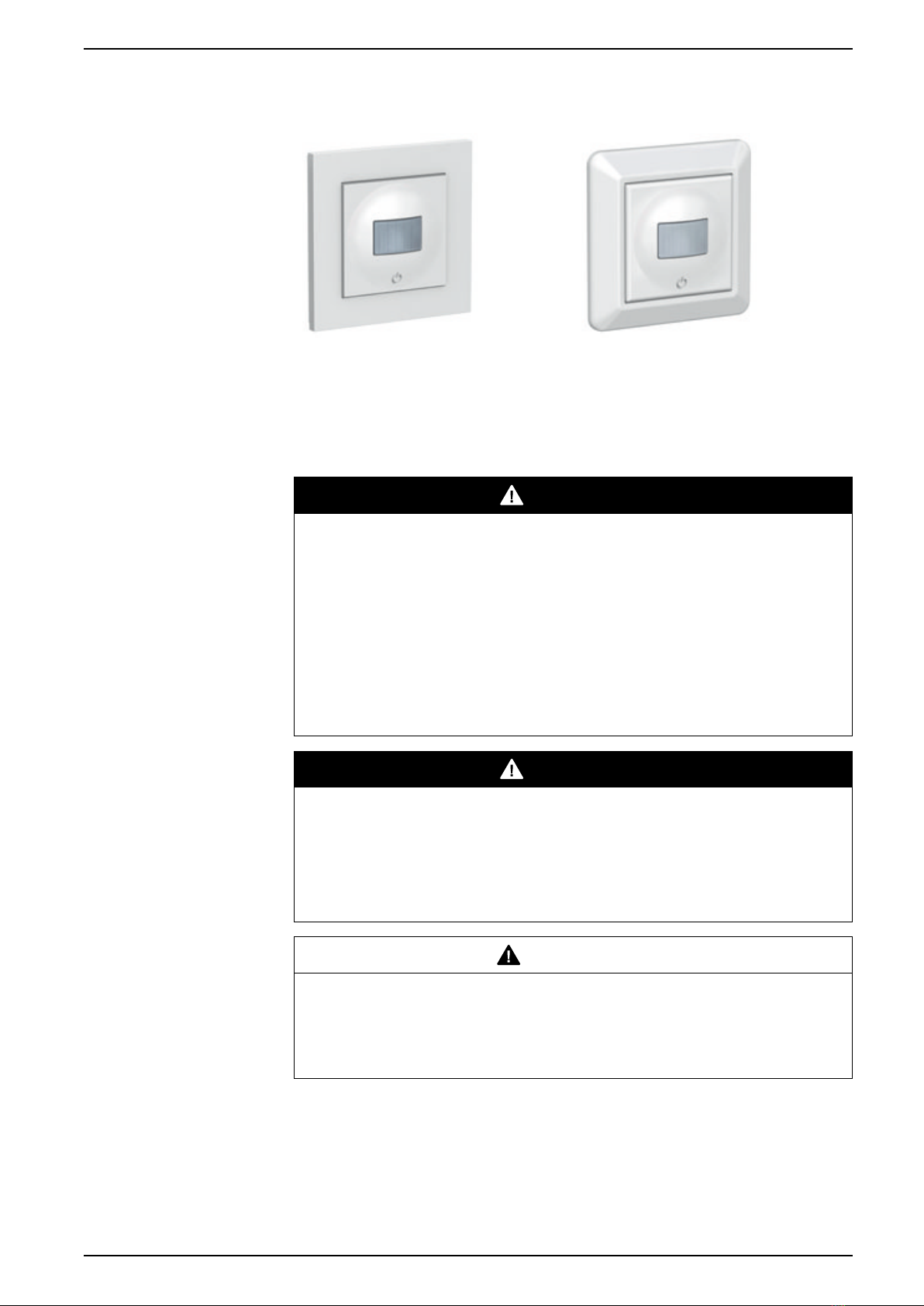
EKO0725X EKO07253, EKO30199
For your safety
DANGER
HAZARD OF ELECTRIC SHOCK, EXPLOSION, OR ARC FLASH
Safe electrical installation must be carried out only by skilled professionals.
Skilled professionals must prove profound knowledge in the following areas:
- Connecting to installation networks.
- Connecting several electrical devices.
- Laying electric cables.
- Safety standards, local wiring rules and regulations.
Failure to follow these instructions will result in death or serious injury.
DANGER
RISK OF FATAL INJURY FROM ELECTRIC SHOCK
The output may carry electric current even when the load is switched Off.
Disconnect the device from the supply by means of the fuse in the incoming
circuit before working on the device.
Failure to follow these instructions will result in death or serious injury.
CAUTION
THE DEVICE MAY BE DAMAGED
Only connect dimmable load.
Failure to follow these instructions can result in injury or equipment
damage.
DUG_SmartMove MW Dimmer_ELKO-01 5

ELKO - SmartMove Multiwire Dimmer Push
About the device
The SmartMove Multiwire Dimmer Push (hereinafter referred to as Motion sensor
dimmer) detects moving heat sources (e.g. persons) and can dim ohmic,
inductive or capacitive loads and switch them on for a settable overtravel time.
Control options
Home control: To control the motion sensor through the ELKO app you will need
the ELKO SmartHUB.
Direct operation: The motion sensor can always be controlled directly on-site.
You can also connect any number of mechanical push-buttons to control the
device.
Installing the device
Refer to the installation instruction supplied with this product.
See SmartMove Multiwire Dimmer Push.
Pairing the device
Using the ELKO Smart app, pair your device with the ELKO SmartHub to access
and control the device. You can either add the device manually or do an auto-scan
to pair it.
Pairing device manually
To pair the device manually:
1. On the Home page, tap +.
2. Tap , select the required ELKO SmartHUB on the slide-up menu.
3. Select an option to add the device (A):
–Add Device with Install Code
–Add Device without Install Code
Add Device
Install Code is Recommended
Add Device without Install Code
A
TIP: It is highly recommended to add the device with install code.
6 DUG_SmartMove MW Dimmer_ELKO-01

ELKO - SmartMove Multiwire Dimmer Push
4. To pair the device with an install code, tap Add Device with Install Code to
display the slide-up menu. Select any one of the options (B):
–Scan Install Code - you can scan the device for the install code.
–Enter Install Code Manually - you can manually enter the install code
from the device.
After pairing the device with install code, proceed to Step 6.
Add Device
Install Code is Recommended
Add Device without Install Code
Add Device
Install Code is Recommended
B
5. To pair the device without install code, tap Add Device without Install Code.
6. Short press the push button 3 times (< 0,5 s).
The LED blinks amber.
7. In the app, select Confirm LED is blinking amber and tap Start
configuration (C).
Cancel
How to pair device
2
1
x3
C
3× < 0,5 s
DUG_SmartMove MW Dimmer_ELKO-01 7

ELKO - SmartMove Multiwire Dimmer Push
8. After a few seconds, a solid green LED indicates that the motion sensor
dimmer is successfully paired to the ELKO SmartHUB.
The solid green LED on the motion sensor dimmer shows that it is
successfully connected to the
9. Tap Done when the pairing is successful
Pairing device with auto scan
Pairing the device with auto scan automatically discovers the device when the
corresponding device is powered on.
To pair the device:
1. On the Home page, tap +.
2. Tap Auto scan and tap Confirm.
3. If you have multiple hubs, do Step 4 or proceed to Step 5.
4. Tap Select hub and select the ELKO SmartHub from the slide-up menu.
5. Short press the push button 3 times (< 0,5 s).
NOTE:
• The LED blinks amber.
• Wait for a few seconds until the device search is complete.
TIP: If you want to pair multiple devices at once, perform step 5 on each
device and wait for a few seconds.
6. Tap Next (A) and select Motion Sensor Dimmer.
Next A
Auto Scan
7. Tap Done when the pairing is successful.
8 DUG_SmartMove MW Dimmer_ELKO-01

ELKO - SmartMove Multiwire Dimmer Push
Checking the type of wiring mode
Using the ELKO Smart app, you can check whether the dimmer is connected with
or without neutral wire.
To check the type of wiring mode:
1. On the Home page, tap All devices >Motion Sensor Dimmer.
2. Tap and tap Device information.
You see the type of wiring mode (A) in the app.
Device information
copy
A
NOTE: Virtual ID and MAC address may vary with the device.
Configuring the device
Changing the device icon
You can change the device icon using the ELKO Smart app.
1. On the Home page, select the device for which you wish to change the icon.
2. At the top-right corner of the screen, tap .
3. Tap edit next to the device name.
4. Tap Icon to view the menu.
DUG_SmartMove MW Dimmer_ELKO-01 9

ELKO - SmartMove Multiwire Dimmer Push
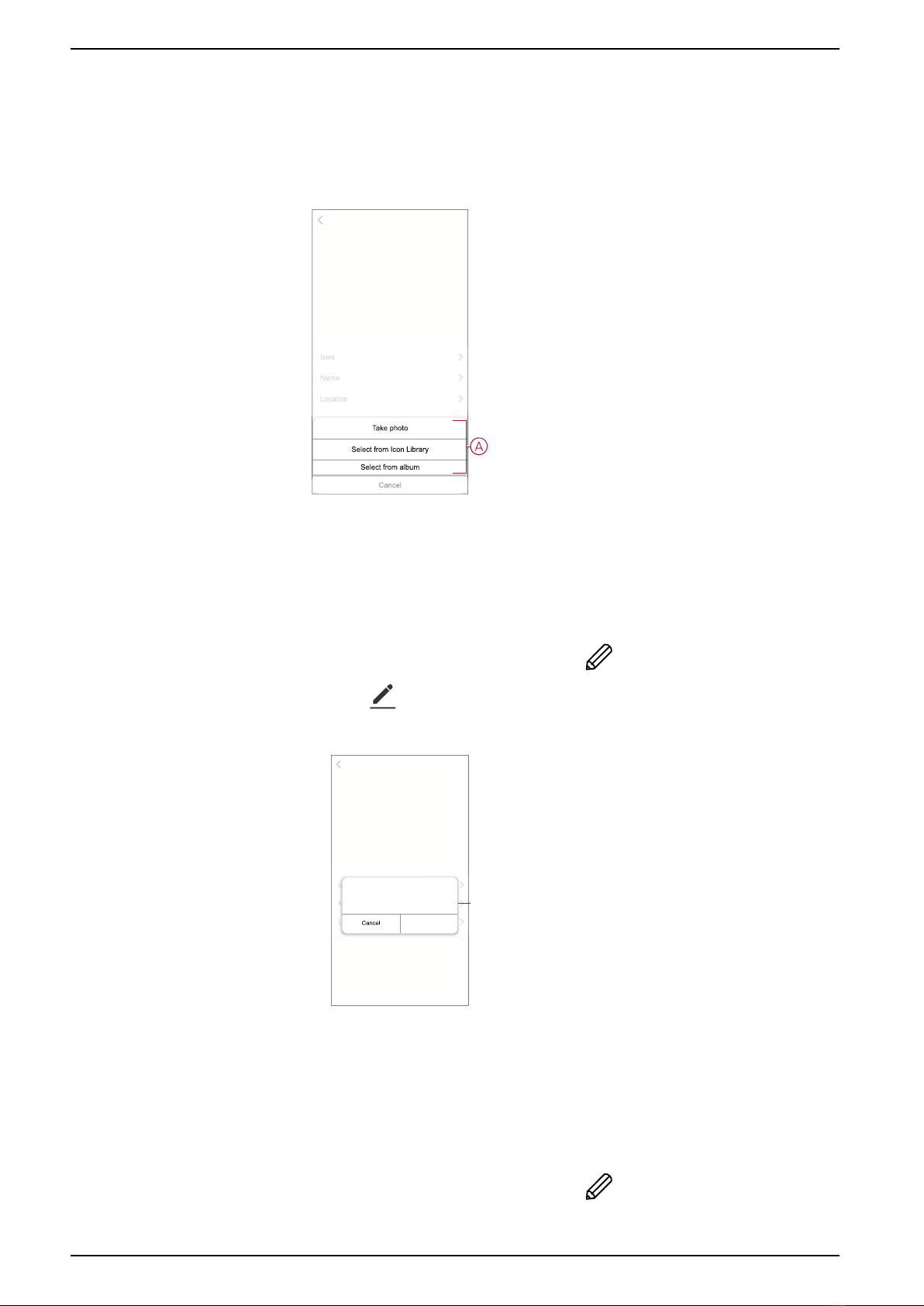
5. In the slide-up menu, select any one of the following (A) to change the device
icon:
–Take photo - allows you to click a photo from the mobile camera.
–Select from Icon Library - allows you to select an icon from the app
library.
–Select from Album - allows you to select a photo from the mobile gallery.
Renaming the device
You can rename the device using the ELKO Smart app.
1. On the Home page, select the device for which you wish to rename.
2. At the top-right corner of the screen, tap .
3. Tap edit next to the device name.
4. Tap Name, enter the new name (A) and then tap Save.
Name
Name
Save
Rename
A
Changing the device location
You can change the device location using the ELKO Smart app.
1. On the Home page, select the device for which you wish to change the
location.
2. At the top-right corner of the screen, tap .
10 DUG_SmartMove MW Dimmer_ELKO-01
Este manual sirve para los siguientes modelos
2
Tabla de contenidos
Otros manuales de Regulador de intensidad de Elko

Elko
Elko iNELS RFDEL-71B-SL Manual de usuario

Elko
Elko EKO0725X Manual de usuario

Elko
Elko iNels RFDEL-71B-SL Manual de usuario

Elko
Elko DIM-15 Manual de usuario

Elko
Elko iNELS RFDEL-71B-SL Manual de usuario

Elko
Elko RFDEL-76M Manual de usuario

Elko
Elko DIM-15 Manual de usuario

Elko
Elko iNels RFDEL-76M Manual de usuario

Elko
Elko iNELS RFDEL-71B-SL Manual de usuario

Elko
Elko DIM-2 Manual de usuario