
Eink MeeNote Evaluation Kit Manual de usuario

MeeNote Evaluation Kit

i
Table of Contents
MeeNote EVK operation SOP...................................................................1
1Introduction.....................................................................................1
(1)MeeNote evaluation kit with 6" EPD module (SC1452-FOA )............................ 1
(2)MeeNote evaluation kit with 7.8" EPD module (SC1452-GHA) ......................... 3
2Hardware Setup Guide.....................................................................5
(1)Hardware requirements for driving Kaleido plus color ePaper display.............. 5
(2)Connect method of MeeNote kit with Kaleido plus color ePaper display ......... 6
3How to Demo the Picture.................................................................9
(1)Recommend picture format ............................................................................... 9
(2)Operating procedures......................................................................................... 9
4Appendix:......................................................................................12
(1)How to minimize artifact.................................................................................. 12
(2)How to upgrade firmware ................................................................................ 13
(3)How to upgrade waveform............................................................................... 14
(4)How to set VCOM & temperature.................................................................... 15
(5)Other Features Description for E_Ink_Tool_for_MeeNote_EVK_V5.0.1.4.exe 16
5How to use MeeNote function.......................................................17
(1)Installation........................................................................................................ 17
(2)Configuration of MeeNote.exe......................................................................... 18
6Troubleshooting.............................................................................20
7Legal Information...........................................................................20

1
MeeNote EVK operation SOP
1Introduction
The MeeNote evaluation kit supports to drive Kaleido plus color ePaper displays with
touch and front light functions. This article will provide detailed information on how
to use the MeeNote evaluation kit to drive a Kaleido plus color ePaper panel.
The MeeNote evaluation kit can support
MeeNote
driving board
Kaleido plus color
ePaper displays module
Accessories
Driving board
(EPD 25V, TP 3.3V)
6" ePaper Display
(SC1452-FOA)
Adaptor board for 6" touch×1
Adaptor board for 6" front light×1
Adaptor board for 6" EPD (45pin to 34pin)×1
8 pin FFC×1
12 pin FFC×1
45 pin FFC×1
7.8" ePaper Display
(SC1452-GHA)
Adaptor board for 7.8" touch×1
Adaptor board for 7.8" front light×1
8 pin FFC×1
12 pin FFC×1
Before starting any operations, please make sure that the following components are
ready.
(1) MeeNote evaluation kit with 6" EPD module (SC1452-FOA )
Main Board
MeeNote driving board (EPD 25V, TP 3.3V)×1

2
Accessories
Adaptor board for 6" touch×1
Adaptor board for 6" front light×1
Adaptor board for 6" EPD×1
8 Pin FFC for front light×1
12 Pin FFC for touch panel×1
45 Pin FFC for 6" EPD×1
EPD module
6" Kaleido plus color ePaper display (SC1452-FOA)

3
(2) MeeNote evaluation kit with 7.8" EPD module (SC1452-GHA)
Main Board
MeeNote driving board (EPD 25V, TP 3.3V)×1
Accessories
Adaptor board for 7.8" touch×1
Adaptor board for 7.8" front light×1
8 Pin FFC for front light×1
12 Pin FFC for touch panel×1
4
EPD module
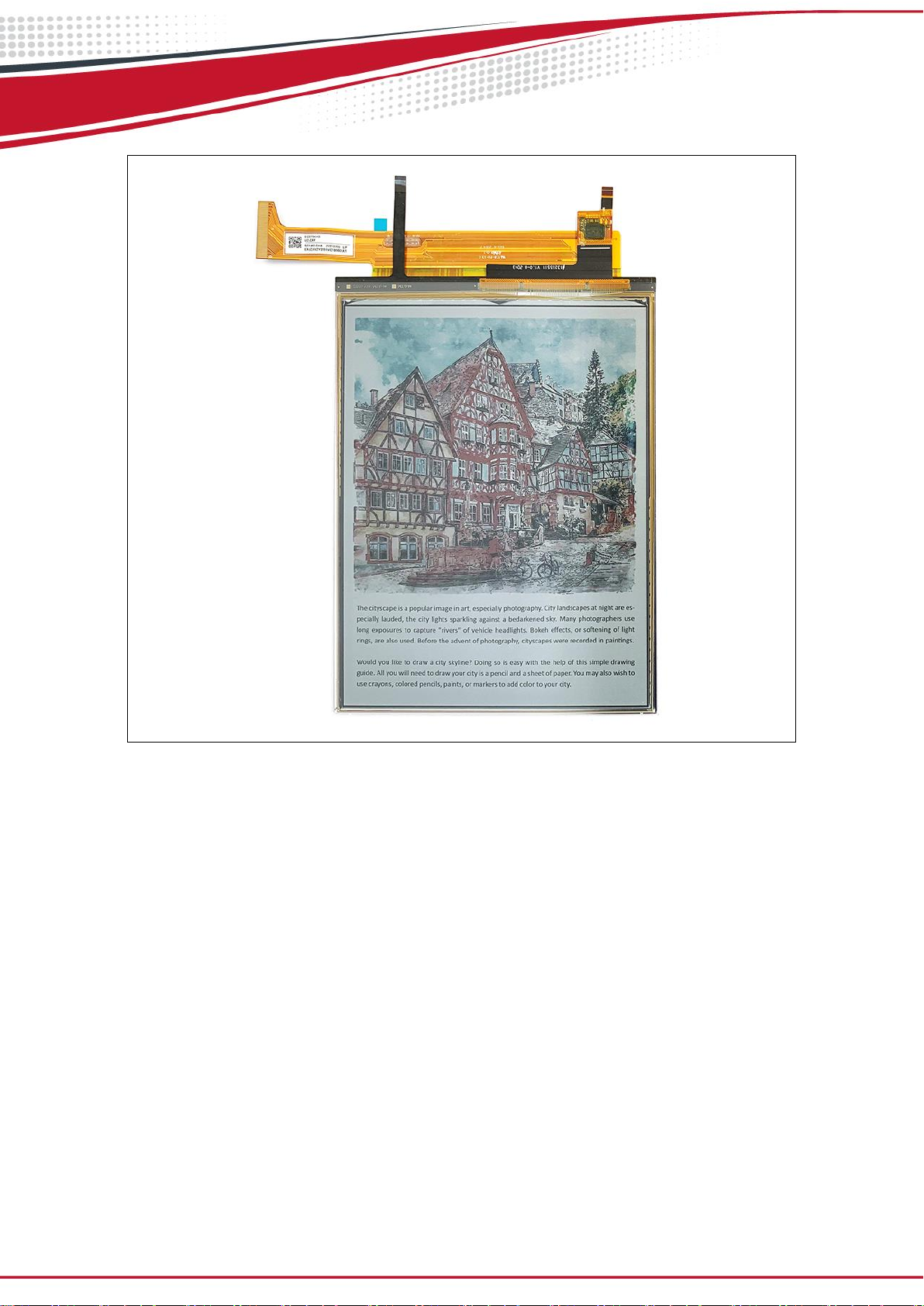
7.8" Kaleido plus color ePaper display (SC1452-GHA)

5
2Hardware Setup Guide
This section describes the hardware setup procedures of the MeeNote evaluation kit
for Kaleido plus color ePaper display.
(1) Hardware requirements for driving Kaleido plus color ePaper display
You need one of 6" or 7.8" MeeNote EVK kit packages, and a DC power source of 4.2V
(it can be a battery pack or a DC power supply) and desktop computer or laptop
equipped with Windows OS (DC power source and computers are not included in the
MeeNote EVK packages).
MeeNote evaluation kit
With 6" Kaleido plus color EPD panel
MeeNote evaluation kit
With 7.8" Kaleido plus color EPD panel
Minimum PC Requirements
CPU
Pentium III 800 MHz or higher
RAM
128MB or higher
OS
Windows 10
Interface
USB 2.0 port or higher version
Windows PC (Prepare by customer)
Battery box (not included in the package, to be
prepared by user)
18650 Battery (not included in the package, to
be prepared by user)

6
(2) Connect method of MeeNote kit with Kaleido plus color ePaper display
Connecting the MeeNote evaluation board with Kaleido plus color ePaper display as
shown in figure 2.1.
Connecting method of 6" Kaleido package
Connecting method of 7.8" Kaleido package
Figure 2.1

7
Connecting the 4.2V battery pack or 4.2V power source as shown in figure 2.2.a
below.
Front light control method is shown in figure 2.2.b
Connecting method of power source
Front light control
Figure 2.2.a
Figure 2.2.b
After connecting all the boards and accessories, your evaluation kits should look like
Figure 2.3 depending on the package you choose.
Please be noted that when connecting the EVK, always remember to connect the
power source first before connecting the USB to the computer.
Connected result of 6" Kaleido package
Connected result of 7.8" Kaleido package
Figure 2.3

8
LED indicator status is shown as figure 2.4.
LED color
Status
Meaning
RED
Flash
Abnormal charging
Light
Charging
Dark
Full of charge
Orange
Light
Charging IC POWER GOOD indicator
Green
Light
Boot up
Dark
Shutdown
Figure 2.4
Tabla de contenidos


