Tech Note – FOR-A HVS-1000 – Revised 6/28/05 8 of 8
LEARN and RECALL MEMORY
USING THE EFFECTS DIALOG MEM CONTROL
Open the Video Effects Dialog.
Learn an effect into memory
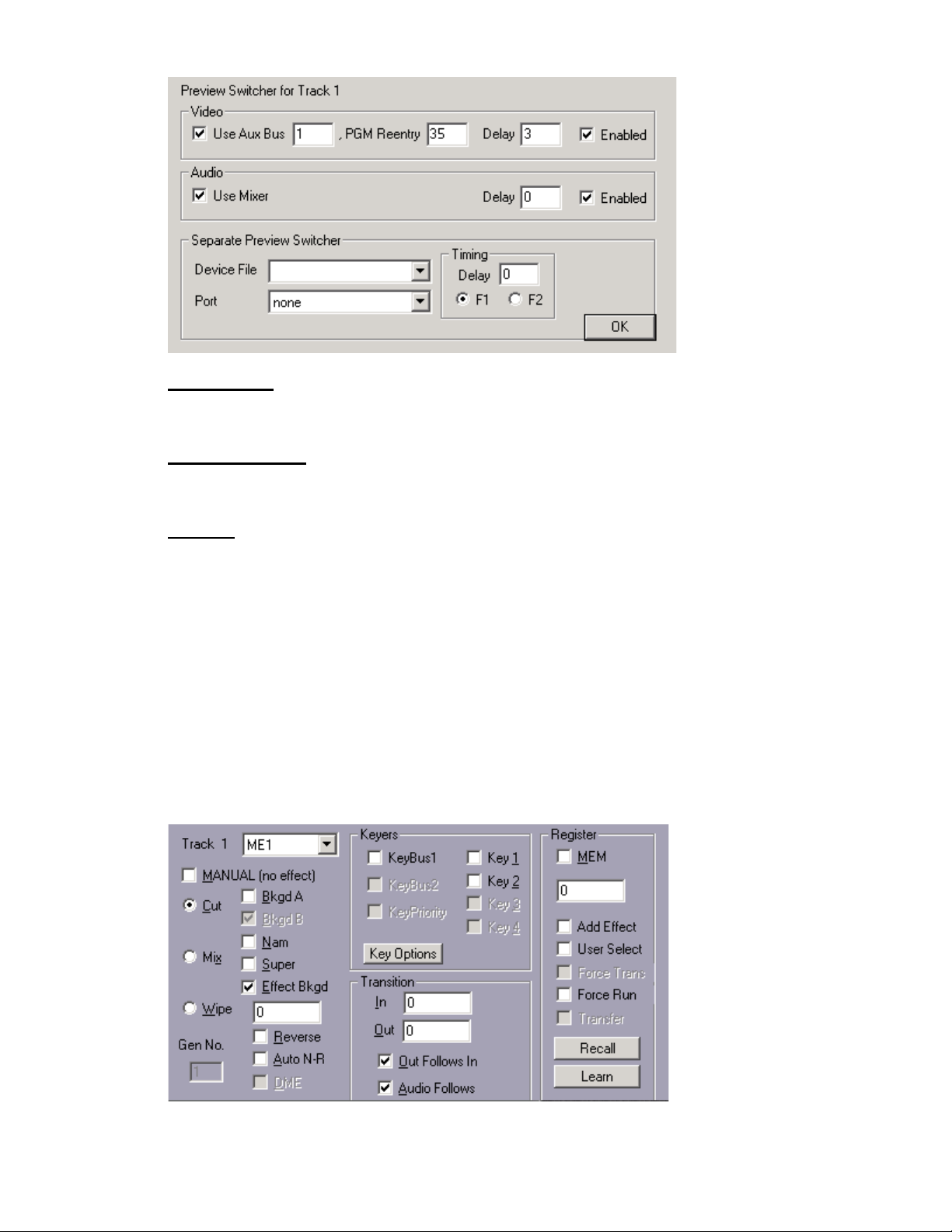
Set up switcher M/E 1 as desired. Check MEM and enter any valid Memory number into the MEM
text field and then select "Learn". The M/Es current setting will be stored in the switcher.
The Current Event will have an “M” Icon displayed to let you know that a MEM has been associated
with this Event. This MEM will always be selected at the beginning of the Event.
Recall an effect from memory
Check MEM and enter any valid Memory number into the MEM text field and then select "Recall."
Fastrack Transitions may be performed simultaneously by selecting "Add Effect" and defining a
dissolve, wipe or key in the dialog. If Add Effect is not selected, any programmed effect on the
Event will be ignored.
"User Select" – Not implemented at this time.
USING THE PEGS MEM FUNCTIONS
Press [ALT][GPI] to open the PEGS Dialog.
Recall a Memory from switcher memory
To recall switcher Memory 0-99, in the PEGS dialog select the MEM command. Following the MEM
entry, add the Memory number to be recalled. Example MEM12.
See your Fastrack manual or Help files for additional information on PEGS and MEMs.
See your FOR-A manual for additional information on Learning and Recalling Effects and Snapshots.
STILL STORE 1-4
Manual Recording of a Still from the Fastrack Keyboard
To manually record the switcher output to Still memory 1-4 in the switcher, on the Fastrack
keyboard:
1. Press [1]-[4] corresponding to Still 1-4 in the switcher. The number will appear in the numeric
entry field of the K6.
2. Press [CTRL][CUT]. The current switcher output will be recorded to switcher memory.
Programmed Recording of a Still from PEGS
To program the recording of the switcher output to Still memory 1-4:
1. Program a PEG to occur at the Timeline location (TL PEG) or at a timecode position (Event
PEG) that you wish to capture.
2. In the Command pull-down menu, select Still Rec.
3. At the Still command, enter [1]-[4] for the desired Still register. Example: Still Rec1.
4. [PREVIEW] or [RECORD]. Fastrack will send the defined “Still record” command at the time or
position defined in PEGS.