DivioTec NBR126PA Manual de usuario

IR Outdoor Bullet Camera
NBR126PA/ NBR526PA
User Manual
Note: The manual is subject to change without notice
Part Number: 00125525921_190116

Content
Contents
Chapter 1: Product Introduction 1
Overview ................................................................................................1
Camera ...............................................................................................1
Cable ..................................................................................................1
Hardware Installation ..............................................................................2
Chapter 2: Camera Configuration 4
Web Browser ..........................................................................................4
Motorized Lens ................................................................................5
Configuring the Camera’s Setting ...........................................................6
Browsing Through the Configuration Menu.........................................7
Video - Video Configuration ...................................................................9
Primary Stream.................................................................................9
Secondary Stream ..........................................................................10
Third Stream ..................................................................................11
Video - Audio Configuration.................................................................12
Audio Settings ...............................................................................12
Image - Exposure ..................................................................................13
Configurations...............................................................................13
Day Night Setting...........................................................................15
Profile Management.......................................................................16
Image - Basic Settings ...........................................................................18
Orientation ....................................................................................18
Digital Processing ...........................................................................18
Image - ROI...........................................................................................20
Configurations...............................................................................20
Image - Privacy Zone.............................................................................21
Configurations...............................................................................21
Image - Overlay.....................................................................................22
Overlay ..........................................................................................22
Text Size.........................................................................................22
Network - Basic.....................................................................................23
IPv4 Settings ..................................................................................23
System Settings..............................................................................23
IPv6 Settings ..................................................................................23
Basic Cont. ...........................................................................................24
RTMP Settings................................................................................24
Link Speed .....................................................................................24
Network - FTP.......................................................................................25
Configurations...............................................................................25
Network - SSL.......................................................................................26
SSL Configurations.........................................................................26
Certificate......................................................................................26
Network - 802.1x..................................................................................27
802.1x Configurations ...................................................................27
SNMP Configurations.....................................................................28
Network - Firewall.................................................................................29
Firewall Configurations ..................................................................29
LDAP Configurations......................................................................30
DDNS Configurations.....................................................................31
Network - RTSP.....................................................................................32
RTSP Configurations.......................................................................32
Multicast (Stream 1 to Stream 3) ....................................................33
Bonjour Configurations..................................................................35
Upnp Configurations......................................................................36
System - Date/Time...............................................................................37
Date/Time Configurations ..............................................................37

Content
Time Setting ..................................................................................37
Time Zone Setting..........................................................................37
System - Maintenance...........................................................................38
System Information........................................................................38
Firmware Update ...........................................................................38
Backup...........................................................................................39
Restore ..........................................................................................39
Video System .................................................................................39
System - User Management ..................................................................40
Admin Setting................................................................................40
User List.........................................................................................40
User Information............................................................................41
Logo Graph....................................................................................42
Event - Alarm Handler...........................................................................43
Alarm Handler Configurations........................................................43
Alarm Schedule Settings.................................................................43
Event - Motion Detection......................................................................44
Motion Configurations...................................................................44
Zone1 to Zone5 Setup....................................................................44
Motion Schedule Settings...............................................................45
Event - Tampering Alarm.......................................................................46
Tampering Alarm Configurations....................................................46
Tampering Schedule Settings..........................................................46
Event - Audio Detection........................................................................47
Audio Detection Configurations.....................................................47
Event - Network Loss Detection.............................................................48
Network Loss Detection Configurations..........................................48
Event - FTP Upload................................................................................49
FTP Upload Handler Configurations................................................49
Remote Server................................................................................49
SMTP Notification Configurations...................................................50
Trigger Event ..................................................................................50
SMTP Server...................................................................................51
Receipient List................................................................................51
Network Storage Configurations....................................................52
Trigger Event ..................................................................................52
Receipient List................................................................................52
Login Certificate.............................................................................53
Mount and Remove Network Storage ............................................53
Relay Handler Configurations.........................................................54
SD Record Handler Configurations .................................................55
TCP Notify Configurations..............................................................57
Video Analytics - Object Detection ........................................................59
Configurations...............................................................................59
Object Schedule Settings................................................................62
Setup Detection Area Settings........................................................63
Push HTTP Message Settings ..........................................................64

1
Chapter 1: Product Introduction
Chapter 1: produCt IntroduCtIon
Overview
Cable
Camera

2
Chapter 1: Product Introduction
Hardware Installation
No. Name
1 Mounting Screws
2 Wall Mount Bracket (ACB-02) W1 Kit
3 Expansion Bolts
4 Mounting Screws
5 Wall or Ceiling Surface
6 Installation Sticker
Description: The mounting surface for the bracket installation needs to
withstand at least three times the total weight of the bracket and IP camera.
1. Use the 4 flat head screws to fix the metal adapter plate to the wall
mount bracket.
2. Put the installation sticker on the surface (wall or ceiling) of where it will
be installed.
3. Take out the screws on the bracket and put them into the expansion bolts
to fix the bracket on the surface (wall or ceiling).
4. Remove the base of the camera. Use screws to fix the base onto the
bracket.
5. Fix the camera back to the base secured on the bracket.

3
Chapter 1: Product Introduction
8. Put the cover back and use a hex key wrench to secure the 3 screws.
Make sure all the parts of the camera are installed securely.
6. Adjust the direction of the camera to the desired field of view.
7. Put desiccant and stick it on the internal black plastic base.

4
Chapter 2: Camera Configuration
Chapter 2: Camera ConfIguratIon
Admin
1234
1. Locate and open one of the web browsers (such as Internet Explorer,
Chrome, Firefox, etc.) shortcut on the desktop.
2. In the address bar, type 192.168.0.250 (default IP address of the camera)
and then press the Enter button.
3. You will be prompted with a pop-up window asking for login information,
type in “Admin” (default login name) and
“1234” (default password)
5. If no video is displayed on the screen, please make sure you have VLC
Media Player installed on the computer. If not, please download and install
Note: It is recommended to use Chrome internet browser to
get the optimized view.
Web Browser

5
Chapter 2: Camera Configuration
SetupViewer
Live view Motorized Lens
Zoom Control
Buttons used to control zooming function.
Button Description
Returns the camera back to default position.
Zoom Position
Adjusts the camera’s zoom level. Move the zoom slider bar left or right to
adjust the zoom level. The value of the zoom position will be reflected in
the text field. However, the zoom position cannot be manually entered in
the text field.
Focus Control
Adjusts the camera’s focus. To adjust the focus automatically, press the
button. To set the focus manually, press the to focus far objects,
and to focus near objects. The focus can also be adjusted through the
slider bar.
Micro Focus Control
Adjusts the camera’s focus when the focus in Focus Control is not enough.
Move the zoom slider bar left or right to adjust the focus level.
Zoom
Position
Focus
Control
Snapshot
Takes a image snapshot from the camera, you will be prompted to store the
image file onto the computer’s hard drive.
Start/Stop
Press to stop the live video, press again to restart.
Viewer
Views the live video of the camera.
Setup
Options for configuring the IP camera.
Snapshot Play/
Pause
Micro
Focus
Zoom
Control
Full
Screen
Note: It is recommended to adjusts the camera back to the
default position before adjust the Zoom Position, Focus
Control, and Micro Focus Control.

6
Chapter 2: Camera Configuration
Configuring the Camera’s Setting
1. To configure the camera’s setting, click on the Setup button on the main
Setup

7
Chapter 2: Camera Configuration
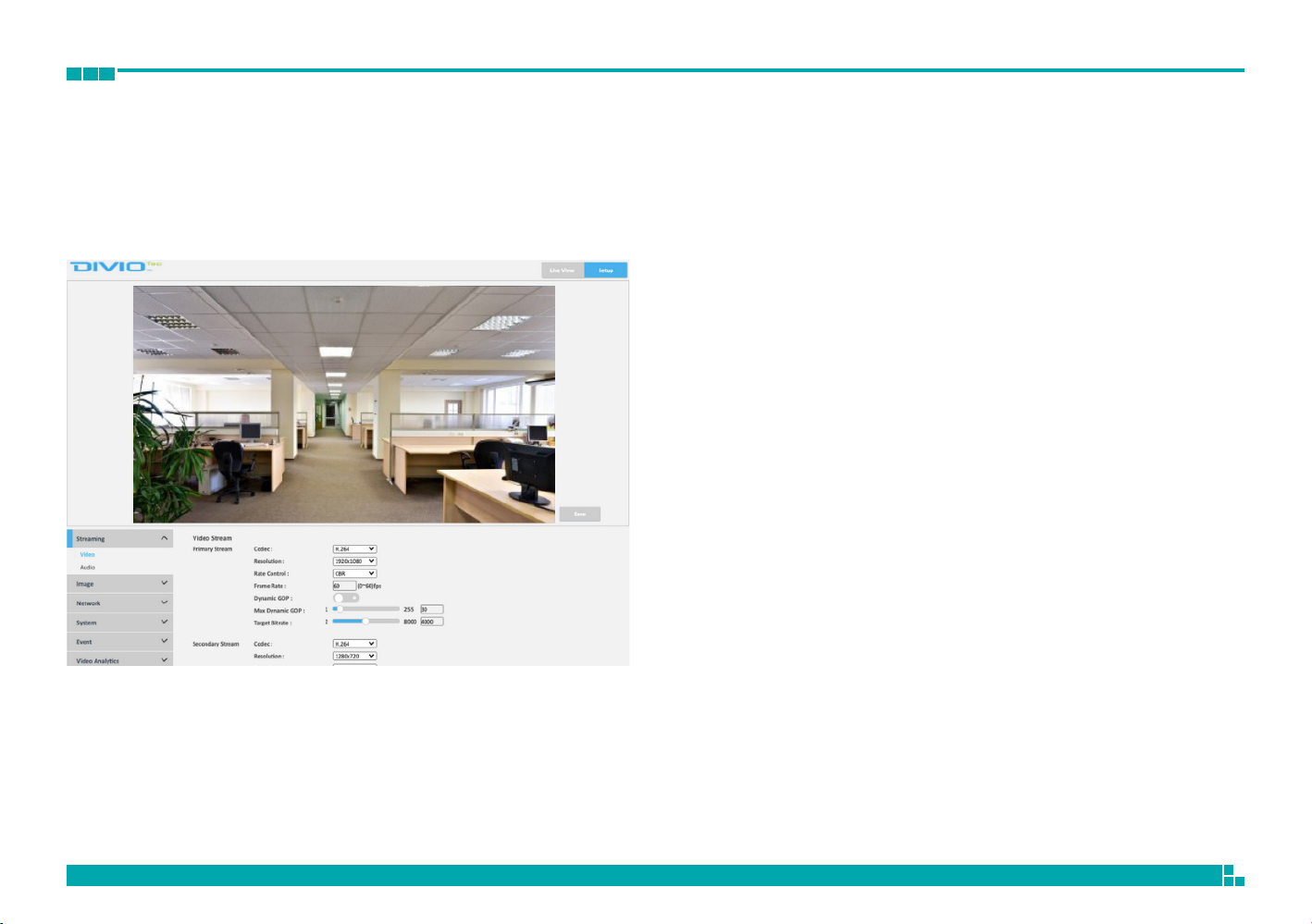
Browsing Through the Configuration Menu
The layout of the configuration menu is split into two sections. All the
camera settings are located on the left hand side of the interface, clicking
The following are the camera settings available on the left hand side for:
▪Streaming
– Video
– Audio
▪Image
– Exposure
– Basic Settings
– ROI
– Privacy Zone
– Overlay
▪Network
– Basic
– FTP
– SSL
– 802.1x
– SNMP
– Firewall
– LDAP
– DDNS
– RTSP
– Bonjour
– Upnp
▪System
– Date/Time
– Maintenance
– User Management
– Homepage Layout
▪Event
– Alarm Handler
– Motion Detection
– Tampering Alarm
– Audio Detection
– Network Loss Detection
– FTP Upload
– SMTP Notification
– Network Storage
– Relay Handler
– SD Record Handler
– TCP Notify
▪Video Analytics
– Object Detection
Conguration Menu
Este manual sirve para los siguientes modelos
1
Tabla de contenidos
Otros manuales de Cámara de seguridad de DivioTec

DivioTec
DivioTec NBR125C Manual de usuario

DivioTec
DivioTec NBF232P Manual de usuario

DivioTec
DivioTec NDR154P Manual de usuario

DivioTec
DivioTec TBR925 Manual de usuario

DivioTec
DivioTec NDR153P Manual de usuario

DivioTec
DivioTec NDM362 Manual de usuario

DivioTec
DivioTec NBR225P Manual de usuario

DivioTec
DivioTec NBR525P Manual de usuario

DivioTec
DivioTec NBR123 Manual de usuario

DivioTec
DivioTec NFF271 Manual de usuario