
Directed Clifford 3806X Manual de usuario

OWNER’S GUIDE
MODEL
3806X
©2014 Directed, All rights reserved.
The company behind Clifford®Auto Security
Systems is Directed.
Since its inception, Directed has had one purpose, to
provide consumers with the finest vehicle security and
accessories available. The recipient of nearly 100 pat-
ents and Innovations Awards in the field of advanced
electronic technology.
Quality Directed products are sold and serviced
throughout North America and around the world.
Call (800) 876-0800 for more information about our
products and services.
Directed is committed to delivering world class
quality products and services that excite and
delight our customers.
THE SCIENCE OF SECURITY™
QRG3806XML 2014 02
Vista, CA 92081
www.clifford.com

i
© 2014 Directed. All rights reserved.
Congratulations
Congratulations on the purchase of your state-of-the-art security system.
Reading this Owner’s Guide prior to using your system will help maxi-
mize the use of your system and its many features. For any additional
questions please contact your authorized Directed dealer or contact
Directed at 1-800-753-0600 (US only).
Additional Guide Information
Only basic commands, features and essential information are covered
in this compact guide. Your product has many advanced features
which are not discussed here, please consult the expanded online ver-
sion for these on the website listed on the back cover. Most sections in
this guide also contain additional information which can be found in
the expanded online version.
Important information
Government Regulations and Safety information
Read the Government Regulations and Warning! Safety
First sections of this manual prior to operating this system.
Warning! Failure to heed this information can result in
death, personal injury or property damage and may also
result in the illegal use of the system beyond its intended
purpose.

ii © 2014 Directed. All rights reserved.
Your Warranty
Your system comes with a warranty. The warranty terms are detailed at
the end of this guide. Make sure that you receive the proof of purchase
from your dealer, indicating the product was installed by an autho-
rized Directed dealer.
Replacement remote controls
Please see your authorized dealer or visit us at www.directedstore.
com to order additional remote controls. Remote control part numbers
are found on the back of the device.

Contents
Congratulations ................................................................................................... i
Additional Guide Information................................................................................ i
Important information .......................................................................................... i
Government Regulations and Safety information .......................................i
Your Warranty......................................................................................ii
Replacement remote controls..................................................................ii
Responder LE 2-Way Remote Control.................................................................... 2
Control Center .................................................................................................... 3
Using your System............................................................................................... 4
Commands and Confirmations .............................................................. 4
Performing Commands ......................................................................... 4
Remote Control Command table ............................................................ 5
Basic Commands (Direct Access) .......................................................................... 6
Arm ................................................................................................... 6
Disarm ............................................................................................... 6
Remote Start/Aux 1/Aux 4................................................................... 7
AUX/Trunk.......................................................................................... 7
Remote Control Configuration .............................................................................. 8
Battery Information.............................................................................................. 8
Battery Disposal .................................................................................. 8
Patent Information ............................................................................................... 9
Government Regulations.................................................................................... 10
Additional Information....................................................................................... 11
Interference....................................................................................... 11
Upgrades ......................................................................................... 11
Water/Heat Resistance ...................................................................... 11
Limited lifetime consumer warranty ..................................................................... 12
2© 2014 Directed. All rights reserved.
Responder LE 2-Way Remote Control
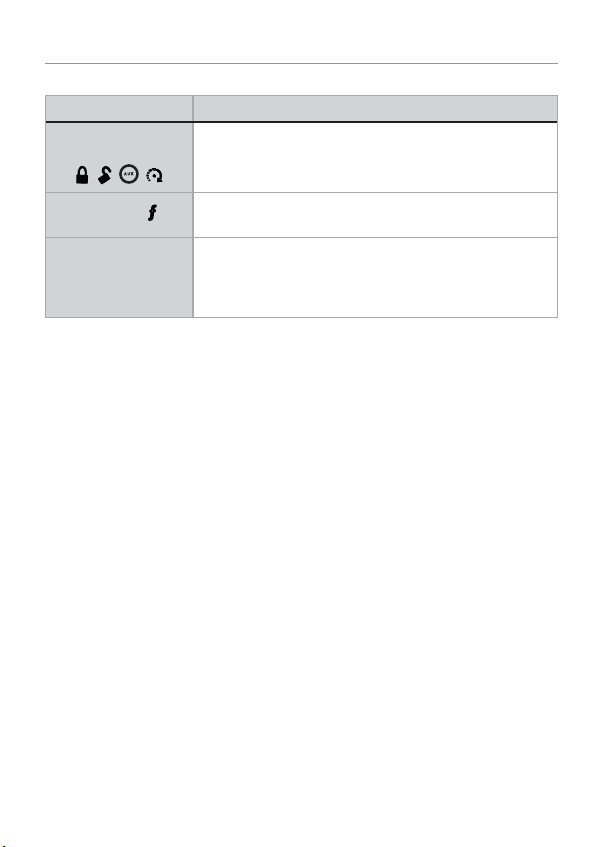
Feature Description
Command buttons (4)
A U X
Used to perform arming, disarming, and auxiliary channel
commands
Function button Used to access function levels for commands, configuration
menus for programming, and Car Selection.
Confirmation LED’s * Each button has an associated LED next to it that is active
during related operations. These LED’s are labeled respec-
tively as:
Arm LED, Disarm LED, Remote Start LED and Aux LED
* Confirmation LED’s are only available on the Responder LE
2-way communication is only applicable to the Responder LE remote
control.

3
© 2014 Directed. All rights reserved.
Control Center
Control CenterLED Button
The Control Center, typically located on the upper part of the front
windshield sends and receives commands or messages to and from
your system. It consists of:
• The In-vehicle system antenna, for 2 way communication.
• The Status LED, as a visual indicator of the system’s status.
• The Control button, for placing the system into Valet Mode* and
to perform the Emergency Override** operation.
* See “Remote and System Operations” in online guide.
** See “Alarm Features” in online guide.

4© 2014 Directed. All rights reserved.
Using your System
Commands and Confirmations
Commands, Basic or Advanced, are used to activate system features
and are performed by pressing one of the Command buttons. Basic
commands control the most often used security and remote start fea-
tures while Advanced commands control more specialized features
and request reports.
Confirmations for Basic or Advanced commands are indicated
first by siren chirps and parking light flashes, and then by illuminated
LED’s and beeps or tones on the remote control. A description of each
feature confirmation is found in the following Basic command and
Advanced command sections.
Performing Commands
Perform Basic commands by pressing a Command button (Confirma-
tion LED’s are off).
Perform Advanced Commands by first accessing Levels 1-4 using the
button and then by pressing a Command button while within a
Level.
Advanced command example: Silent Arm
1. Press the button once to access Function Level 1.
2. Press the button to perform the Silent Arm command.
3. The Arm LED illuminates to confirm when the Silent Arm mes-
sage from the system is received.

5
© 2014 Directed. All rights reserved.
Remote Control Command table
Button
Level Direct Access x 1
LEVEL 1
x 2
LEVEL 2
x 3
LEVEL 3
x 4
LEVEL 4
Arm/Lock
(Panic)
Silent Arm Sensor
Bypass
Sensor Silent
Arm
Full Silent
Arm
Disarm/Unlock Silent Disarm Remote Valet Car Finder
Remote Start*/
Aux 1/4**
AUX Aux/Trunk AUX 1 AUX 2 AUX 3 AUX 4
Advance Level,
Change Car
(3 sec), Enter
programming
(8 sec)
Arm Status
***
* Available only with optional remote start module installation
** This button can command either aux 1 or aux 4 if turned on by
an authorized Directed dealer.
*** Not available for 1-way companion remote control, see online
guide for details.

6© 2014 Directed. All rights reserved.
Basic Commands (Direct Access)
No confirmation LED’s on.
Arm
Press and release
The alarm arms, doors lock (if connected), and the siren chirps and
parking lights flash once. The Arm LED and beeps play to confirm. If
Valet mode* is On, the doors lock and the Arm LED and a fault tone
plays. Exit Valet mode to arm the alarm normally.
If a trigger zone fault is detected the siren chirps once again and the
remote will emit a Trigger Zone Fault Report*, the Arm LED and a fault
tone plays.
To Arm and Panic
Press and hold
The alarm Arms (or Locks in Valet) and, after two seconds, sounds
the siren and flashes the parking lights. The confirmation LED’s
flash and siren tones play to confirm. Press the or button
to stop the output.
Disarm
Press and release
The alarm disarms, doors unlock (if connected), and the siren chirps
and parking lights flash twice. The Disarm LED and beeps play to
confirm. If Valet mode* is On, the doors unlock and the Disarm LED
and fault tones play.
An Alarm Report* will replace the disarm output if the alarm was trig-

7
© 2014 Directed. All rights reserved.
gered; the siren will chirp four or five times, and the Disarm LED and
four or five fault tones play to alert of the report.
Remote Start/Aux 1/Aux 4
Press and release
Remote Start **
Activates (or if On, deactivates) the remote starter. The engine
and parking lights turn On, or the engine and parking lights turn
Off accordingly.
AUX1/AUX4 ***
Activates (or if on, deactivates) the aux 1or aux 4 output.
AUX/Trunk
Press and hold AUX
The Trunk opens (if connected) when this button is pressed for 2 sec-
onds. The Aux LED and tones play to confirm.
* See online guide for details.
** Available only with optional Remote Start module installation.
*** This feature must be turned on by an authorized Directed dealer.
Tabla de contenidos
Idiomas:
Otros manuales de Sistema de seguridad de Directed


Manuales populares de Sistema de seguridad de otras marcas


EDM
EDM Solution 6+6 Wireless-AE Manual de usuario

Highway Safety Group
Highway Safety Group EA401 Manual de usuario

Siren
Siren LED GSM Manual de usuario

Detection Systems
Detection Systems 7090i Instrucciones de montaje

Se-Kure Controls
Se-Kure Controls MicroMini SK-4841 Manual de usuario

Siemens
Siemens FDM273 Manual de usuario