
Digisette DUO-MP3 Manual de usuario

Digisette, LLC
P.O. Box 435
New Vernon, NJ 07976
www.digisette.com
TM

Page 2 .................................Welcome to the DUO-MP3 Experience
Page 3 ....................................Included with Your DUO-MP3 Player
Page 3 .......................................................PC System Requirements
Page 4 ..............................................Getting Started with DUO-MP3
Page 5 ..........................................Installing the DUO-MP3 Software
Page 7 ............................................Starting the DUO-MP3 Software
Page 11.............Uploading and Formatting MMC and Flash Memory
Page 12...................................DUO-MP3 Player Hardware Overview
Page 14......................Operating the DUO-MP3 Player (Stand-alone)
Page 15..............Inserting the DUO-MP3 Player into a Cassette Deck
Page 15...................Operating the DUO-MP3 Player (Cassette Deck)
Page 16........................................Handling and Storing Instructions
Page 16....................................................Battery and Charger Usage
Page 17....................................................Troubleshooting Problems
Page 18.............................................Setting Your Bios to ECP Mode
Page 19..................................................................Warranty Service
1
CONTENTS

The following components are included with your DUO-MP3 player:
A. Battery charger
B. Rechargeable battery
C. DUO-MP3 software CD
D. 18-pin parallel cable
E. Carrying Case
F. Earphones
G. User’s Manual
Note: Accessories and optional items are subject to change according
to product specifications. Please inquire at your retailer’s customer
service center when purchasing them separately.
PC SYSTEM REQUIREMENTS
The following PC specifications are required for DUO-MP3 usage:
• Windows 95 or 98
• CD-ROM Drive
• Pentium or higher
• Memory 32MB or greater
• Hard disk space 32MB or more
• Sound card
3
Congratulations on your decision to purchase the DUO-MP3 portable
digital player- the only MP3 player on the market specifically designed to
play digital music - with great sound - through any standard analog
cassette deck without the need of cumbersome and inconvenient adapters.
Your DUO-MP3 player contains 32MB of preloaded memory and is easily
expandable to 64 MB via the Subminiature Multimedia Memory Card
(MMC) slot.
You are now ready to enjoy the most versatile MP3 player on the market
today.
2INCLUDED WITH YOUR DUO-MP3 PLAYER

In order for the DUO-MP3 player and your PC to communicate and transfer
MP3 files, you must install the DUO-MP3 software CD by completing the
following steps:
1. Load the CD into the CD ROM drive. The following screen will display.
2. If the setup file is executed automatically, follow the install program
instructions. If the setup file is not executed automatically, select and
execute the setup.exe file on the CD ROM folder.
3. Enter your information and click Next on the following screen.
5
Complete the following steps to get started with your DUO-MP3 player:
1. Make sure the battery is fully charged and insert it \into your
DUO-MP3 player.
2. Connect the parallel port cable to your computer, and then
to your DUO-MP3 player.
3. Turn your DUO-MP3 player on. Then, install the DUO-MP3
software CD on your computer.
4. Using the software, download music to your computer from
the Internet or convert it from an existing CD. Then, save it
to your DUO-MP3 player.
5. Disconnect the DUO-MP3 player from the parallel cable,
insert your headphones and press Play.
6. Enjoy digital music on your DUO-MP3 player.
4
GETTING STARTED WITH DU0-MP3 INSTALLING THE DUO-MP3 SOFTWARE

MAIN SCREEN
The main screen of the DUO-MP3 software controls music file downloading
and uploading.
7
4. Choose the directory for the DUO-MP3 software and click Next.
5. Verify the setup details and click Next.
6. Once the installation of the DUO-MP3 software finishes, click the
shortcut icon to run the DUO-MP3 software.
Note: If a rebooting message displays during setup, install again after
rebooting the computer.
6STARTING THE DUO-MP3 SOFTWARE

Right click on a MP3 file within the File List View to display the download
menu (below) and options. Select “Download” then either Flash Download (for
on-board memory) or MMC Download (only for additional MMC memory cards)
to begin downloading files onto the player.
You can select multiple music files to download onto the DUO-MP3 player
by holding down the “CTRL” key and clicking with the left mouse button
for each title that you wish to download.
Menu use: The following Menu appears by clicking the right key of
your mouse over a music file.
9
PC FILES LIST WINDOW
This window displays only the MP3 files contained in
the given folder enabling you to selectively
download files to flash memory and MMC memory.
This window enables you to confirm files more
easily by adding a search function to the general
window. It enables you produce, delete and
change folders on your PC. The folder contents
are displayed in the File List View Window to its
right.
PC FOLDER CHECK WINDOW 8

This window enables you to check the flash memory music file, title, playing
order and capacity. In its lower window, the flash total memory capacity and
available capacity are expressed numerically. Also, the flash memory-related
format function, upload function to PC and reload function can be used to
reload a change in flash memory.
FLASH MEMORY WINDOW
This window enables you to check the MMC memory music file, title, playing
order and capacity. In its lower window, the MMC total memory capacity and
available capacity are expressed numerically. Also, the MMC memory-related
format function, upload function to PC and reload function can be used to
reload a change in MMC memory. Make sure the DUO-MP3 player is in Stop
mode or Power off mode when you insert or remove MMC cards into/from
your DUO-MP3.
Menu use: Menu appears by clicking the right key of your mouse.
MMC MEMORY WINDOW
11
This window displays the following information:
• the selected file number and size
• the DUO-MP3 model number
• the total memory used
• the total Flash memory size
• the total MMC memory size
Note: The right display indicates the DUO-MP3 connection status. When
connected, it displays in bright green with model name and size. When not
connected, it displays in dark green.
MESSAGE WINDOW
RELOAD BUTTON
This button reloads the communication with DUO-MP3. If DUO-MP3 is not
connected properly while its software is running or the MMC is being
changed, press this button to check the file’s memory status.
10

FRONT PANEL
F. Play/ EQ Setting Button: Press to start Play. Press again to change EQ
setting when playing.
G. Stop Button: Press to Stop or Pause Play
H. Volume +Button: Press to increase Play Volume
I. Volume -Button : Press to decrease Play Volume
J. LED Indicator: When flashing, Indicates unit in playing.
BACK PANEL
K. Head Control - Slide control on back of unit to ensure optimal Tape
Head alignment and sound quality.
F. Play/EQ Setting Button
G. Stop Button
H. Vol + Button
I. Vol - Button
LED Indicator
K. Head Control
13
Your DUO-MP3 player has the following hardware features
A. Earphone Connector
B. Parallel Port Connector
C. Power On/ Off Switch
D. Memory Card Slot
E. Battery Cover
TOP AND SIDE PANEL
A. Earphones Connector: Connects your earphones here for stereo
output.
B. Parallel Port Connector: Connects your DUO-MP3 player to your
computer using the supplied cable for fast, efficient file transfers.
C. Power On/Off Switch: Powers on and off your DUO-MP3 player.
D. Memory Card Slot: A removable memory card (sold separately)
enables your DUO-MP3 to expand its memory for longer play time.
E. Battery Cover: Slide the cover in the direction of the Front arrow
and then open to insert your rechargeable DUO-MP3 battery.
TOP AND SIDE PANEL
Removable Memory Card
12
DUO-MP3 PLAYER HARDWARE OVERVIEW DUO-MP3 PLAYER HARDWARE OVERVIEW
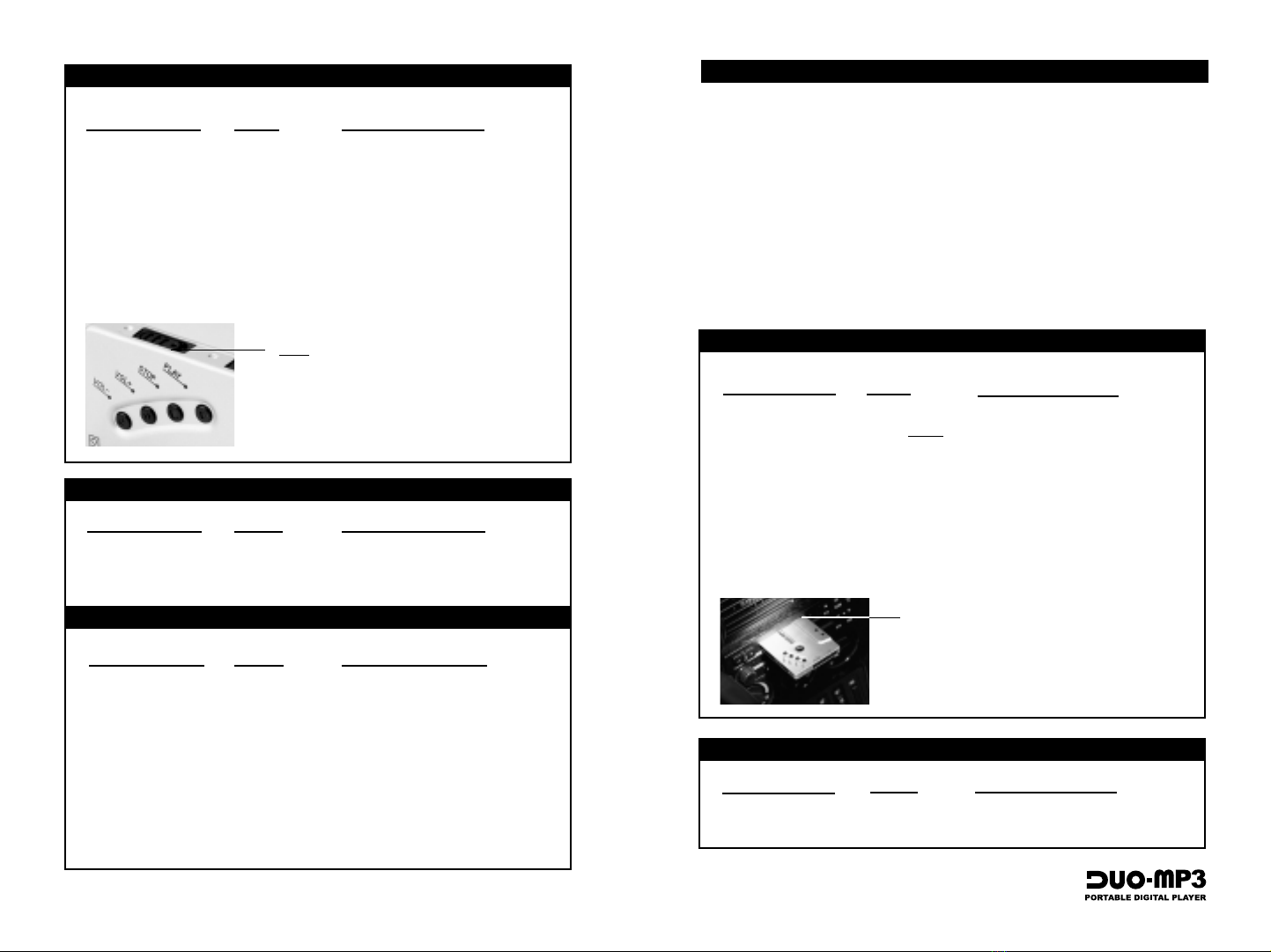
Desired Operation Buttons Function When Pressed
Turn power on Slide On/Off Powers On the Player, preparing it
Switch before for use in your cassette deck.
inserting into
deck.
Play Music Use cassette controls. Same as any cassette player.
Pause Music Use cassette controls. Same as any cassette player.
Stop Use cassette controls. Same as any cassette player.
Increase Volume Use cassette controls. Same as any cassette player.
Decrease Volume Use cassette controls. Same as any cassette player.
Desired Operation Buttons Function When Pressed
Change Equalizer Play/EQ Toggles equalizer mode while audio
Mode is playing(Jazz,Pop,Classical)
OPERATING THE DUO-MP3 PLAYER (Cassette Deck Operation)
FOR EQUALIZER FUNCTIONS (while music is playing)
Once in the deck, use as you would any
standard cassette player. Insert FACE-UP.*
The following is the correct way to insert the Duo-MP3 player into a
cassette deck.
1. Turn on your DUO-MP3 Player
2. Insert the DUO-MP3 into the cassette deck, making sure the side
marked Front (the side with the operating buttons) is inserted
upward or forward.
3. Adjust head control switch to ensure optimal tape head alignment.
4. If no sound is played from the deck, change the play direction with the
auto-reverse button and flip the DUO-MP3 cassette so it is facing down.
* Depending on the model of your cassette
player, it may be necessary to flip the DUO-MP3
face down. See “Trouble Shooing” Guide.
INSERTING THE DUO-MP3 INTO A CASSETTE DECK 15
Desired Operation Buttons Function When Pressed
Turn power on Slide On/Off Powers On the Player
switch to on.
Play Music Press Play Begins to Play Music/Restarts from
Pause.
Pause Music Stop (press < Pauses the Music
for 1 second.)
Increase Volume Vol +Increases the Play Volume
Decrease Volume Vol -Decreases the Play Volume
OPERATING THE DUO-MP3 PLAYER (Stand-alone Operation)
FOR EQUALIZER FUNCTIONS (while music is playing)
Slide On/Off switch to ON.
14
Desired Operation Buttons Function When Pressed
Change Equalizer Play/EQ Toggles equalizer mode while audio
Mode is playing. (Jazz,Pop,Classical)
Desired Operation Buttons Function When Pressed
Replay Last Song Vol -Jumps back to the beginning of
the preceding song each time you
press play while holding Vol -.
Jump To Next Song Vol +Jumps back to the beginning of
the next song each time you
press play while holding Vol +.
FOR SONG SELECTIONS (while music is playing)
+
Play
+
Play
+
Play

• Verify that the unit is on.
• Check to see if the battery is charged.
• Check the cable connection to the parallel port.
• Verify that the battery has been inserted correctly.
• Verify that the unit is on.
• Verify that the battery has been inserted correctly.
• Check to see if the battery is charged.
• Verify that the player is inserted correctly into the
tape deck.
• If used in a cassette deck, check tape player
direction (DUO-MP3) will only play properly in
one tape direction)
• Verify that the MMC card is inserted properly, if
applicable
• Verify that the unit is on.
• Adjust the tape head control position for optimal
alignment with the ape deck head.
• Reposition the DUO-Mp3 with the front side down
and press auto-reverse to play bottom side.
• Verify that the unit is on.
• Verify that the battery has been inserted correctly.
• Check to see if the battery is charged.
• Check the cable connection to the parallel port.
• Verify that the player is powered On.
• Verify that your computer is in ECP Mode as
specified in “setting Your Bios to ECP Mode.”
TROUBLE SHOOTING PROBLEMS 17
The DUO-MP3 player will
not play.
The DUO-MP3 player will
not download digital files
from the PC.
The DUO-MP3 software
does NOT recognize the
hardware connection.
The DUO-MP3 sound is
not clear in a cassette
deck, or sound comes
only from the left or
right speakers.
Keep the following things in mind when handling your DUO-MP3 player.
• Unit may be damaged if struck or crushed.
• Use a carrying case when carrying and using your DUO-MP3.
• Keep out of direct sunlight.
• Keep away from dust and dirty materials.
• Clean with a soft cloth.
• Store in a cool dry place.
• Do not store your DUO-MP3 around a television set.
Keep the following things in mind when using your DUO-MP3
battery and charger.
• Normal playing time is about six hours when playing the DUO-MP3
as a stand-alone player.
• Playing time may vary depending on battery type, battery makers and
usage conditions.
• Charge battery for three to four hours until the charge lamp is off.
• When the battery is nearly charged, the charger lamp flickers. The
lamp goes out immediately after the battery is fully charged.
• Unplug the charger when it is not in use.
• If the battery is not used for a week or longer, it may lose its charge.
• If the battery is repeatedly recharged before being discharged
completely, its playing time may be shortened.
• If the battery playing time is significantly shorter than when you
purchased the unit, you may need to purchase a new battery.
BATTERY AND CHARGER USAGE
HANDLING AND STORING INSTRUCTIONS 16
Tabla de contenidos


