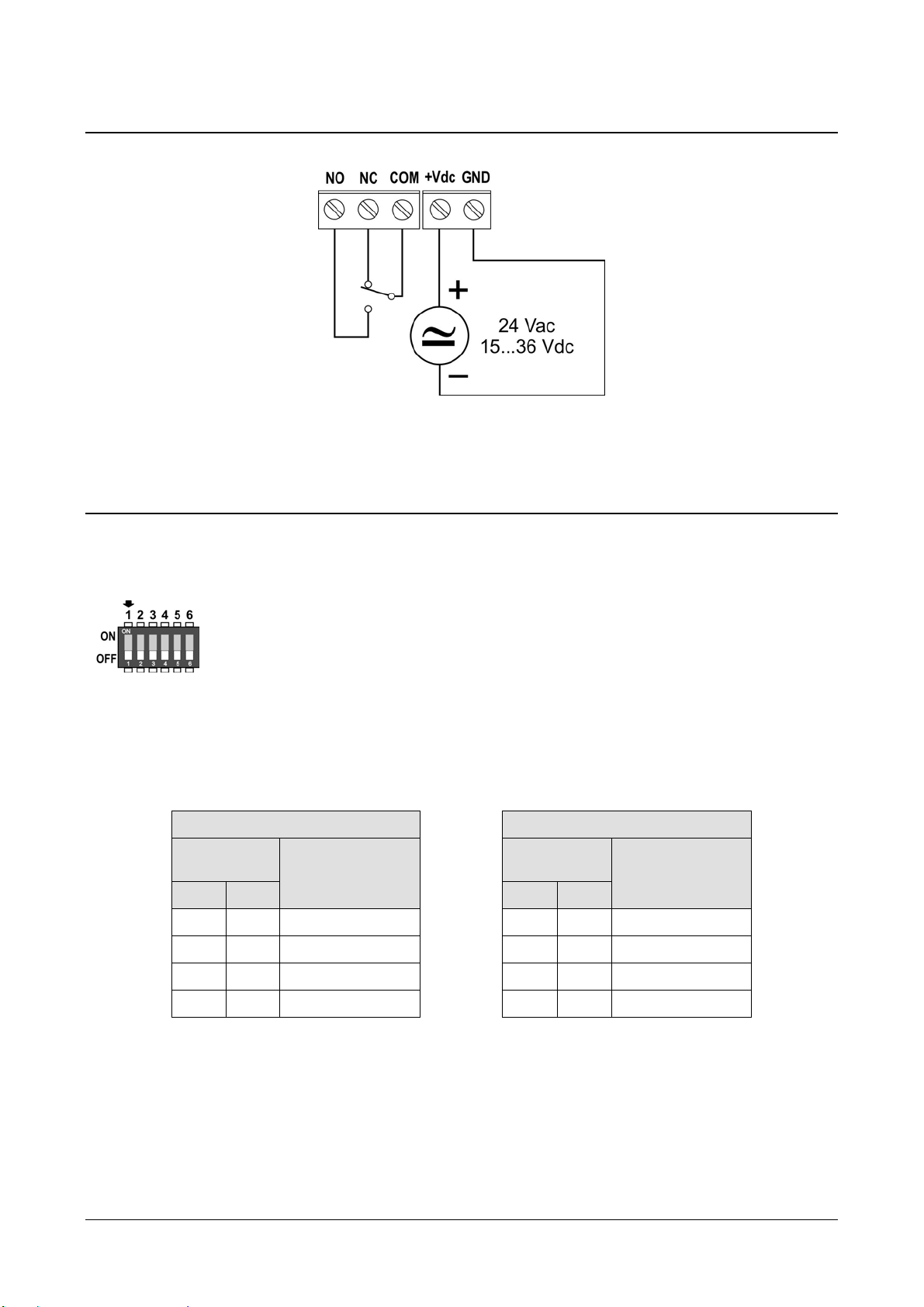
HD402TR - 8 - V1.0
•Connect the COM AUX serial port of the instrument to the RS232 port (via the
RS27 cable) or USB (via the cable CP27) of the PC. If you use the CP27 cable, in-
stall the USB drivers on your PC.
•On the PC, launch a program for serial communication (e.g. Hyperterminal), set
the baud rate to 115200 and the communication parameters to 8N2.
•Send the CAL START command (the command is required to change the con-
figuratrion; to read the value of the parameters, the command is not required).
•Send the commands given in the table below to set or read the instrument pa-
rameters.
Serial commands
Command Descri
tion
G0 Reads the instrument model and range
Example of reply: HD402TR2 1000Pa
If the model has the Auto-zero feature, AZ will appear after the range
G2 Reads the instrument serial number
G3 Reads the instrument firmware version
G4 Reads the instrument firmware date
GD Reads the instrument calibration date
GM Reads the current measurement
Kn Sets the unit of measurement
HD402TR1 and HD402TR2:
n=0 ⇒Pa; n=1 ⇒mmH2O; n=2 ⇒inchH2O; n=4 ⇒mbar
HD402TR3, HD402TR4 and HD402TR5:
n=0 ⇒kPa; n=1 ⇒mmHg; n=2 ⇒PSI; n=4 ⇒mbar
Default: Pa (HD402TR1 / HD402TR2), kPa (HD402TR3 / HD402TR4 / HD402TR5)
AWSn Sets the relay operating mode
n=0 ⇒Negative (NC contact is closed if no alarm, NO contact is closed if in alarm)
n=1 ⇒Positive (NO contact is closed if no alarm, NC contact is closed if in alarm)
Default: Negative
ARS Reads the relay operating mode
AWBn Sets the buzzer activation status: n=0 ⇒OFF; n=1 ⇒ON
Default: OFF
ARB Reads the buzzer activation status
AWAn Sets the alarm activation status: n=0 ⇒OFF; n=1 ⇒ON
Default: OFF
ARA Reads the alarm activation status
AWEn Sets the alarm operating mode
n=0 ⇒Above threshold (alarm is on if measurement is greater than threshold 1)
n=1 ⇒Below threshold (alarm is on if measurement is less than threshold 1)
n=2 ⇒Outside thresholds (alarm is on if measurement is less than threshold 1
or greater than threshold 2)
Default: Above threshold
ARE Reads the alarm operating mode
AWT1snnnn Sets the threshold 1 value to snnnn (“s” is the sign of the value) (*)
Default: pressure value corresponding to 30% of the full scale