
DeFunc TRUE ENTERTAINMNET Manual de usuario
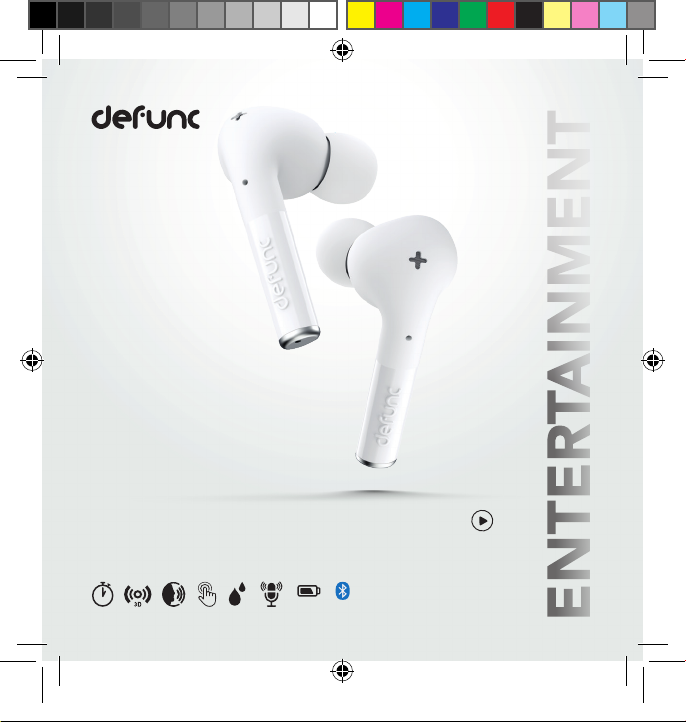
1
ENTERTAINMENT
DEFUNC TRUE ENTERTAINMENT
LOW LATENCY 60 MS / FAIBLE LATENCE 60 MS / LATENCIA BAJA DE 60 MS / NIEDRIGE LATENZ 60 MS
3D STEREO SOUND / STÉRÉO 3D / ESTÉREO 3D / 3D-STEREO
5.2
35 h
TRUE_entertainment_MANUAL_100x100.indd 1TRUE_entertainment_MANUAL_100x100.indd 1 2021-11-30 10:592021-11-30 10:59

Hey you!
Thank you for choosing Defunc TRUE ENTERTAINMENT -
optimized for streaming services and mobile gamers.
Equipped with low latency, 6 hours of playtime per charge,
dual microphones, passive noise cancellation and
3D stereo sound, these will be your new wirelss companion.
Enjoy!
Important: Use only with a charger capable of delivering 5V.
TRUE_entertainment_MANUAL_100x100.indd 2 2021-11-30 10:59
210-172634
FCC ID: 2AKFED434

English ................................................... 04
Français .................................................. 13
Español .................................................. 21
Deutsch .................................................. 30
Türkçe ..................................................... 39
日本語 ..................................................... 47
Português................................................ 55
Pусский................................................... 63
Copyright © The Art of Utility AB
Defunc, c/o The Art of Utility AB, Upplandsgatan 7, 111 23 Stockholm, Sweden
The Bluetooth® word mark and logos are registered trademarks owned by the Bluetooth SIG, Inc. and any use of such
marks by The Art of Utility AB is under license. Other trademarks and trade names are those of their respective owners.
TRUE_entertainment_MANUAL_100x100.indd 3TRUE_entertainment_MANUAL_100x100.indd 3 2021-11-30 10:592021-11-30 10:59

4
5
DEFUNC TRUE ENTERTAINMNET
Thank you for choosing the TRUE ENTERTAINMENT earbud model. Read
this manual to optimize your experience. Hope you enjoy your new earbuds!
WHAT’S INCLUDED
• Defunc TRUE ENTERTAINMENT earbuds
• Charging case
• USB-C charging cable
• 3 sets and sizes of earplugs
GENERAL TIPS FOR TRUE WIRELESS EARBUDS
• Because of interference with other Bluetooth devices, the earbuds
can get disconnected from each other. If you experience this
problem, place the earbuds in the charging case and close the cap.
After a few seconds, open the cap and start using the earbuds again.
• Hold the earbud stem when putting or adjusting the earbuds in
your ears. This way you avoid touching the sensitive touch area
which control different functions.
• The volume effects the capacity of the battery. If you play your music
with lower volume, you will increase battery life.
TRUE_entertainment_MANUAL_100x100.indd 4TRUE_entertainment_MANUAL_100x100.indd 4 2021-11-30 10:592021-11-30 10:59

4
5
TECHNICAL SPECIFICATIONS
Bluetooth version: 5.2
Transmission frequency: 2.4 GHz
Earbud battery: 50 mAh
Charging case: 500 mAh Fast Charge
Earbud recharges in charging case: 4-5 times
Active playtime: ≈ 7 h
Standby time: ≈ 40 h
Charging time: ≈ 1.5 h
Speaker dimension: 6 mm*16 Ω
Speaker sensitivity: 105 ±3 dB at 1 kHz
Charging means: USB-C
Power supply bin voltage: 5 V
Transmission frequency: 20 Hz-20 kHz
Rated power for earbuds: 2.5 mW
Rated power for charging case: 2.15 W
Frequency range: 2402~2480 MHz
Maximum output power: 8.75 dBm
Net weight: ≈ 58 g
TRUE_entertainment_MANUAL_100x100.indd 5TRUE_entertainment_MANUAL_100x100.indd 5 2021-11-30 10:592021-11-30 10:59

6
7
GET STARTED
1. Make sure the earbuds are fully charged. Do this by charging the
earbuds in the charging case until the 4 white lights on the charging
case are lit.
2. Open the charging case, take out the earbuds. The earbuds will
automatically power on and pair with each other.
3. When the white light on either earbud is blinking, the earbuds are
ready to pair with your device.
4. Turn on the Bluetooth function on your device and select Defunc
TRUE ENTERTAINMENT in the list to pair earbuds with the device.
POWER ON
There are two ways to turn the earbuds on:
1. Open the cap of the charging case and take the earbuds out for
auto-power on.
2. Touch the left and right earbuds for 3 seconds to turn them on.
POWER OFF
There are two ways to turn the earbuds off and one way they
auto-power off:
1. Put the earbuds back in the charging case and close the cap.
2. Touch either the right or left earbuds for 5 seconds.
3. Auto-power off will be activated after 5 minutes in paired mode
without connected device.
TRUE_entertainment_MANUAL_100x100.indd 6TRUE_entertainment_MANUAL_100x100.indd 6 2021-11-30 10:592021-11-30 10:59

6
7
TOUCH CONTROL FUNCTIONS
Tap or press the earbud touch area to control different functions.
Power on: Open the cap of the charging case and take the earbuds out
for auto-power on. Or touch the left and right earbuds for 3 seconds to
power on.
Power off: Put the earbuds back in the charging case or touch either the
right or left earbuds for 5 seconds. Auto-power off will be activated after
5 minutes in paired mode without connected device.
Streaming/Gaming mode: Triple-click on the right earbud to enter
gaming mode and triple-click on the right earbud again to leave gaming
mode. Streaming/Gaming mode activates the 3D stereo sound and the
ashing LED lights on the bottom of the earbud stems.
Play/pause: While listening to music, double-click the touch area of any
earbud to play and pause the music.
Next track: While listening to music, press the right earbud for 2 seconds
to get to next song.
Previous track: While listening to music, press the left earbud for
2 seconds to play previous song.
TRUE_entertainment_MANUAL_100x100.indd 7TRUE_entertainment_MANUAL_100x100.indd 7 2021-11-30 10:592021-11-30 10:59

8
9
Volume increase: Click once on the right earbud. Wait 1 second between
each touch if you want to increase the volume.
Volume decrease: Click once on the left earbud. Wait 1 second between
each touch if you want to decrease the volume.
Answer/end phonecall: Double-click either the left or right earbud to
answer or end the phone call.
Reject call: Press either the left or right earbuds for 2 seconds to reject the call.
Voice assistant: Triple-click on the left earbud to activate the voice as-
sisstant on your phone and triple-click on the left earbud again to end it.
CHARGE THE EARBUDS
Put the earbuds in the charging case and close the cap. Make sure that the
charging case has battery life.
CHARGE THE CASE
Connect the USB-C charging cable with the USB-C port on the charging
case. Connect the other USB-C plug into a power source.
TRUE_entertainment_MANUAL_100x100.indd 8TRUE_entertainment_MANUAL_100x100.indd 8 2021-11-30 10:592021-11-30 10:59

8
9
Charging: White lights ashing
Battery status: Each light equals 25% battery life
Case and earbuds can be charged simultaneously.
WARNING!
• Do not attempt to repair the earbud. A faulty repair may lead to re,
electronic breakdown or a damaged product.
• Do not use the earbud in an environment where the temperature is
below 0 °C or above 45 °C.
• Avoid using a device indicator light near the eyes of children and animals.
• Do not use the earbud in thunderstorm weather to avoid abnormal
earbud behavior and the risk of shock.
• Do not wipe the earbud with oil or other volatile liquids.
• Do not wet the earbud.
ONE YEAR WARRANTY
All Defunc products are designed and manufactured with your high ex-
pectations and best customer experience in mind. We are devoted in pro-
viding the best quality and modern technology. However, as most people
realise, electronic products sometimes do have technical difculties, and
sometimes it is due to a manufacturing defect. This is why we offer a one
(1) full year replacement warranty, from purchase date, against manufacturer
defects on each pair of earbuds we sell.
TRUE_entertainment_MANUAL_100x100.indd 9TRUE_entertainment_MANUAL_100x100.indd 9 2021-11-30 10:592021-11-30 10:59

10
11
Defunc (The Art of Utility AB) hereby warrants that, under normal use,
this product will be free from defects in materials and workmanship for a
period of one (1) year from the date of original retail purchase. The repla-
cement warranty is valid only if the original proof of purchase issued to the
purchaser, specifying the date of purchase, is presented with the product
to be replaced.
How does it work? If you believe this product is defective within the war-
ranty period, carefully repack the unit and return the product to your au-
thorised dealer, with the original proof of purchase. Your authorised dealer
will replace the product in case a defect in manufacture or workmanship is
identied. In case your authorised dealer does not have the corresponding
product or colour in stock, Defunc will promptly provide you with a new
product.
This limited replacement warranty does not apply in cases of abuse or
misuse of the product, use contrary to Defunc instructions, ordinary wear
and tear, incorrect connection, force majeure or unauthorised repair. Any
lawsuit for breach of this limited warranty shall be commenced, if at all,
within one (1) year of the date that the claim accrues.
Defunc shall not be liable for special, indirect, incidental or consequential
damages resulting from the use or inability to use this product, regardless
of the legal theory on which the claim is based. This warranty gives you
TRUE_entertainment_MANUAL_100x100.indd 10TRUE_entertainment_MANUAL_100x100.indd 10 2021-11-30 10:592021-11-30 10:59
Tabla de contenidos
Idiomas:
Otros manuales de Auriculares inalámbricos de DeFunc


