
COMAG Digital Satellite Receiver Manual de usuario
1
Digital Satellite Receiver
Operating manual
Version 1.0, as of 21/11/2007
Modifications and errors reserved.
We will not assume any liability for printing errors.

2
Overview of equipment
Front side of the receiver
Rear side of the receiver
Remote control

3
Overview of equipment
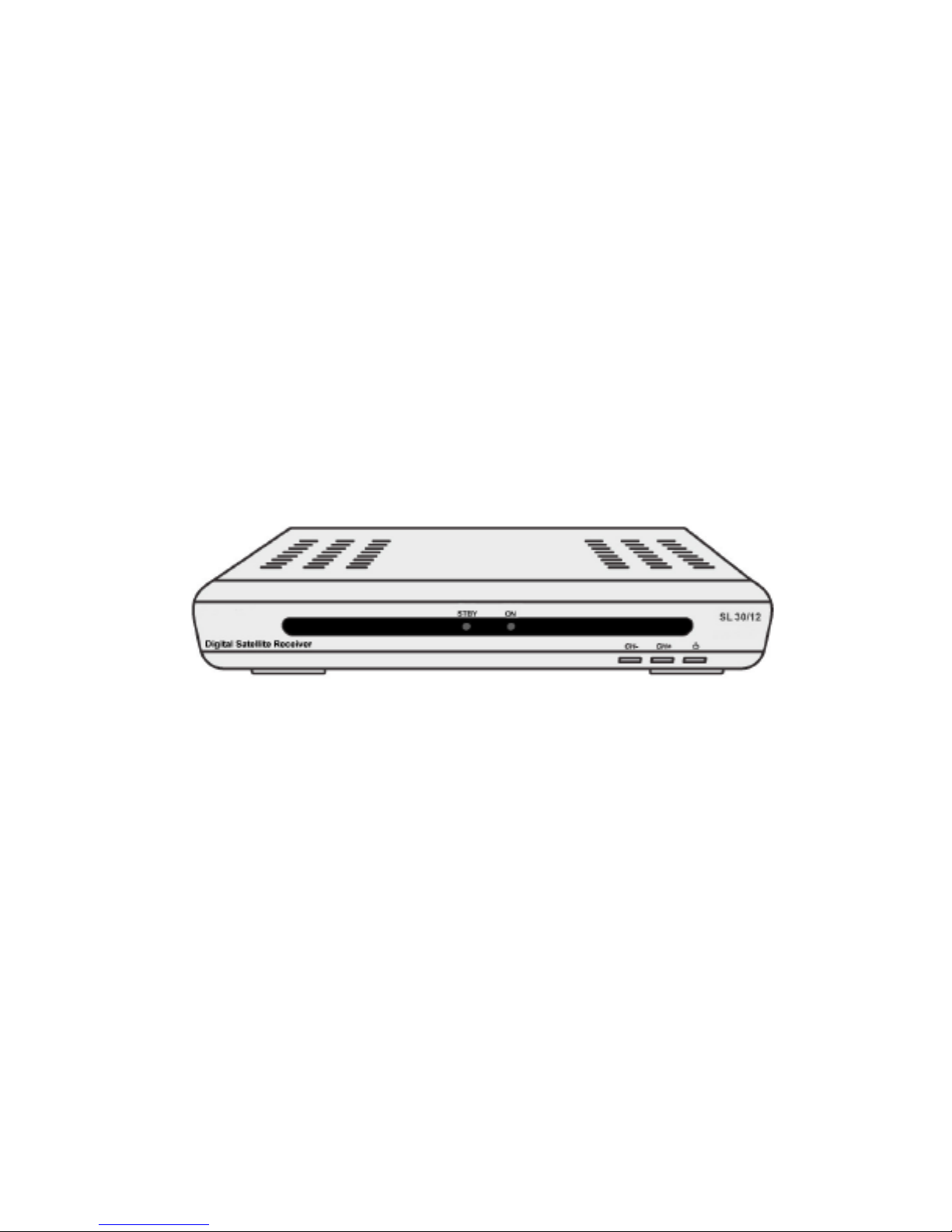
Front side of the receiver
1 - Infrared sensor for the signals of the
remote control
2 LED STBY LED is only illuminated if the receiver is in
standby mode
3 LED ON LED is illuminated if the receiver is
switched on
4 Standby Switches on and switches to the standby
mode
5 CH+ key Switches to the next higher channel
location
Cursor moves up
6 CH- key Switches to the next lower channel
location
Cursor moves down
Rear side of the receiver
1 LNB IN LNB connection for the antenna cable
2 IF OUT LNB connection for an analogue satellite
receiver in standby mode
3 TV (output) SCART connection for the TV set
4 DC IN 12V Connection 12V/power pack
5 AUDIO R Analogue audio connection R(Right)
6 AUDIO L Analogue audio connection L(Left)
7 Video RCA video connection

4
Remote control
No. Symbol Description
1 Standby Switches on and switches to the standby mode
2 ZOOM Enlarges TV image
3 LIST Invokes TV channel list
4 TIMER Invokes timer
5 TEXT Invokes Teletext
6 MUTE Turns off sound
7 M/P Multi-picture function, invokes thumbnail view
8 V+ Increases volume/cursor moves to the right
9 OK In normal mode: invokes current channel list
In a menu: confirms menu item
10 CH ▼Switches to the next lower channel location/
cursor moves downwards
11 FAV Invokes own favourites list
12 RECALL Switches to previously selected channel
13 PAUSE Stills the frame
14 INFO Displays reception data of the current channel
(satellite-finder function)
15 0-9 Selects channel directly, numerical input
16 P- In normal mode: change of channel group
In TV channel list: Ten-key block commutation
17 P+ In normal mode: change of channel group
In TV channel list: Ten-key block commutation
18 V- Decreases volume/cursor moves to the left

5
19 CH ▲Switches to the next higher channel
location/cursor moves up
20 MENU Invokes main menu
21 EXIT Exits menu or menu item
22 Audio Changes audio mode
23 EPG
Invokes Electronic Programme Guide (if offered
by the broadcasting station)
24 TV/SAT Switches between terrestrial and satellite
antenna
25 TV/Radio
Switches between TV and radio mode

6
Preface
This operating manual will help you in the
•appropriate
•safe
Usage of the digital satellite receiver, hereafter called as the
receiver in short.
We assume that the user of the Sat-System has overall knowledge
regarding handling of audio and video equipment.
Every person who
•installs,
•connects,
•operates,
•cleans
•disposes of
This receiver must be familiar with the entire content of this
operating manual. Always keep this operating manual in the
proximity of the satellite system.
Style features
Specific style features have been given in different sections of the
operating manual. Thus, you can easily differentiate whether it
concerns
Normal text,
•enumerations or
Actions.

7
Contents
Overview of equipment....................................................................... 3
Remote control ................................................................................... 4
Preface............................................................................................... 6
Style features .................................................................................... 6
Contents ............................................................................................ 7
Safety instructions ........................................................................... 9
Basic safety instructions............................................................. 9
Appropriate usage ............................................................................ 12
Scope of supply.............................................................................. 13
Description ...................................................................................... 14
Receiver connection ...................................................................... 18
LNB cable installation ....................................................................... 19
Connection with Scart cable............................................................. 21
Connection with Cinch cable ............................................................ 23
Connection of an audio-digital receiverFehler! Textmarke nicht definiert.
Direction of the antenna ................................................................... 25
Getting started ................................................................................ 26
Remote control ................................................................................. 26
Receiver............................................................................................ 27
Adjustment of antenna...................................................................... 28
Operation......................................................................................... 29
Screen-inlays while switching a channel .......................................... 29
User interface on the TV monitor ..................................................... 30
Menu Structure ................................................................................. 31
Menu navigation ............................................................................... 32
Channel (symbol: TV)....................................................................... 33
Installation (symbol: satellite antenna) ............................................. 35
System settings (symbol: gearwheel)............................................... 39
Setting (symbol: tools) ...................................................................... 42
Software update via satellite............................................................. 43
Keys with special functions .......................................................... 44

8
Switch between TV and SAT............................................................ 44
Switch between TV and radio........................................................... 44
ZOOM ............................................................................................... 44
LIST .................................................................................................. 44
AUDIO .............................................................................................. 45
EPG .................................................................................................. 45
Teletext ............................................................................................. 45
M/P Multipicture................................................................................ 46
MUTE................................................................................................ 46
FAV................................................................................................... 46
RECALL............................................................................................ 47
Acoustic signal for directing the satellite antenna ............................ 47
Sleep timer ....................................................................................... 47
Pause................................................................................................ 47
Dismantling ..................................................................................... 48
Cleaning........................................................................................... 48
Troubleshooting ............................................................................. 49
Technical specifications ................................................................ 51
Manufacturer................................................................................... 53
Guarantee ........................................................................................ 53
Declaration of conformity .............................................................. 54
Glossary .......................................................................................... 55
Information regarding alignment of dish (UK)..........................56

9
Safety instructions
Please read the safety instructions carefully before operating the
receiver.
Please follow all warnings and instructions on the equipment and in
the operating manual.
Basic safety instructions
Electrical connection
•Do not expose the receiver to rain as well as any kind of
humidity to avoid risk of fire and electric shock.
•Never open the casing. Otherwise, there is a risk of electric
shock.
•Connect the receiver only to the power source installed by an
expert. It is either:
-for an external power pack:
A 100–240 V, 50-60 Hz mains socket as per specifications or
-for a 12 V cable:
An 11 V / 15 V DC supply as per specifications.
•Ensure that the total power consumption by the antenna
connection of the receiver does not exceed “LNB IN” 300 mA.
•Pull the external power pack or the 12 V cable out of the mains
socket if you will not use the device for a longer period of time.
Only pull at the external power pack or at the head piece of the
12 V cable, not at the cable itself.
•In case of a storm, pull the external power pack or the 12 V
cable of the receiver out of the mains socket.
•If foreign bodies or fluids enter the receiver, pull the external
power pack or the 12 V cable out of the mains socket. Ask a
qualified person to check the equipment before operating it
once again. Otherwise, there is a risk of electric shock.
•Do not bend or crimp any cable.
•
If a cable used for mains supply is damaged, the receiver must
be repaired by an expert before re-using it. Otherwise, there is a
risk of electric shock.

10
•Never allow children to operate the receiver or to play with the
antenna unit unless supervised.
•Always ask qualified personnel to carry out maintenance jobs.
Otherwise, you are putting yourself and others at risk.
•Disconnect the receiver from the power source in case of
operational disruptions.
•Ensure that the power source is easily accessible.
Correct position
•Place the receiver on a stable and even base.
•Use the receiver only with adequate climatic conditions.
•Avoid proximity to:
-heat sources, e. g. heaters,
-naked flames, e. g. candles,
-Devices with strong magnetic fields, e. g. loudspeakers.
-Never place receptacles filled with liquid (vases) on the
receiver
•Avoid direct sunlight and places with an extremely high amount
of dust.
•Never cover ventilation slits. Provide for sufficient ventilation by
maintaining a safety distance of 5 cm to other objects.
•Do not place any heavy objects on the receiver.
•Humidity may settle in the receiver if it is brought into hot
surroundings from a cold one. In this case, wait for about an
hour before operating the equipment.
•Arrange all cables in such a manner that no-one steps or trips
over them.
•The antenna unit is not suitable for operating in case of high
wind pressures. Do not expose it to strong wind.
Correct battery handling
•
Batteries may contain toxic agents. Ensure that batteries are
not within the reach of children.
Children may eat and swallow
batteries.
Este manual sirve para los siguientes modelos
1
Tabla de contenidos
Otros manuales de Receptor de COMAG


