Cingular T226 Manual de usuario

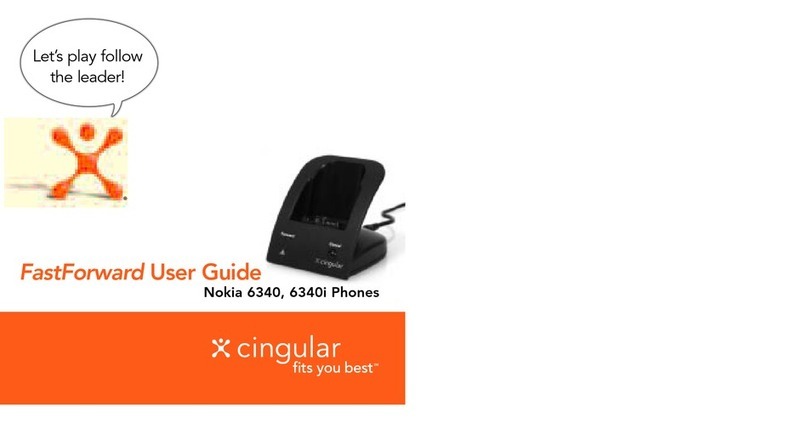
FastForward User Guide
Sony Ericsson T61z, T62u, T226, T306, T316, T68i, T68m Series Phones
Let’s play follow
the leader!
®
3183 Sony Ericsson.qxd 10/16/03 2:44 PM Page 1

1
Welcome
Thank you for purchasing Cingular’s FastForward. Now you
can easily forward incoming calls made to your Cingular Wireless
phone to your existing home or work phone.
This user guide will provide you with everything you need
to set up and enjoy the convenience of seamless call forwarding
from your wireless phone to another location.
There are numerous other benefits too. They are shared
throughout this guide.
The phone book within your compatible handset
must be set up prior to using the FastForward device.
3183 Sony Ericsson.qxd 10/16/03 2:44 PM Page 2

2
Quick Start
Set Up
1. Plug the power supply into the back of the FastForward
device and insert into an electrical outlet. WARNING: Do
not plug the FastForward power connector directly into
your handset. This could potentially damage your handset.
2. Place the device on a convenient flat surface with good
wireless coverage.
3. Create a new phone book entry in your wireless phone with
the name “Cf1” see page 7 for complete instructions.
4. In the Cf1 entry location, store the phone number for
the location to which you would like incoming wireless
calls forwarded.
5. Place the Cf Selector Switch, located on the bottom of the
device, into the Cf1 position.
6. The phone must be turned on for call forwarding to work.
3
To Start Call Forwarding
1. Simply insert your wireless phone into the FastForward device.
2. The Forward indicator on the device will illuminate indicating
your incoming wireless calls are now forwarded. In order for
the FastForward device to work properly, the handset should
be turned on and not engaged with an active call when placed
on the FastForward device.
3. An added bonus is that your wireless phone's battery will be
charged while it is in the device.
NOTE: Any unanswered FastForward call will be treated as a normal landline
call is treated today.
To Cancel Call Forwarding
1. With your wireless phone in the FastForward device, press the
Cancel button on the front of the FastForward device. Your
wireless handset should be turned on and not engaged with
an active call while canceling call forwarding.
2. The Forward indicator will extinguish after several seconds.
3. You may now remove your wireless phone.
It may be necessary to tilt your phone when inserting
or removing from the FastForward device.
3183 Sony Ericsson.qxd 10/16/03 2:44 PM Page 2

4
Contents
Features of the FastForward 5
Using FastForward 6
Setting Up Your Sony Ericsson Wireless Phone 7-9
Setting Up a 2nd FastForward 10-13
Making Calls on Your Wireless Phone
While Call Forwarded 14
Canceling Call Forwarding
from Your Wireless Phone 15
Warning Alerts 16-17
Frequently Asked Questions 18-19
Sony Ericsson Phones Supported 20
Warranty 21
Additional Support 21
5
Features
Forward
Indicator
Indicates calls
are forwarded
Alert
Indicator
Informs that
attention is
needed
Cancel
Button
Deactivates call
forwarding
Wireless Phone
Connector
Syncs handset
with FastForward
Cf Selector Switch
(on bottom)
Normally set to Cf1
(See page 10 for details
of configuring 2nd or 3rd
FastForward device.)
Power Connector
Supplies electricity
to FastForward
(Do not plug directly
into your wireless phone.)
Bottom View
3183 Sony Ericsson.qxd 10/16/03 2:44 PM Page 4

Setting Up Your Sony Ericsson Wireless Phone
If you have the T61z or T62u series phone:
1. Select Menu.
2. Scroll to Phonebook. Press Select.
3. Scroll to Add Contact. Press Select.
4. Scroll to First Name. Using the wireless phone’s keypad with
corresponding alphabet letters, key in “Cf1.”
• Press 2 key 3 times “2 2 2 ” for “C”
• Press the 3 key 3 times “3 3 3 ” for “f”
• Press and hold the 1 key until the “1” is highlighted for “1”
• Select OK.
5. Scroll to Home. Type in the number you would like your
wireless calls to be forwarded to. For example, if you are
setting up the device in your house and your home phone
number is 404-555-1234, use the wireless phone’s key pad
to enter the number.
6. Scroll to Save and Exit? Select Proceed.
6
Using FastForward
FastForward allows you to forward your incoming wireless calls
to your local home or office number. It’s simple to use and easy
to set up. Once you’ve established and set up your forwarding
number (see page 7), just insert your wireless phone into the
device cradle and your calls are now forwarded. To cancel call
forward, simply press the Cancel button, wait for the Forward
indicator to extinguish, and remove the handset from the device.
For example, when you walk in the door at home, insert your
Cingular Wireless phone into the device, and calls that would have
gone to your wireless phone will now ring all landline telephones
in your home that operate on the forwarded-to number.
When leaving your home, simply press the Cancel button on
the device, and incoming wireless calls are redirected to your
wireless phone. FastForward works the same way when you’re
forwarding wireless calls to your office number.
FastForward is compatible with the Sony Ericsson T61z, T62u, T226
T306, T316, T68i and T68m series of phones from Cingular Wireless.
7
3183 Sony Ericsson.qxd 10/16/03 2:44 PM Page 6

9
If you have the T68i or T68m series phone:
1. Press the joystick.
2. Scroll to Phonebook. Press Yes.
3. Scroll to Add Contact. Press Yes.
4. Scroll to Name. Using the wireless phone’s keypad with
corresponding alphabet letters, key in “Cf1.”
• Press 2 key 3 times “ 2 2 2 ” for “C”
• Press the 3 key 3 times “ 3 3 3 ” for “f”
• Press and hold the 1 key until the “1” is highlighted for “1”
• Press Yes.
5. Scroll to Home. Type in the number you would like your wireless
calls to be forwarded to. For example, if you are setting up the
device in your house and your home phone number is 404-555-1234,
use the wireless phone’s key pad to enter the number.
6. Select Yes.
7. Scroll to Save and exit? Select Yes.
NOTE: The length of time to call forward depends on the total number of entries
within the phone book. Please allow a few extra moments for the phone book to
synchronize and locate the Cf entry.
8
Setting Up Your Sony Ericsson Wireless Phone (cont’d)
If you have the T226, T306 and T316 series phone:
1. Press the joystick.
2. Scroll to Phonebook. Press Yes.
3. Scroll to Manage Contact. Press Yes.
4. Scroll to Add Contact. Press Yes.
5. Scroll to Name. Using the wireless phone’s keypad with
corresponding alphabet letters, key in “Cf1.”
• Press 2 key 3 times “2 2 2 ” for “C”
• Press the 3 key 3 times “3 3 3 ” for “f”
• Press and hold the 1 key until the “1” is highlighted for “1”
6. Press Yes.
7. Scroll to Home. Type in the number you would like your
wireless calls to be forwarded to. For example, if you are
setting up the device in your house and your home phone
number is 404-555-1234, use the wireless phone’s key pad to
enter the number.
8. Press Yes.
9. When you have entered the information, Press Save and exit?
Press Yes.
3183 Sony Ericsson.qxd 10/16/03 2:44 PM Page 8

11
If you have the T226,T306 and T316 series phone:
1. Press the joystick.
2. Scroll to Phonebook. Press Yes.
3. Scroll to Manage Contact. Press Yes.
4. Scroll to Add Contact. Press Yes.
5. Scroll to Name. Using the wireless phone’s keypad with
corresponding alphabet letters, key in “Cf2.”
• Press 2 key 3 times “2 2 2” for “C”
• Press the 3 key 3 times “ 3 3 3 ” for “f”
• Press and hold the 2 key until the “2” is highlighted for “2”
• Press Yes.
6. Scroll to Home. Using the wireless phone’s keypad, type in the
number you would like your wireless calls to forward to.
7. Press Yes.
8. When you have entered the information, Press Save and exit?
Press Yes.
10
Setting Up A 2nd FastForward
You may want to purchase a second FastForward for use at your
office to forward your wireless calls to your business number.
Follow the instructions below to set up additional devices.
If you have the T62u or T61z series phone:
1. Select Menu.
2. Scroll to Phonebook. Press Select.
3. Scroll to Add Contact. Press Select.
4. Scroll to First Name. Using the wireless phone’s keypad with
corresponding alphabet letters, key in “Cf2.”
• Press 2 key 3 times “ 2 2 2 ” for “C”
• Press the 3 key 3 times “ 3 3 3 ” for “f”
• Press and hold the 2 key until the “2” is highlighted for “2”
• Select OK.
5. Scroll to Home. Using the wireless phone’s keypad, type in the
number you would like your wireless calls to be forwarded to.
6. Scroll to Save and Exit? Select Proceed.
3183 Sony Ericsson.qxd 10/16/03 2:44 PM Page 10

12
Setting Up A 2nd FastForward (cont’d)
If you have the T68i or T68m series phone:
1. Press the joystick.
2. Scroll to Phonebook. Press Yes.
3. Scroll to Add Contact. Press Yes.
4. Scroll to Name. Using the wireless phone’s keypad with
corresponding alphabet letters, key in “Cf2.”
• Press 2 key 3 times “ 2 2 2 ” for “C”
• Press the 3 key 3 times “ 3 3 3 ” for “f”
• Press and hold the 2 key until the “2” is highlighted for “2”
• Press Yes.
5. Scroll to Home. Using the wireless phone’s keypad, type in the
number you would like your wireless calls to forward to.
6. Select Yes.
7. Scroll to Save and exit? Select Yes.
13
For the second device, slide the Cf Selector Switch (located on the
bottom of the device) to the second position. Your second device
is now ready to use.
A third device may be set up to forward wireless phone calls while
at a vacation home or lake house in your local calling area. To set
up your third FastForward device and location, follow the same
steps from “Setting Up A 2nd FastForward” using Cf3. Your
wireless phone can work with up to three FastForward devices.
3183 Sony Ericsson.qxd 10/16/03 2:44 PM Page 12

14
Making Wireless Calls While Call Forwarded
You may still place outgoing calls from your wireless phone
while your incoming calls are forwarded to another number.
Simply remove the wireless phone from the FastForward device
without pressing the Cancel button. The FastForward device will
sound and flash an alert to remind you that incoming calls are
still forwarded. You may now place outgoing calls as normal.
This feature is great when the kids are on the home phone and
you need to make a call. When you have completed your call,
simply replace the handset back into the base. As always, when
you are ready to stop forwarding calls, simply press the Cancel
button and allow the Forward indicator to extinguish before
removing the handset.
15
Canceling Call Forwarding From Your
Wireless Phone
Canceling call forwarding is easy. Just press the Cancel button
on the front of the FastForward device and wait for the Forward
indicator to extinguish before removing the handset.
If your wireless phone is removed from the device without pressing
the Cancel button, your wireless calls are still forwarded to the
number you indicated. You can still cancel call forwarding from
your wireless phone by pressing ##21# Send.
When you arrive back at the FastForward device, the Forward
indicator may still be illuminated. You may simply insert your
wireless phone to re-establish call forwarding or press the Cancel
button to extinguish the Forward indicator.
NOTE: GSM call forwarding indicator on your handset may not correlate with the
Forward indicator on your FastForward device.
3183 Sony Ericsson.qxd 10/16/03 2:44 PM Page 14

• The FastForward device will rapidly flash the indicator and
sound a high-low alert for 3 seconds if the wireless phone is
removed without pressing the Cancel button. This alerts you
that the phone is still call forwarded. Simply replace the phone
in the device, press the Cancel button, and the Forward indicator
will extinguish, indicating that call forwarding is deactivated and
you may remove the wireless phone.
• The FastForward device will slowly flash the indicator and
sound a low alert for 5 seconds if there is no Cf1, Cf2, or Cf3
programmed into the wireless phone’s address book – verify
the Cf programming of the wireless phone and verify the position
of the Cf switch on the bottom of the device.
• The FastForward device will flash the indicator in an “On, On,
Off” pattern and sound a high alert for 5 seconds if there is an
issue with the device communicating with the wireless phone or
the wireless network – verify that the wireless phone is turned
on, there is good coverage, there is not an active call, and try
re-inserting the wireless phone.
!
17
!
!
16
!
Warning Alerts
FastForward provides visual and audio warnings to alert you to
conditions requiring your attention.
• The indicator on the front provides visual warning while an
internal speaker provides audio indications.
3183 Sony Ericsson.qxd 10/16/03 2:44 PM Page 16
Este manual sirve para los siguientes modelos
7
Tabla de contenidos
Otros manuales de Estación de acoplamiento de Cingular